
Language Dictation Generator
Generate dictation practice page in 30s
Language Dictation Generator
Generate dictation practice page in 30s
Showcase
Description
Paste your vocabulary list, then generate an H5 practice webpage for keyboard dictation with one click, ready to send to students. ✍️ Real keyboard dictation — not multiple-choice; students must manually spell to truly test memory 🔥 Combo incentive system — consecutive correct answers trigger sound effects and animations, keeping learning going 💡 Two-level spelling hints — first shows the initial letter, then the full word; step-by-step without discouragement 📚 Automatic error collection — wrong answers or hinted words go into a review bank for targeted practice 📊 Learning reports — cumulative practice count, level scores, and total accuracy at a glance 🏆 Percentage score chart — generates a name-included scorecard upon completion, ready to screenshot and share in group chats 📋 One-click score copy — students copy text to share, teachers easily collect results without downloading files 🎨 14 visual themes — deep-sea aurora, cherry blossom Japanese style, egg-bunny party... fresh experiences every time Supports multiple languages · Smart leveled stages · Perfect mobile adaptation · Zero coding, zero barrier
Why we love this skill
This skill generates beautiful foreign language dictation practice web pages from your vocabulary list with one click. It supports multiple input methods and personalized visual themes, making it a dictation tool for language learners.
Related Skills
View all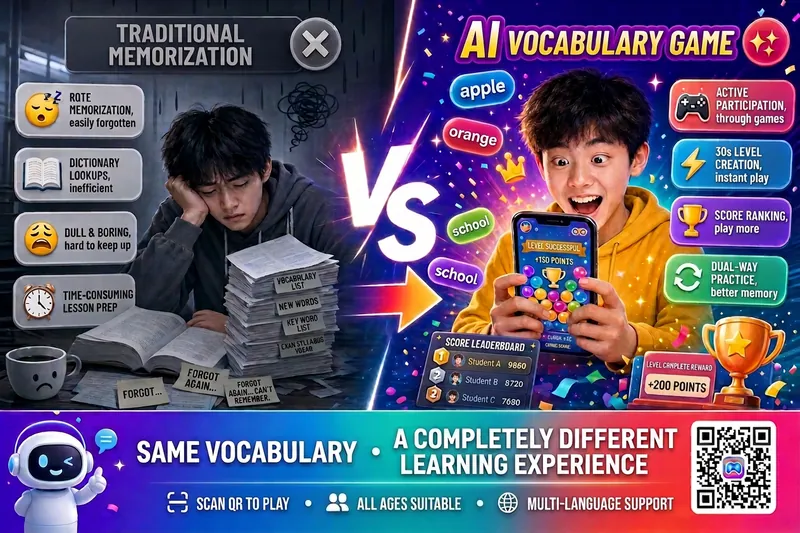 Research
Vocabulary Matching Game v5.0
Enter a textbook name or paste a word list to generate an H5 vocabulary matching game playable on mobile in 30 seconds. Scan a code to play instantly, no app download required. Supports multiple languages including English, Japanese, Korean, German, etc., covering all grade levels, suitable for classroom teaching and home practice. 🌐 Multi-mode input: Search textbook/exam names to auto-fetch words, paste word lists, or upload photos with multi-language auto-detection 🎯 Smart grouping practice: Automatically group by topic or unit, all groups open, progress saved, continue anytime 🎮 Vocabulary matching elimination: Supports both native→foreign and foreign→native practice to strengthen active recall 🏆 Complete points system: Score for correct answers, deduct points for wrong ones, combo bonuses, timed rewards, perfect completion prizes 🎰 Psychology-based engagement design: AI shadow opponent chasing, random double surprises, last-minute incentives, rank badges, achievement wall 👥 Multi-player turn-based challenges: Local multiplayer PK with independent score and error logging, ideal for desk mates or parent-child play 📊 Smart error bank: Wrong words auto-collected, intelligently sorted by mastery level, one-click focused review 🎨 Generate and share instantly: 11 visual themes, generate QR code, scan directly to play
Kids' Pinyin Basics
🎯 Give your child a talking pinyin poster An interactive pinyin learning tool designed for kids aged 4-8. Just say what you need, and instantly generate a beautiful poster—colorful cards, click-to-hear pronunciation, fun animations—making pinyin learning as enjoyable as a game. 📚 23 initials + 24 finals + 4 tones, complete coverage 🔊 Tap cards to hear standard Mandarin pronunciation 🎨 Soft macaron colors to protect eyesight 📱 Works on phones, tablets, and computers Save as an HTML file and use it directly in your browser.
 Webpage
One-Click Courseware to Web
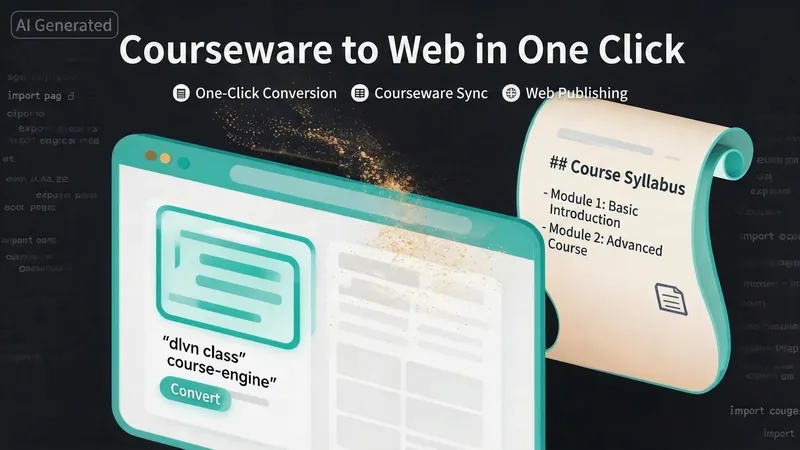
Turn your courseware into a viewable website. Whether you have a Markdown note, a PDF paper, a PPT slides, or a plain text script, or even a public account link, One-Click Courseware to Web can automatically convert it into a clear, beautifully designed online course display webpage. You don't need to write a single line of code—just provide the content. Two display styles: - Course training content → generates a scrolling long page, like flipping through a book. - Paper/report content → generates a PPT-style page-turning website, like browsing slides one by one. Responsive design adapts to mobile and desktop. What you need to do: Just one step: provide your courseware content. Supported formats: .md Markdown files, .pdf PDF documents, .pptx PPT presentations, .txt plain text. You can also paste course content directly in the conversation. Example commands: "Turn these lecture notes into a webpage" "Make this PDF paper into a PPT-style website" "Here is my courseware content, generate an online display page" What you get: A directly accessible online course display website, with the display mode automatically determined. Your content automatically selects the effect: - Course outlines, training handouts, textbooks → scrolling long pages, modules naturally connected, scroll to browse. - Academic papers, research reports → PPT-style slide flipping, each page focuses on one point. - Speeches, meeting reports → PPT-style page-by-page display, supports keyboard/click navigation. If you explicitly request "scrolling" or "PPT", your request is respected. Content extraction capability: For information-dense papers and long texts, the skill automatically performs: - Structure decomposition: splits continuous discourse into independent chapters/slides. - Information condensation: condenses three paragraphs into three key points, each within 20 characters. - Thesis-first: each page gives the conclusion first, then supporting arguments. - Framework visualization: models and classification systems are presented with charts instead of plain text. - Data highlighting: key numbers and metrics are displayed on separate pages prominently. Subsequent modifications: After the website is generated, you can request adjustments at any time: "Update the content of module three" "Change the color scheme to warm tones" "Add a course roadmap" "Change this module to a timeline layout" Modifications only affect the corresponding part; you don't need to regenerate the entire website. What it does not do: This skill currently focuses on course content display and does not include the following LMS (Learning Management System) features: - User login/registration - Learning progress tracking - File download - Online quizzes/practice If you need these features, they are separate extensions.
Information
- Version
- v5
- Last updated
- Runtime credits
- Usage-based
- Models
- Auto
