Flyer Designer
Share your industry and message for a print-ready flyer
Flyer Designer
Share your industry and message for a print-ready flyer
Showcase
Description
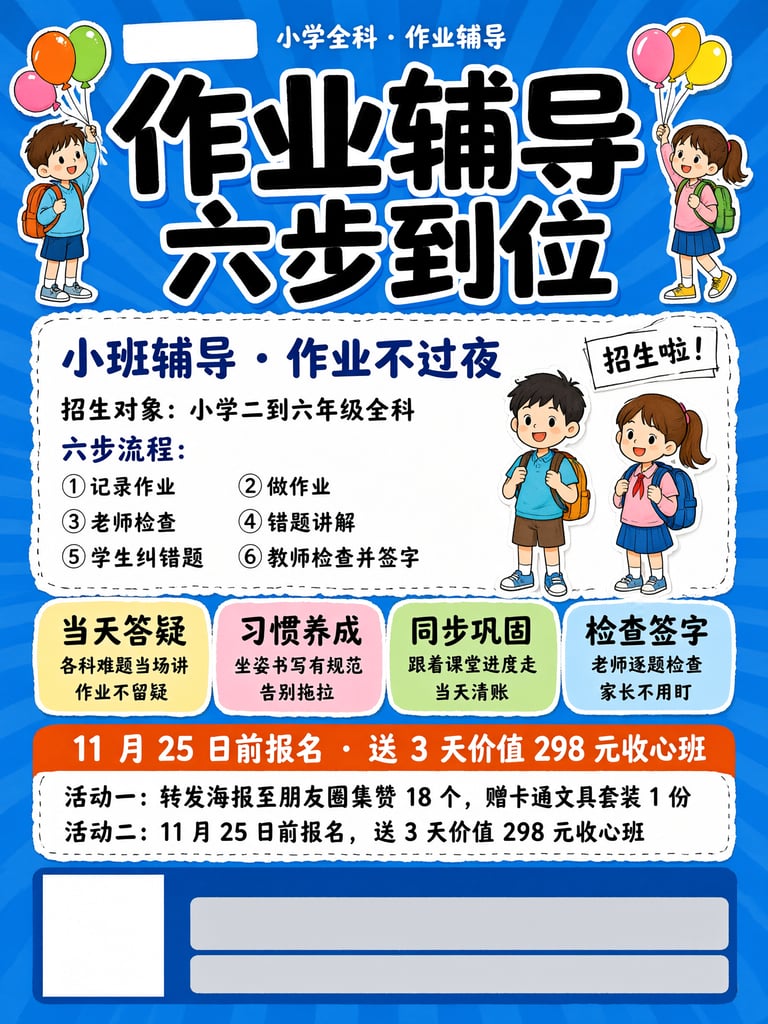
Flyer Designer: Provide an industry and the message you want to share, and get a one-page promotional design ready to print or post to social media—with a three-layer information structure, four tone options, tiered text to reduce typos, and reserved space at the bottom for a QR code and phone number. Trigger it with requests such as “make a flyer,” “design a flyer,” “make a poster,” “grand opening poster,” “event poster,” “promotional flyer,” “store flyer,” “hiring poster,” “menu flyer,” “social media poster,” “flyer,” or “poster.” Core guidelines: cover only three points per flyer, keep the main headline to eight Chinese characters or fewer, submit text organized by level, and never use words prohibited under advertising laws. The default format is a 3:4 vertical layout, which can be customized. The output includes Chinese copy layout, copyable English prompts for image generation, a list of text to add later, and print specifications.
Recommended by
Dancang
Why we love this skill
Turns flyers from “pretty images” into finished pieces ready to post, share, and print: a three-level information structure, industry-matched tone, and clear separation between generated text and details added later reduce errors and reprints.
Related Skills
View all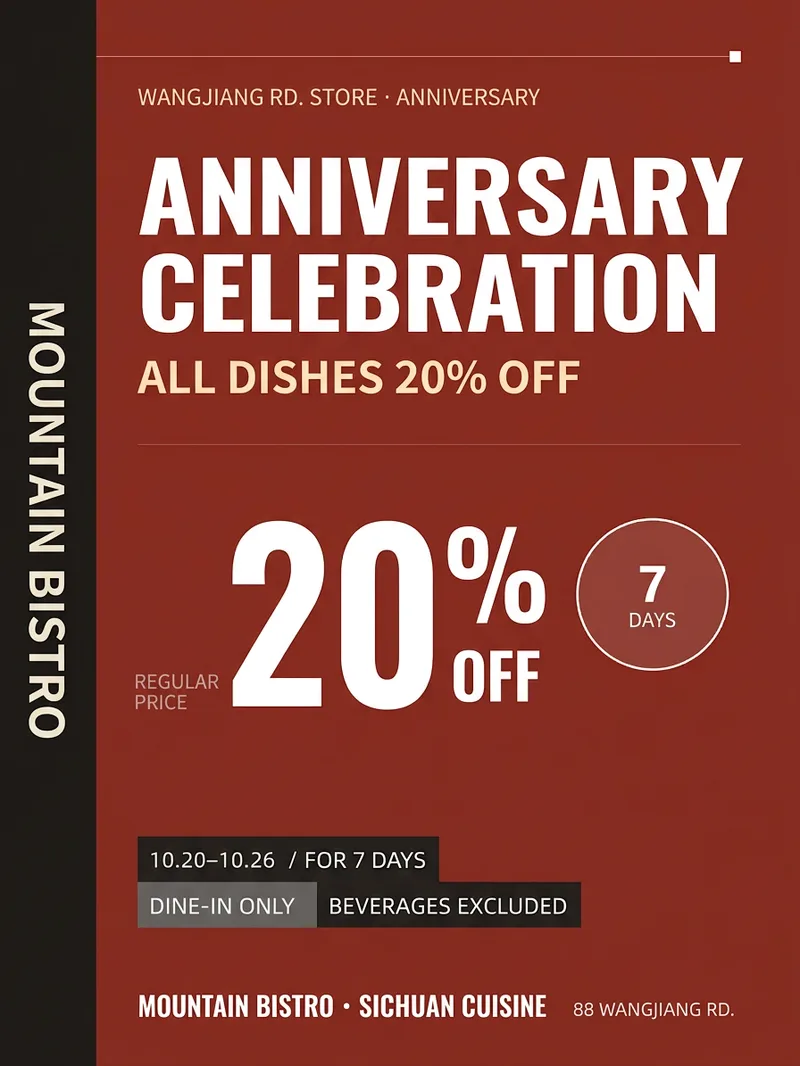 Image
Store Promotion Poster
When a small store runs a promotion, the biggest challenge is often not the idea—it’s having a decent visual. Hiring a designer can start at $200 and take three days, while template-based designs can all look alike. 【Store Promotion Poster】Takes your store name, promotion details, discount, dates, and address, then creates a 3:4 vertical poster: a headline large enough to read from a distance, a highly visible price section, complete promotion rules, and space for the address and phone number at the bottom. It also provides a square image for social media and a caption. Hard rules: It only uses the information you provide. It will not invent discounts or gifts, make exclusive claims such as “lowest price,” or leave a watermark on the design.
 Image
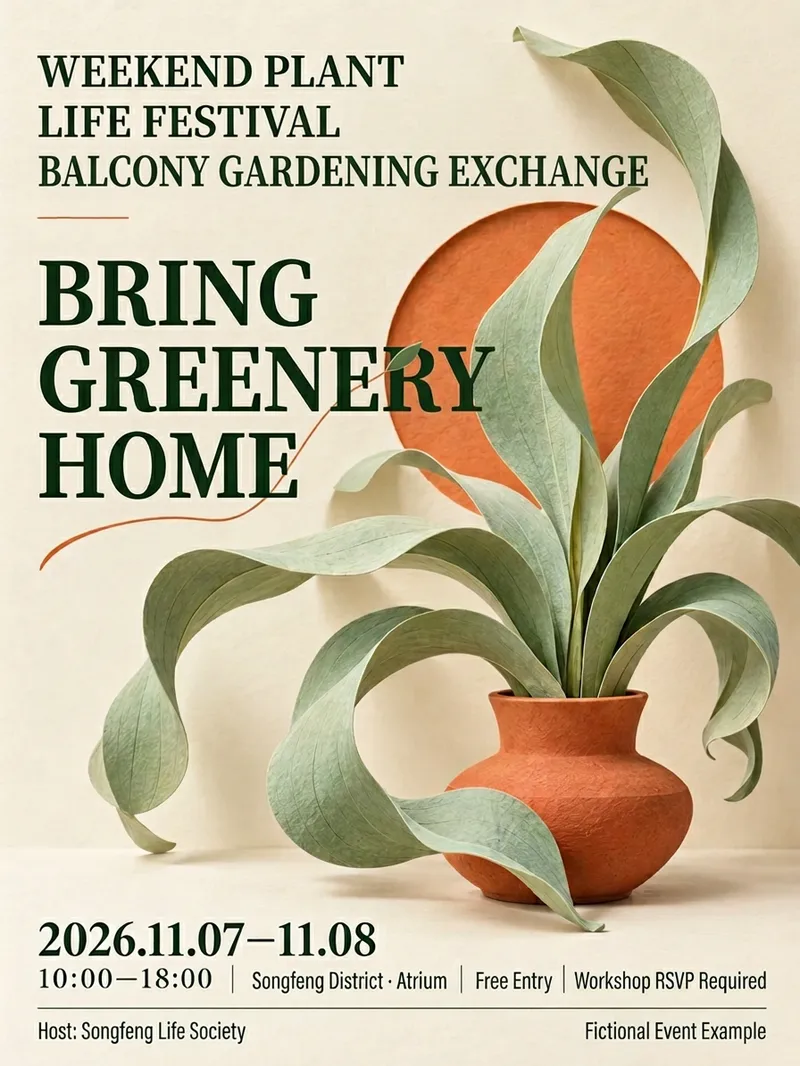
Event Poster Designer
Send me the event name, time and location, and participation details to design a visually appealing promotional poster with clear key information. Suitable for community operations, retail stores, markets, trial classes, lectures, and promotional roles. Long event names are broken down by meaning while preserving the official full name. Dates, locations, pricing, and essential participation conditions are placed in easily visible spots. Organizers, co-organizers, and supporters are presented according to their original relationships without inventing discounts, quotas, addresses, or official endorsements. Offers 12 style directions that you can choose by number, feel, or reference image, or let me recommend 2 to 3 styles based on the event. The default is a 3:4 mobile poster with support for custom aspect ratios and color palettes; layout adjustments are made when other sizes are needed. After generation, event fields are checked word for word, reviewing title hierarchies, occlusion, and mobile thumbnail recognition, along with complete prompts and pending items. QR codes use only the original image you provide, without generating fake codes. This version uses a fictional botanical event for a single local node test; other styles and QR code workflows are not fully validated. The host requires image capabilities, and installation does not include runtime credits. Output is provided as images, with no promise of editable source design files, print-ready formats, or recruitment results. Not yet run or published within YouMind. Product and workflow design by leowang.
 Image
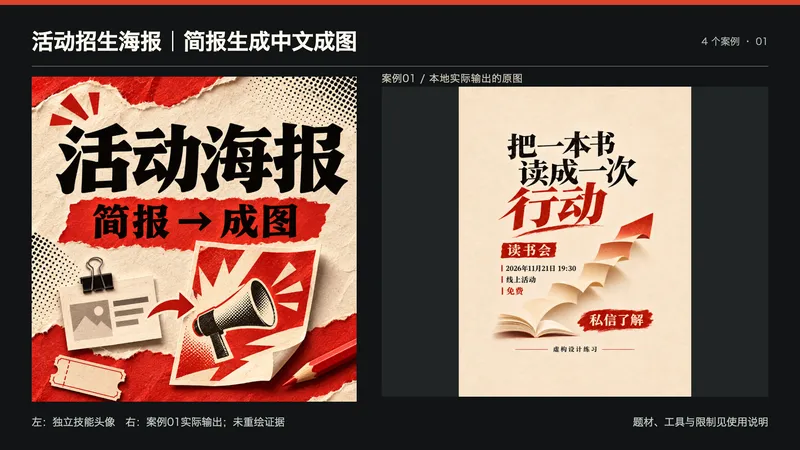
活动招生海报|简报生成中文成图
适用人群:需要为读书会、公开课、活动或招生宣传制作海报的创作者与小团队。 你需要提供:活动标题、目标人群、时间地点、内容、价格条件、报名方式、画幅与有权使用的素材。未知事项请注明待定;不要上传无权使用的Logo、照片或二维码。 如何处理:先整理文字事实卡,再确定信息层级和视觉方向,调用当前可用的图片工具生成,逐项核对标题、数字、地点与报名信息。 最终交付:海报图片、可复制文字清单与核对说明。优先原始PNG附件;实际格式、像素和下载能力以所用工具为准,不以JPEG预览冒充PNG原件。不提供PSD/AI矢量源文件或自动发布。 使用:粘贴活动简报,说明画幅与风格;生成后核对文字、活动事实和裁切,发现问题可继续修订。文字规划推荐GPT,生图需环境实际提供图片工具;本地使用内置image_gen,具体图像模型ID未返回,不宣称已绑定Image 2。 四张展示图为最终技能流程在本地生成的虚构设计练习,分别展示读书会、公开课、体验日和交流沙龙,不是真实活动或客户项目。个别示例留白偏紧,不作为精确安全区或印刷规格保证;中文字、像素与构图仍需检查。 不适用:虚构师资、认证、合作背书、招生收入或活动效果。技能不创建真实活动,也不保证招生或广告审核结果。 展示说明:首张为独立技能头像与案例01实际输出的并排排版,用于横向缩略展示;不是新增案例,也未让生图模型重绘证据。其余三张对应案例02—04。
Information
- Version
- v2
- Last updated
- Runtime credits
- Usage-based
- Models
- Auto
