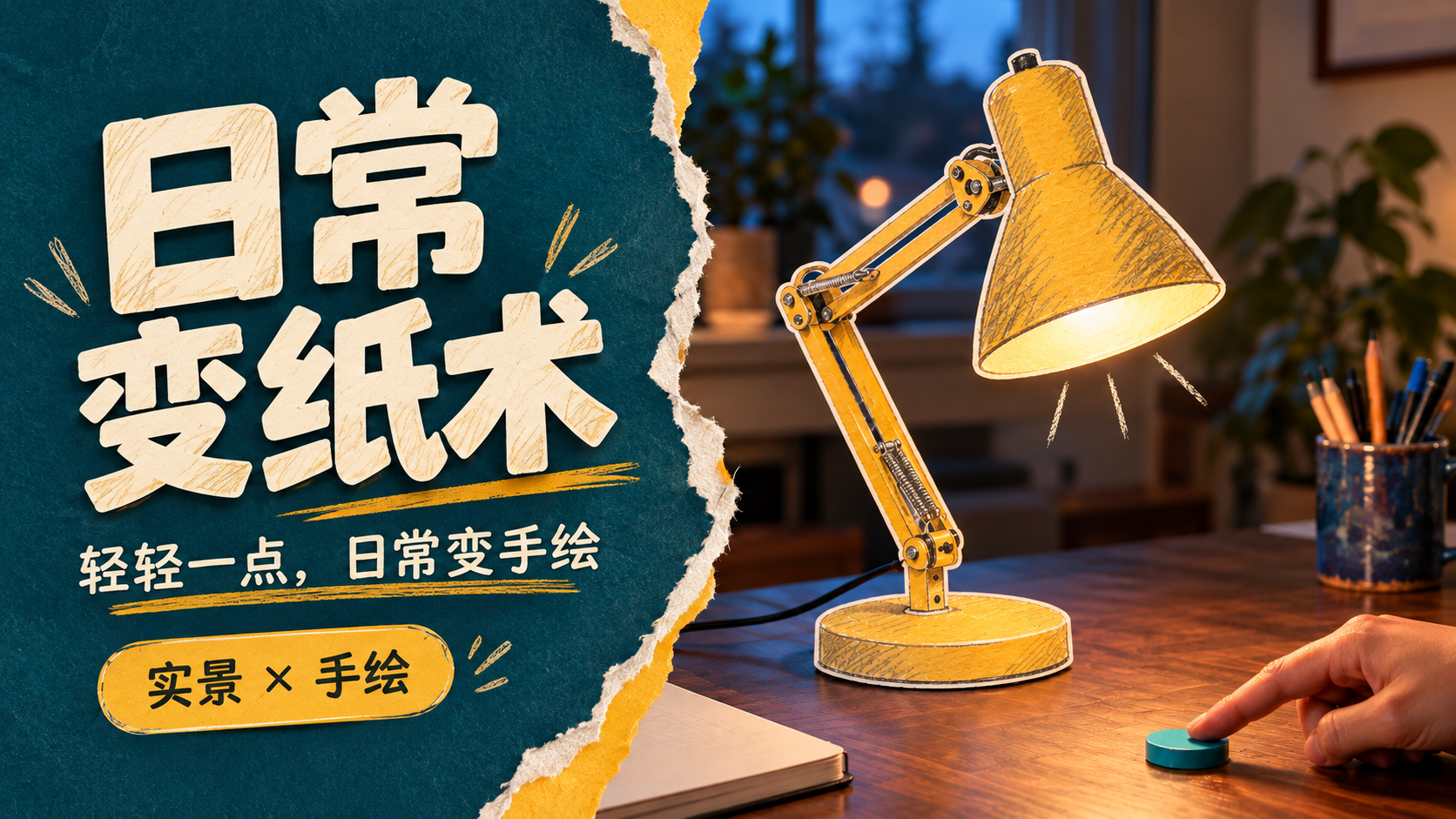
Everyday Paper Magic
Turn real objects into paper art
Everyday Paper Magic
Turn real objects into paper art
Showcase
Description
With a gentle tap, turn familiar objects into little paper magic. Upload a photo of an everyday scene or name the object you want to transform. Turn a desk lamp, toaster oven, or watering can into a tiny paper-art object with white paper edges, pencil hatching, and watercolor texture. Keep the realistic setting and hands intact so the transformation happens right where the object is. This Skill first creates separate keyframes for before and after the transformation, then plans a clear trigger, transformation process, and small post-transformation reaction. It also provides ready-to-use video storyboards and prompts. When compatible video tools are available, you can continue creating and reviewing the short clip. Try it like this: • After a finger touches the dial, turn a desk lamp into mustard-yellow colored-pencil paper cutout art. • Turn a breakfast toaster oven into a colored-paper installation, with a paper slice of toast gently popping up. • Turn a watering can by a rainy window into watercolor paper art, with two paper droplets falling. Supports photos, video references, and text-only concepts. You can specify the object, style, aspect ratio, and duration. By default, it creates a single-shot concept in 9:16 at 6 seconds. After generation, check the object’s outline, background, hand structure, and the sequence of “trigger first, transformation second.” Ideal for creative lifestyle shorts, localized material transformations, and experiments combining real scenes with 2D animation. The showcase image features an AI-generated realistic scene with paper-art editing, and the desk-lamp example already has an approximately 6-second video sample. Actual image and video generation capabilities and usage limits depend on the platform where it runs.
Recommended by
Dancang
Why we love this skill
Featured for its controllable object-to-paper transformations, locked before-and-after frames, verified video support, and quality checks that make imaginative real-world edits practical.
Best for
Best for paper-art transformation shorts, visual concepts, and content combining real scenes with 2D materials.
How to use this Skill
Provide your input
Upload a daily-life photo or video reference, or describe the object you want to transform. You can also specify the aspect ratio, style, and duration.
Run the Skill
Keep the target object in its original setting, then design a clear trigger, a localized paper-art transformation, and a subtle reaction.
Review your result
Get separate before-and-after frames, a video storyboard, and ready-to-use prompts. With compatible tools, you can continue making a short video.
Related Skills
View all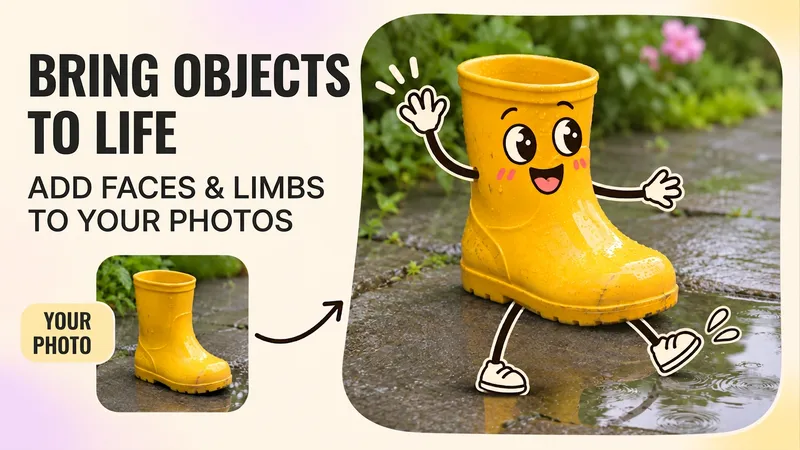 Image
Object Animator
Your kettle is already waiting to clock off work? Upload a photo of any object, add big eyes, cute expressions, and simple line limbs to turn everyday items into characters with personality. The real textures and original setting stay in the frame, making the ordinary adorable with just a few doodles. Here is how you can play: • Rainboots in a puddle: Smiling and waving, with one leg happily lifted. • Kettle waiting for water: One hand on the hip, one hand checking a watch, pouting anxiously. • Stapler feeling sleepy: Resting its chin and yawning, just like you on a Monday afternoon. Cups, fruit, bags, stationery, furniture, electronics... Pick an object around you and tell it how it feels today. You can also just upload a photo and let the skill arrange the expressions and actions. By default, it generates a single static image without added text, matching the original photo's aspect ratio. You can adjust expressions, actions, limb styles, quantity, and background. When you don't have a photo, you can create new characters using text. If you only want ideas, just say "prompts only". Try: "Add cute expressions and limbs to this object, have it wave happily, keep the original background, and no text." Supports both Chinese and English communication within the same skill. Display images are original AI-generated assets, including before-and-after editing examples of rainboots.
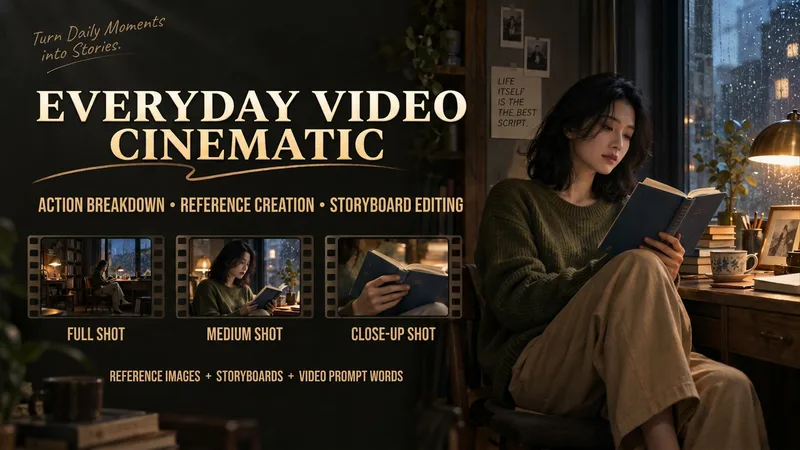
Make Everyday Video Cinematic
Provide everyday footage, ordered keyframes, or action descriptions, and tell it the mood you want. The basic deliverables are an event chain, cinematic storyboard, reference-material mapping, platform-neutral video-generation prompts, and review notes. Reading the original video, creating reference images, and generating the finished video continue according to the tools supported in the current environment. This version has not yet been fully tested with complete tasks in YouMind. The Skill first separates confirmed visual information, user-provided details, and unknown elements. It organizes the people, settings, and key objects, then redesigns the shots, pacing, lighting, and color. When it cannot read the footage, it guides you to provide keyframes and action descriptions. It focuses on checking whether people change appearance, whether extra props appear, whether action cause and effect is altered, and whether positions still connect after a cut. It is suited to everyday creators who want to give life moments, pet stories, and small shop stories a stronger narrative feel. When the environment supports image generation, it directly creates and checks reference images. When it supports a video-generation tool with the relevant reference inputs, it can continue to generate and review a short clip. Without the corresponding tools, it clearly delivers the completed plan and materials for external generation. Actual image and video generation capabilities, available parameters, and resource usage depend on the current environment.
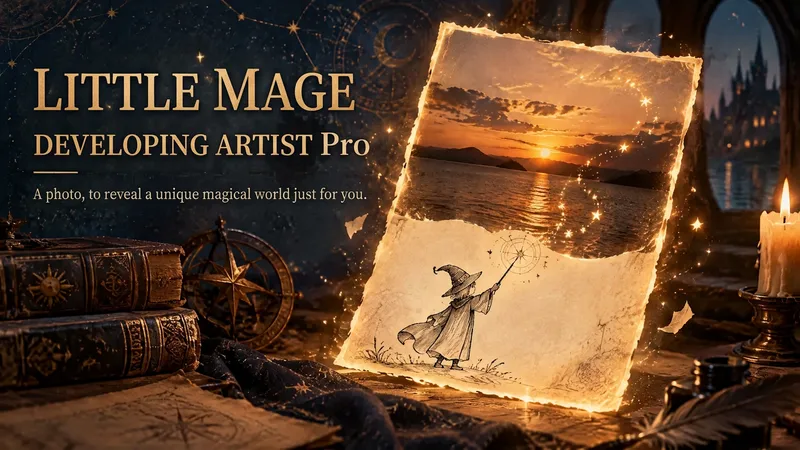
Little Mage Reveal Pro
One photo reveals a magical little world that belongs only to you. The scenery you’ve photographed, places you’ve visited, the plant blooming on your windowsill, a streetlamp on the corner, a cup of coffee on your desk—they were once just photos. Now hand them to the little mage: he emerges from the image, standing beneath a bridge pier and raising his wand to collect the sunset, sitting on the sea and using his wand to propel a paper boat, or climbing along a flowering branch to trim the sunlight. 🎩 Three simple steps 1|Upload a photo and choose a top-and-bottom or side-by-side layout 2|AI analyzes the photo and first provides a “Creative Concept Card”: identifying the most expressive elements, matching a signature action for the little mage, and drafting a short English phrase 3|Confirm or fine-tune the concept, then generate a 3:4 vertical finished image 🧙 The spirit stays the same; the story changes Every little mage has the same three signature features: a pointed wizard hat, a simple robe, and a slender wand. But his actions always follow your photo—the same Skill creates a different story for every image, without relying on a fixed template. 🖼 Three reveal styles, selected automatically by AI · Extension: Flowering branches, vines, wires, and bridge piers cross the dividing line while the little mage climbs, hangs, or lights a lamp · Silhouette: Seawater, grass, and clouds appear as silhouettes from the real photograph on the paper, while the little mage casts spells, fishes, or walks through the waves · Interaction: A tiny magical story unfolds around buildings, animals, food, or everyday objects 📐 Finished image specifications 3:4 vertical|The real-photography portion keeps the original image’s lighting, colors, and texture instead of being redrawn as an illustration|The other side features warm cream-colored paper with black pen line art|Includes a handwritten English phrase that changes with the mood|No border or collage grid, ready to use as a phone wallpaper or share directly on social media ✨ Who it’s for Turn travel photos, everyday snapshots, and pet photos into story-filled creations; make small gifts for birthdays, anniversaries, and holidays; find a different way to post on social media; or create supporting visuals for brand event campaigns and in-store atmosphere posters. 📌 Notes The photo is the only source of content, so nothing absent from it will be invented. The concept is redesigned for every photo.
Information
- Version
- v4
- Last updated
- Runtime credits
- Usage-based
- Models
- Auto
- Use cases
- Images & designVideo & audioLifestyle & entertainment
- What you get
- ImageVideoPrompt
- Visual styles
- Hand-drawnWatercolorPaper art
