Multi-Brand Podcast Shownotes
Turn Feishu or Tongyi SRT into shownotes
Multi-Brand Podcast Shownotes
Turn Feishu or Tongyi SRT into shownotes
Showcase
Description
This podcast shownotes writer supports switchable brand packages. Input an SRT transcript plus a content script, and it outputs title candidates with a top pick, an intro, a timestamped timeline, and web-verified new-knowledge terms — all following the selected brand's fixed template (default: Shougong Daji). Show name, host names, and recurring segment images are drawn from the brand package, with placeholders left for anything missing. Adding a new brand is as simple as appending a brand package.
Why we love this skill
Strictly separates a general shownotes methodology from switchable brand assets, using SRT timeline and script structure to produce titles, intros, timelines, and new knowledge entries. Retains placeholders for missing info and offers consolidated prompts, balancing efficiency, accuracy, and brand consistency.
Related Skills
View all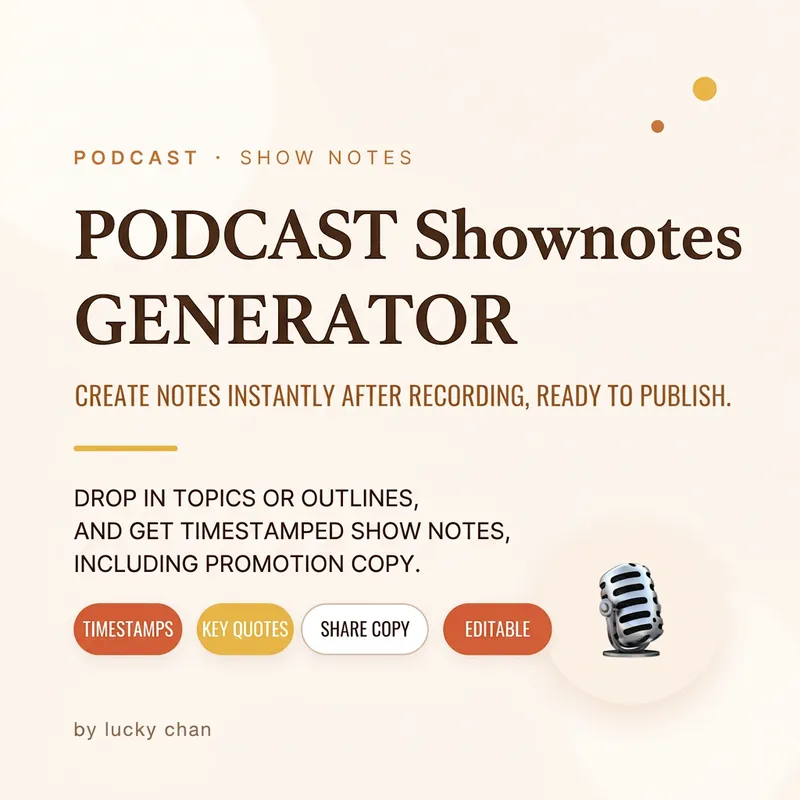
Podcast Shownotes Generator
After recording a podcast episode, the most tedious tasks are re-listening, taking notes, and writing promotional copy—work that often takes half the time of producing the show itself. Hand it over to this tool: drop in your topics or outline, and get timestamped Shownotes, standout quotes, and 3 social media promotional posts in minutes. Delivered in three formats: editable HTML, one-click PNG long image, and printable PDF. Ready to use, saving you time on operations. Target Audience - Independent podcast hosts: Skip spending half a day organizing notes after recording. - Podcast operators / content teams: Need a reliable way to output show notes and social media materials. - Interview and conversation showrunners: With multiple guests and scattered topics, timestamps and key points are essential. - Beginners wanting to start a podcast without the burnout: Leave the most time-consuming organization stage to this tool.
Xiaohongshu Live Notes
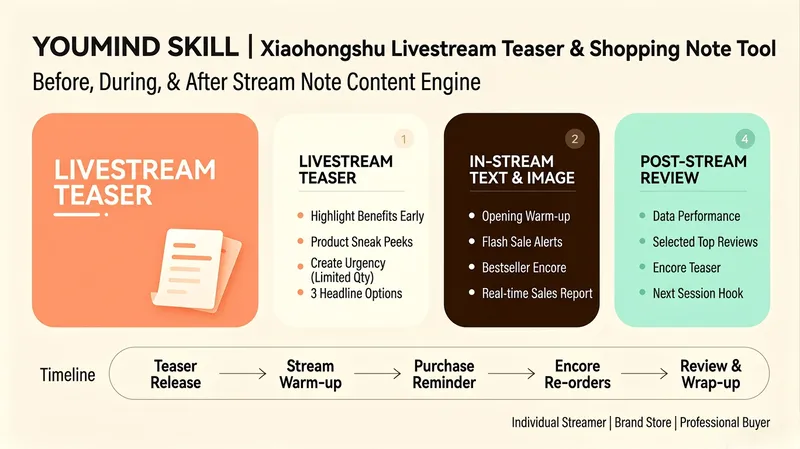
An end-to-end live content engine built for Xiaohongshu live commerce hosts, brand stores, and buyer teams. This Skill is more than simply "writing a live stream preview." It is a complete live note content matrix covering three stages: before, during, and after the live stream: 📢 Live stream preview: Go beyond telling followers "what time the stream starts." Increase booking conversions by leading with benefits ("Buy one, get one free storewide"), teasing featured products ("This is the first time this XX product is appearing in our live stream"), and creating urgency with limited-time, limited-quantity offers ("The first 50 orders get XX"). Pair these with attention-grabbing cover copy and precise hashtags. Generate three title options using different strategies—mystery, benefits, and product teasers—for users to choose from. ⚡ Live stream posts: Prepare 3–5 image-and-text posts to publish during the live stream, including warm-up posts ("We're live! Today's benefits are huge"), flash sale reminders ("3 minutes left on the countdown! XX is only XX yuan"), best-seller restock announcements ("So many requests! We're adding 50 more orders for XX"), and real-time updates ("More than XX orders in the first hour!"). Each post includes the best time to publish, helping note traffic continuously direct viewers to the live stream. 📊 Live stream recap: Automatically generate a recap note template after the stream, including performance data (GMV, order volume, and viewers), selected positive user feedback, best-seller restock previews, and a teaser hook for the next live stream to maximize the long-tail value of each session. ⏰ End-to-end timeline: Provide a complete schedule from publishing the preview through wrapping up the recap, ensuring that note content reaches target users at each key moment. Whether you are an individual host just getting started, a brand store that needs standardized operations, or a professional buyer team focused on maximizing GMV, this Skill helps you build a complete live note content matrix and double the traffic value of every live stream.
 Video
Product Update Video
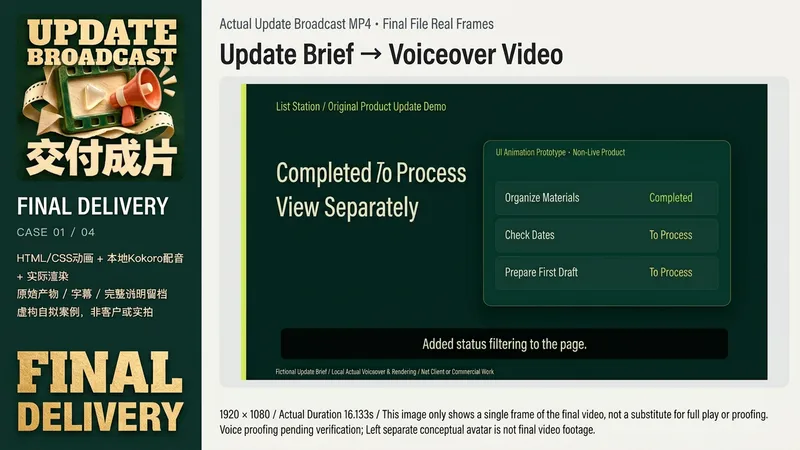
Suitable for creators, small teams, and educators who need to explain product changes. Provide a real update list, completed or planned status, authorized screenshots or prototypes, target audience, aspect ratio, and original audio. Missing dates, effects, and customer data will not be fabricated. Fictional product illustrations are clearly marked when you only have an idea. Input brief -> Verify facts and permissions -> Concise script and shots -> Actual voiceover or receive original audio -> Arrange subtitles and visuals based on actual audio -> Actual rendering -> Playback, visual and audio review -> Deliver MP4, SRT, script, and generated source projects. Real interfaces use original layouts only and are not sent for AI image generation. If rendering tools are missing, unrendered status is clearly stated. The four local examples are original fictional products: list filtering, calendar preview, pre-export check, and course progress. Using fixed Kokoro-82M version, zf_xiaobei local voice synthesis, HyperFrames 0.8.174, and Chrome/FFmpeg, outputting two 1920x1080, one 1080x1080, and one 1080x1920 videos, approx. 16.1-18.5 seconds; subtitles are scheduled based on actual audio sample durations without claiming mandatory word-level alignment. These are not live software, real customers, or actual learning outcomes. GPT is recommended for text planning. Core requirements include real files, animation or video rendering, FFmpeg/FFprobe, and available legal original audio or TTS. Instructions include a complete original local rendering assistant that only checks or renders existing HyperFrames projects and does not auto-generate UI or voiceover. You need to configure your own Node, HyperFrames CLI, and browser paths. Image tools are optional original aids; independent avatars are generated by ImageGen (model not returned) and are not case frames. Platform GPT-6.1 Sol is an optional setting and is not guaranteed to match local tools or models. Testing on YouMind did not consume credits, and installation does not guarantee these tools are immediately available. 299 credits cover installation only, excluding models, TTS, fonts, assets, third-party services, or hosting. Does not automatically clone voices, purchase services, or publish to other channels. Does not guarantee arbitrary input, zero errors, distribution, review, or commercial results. Current local examples have been genuinely rendered and played; independent audio track review is still pending and not treated as complete quality acceptance.
Information
- Version
- v2
- Last updated
- Runtime credits
- Usage-based
- Models
- Auto
