AI Prompt Batch Remixer
Remix prompts or reference images to batch-produce original AI art prompts with locked styles
AI Prompt Batch Remixer
Remix prompts or reference images to batch-produce original AI art prompts with locked styles
Showcase
Description
Avoid the copyright risks of copying other people's prompts directly. This tool supports two input methods: pasting original AI art prompts or uploading reference images. It intelligently locks in the original scene, lighting, color palette, and art style while automatically replacing the main subject, characters, and poses, and fine-tuning detailed elements. The result is a completely rewritten, original prompt that avoids plagiarism and lets you batch-generate multiple sets of drawing copy in the same style with different subjects. Perfect for AI side hustles such as creating wallpapers and illustration assets.
Recommended by
Dancang
Why we love this skill
Accurately replaces subjects, poses, and local props while preserving the original scene, lighting, and art style to batch generate ready-to-use original prompts.
Best for
Ideal for illustrators, content creators, and AI art enthusiasts who need to batch-generate prompts featuring different subjects and poses.
How to use this Skill
Provide your input
Paste the original AI art prompt or upload a reference image, and optionally specify subjects, poses, and props to replace. Mention if you need multiple variants generated in batches.
Run the Skill
Extracts and preserves the scene, lighting, color palette, and art style from your input, then reorganizes the description while replacing the subject and related details.
Review your result
Receive fully rewritten prompts ready for AI art tools, complete with a breakdown of the preserved elements and modifications.
Related Skills
View all Image
Precise AI Character Images
Turn the character you envision into ready-to-use prompts and finished images. Start with a seed description or a broad theme, then define key details step by step, including hairstyle, hair accessories, clothing, expression, pose, camera, lighting, and setting. Whether you’re creating a classical Chinese woman, a cyberpunk girl, a Japanese-style character, a realistic portrait, or a custom character concept, you can develop a cohesive visual direction based on the character’s overall mood. Choose Quick Image Generation to let AI complete the character design automatically, or use Fine Control to adjust each element through selections or custom input. Results include structured prompts in both Chinese and English, along with a matching Negative Prompt, making them easy to understand and reuse with leading models such as FLUX, Midjourney, and SDXL. You can also generate the finished character image with AI. After generating an image, continue fine-tuning specific dimensions, such as hairstyle, expression, pose, camera angle, lighting, setting, or art style. Regenerate while keeping the other details unchanged, with each modification clearly identified. Ideal for character design, character concept art, avatar creation, illustration planning, and exploring visual directions.
Reverse-Engineer AI Prompts
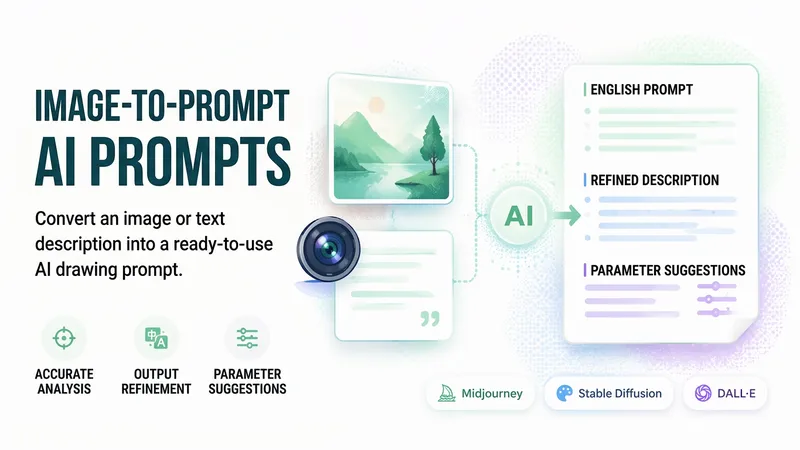
Upload an image or enter a text description to break down the subject, composition, lighting, colors, and materials into professional terms. Generate a structured English prompt ready to paste and use, along with a Chinese translation, parameter suggestions, and one-click directions for fine-tuning. Covers differences in syntax and aspect ratios across Midjourney, Stable Diffusion, and DALL-E. For the latest versions and parameters, xiaoxiaodong verifies details online first. It distinguishes among image, text, image-and-text, and multiple-reference inputs, adapting the style and target tool as needed. For images, it defaults to faithfully recreating the style shown. Delivered entirely as text—no code, webpages, or images.
Story to Hand-Drawn Prompt
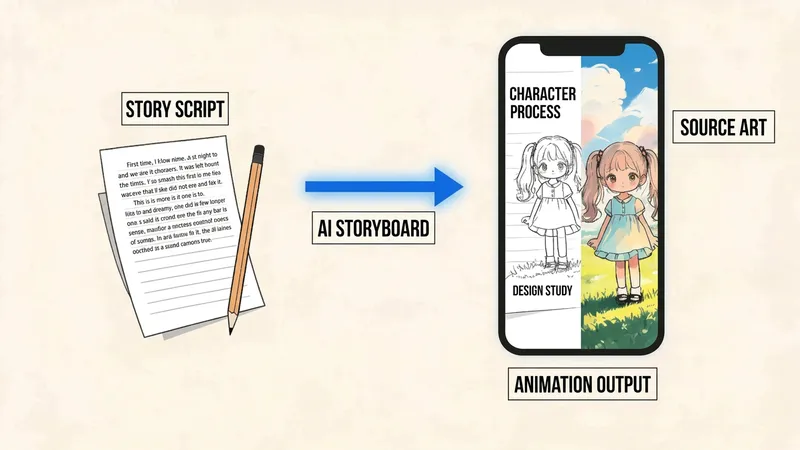
Enter a story to automatically break down storyboards, lock in consistent character designs, and batch generate a complete set of hand-drawn animation prompts ready to use in video generation models. The output includes global fixed art style instructions, individual scene drawing prompts, animation timing control parameters, and transition settings. It supports a book-turning transition toggle, a fixed 3:4 vertical healing picture book hand-drawn style, word-by-word subtitles, stroke-by-stroke line drawing, and pastel color fading, specifically designed for generating silent picture book story animations.
Information
- Version
- v2
- Last updated
- Runtime credits
- Usage-based
- Models
- Auto
- Use cases
- Images & design
- What you get
- Prompt
