Echo Pro – Capture, Decode, and Share Your YouMind Thought Trails
Echo Pro – Capture, Decode, and Share Your YouMind Thought Trails
Showcase
Description
You save, highlight, write, and think in YouMind every day. These actions may seem random, but they actually trace a thematic thread. Echo helps you hear it. Three-layer insight engine, diving deeper layer by layer: ⚡ Anti-intuitive discoveries – you think you're doing A, but you're actually doing B 🌊 Second-order ripples – what you plant today, what will it grow into in six months 💎 First principles – peel away all the surface layers, and it comes down to that one sentence For yourself, it's an archaeology of thought. For others, it's a story that resonates. One-click sharing mode switch: perspective flip, context completion, term translation. Output to Twitter, Xiaohongshu, WeChat public accounts, video scripts. With continuous use, it remembers your thematic thread. Your digital life creates echoes every day. Echo captures them, amplifies them, and shares them.
Why we love this skill
This skill mines deep thinking patterns from your YouMind footprint, delivering three progressive insights: counterintuitive discoveries, second-order ripple effects, and first principles. It also generates multi-platform content with one click, aiding thought visualization and efficient sharing.
Related Skills
View all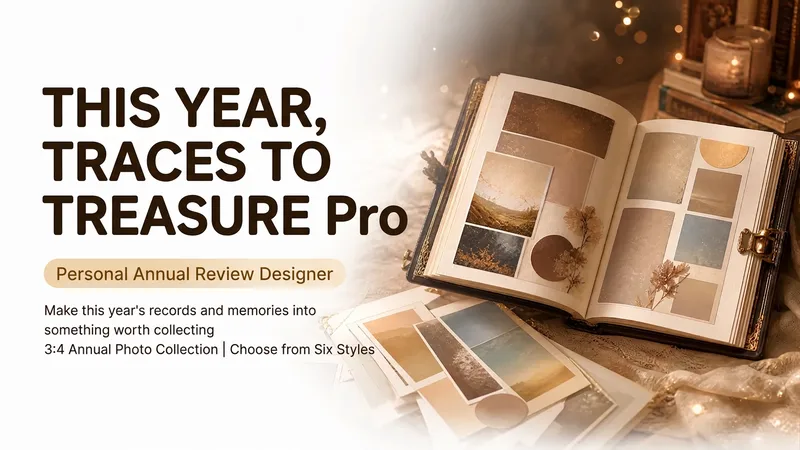 Image
Traceable Year Pro
Music has an annual playlist, and your life deserves an annual report too. This year, you may have accomplished a lot, or simply focused on getting through each day. Some moments linger in journals, some are scattered across YouMind records, and others only surface when you start talking. Traceable Year Pro helps you bring them back together as a set of 3:4 annual report visuals to share or keep just for yourself. [Start Even Without a Complete Summary] Bring your annual review, diary, or work logs. With your permission, select your YouMind activity history, or start from scratch by sharing a memory that stuck with you. You do not need to sort out your story first. We will find the key moments together, and you decide how they are told. [Six Annual Universes, Six Ways to Remember] 1. Life Museum | Quiet and refined. Place important moments in display cases and label the quiet persistence. 2. Annual Star Map | Romantic and restrained. Connect scattered experiences into a constellation and name your year. 3. Life Passport | Fresh and engaging. Every turning point becomes a visa stamp marking your path. 4. Time Record | Nostalgic and detailed. Side A holds glowing moments, and Side B holds the stories you want to tell. 5. Personality Magazine | Stylish and confident. Turn your story and exact words into an annual special issue. 6. Footprint Yearbook | Clean and orderly. Organize verifiable logs, keywords, and key moments into a yearbook. Choose one style at a time; they are not all generated by default. [A Complete Review, Not Just a Cover] - Annual Story Draft: Annual theme, timeline, hidden achievements, exclusive title, and words for next year, editable before rendering. - 3:4 Vertical Gallery: Fast version (1 image), standard version (8 images), collector version (12 images). Adjusted to your content without padding. - Social Captions: 3 title options, main text, and hashtags. - Annual Archive: Saved with your consent so you can continue your review next time. [Unrewarded Moments Still Matter] Reports can highlight an overdue decision or an overlooked small win, not just numbers. Titles are drawn from your story without forced labels. [Clear Transparency Before You Begin] No automatic full scans or changes to existing records. YouMind activity access depends on your current permissions and account capabilities. Unreadable data falls back to your provided notes. Full platform logs or annual durations are not guaranteed. Facts, self-accounts, and AI interpretations are kept distinct, and numbers should be checked. You can delete content you prefer not to display, and private cards are excluded from shared sets. Review text, numbers, and privacy before publishing. Outputs are images rather than editable source files. Edits require regeneration. Credit consumption follows current platform rules. Not just for year-end: use it for birthdays, graduations, work anniversaries, or project wrap-ups. Start with a single sentence: There is something this year I want to remember.
Mero — AI Memory Manager
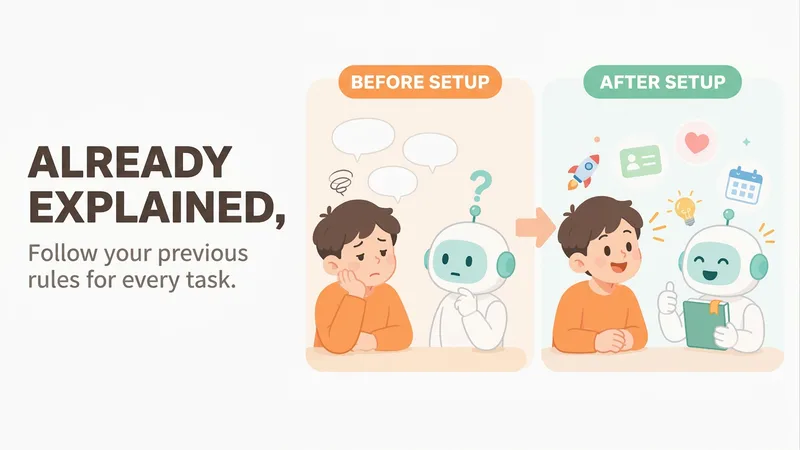
【What problem does it solve?】 Do you have to explain the same things every time you ask AI to do something? “Keep the answer short.” “Don’t use that kind of canned phrasing.” “Write in my voice.” “Give me the conclusion first.” “I work in product—don’t explain the basics.” You may have said these dozens of times, but start a new conversation and AI forgets everything. 【What changes after setup】 You only need to say these things once. After that, AI follows your usual rules first: · Writing articles: It automatically uses your voice, and avoids words and formatting you’ve said you don’t want · Writing weekly reports or proposals: It knows what you do and what you’re currently working on, so you don’t need to explain the background first · Asking questions: Answers come in the length and style you want 【What you’ll get】 1. A project called “My Memory Bank,” organized into “Who you are / How to work with you / What you’re working on / Your preferences,” which you can open, edit, or delete at any time 2. A “memory notebook” stored in the project you’re using, which AI reads before every conversation 3. A prepared “Who I am” profile that you can paste into your YouMind personal settings so it applies to all projects; you can also send it directly to Doubao, ChatGPT, or other AI tools 4. Automatic weekly organization: duplicates are removed, outdated items are archived, and contradictions are brought to your attention 【How to use it】 You don’t need to learn any special steps—just mention things naturally in everyday chats: “Remember, do it this way from now on.” “Forget that.” “Change it to this.” “What do you remember about me?” It also automatically records new details you mention in passing, such as changing jobs, starting a new project, or having a deadline next week. 【Who it’s for】 People who often use AI to write or get things done and are tired of repeating the same instructions. No technical knowledge is required. 【How to get started】 The first time, tell it one or two things you often repeat to AI, such as “Use simpler language and give more examples,” or simply say “set me up.” 【Privacy】 Personal matters such as health, emotions, and finances are not remembered by default. Web clippings and other people’s articles are not treated as information about you. You can ask at any time what it remembered and why.

Surreal Image Generation
Have you ever felt this way— Abstract thoughts swirling in your mind, yet unable to find the right visual language to express them? Written a deep, insightful article, only to struggle endlessly for an accompanying image—ordinary photos too literal, illustrations lacking soul? Want to create a 'thoughtful' visual for your brand, only to end up with clichés that everyone else has already used? Stuck in a creative rut, scouring your asset library, only to find every image repeating yesterday's self... We desperately need a visual language that can 'read' the emotions, conflicts, and philosophy behind the text. And now, all it takes is a theme, a piece of text—leave the rest to it. What is it exactly? A smart creative tool that transforms abstract concepts and deep thoughts into surreal, wordless images with a single click. How to use it? Ridiculously simple. Enter any text: a sentence, a short essay, a philosophical proposition, or even a few fleeting keywords. Choose a ratio: 16:9, 4:3, 1:1... you decide. Click generate—and a surreal image full of philosophical depth and visual impact appears instantly. No drawing skills needed, no design experience required. You think, it sees. What makes its visual language stand out? It doesn't rely on realism or flatter prettiness. Instead, it uses the 'grammar' of surrealism to translate your thoughts: Scale paradox — a giant apple floating above a miniature city; Material alienation — books growing bones, clocks flowing into rivers; Spatial misconstruction — staircases leading to the sky, windows opening to another universe; Collage grafting — unrelated elements colliding into striking metaphors. In terms of color, it is restrained to the point of being cold—low-saturation, high-end grays as the main tone, with local high-saturation highlights at key points, creating a dreamlike detachment and silent astonishment. Every frame is clean, exquisite, and balanced, uniformly using a pure white background—extreme simplicity to accentuate extreme absurdity. Where can it be used? Art creation for inspiration — let the subconscious surface as images; Concept covers / album visuals — instantly captivating at first glance; Deep articles / poetry illustrations — image and text resonate, striking the heart; Brand visual extension — create a unique, story-rich visual identity.
Information
- Version
- v2
- Last updated
- Runtime credits
- Usage-based
- Models
- Auto
