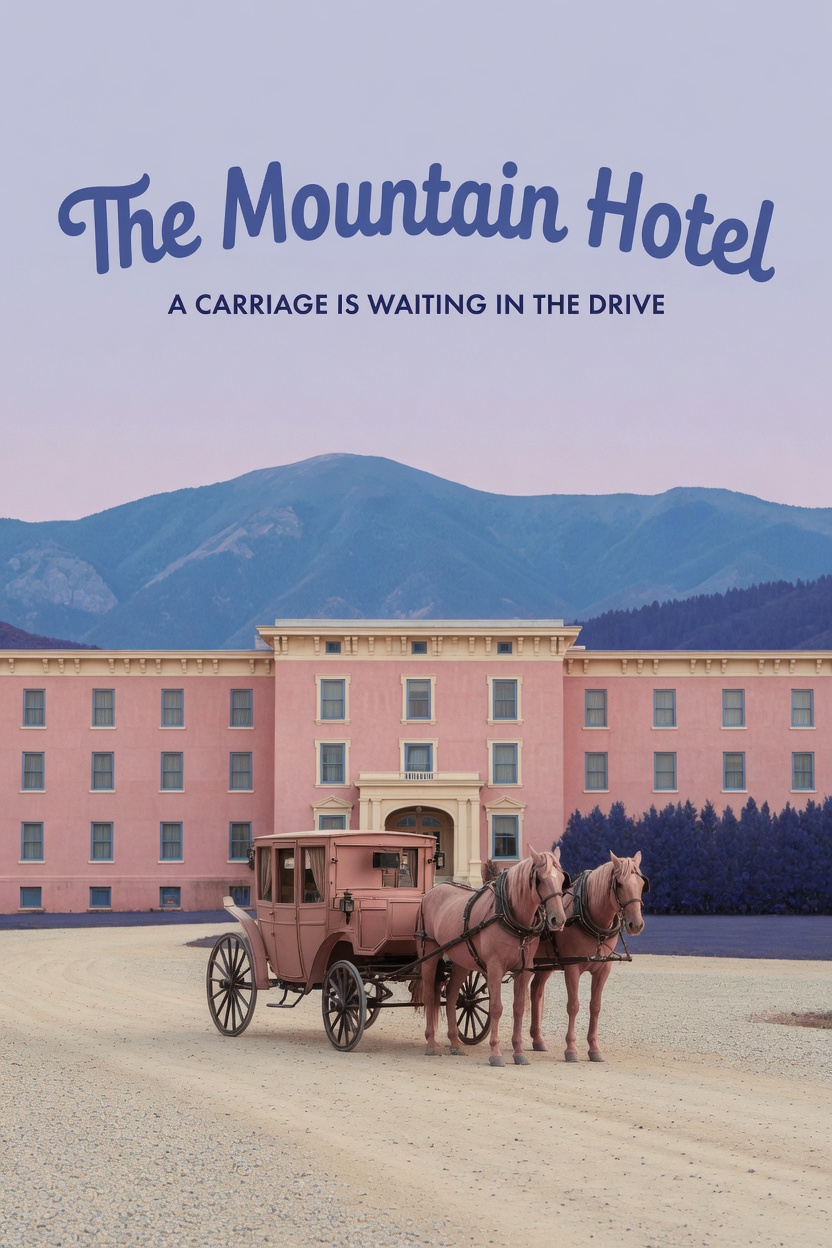
Wes Anderson–Style Poster
Turn themes or photos into retro cinematic scenes
Showcase
Description
Turn a one-sentence theme or reference photo into a movie poster or scene with Wes Anderson–style order and theatrical atmosphere. People, animals, buildings, and props are arranged into clear little worlds through frontal or symmetrical framing, retro production design, carefully designed spatial relationships, and a restrained sense of anticipation, humor, or detachment. The style is expressed through the structure of the image—not just layered filters and retro adjectives. Posters default to a 2:3 portrait format with an English main title and subtitle. When you need a text-free film still or movie scene, the canvas can be adjusted to a suitable aspect ratio. Titles are treated as part of the overall composition, with attention to typography, reading flow, scale, rhythm, and negative space. The palette, film tones, lighting, and material textures work together in service of the theme while preserving important content from the photo, including people’s identities, key structures, the number of people, poses, and recognizable markings. You will receive the finished image and the actual image prompt used. If you only need a prompt, photo-editing suggestions, or a visual review, you can specify that directly. Suitable for creating retro movie posters, character scene portraits, architectural and prop displays, nature-themed images, and stylized work based on source images.
Recommended by
Shuting@YouMind
Why we love this skill
It directs the entire poster—from camera angle and set design to color, mood, and title typography—instead of merely applying a retro filter.
Best for
Creating retro movie posters, character and architectural scenes, and stylized visuals based on reference photos.
How to use this Skill
Provide your input
Provide a one-sentence theme or a reference photo. You can also specify a poster or text-free scene, aspect ratio, language, title, and people or structures to preserve.
Run the Skill
Arrange the theme or photo into a cinematic image with symmetry, retro production design, a cohesive palette, and restrained dramatic tension, incorporating title design as requested.
Review your result
Receive a retro movie poster or text-free scene image with the actual image prompt used. You can also request only the prompt, editing suggestions, or a visual review.
Related Skills
View all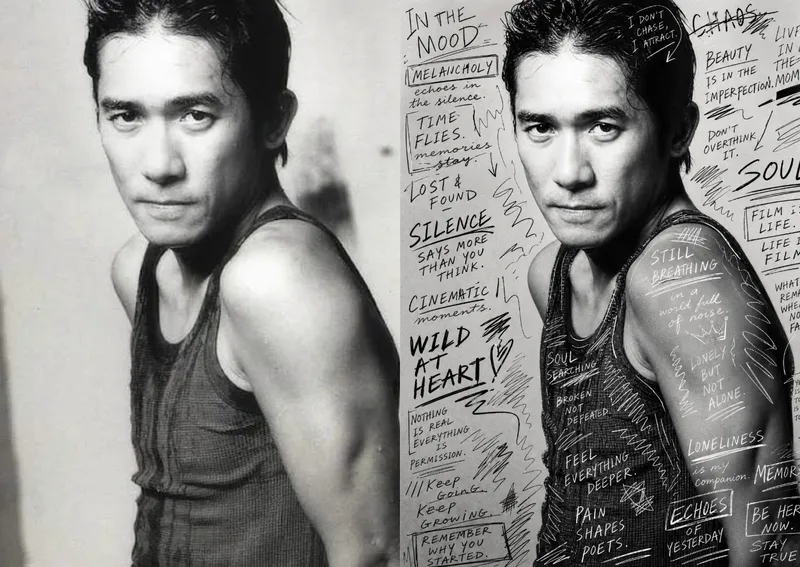 Image
Hand-Drawn Photo Posters
Turn an ordinary photo into a vertical art poster with an authentic hand-drawn feel. Upload a photo and describe the lettering, doodles, or theme you want to add. You’ll get handwritten copy, free-flowing lines, and stylized icons drawn directly onto the original image, preserving the photo’s subject and atmosphere while adding a natural, spontaneous creative touch. Based on the photo’s composition, subject, and overall mood, it plans a suitable 3:4 portrait layout, balances the original image with areas of negative space, and designs hand-drawn elements and lettering styles to match each placement. The results emphasize authentic physical pen strokes: lines have natural curves and texture, avoiding printed fonts, computer-generated text effects, and a digital painting look. Handwritten content defaults to English but can be changed to Chinese as needed. Along with the finished image, you’ll receive a complete, reproducible image-generation prompt and a brief creative explanation—ideal for social media visuals, personal photo posters, travel keepsakes, and artistic photos with a handcrafted feel.
 Image
Avant-Garde Fashion Poster
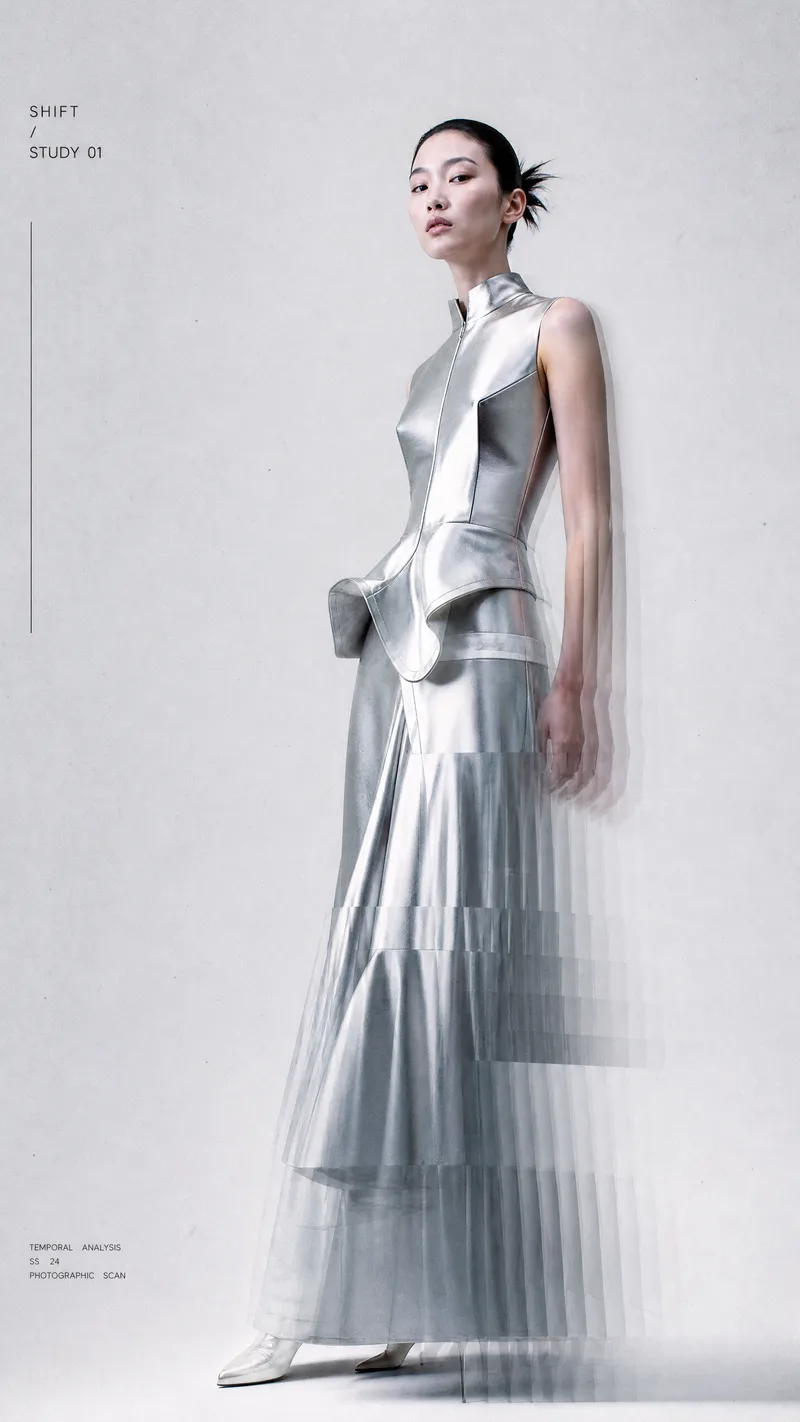
Transform text, portraits, clothing photos, or brand materials into avant-garde, editorial-style fashion posters that highlight the visual contrast between a sharp subject and local scan ghosting effects. The composition combines realistic fabric textures, layered lighting, generous negative space, and restrained magazine-style layouts to flexibly deliver asymmetrical compositions, translucent double exposures, time-slice, or optical glitch effects. Ghosting is concentrated on arms, hemlines, hair, or clothing edges while maintaining facial recognition and clear human anatomy. You can specify the subject identity, styling, color palette, release scenario, aspect ratio, copy, and brand logo. When reference images are provided, the Skill preserves character features, clothing details, or logo imagery based on their intended use, ensuring style references are not mistaken for creation requirements. When details are left unspecified, it completes reasonable visual settings based on the theme. It defaults to generating a single vertical poster. When series requests are made, it varies styling, materials, composition, and ghosting details under a unified visual language, making it suitable for avant-garde fashion releases, clothing concept displays, and editorial photography visual creation. For complex text or logos, the output faithfully notes potential accuracy limitations.
 Image
Retro Typography Poster
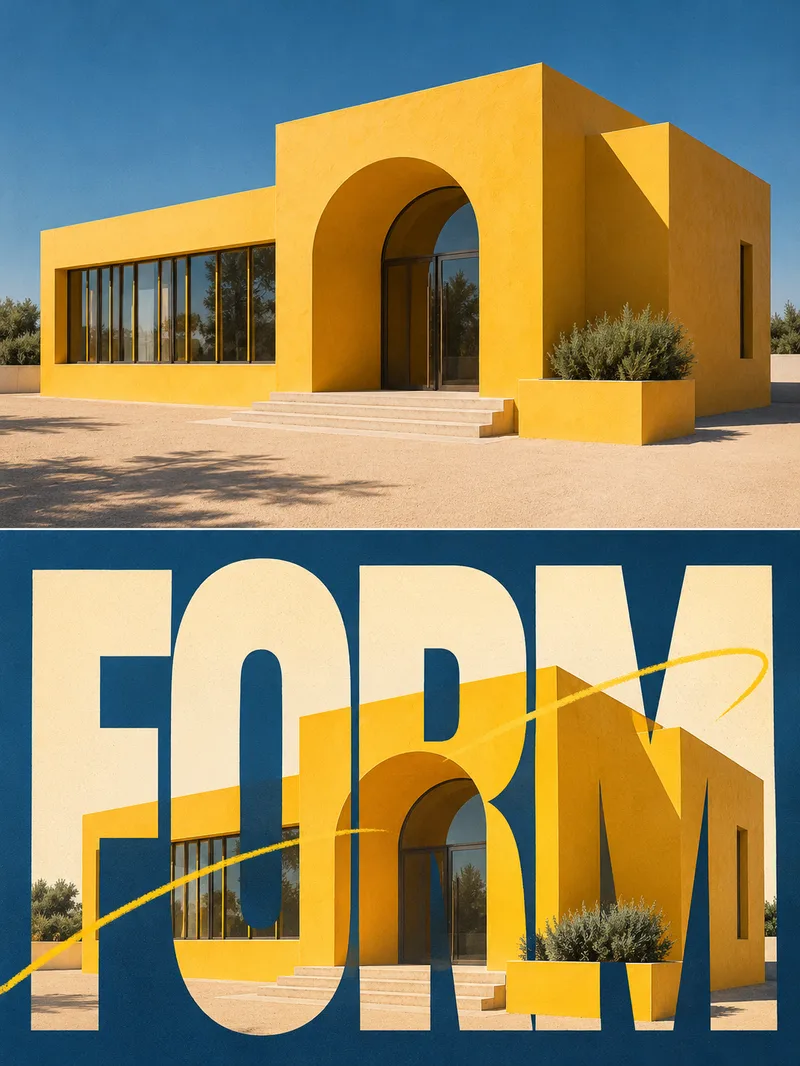
Ideal for creators making social media graphics, sports themes, and editorial posters. Provide a text theme or an accessible photo with a short English word, color scheme, and purpose. Subjects can include people, pets, or architecture. The skill first verifies the subject and props, then plans a 3:4 dual-panel layout: natural photography in the upper frame, and huge, condensed bold typography organizing the lower frame. Photographic textures are woven into the letters, with parts of the subject extending in front of the text. It pairs warm white paper textures, a primary background color, and subtle motion lines, then uses actual image tools to generate and review each item. Delivers an actual poster image, reproducible title, and verification notes, with full prompts included when needed. Usage: Specify the theme, short word, and aspect ratio; review the subject, props, spelling, and occlusion, then request specific edits by part. Without image tools, the generation remains incomplete, and prompts are not passed off as finished images. Four example displays show fictional AI cases generated locally following the final skill workflow on November 12, 2026: tennis PLAY, golden retriever GO, architecture FORM, and dancer MOVE. These are not real photos, actual architectural records, or client deliverables. All four examples feature photo-text weaving and subject layering, where letter masks partially obscure bodies or structures, with variations in local poses and textures, and differing crops for the two tennis panels. They are not lossless photo edits. The avatar reference was separately generated from the golden retriever case, and the square render includes a Chinese title rather than serving as a fifth independent case. GPT is recommended for text planning, while image generation or editing tools available in the current environment are required for final image output. Locally uses the built-in image_gen without a returned model ID, and does not claim integration with Image2. Uploaded photo editing and YouMind execution have not been formally tested, so exact identity, product structure, text, or cross-panel consistency are not guaranteed. PSD or vector source files are not delivered. The 299 credits cover the skill installation fee only and exclude platform model and third-party service fees.
Information
- Version
- v4
- Last updated
- Runtime credits
- Usage-based
- Models
- Auto
- Use cases
- Images & design
- What you get
- ImagePrompt
- Visual styles
- CinematicRetro
