Xiaodong x Paper Collage P077
By Xiaoxiaodong
Xiaodong x Paper Collage P077
By Xiaoxiaodong
Showcase
Description
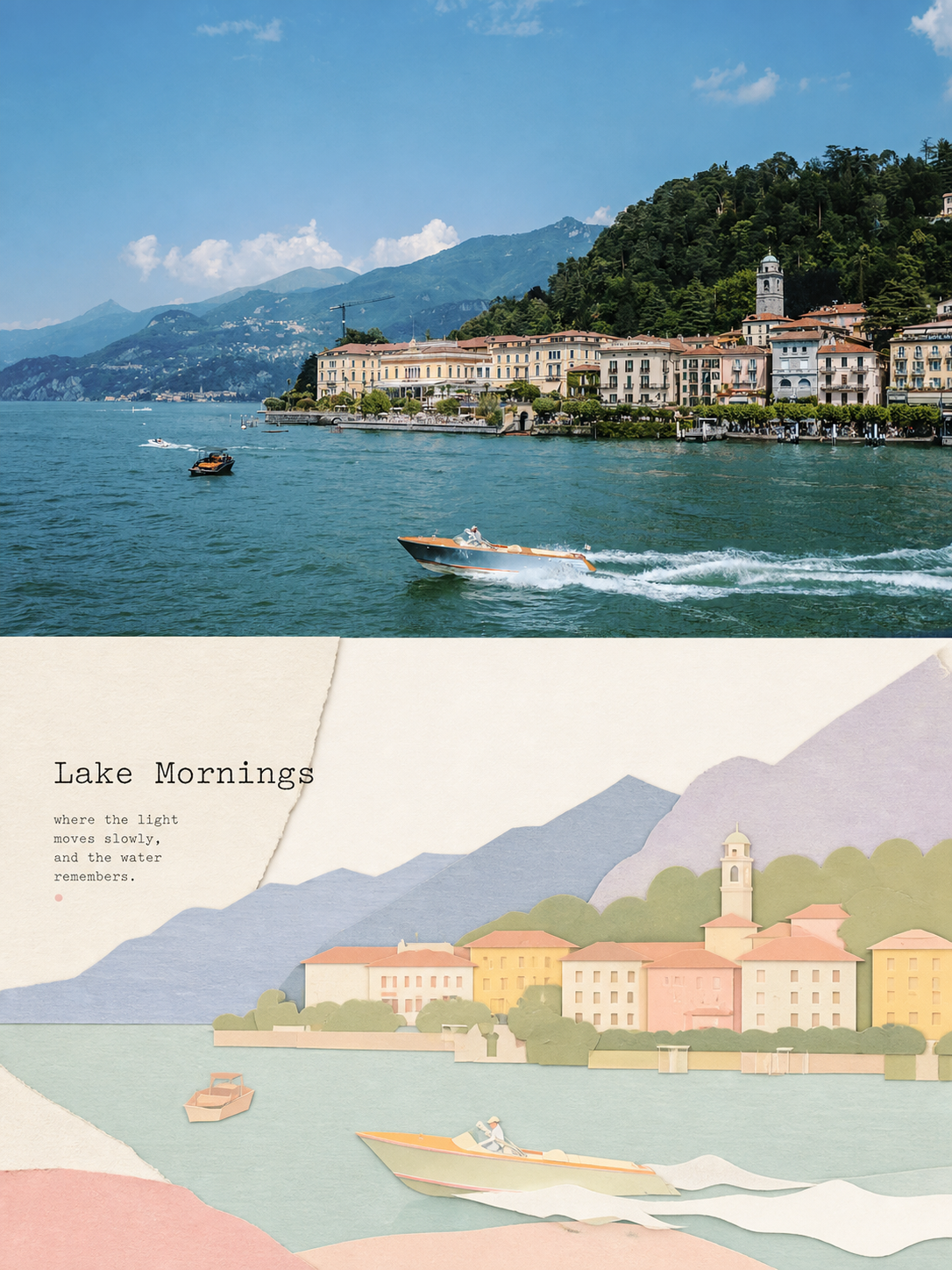
Panel 077 distills the subject, character movement, contour structure, and scene relationships into a paper-cut collage: crisp cut-paper outlines, layered foreground and background shapes, subtle paper grain, cut edges, and soft shadows work together to create a sense of space. The background is deliberately simplified, while pastel colors are remixed from the most vibrant and emotionally resonant parts of the photo. The result feels more like a high-end travel magazine or independent art publication than a collage of cartoon stickers. Great for these situations Want to turn travel photos into paper-art publications: Not by simply shrinking the photo, but by reorganizing the relationship between the subject and the scene. Need a flat design with convincing depth: Cut-paper edges, layered elements, and soft shadows create a tactile feel without heavy plastic-like 3D. Prefer something soft, bright, and refined: Pastel colors are generated from the original image’s vitality and emotional warmth rather than applying a fixed candy-color palette. Need flexible delivery: Supports top-and-bottom, left-and-right, pure design, multiple aspect ratios, and four-edge wallpapers, along with batch processing for image directories.
Recommended by
Dancang
Why we love this skill
Anchored to the original creative brief, it preserves the paper-cut collage language while supporting multiple layouts, aspect ratios, four-device wallpapers, and reliable per-image validation.
Related Skills
View all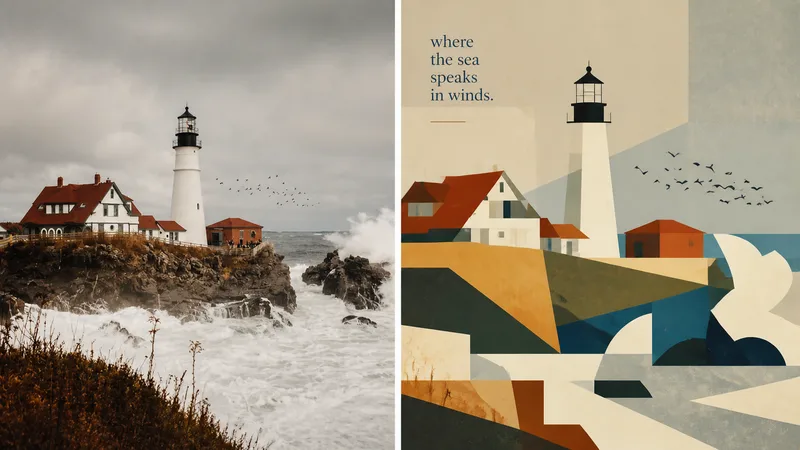 Image
xiaoxiaodong × P093 Collage
Panel 093 preserves the subject, contours, poses, and narrative relationships from a photo, then distills them into rectangles, trapezoids, triangles, circles, and a few freeform shapes. Instead of relying on realistic perspective and complex shadows, it creates depth through occlusion, changes in scale, layered color fields, and height relationships. Bright colors, subtly hand-drawn edges, and a matte gouache texture give the result both the flat feel of paper cutouts and the finish of an independent publication. Great for these situations Want to make a complex photo instantly readable: Merge repeated elements while preserving the most important identity cues with as few shapes as possible. Need colors that feel lively, not cheap: Start with the brightest and most memorable colors in the original image, then reorganize them into a limited, clear palette of cohesive color fields. Seeking a refined modernist simplicity: Use flat space, subtly irregular edges, and a matte gouache/acrylic finish to avoid a polished vector look and template feel. Need flexible delivery: Supports top-and-bottom, left-and-right, design-only, multiple aspect ratios, and four-platform wallpapers, as well as batch processing for image directories.
 Image
xiaoxiaodong P116 | Doodle
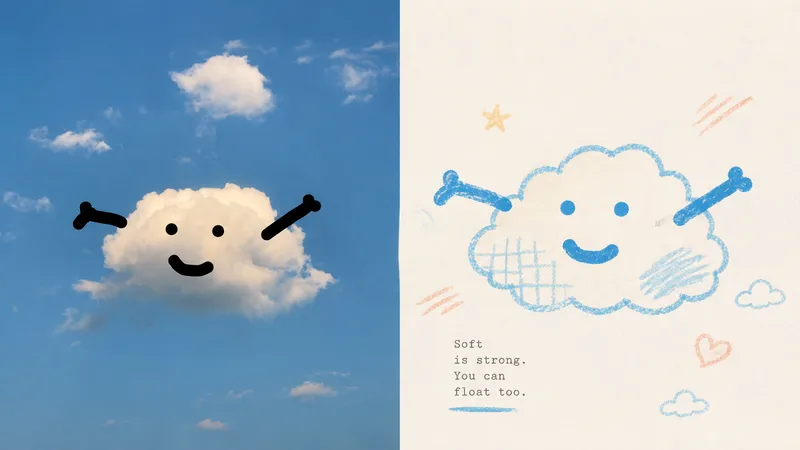
Some photos are truly moving not because of how much information they contain, but because of a single subject, a particular pose, a few colors, and the emotion captured in the image. Panel 116 keeps the real photo in the upper half, then translates the lower half into pastel crayon doodles on an extremely light paper surface: coarse-grain outlines, a few soft color blocks, minimal symbols, and small-scale subjects that leave room to breathe. Ideal for these situations You want to preserve the photo’s identity and natural texture while creating a lighter poster that feels more like an art publication. You don’t want to trace every object, create a realistic redraw, or fill the background with details. You only want to retain the core subject, relationships, and visual memories. You like bright, soothing pastel colors but don’t want anything gloomy, low-contrast, fluorescent, or cheaply candy-colored. You need the same style to produce consistent results across top-and-bottom layouts, left-and-right layouts, pure designs, multiple aspect ratios, four-end wallpapers, or catalog batch processing. What it solves for you It removes secondary information from complex photos so the subject isn’t overwhelmed by details and decoration. It uses clear colored lines and a light paper background to maintain recognizability and keep the subject from blending into the background. It ensures the split composition contains exactly two 50:50 regions, with no title strip, bottom bar, or third section. Each image is generated directly from the current original in a single pass, without sending samples, intermediate results, or work from other Panels back into the model.
 Image
xiaoxiaodong x Sketch Wash P079
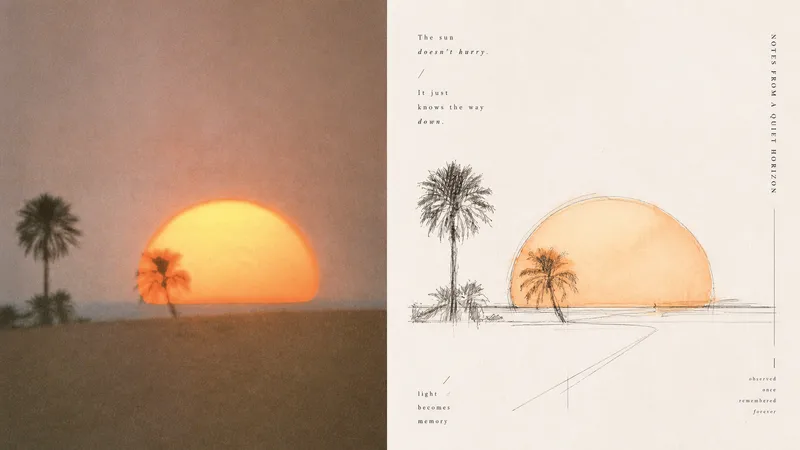
Ordinary photo outline filters mechanically copy edges; full watercolor treatments tend to fill the background, making the subject, space, and editorial rhythm feel heavy. Panel 079 keeps only the structures, spaces, gestures, and relationships in the scene most worth remembering: long straight perspective lines, angular lines, and geometric axes build a rational framework; free organic curves, searching lines, and broken lines retain a tactile feel; a small amount of transparent watercolor extracts recognizable colors from the original. Broad areas of natural paper white create air and pauses. Text follows structural lines and whitespace to join the composition, resulting in something like an art-directed architectural travel sketchbook or an independent visual publication. Best suited for these situations - **Architecture, travel, and on-site observation:** Use the strongest straight lines, turns, facets, and proportional relationships to build the space. - **You want to preserve the vitality of an “in-progress drawing”:** Embrace exploratory repeated lines, broken lines, slight misalignment, and unfinished edges. - **You want color drawn from the photo without overfilling the image:** Use a small amount of transparent wash only where needed, layering ink lines, color, and paper white. - **You need flexible delivery:** Supports portrait, landscape, design-only, multiple aspect ratios, and four-edge wallpaper formats, and can batch-process image directories.
Information
- Version
- v5
- Last updated
- Runtime credits
- Usage-based
- Models
- Auto
