
xiaoxiaodong P109 | Soft Geo
By xiaoxiaodong
xiaoxiaodong P109 | Soft Geo
By xiaoxiaodong
Showcase
Description
When a photo has a clear structure but feels overloaded with information, 109 reinterprets it using large, cohesive shapes: the real-world photo remains above, while a small number of rectangles, rounded blocks, ellipses, triangles, and irregular planes rebuild its geometric memory below—preserving identity without becoming a fragmented collage. Best for You want a modernist geometric poster, publication cover, or exhibition visual while preserving the recognizability of the original subject. You prefer large modules, flat color blocks, paper grain, and soft, sophisticated colors—not realistic rendering or cartoon styling. You need consistent output for top-and-bottom, left-and-right, design-only, wallpaper, multiple aspect ratios, and catalog batch processing. What it solves for you Reduces complex scenes to a small number of cohesive modules, avoiding fragmentation and a competing secondary focal point. Extracts 2–4 colors from the photo and organizes them into a timeless, warm, stylish color-block system. Keeps the two-zone logic consistent in every finished piece: a strict 50:50 split with no added third band. Quick check: Is Panel 109 right for you? What you get: One complete poster with a real photo on top and a large-scale geometric deconstruction below Key visual traits: A small number of cohesive geometric modules, soft sophisticated colors, paper grain, and editorial negative space How it respects the original: Preserves identity, structure, pose, and relationships; changes only the information density and organization
Recommended by
淡苍
Why we love this skill
Uses the original image as the sole creative source, organizing real photography and soft geometric deconstruction into a strict split composition with multiple layout, text, and wallpaper modes.
Related Skills
View all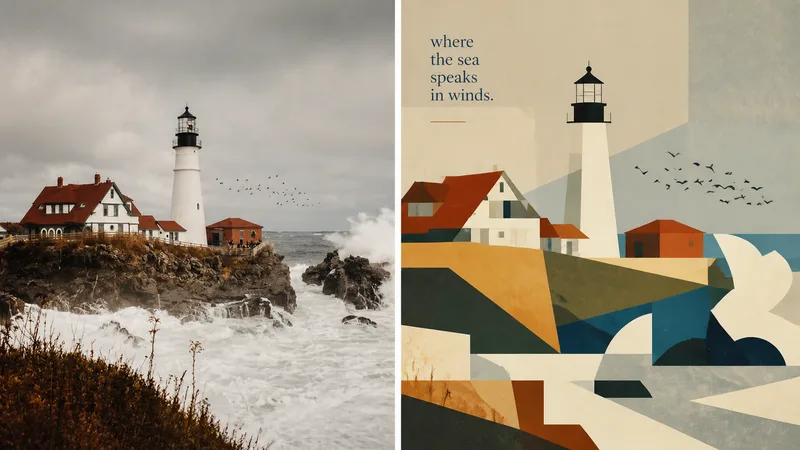 Image
Imagexiaoxiaodong × P093 Collage
Panel 093 preserves the subject, contours, poses, and narrative relationships from a photo, then distills them into rectangles, trapezoids, triangles, circles, and a few freeform shapes. Instead of relying on realistic perspective and complex shadows, it creates depth through occlusion, changes in scale, layered color fields, and height relationships. Bright colors, subtly hand-drawn edges, and a matte gouache texture give the result both the flat feel of paper cutouts and the finish of an independent publication. Great for these situations Want to make a complex photo instantly readable: Merge repeated elements while preserving the most important identity cues with as few shapes as possible. Need colors that feel lively, not cheap: Start with the brightest and most memorable colors in the original image, then reorganize them into a limited, clear palette of cohesive color fields. Seeking a refined modernist simplicity: Use flat space, subtly irregular edges, and a matte gouache/acrylic finish to avoid a polished vector look and template feel. Need flexible delivery: Supports top-and-bottom, left-and-right, design-only, multiple aspect ratios, and four-platform wallpapers, as well as batch processing for image directories.
 Image
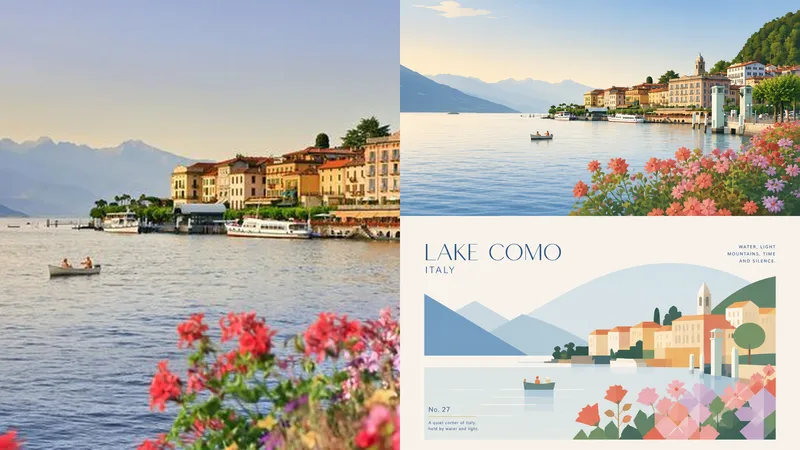
Imagexiaoxiaodong P102 | Healing Geometry
Panel 102 is for anyone who wants to keep the subject recognizable while moving away from cluttered backgrounds, realistic replication, and cheap-looking filters. It distills the subject’s most important contours, structure, pose, and relationships into a few geometric color blocks, creating a quiet, modern, and vibrant healing-style editorial poster with clear, open space. Great for these situations Too much information in the photo, and the subject doesn’t stand out: Keep only the most recognizable contours, structure, pose, and narrative relationships, and reduce them to clear geometric forms. Want a modern, premium look without feeling cold and rigid: Use positive and negative space, visual hierarchy, and generous white space to create a polished sense of order while preserving a soft, warm, healing quality. Common filters make colors look muddy, dark, or cheap: Extract bright, vibrant colors from the original image, increasing lightness and purity while avoiding a fluorescent or plastic look. Need flexible output options: Supports vertical, horizontal, design-only, multiple aspect ratios, and four-sided wallpaper formats, and can also process image directories in batches. Get started quickly Send an image to the Agent and say: Use XXD Panel 102 to process this image. First, recommend the most suitable composition and dimensions.
 Image
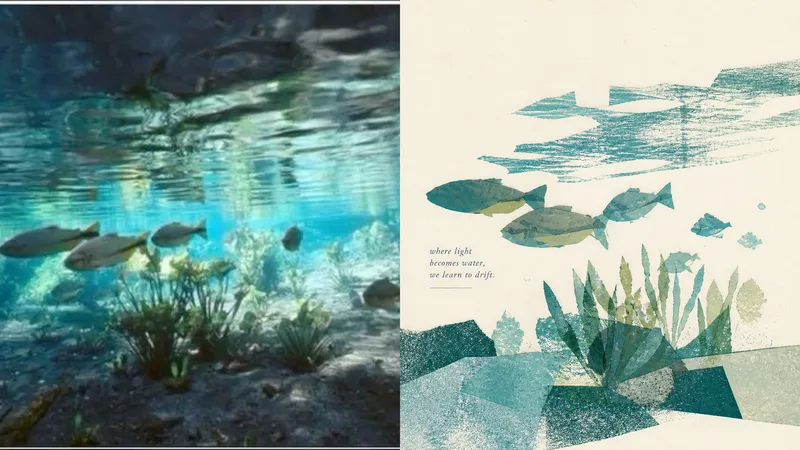
Imagexiaoxiaodong P105 | Poetic
Some photos are truly moving not because they reveal every detail, but because of a gesture, a relationship, or a moment meant to stay in memory. Panel 105 is designed to turn photos like these into quiet, refined visual excerpts: it first determines what is most worth keeping, then reconstructs the image with paper pieces, color blocks, negative space, and print textures instead of mechanically tracing the original into an illustration. Best for these situations Your photo contains too much information, but you only want to preserve the emotion: Select one central subject and only a few essential supporting elements from a complex scene. You want a breathable poster or cover: Use a single visual focus and generous paper white to create rhythm between the subject, text, and negative space. You prefer real paper over a smooth digital look: Keep collage edges, grain, uneven ink, dry-brush marks, imperfect ink coverage, and subtle color-registration shifts. You need flexible delivery in one consistent style: Support top-and-bottom comparisons, side-by-side comparisons, pure design, multiple aspect ratios, four-edge wallpapers, and batch processing for image catalogs. What it solves for you No more filling the frame with cluttered backgrounds, repeated objects, and details with no narrative value. You do not have to decide which elements to keep or remove; the model makes an aesthetic selection based on the photo’s beauty and recognizability. Colors are not sampled evenly. Instead, the most memorable color relationships are preserved and refined into a soft, clear, harmonious limited palette. Get started quickly Use XXD Panel 105 to process this image, and first recommend the most suitable composition and size.
Information
- Version
- v3
- Last updated
- Runtime credits
- Usage-based
- Models
- Auto
