YM Smart Accounting Pro
YM Smart Accounting Pro
Showcase
Description
A professional accounting assistant developed based on in-depth reviews of 16 accounting apps. Addresses core user needs: supports natural language accounting, smart categorization, budget management, multiple accounts, expense reimbursement tracking, data export, and visual dashboard. References core functions of high-scoring apps such as Yimu Accounting (90.5), Xiaoxing Accounting (88.5), and Bohe Accounting (82.5), providing a complete accounting solution. Data is 100% stored locally, safe and private.
Related Skills
View all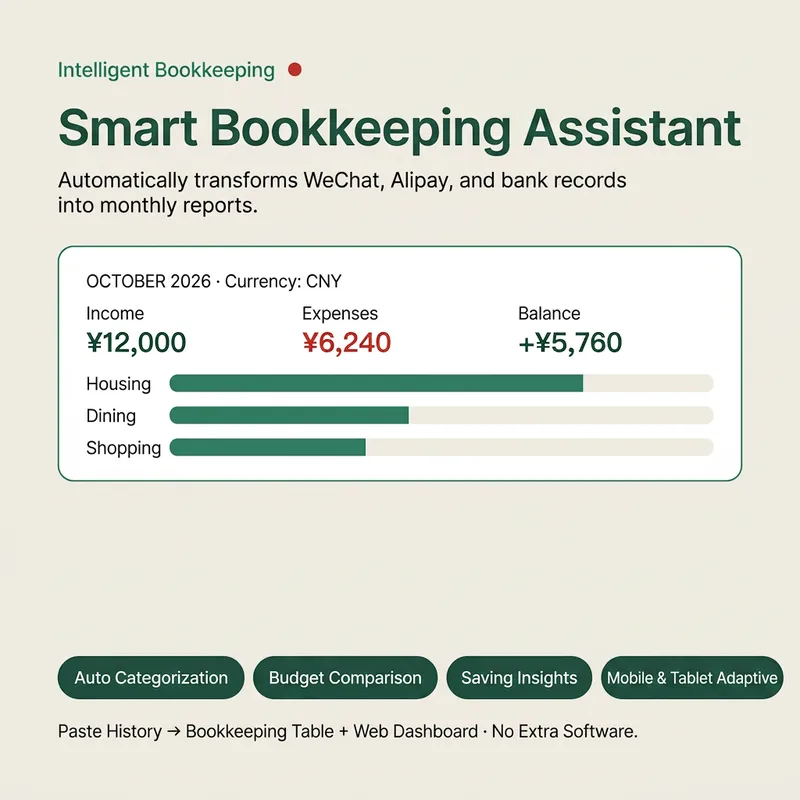
Smart Expense Tracker
Transform cluttered transaction histories from WeChat, Alipay, bank cards, credit cards, and Huabei into an editable ledger and a visual monthly report. It recognizes amounts, channels, merchants, and categories, aggregates them by month, compares them against your budget, highlights overspending and savings rates, and provides practical money-saving insights. You get a copyable ledger for Excel or WPS alongside an ink-green styled web dashboard that adapts seamlessly to phones and laptops.
 Research
One-Click Bill Checkup
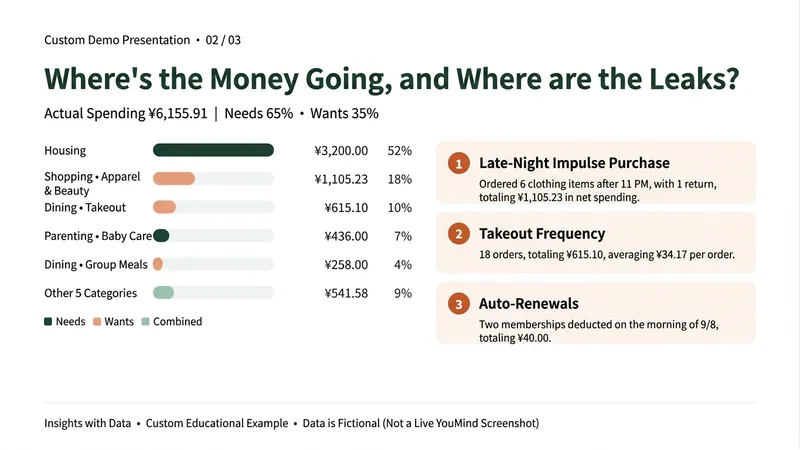
By the end of the month, do you only know that your money is gone—but not where it went? Don’t want to track every expense, and tired of ads and subscriptions in budgeting apps? This Skill gives one month of transactions a checkup. Upload a bill exported from WeChat or Alipay (or paste the text) to get: ① Actual spending: Automatically excludes Huabei repayments, transfers into Yu’e Bao, and incomplete orders. Refunds offset the original purchase, so transfers of thousands of yuan aren’t mistaken for spending. ② Where your money goes: Ranked spending categories, including how much goes to needs versus wants. ③ Checkup findings: Money leaks such as frequent food delivery, late-night impulse orders, automatic renewals, and frequent small purchases—each backed by numbers. ④ A draft budget for next month: Identifies the three habits worth changing most, estimates potential savings, and breaks them into weekly amounts based on your savings goal. When it’s unclear whether an entry is a red envelope, transfer, or split bill, it asks you first instead of guessing. It won’t guess amounts that are unreadable in screenshots. Choose between a gentle or sharp-tongued tone. Suitable for office workers who want to save but can’t stick with expense tracking, parents managing household spending, and young people who want a clearer view of their spending habits. The examples shown use fictional teaching data. This Skill only analyzes personal spending; it does not recommend investments, funds, insurance, or loans. Bills are used only for this analysis, and you should remove names, card numbers, and other personal information before uploading.
Smart Expense Tracker
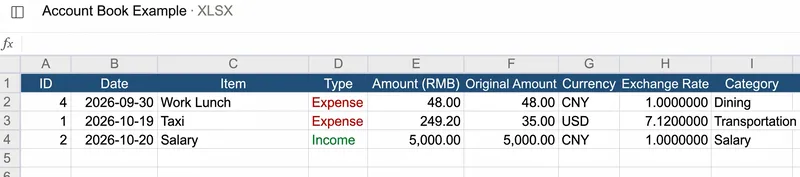
Personal expense tracker (Excel). When you send a message or screenshot (payment record, bill, invoice, transfer, or receipt) and specify whether it is an expense or income, the Skill extracts the date, item, amount, and currency, converts everything into RMB, and records it in an Excel ledger (记账本.xlsx). You can continuously add entries, or ask to delete or modify specific records, and generate a monthly summary. Whenever you mention bookkeeping, recording a transaction, a ledger, bills, spending amounts, income, expenses, deleting a record, a monthly summary, a monthly report, or foreign currency conversion to RMB, this Skill will be used even if you do not explicitly say "track expense".
Information
- Version
- v1
- Last updated
- Runtime credits
- Usage-based
- Models
- Auto
