
Visual Manual Generator v2.0
Auto-gen visual manuals and promo for skills
Visual Manual Generator v2.0
Auto-gen visual manuals and promo for skills
Showcase
Description
Automatically generate professional visual documentation, flowcharts, and promotional posters for your skill. Enter the skill ID or name to generate a complete set of introductory materials with one click, including core concept diagrams, scenario comparison charts, execution flowcharts, advantage showcase charts, full documentation, and social media promotional posters.
Why we love this skill
A blessing for YouMind skill creators! It generates skill visual flowcharts, detailed documentation, and promotional posters with one click, making your skill showcase more professional and eye-catching.
Related Skills
View all
Skill Icon Generator
Enter a skill name and one-sentence use case. Roll a four-dimensional dice to set the visual direction, then generate a 1:1 skill avatar icon first. Once you approve it, it becomes the sole anchor image for the entire workflow. The cover illustration (16:9) is generated with the anchor image as a reference, while the header image for the mobile promotional graphic (9:16) uses the original cover illustration directly without model redrawing to prevent visual drift. The information section is generated separately and then assembled. The three-piece set maintains strictly consistent styling, colors, and outlines. Designed specifically for skill avatar slots, cover slots, and mobile promotion. When you only need a single icon or already have established visual guidelines, the three-piece workflow will not start. If the environment does not support automatic assembly, you will first be asked whether you want a header image; if you say no, the result will be a promotional graphic containing only the information section.
 Research
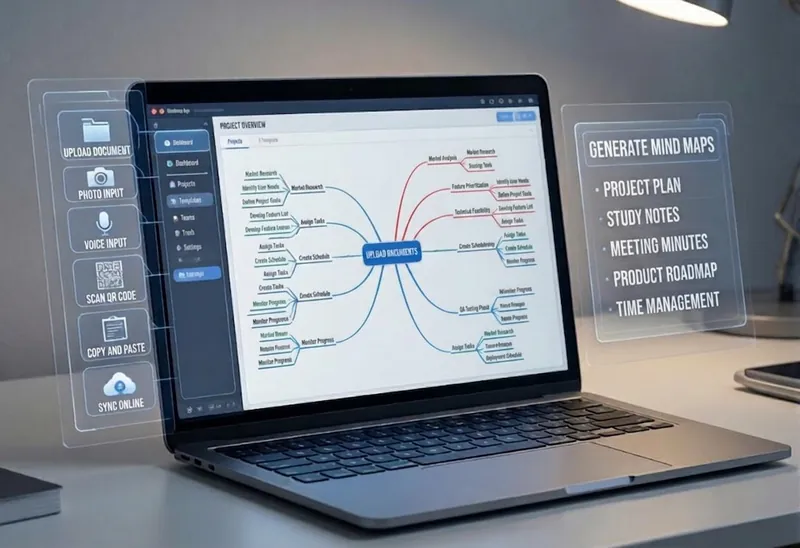
Multi-Source Mind Map 2.0
Turn complex documents, web pages, or long text into clearly structured visual mind maps with one click. Whether it's academic papers, course materials, or technical documents, this tool intelligently extracts core topics and multi-level knowledge points, helping you quickly clarify the logical structure. Through in-depth content analysis of the input source, it automatically identifies section structure and key details, generating a well-organized knowledge system. This tool supports generating mind maps in multiple styles, including professional educational tree diagrams (PlantUML format) and intuitive center-radial diagrams (Mermaid format). You can directly get SVG images viewable in a browser, along with the corresponding source code files. This means you can quickly preview the results and also import the source code into XMind, FreeMind, or a Markdown editor for further editing and in-depth processing. Simply upload a PDF, Word, or text file, or provide a web link, to transform a large amount of information into a visual knowledge map. It's ideal for study notes, structured paper reading, and brainstorming presentations, making knowledge organization and sharing more efficient and professional.
 Image
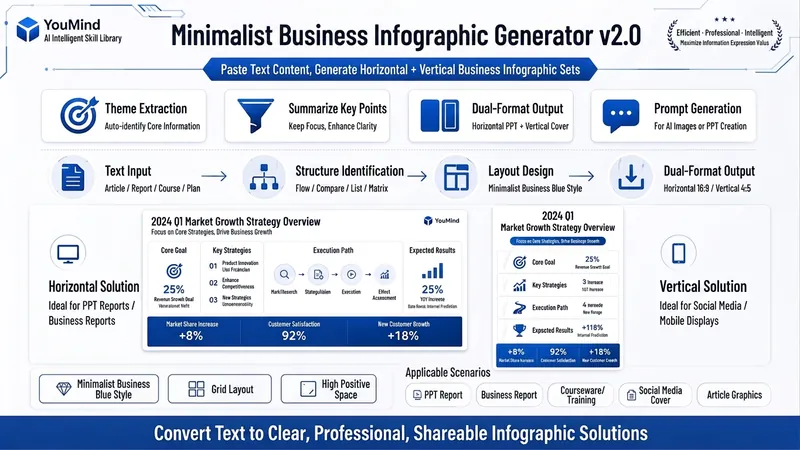
ImageBiz Infographic Generator v2.0
Transforms complex text into clear, professional, presentation-ready business minimalist infographics. It can help you: 1. Automatically extract core information Extract topics, keywords, logical relationships, and key points from user-provided text, materials, course content, meeting minutes, or reports. 2. Automatically design infographic structure Match business expression formats such as flowcharts, comparison charts, hierarchical charts, matrix charts, checklist charts, and path charts based on content type. 3. Automatically generate dual-format solutions Output two sets of infographic designs: landscape and portrait. Landscape is suitable for PPT, presentations, and web display; portrait is suitable for Xiaohongshu, WeChat Moments, public account covers, and vertical screen display. 4. Automatically generate diagram prompts Output complete diagram prompts ready for use with AI drawing tools, designers, or PPT tools. Suitable for: Professionals, knowledge bloggers, trainers, course creators, consultants, operations staff, PPT designers, business report creators. How to use: Directly paste a piece of text, materials, course content, meeting minutes, or report summary. You don't need to organize the structure first; I will automatically extract the core content and generate both landscape and portrait business minimalist infographic solutions.
Information
- Version
- v6
- Last updated
- Runtime credits
- Usage-based
- Models
- Auto
