Prod Review & Data Coll | Yake
Prod Review & Data Coll | Yake
Showcase
Description
No more manual product research. With one click, fetch trending videos and articles, automatically summarize key features and real-world use cases — saving time and effort.
Why we love this skill
This skill helps you efficiently collect product review materials, precisely locate local and international product information, and intelligently filter trending content, ensuring you get the most valuable references.
Related Skills
View all
Research Report Generator
📝 Value in one sentence: Enter a topic or upload materials, and AI handles the entire process from organizing sources to drafting. 🔍 Core features: Smart source integration: Upload multiple documents and AI automatically extracts key viewpoints, critical data, and representative cases, while removing duplicates and flagging conflicts. Automatic outline generation: Based on the topic or source content, it creates a logically clear and well-structured article outline. One-click draft writing: Generates content section by section according to the outline, with every data point and case study source-tagged and traceable. Five writing styles: Supports formal reports, WeChat articles, Xiaohongshu notes, academic papers, and business briefings. Transparent citations: Every figure and viewpoint is marked with its source—no fabrication or invention. Automated content workflow: Source parsing → viewpoint extraction → outline generation → writing in five styles. 🎯 Use cases: 📊 Industry research: Enter "Humanoid Robot Industry 2026" to generate a draft analysis report with data and case studies. 📝 Content creation: Upload 3 related articles to combine into an in-depth WeChat article. 📚 Academic writing: Upload multiple paper abstracts to create a literature review draft. 📋 Competitor analysis: Upload several competitor documents to instantly generate a comparative analysis report. 🧠 Personal learning: Enter a new-domain topic to quickly generate a knowledge overview. 💼 Business decisions: Input business data and background information to produce a decision brief for the CEO. 👩💼 Who it's for: Researchers, analysts, content creators, product managers, students, and consultants—anyone who needs to quickly produce high-quality first drafts.
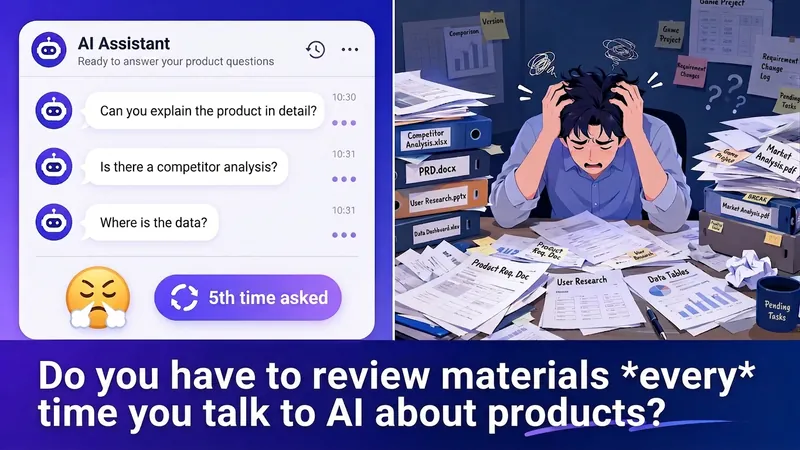
Product Context Archivist
The first step in product and AI collaboration: automatically organize scattered product materials into context documents that AI can understand precisely. Upload product documents in any format, and they’ll be automatically categorized across 10 key product dimensions. The Skill scans for information gaps, guides you through filling them in, and generates a structured Context document. It intelligently matches the information needed for 8 scenarios, including competitive analysis, PRD writing, feature prioritization, and strategy design. Create your profile once and keep it automatically updated. Copy and paste it into any AI tool.
 Video
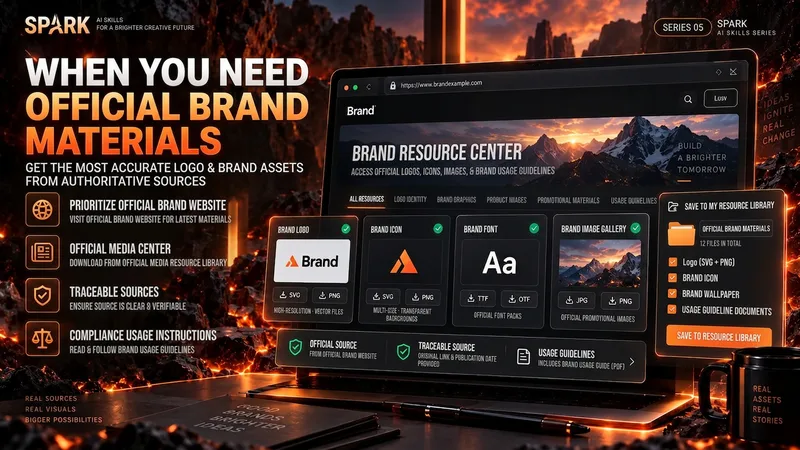
VideoSpark | Video Asset Finder
One of the most time-consuming parts of making a video isn’t knowing that you need visuals—it’s finding assets that are actually right for the job. A brand Logo may exist on its official website, an older CDN, Wikimedia, Pinterest, and countless reposted pages. A search for a “warehouse photo” may return product images shot against backdrops, 3D renders, and completely irrelevant stock images. If you only look at the first few search results, it’s easy to bring the wrong version, a secondhand source, or questionable licensing into your final video. “Spark | Video Asset Finder” breaks asset collection into four modes: Query Discovery / Single Page Pull / Site Pull / Transcript → Asset Pull You can simply say, “Find OpenAI’s current official Logo,” provide a brand page for it to extract assets from, or submit a full video transcript or script. It will first determine which parts truly need real visual assets, then search for and verify them one by one. It does not treat search hits as evidence of usable assets, and it will not pretend a file was “downloaded successfully” when it could not be saved. Brand assets are sourced from official channels whenever possible. For non-brand visuals, it checks whether the image really depicts the target scene. Third-party reposts are used only as leads; for important sources and licensing, it tries to trace back to the original rights holder or a trusted licensing platform. The final deliverable is not a pile of scattered images, but a production-ready asset Manifest. Each item records the asset request, source page, image or file reference, version, license, save status, and why it was selected. Failed items and remaining gaps are preserved as well. Best for creators making YouTube videos, educational content, product introductions, technology and business content, documentaries and interviews, tutorials, reviews, and other videos that need real Logos, product images, people, places, scenes, or B-roll. How to use it Method A | Find official assets for a brand (Query Discovery) Give it: a brand, product, person, or place, plus the visual assets you actually need. Example: Find OpenAI’s current official Logo and the 3 most useful official brand visuals. Prioritize official sources; save them directly when possible, and clearly explain when saving isn’t possible. It will: prioritize official brand pages → verify each item → remove duplicates → save or reference assets → create a Manifest. Method B | Turn a video script into an asset list (Transcript → Asset Pull) Give it: a transcript, complete script, or storyboard text. Example: Here is my script for a video about global logistics. First determine which parts truly need a Logo, real warehouse footage, or port and container visuals, then find authentic, usable assets. Don’t add items just to fill the list. It will first break the script into visual requirements, then search for brand assets and real-world footage separately. Method C | Extract precisely from one official page (Single Page Pull) Give it: a specific webpage URL plus quantity or usage requirements. Example: Extract the 4 visual assets best suited for video production, using only this official brand page and its directly linked official files. Do not expand the search to third-party websites. Ideal for brand guidelines, product pages, press releases, media centers, and other clearly first-party pages. Method D | Find related assets within one website (Site Pull) Give it: an official website and the target assets. Example: On this company’s website only, find authentic photos and product visuals related to “automated warehouses.” Prioritize original images; do not collect navigation icons or decorative elements. Useful when a website has extensive content and the target assets are spread across news, product pages, customer stories, or a media center. Best inputs: Clear asset targets (brand, product, scene, person, or place) A complete transcript, script, or storyboard A specific official page URL A specified official website or domain The intended use (opening, corner Logo, B-roll, product introduction, customer story, etc.) Limits such as quantity, resolution, format, and licensing preferences If you care about requirements such as “must be official,” “must be a real photo,” “must be commercially usable,” or “search this domain only,” state them directly. The Skill will treat them as filtering requirements rather than after-the-fact notes.
Information
- Version
- v8
- Last updated
- Runtime credits
- Usage-based
- Models
- Claude Opus 4.6
- Capabilities
- Web research
