Scientific Illustration PPT
Scientific Illustration PPT
Showcase
Description
When a user uploads one or more images of PPT slides, courseware screenshots, textbook pages, or teaching outlines, it first accurately identifies the section titles, numbers, core knowledge points, logical relationships, and teaching focus of that page. Then, based on this content, it designs PPT illustrations suitable for classroom instruction.
Related Skills
View all
Research, Course & Media
Research, Teaching Reform, Course Development & Media Visual Generator is a visual design Skill for research and teaching reform charts, social media visuals, and course development diagrams. It first identifies the visual type, offers options from suitable structure or style libraries, and then presents a complete design plan. It generates the visual only after receiving the user's explicit approval, and checks the content, relationships, Chinese text, composition, people, and visual quality before delivery. Research, Teaching Reform, Course Development & Media Visual Generator can turn research materials, course content, and social media topics into clear, polished visual concepts that match your personal aesthetic. It supports technical roadmaps, theoretical mechanism diagrams, research framework diagrams, course system diagrams, role–competency–course mapping diagrams, WeChat Official Account header images, knowledge infographics, scene illustrations, and multipage graphic cards. The Skill first translates the content into “topic—nodes—relationships—hierarchy—capacity—medium,” then recommends 3–5 suitable structures or styles and presents the composition, color palette, materials, lighting, text treatment, rendering method, and risks. It does not generate images without user approval. After the user changes the content, structure, style, color palette, or dimensions, it updates the plan and waits for approval again. Research and course diagrams prioritize editable, deterministic rendering with accurate relationships. Social media and scene visuals use text-free image generation with reliable text overlays.

全套课件生成(教案/活动/板书/练习+每章40 页参赛级 PPT)
输入课题与基本信息(教材范围、授课对象、学时、课型),按固定骨架与统一的学术讲义风格,一次生成「备课五件套」:逐字稿教案、课堂活动与互动提问设计、板书设计、随堂练习四份文档,以及约 40 页参赛级 PPT。文档结构固定、内容随课题自适应;PPT 沿用同一套视觉契约(跨课一致),按「先生成图片、再 slidesCompose 合成」两步法产出,并自动回写课程记忆。适用于各学科、各学段。
 Slides
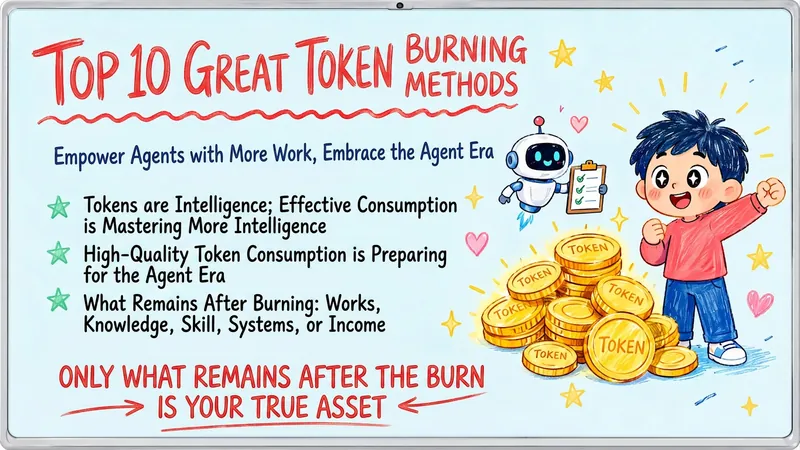
Hand-Drawn Whiteboard Slides
Transform your topic content, articles, knowledge points, or course copy into a set of creative and warm hand-drawn whiteboard style Slides. Whether you need to present key ideas, teaching content, or share personal insights, we can refine them and present them in a fresh, lively visual form. This skill excels at simplifying complex information. Each Slide revolves around a core topic, accompanied by vivid hand-drawn illustrations and clear, concise key points. We simulate the feel of a teacher writing on a digital whiteboard in class, using a light blue screen background, red and blue handwritten titles, and hand-drawn elements like stars and hearts to make learning and sharing more fun and engaging. Whether it's quote interpretation, method steps, science popularization, parent-child education, inspirational growth, or AI technology topics, this skill automatically matches the most suitable visual expression. The final Slides will be in 16:9 landscape format, with natural handwriting-style fonts, soft colors, and a unified overall style, making your content both professional and approachable, like warm and interesting knowledge cards.
Information
- Version
- v2
- Last updated
- Runtime credits
- Usage-based
- Models
- Auto
