
Photo Watermark Remover
Erase a chosen watermark and rebuild what was underneath
Photo Watermark Remover
Erase a chosen watermark and rebuild what was underneath
Showcase
Description
Upload a watermarked photo and say where the watermark is - or just ask me to find it. I classify the watermark (corner signature, translucent center wordmark, tiled repeating text, camera date stamp, platform banner), then pick the cheapest safe route: crop when the mark hugs an edge and the composition survives, local repaint when it sits over the middle, and honest weakening when it tiles the whole frame. Repainted areas are matched to surrounding grain, sharpness, light direction and colour, then checked at 100% across eight defect points. You get a clean full-resolution image with no re-compression and no new watermark, an optional before/after pair, and a short delivery note stating the real status of each watermark instead of calling a weakened mark removed.
Best for
Photographers, creators, and image owners who need authorized watermark cleanup without altering the rest of the photo.
How to use this Skill
Provide your input
Upload a watermarked photo you own or are authorized to edit, and identify the mark's location—or ask for it to be found.
Run the Skill
The photo is assessed and the least disruptive suitable edit is applied, with a candid check of what can be removed or only reduced.
Review your result
Receive an edited image in the original dimensions, with an optional before/after comparison and a brief status note describing remaining limits.
Related Skills
View all Image
Context-Aware AI Watermark Designer
Create a watermark that feels made for the image—not simply placed on top of it. Upload an image and provide the exact watermark text, and receive context-aware designs shaped by the subject, composition, lighting, colors, mood, and visual identity of the original artwork or photograph. The studio develops four distinct directions, such as an elegant signature, editorial wordmark, emblem, or image-inspired creative identity, adapting typography, color, scale, opacity, shape, and placement to suit everything from luxury beauty and fashion photography to jewelry, architecture, landscapes, food, technology, illustration, and spiritual imagery. Important faces, products, labels, logos, and existing text remain unobstructed, while the source image’s proportions and visual details are preserved. Every project includes a recommended watermark concept, a reusable standalone PNG with a genuine transparent background, and the original image with the watermark applied. Additional color, placement, or opacity variations may be provided when appropriate. Whether you need subtle brand attribution, a polished editorial signature, or clearer ownership identification, the result is designed to be sophisticated, legible, technically reusable, and visually harmonious with the image.
 Image
One-Click AI Background Remover
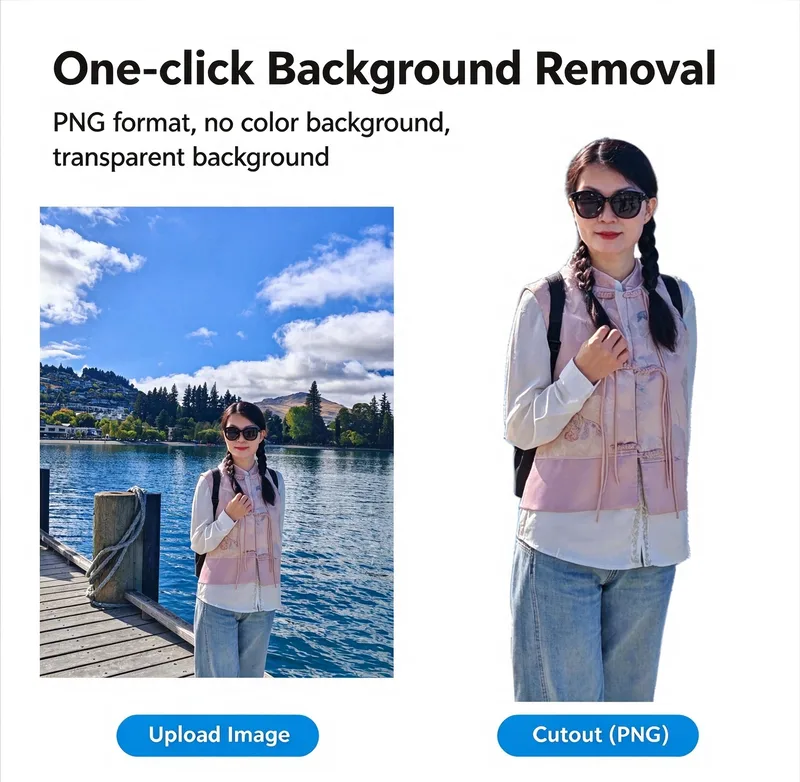
Upload an image and let AI help remove the background while preserving the original subject as faithfully as possible. From portraits and product photos to pets, illustrations, and complex edges, SnapCut AI is designed to make background removal simple and efficient. ✨ Why You'll Love It One-Click Background Removal: Turn busy backgrounds into clean cutouts with minimal effort. Preserve Original Details: Aim to retain the subject's original shape, colors, textures, clothing, logos, and fine details. Transparent PNG Output: Create PNG images with genuine transparency when supported by the available image-processing tools. Fine-Edge Attention: Handle challenging details such as hair, fur, feathers, leaves, and delicate edges. Keep the Original Composition: Preserve the original image dimensions, aspect ratio, and subject placement whenever possible. Made for Creators: Useful for e-commerce product photos, social media graphics, presentations, marketing assets, profile pictures, and creative projects. How It Works Upload your image. Let the background-removal workflow isolate the subject. Export a transparent PNG when supported. Use your cutout in designs, online stores, videos, and more. No complicated editing workflow. Just a cleaner image, ready for your next creative project. SnapCut AI — Remove the background, not the details.
One-Click Old Photo Restoration
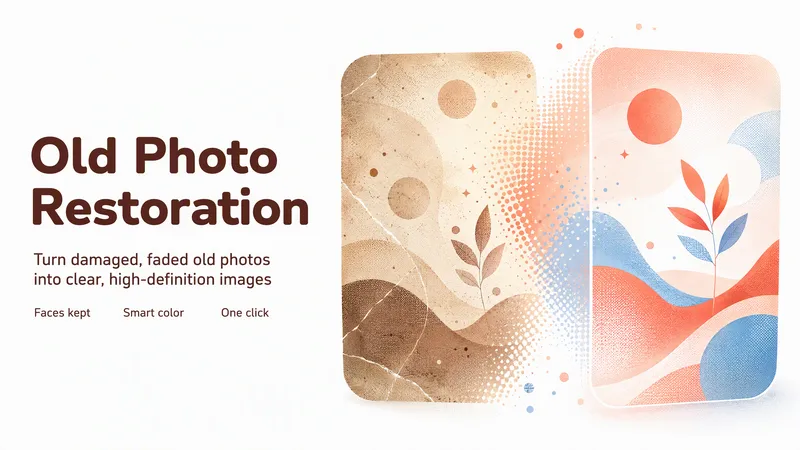
Upload damaged, faded, or blurry old photos and get a high-definition restoration in one pass: repair tears and creases, remove stains and mildew, recover shifted or yellowed colour, colorize black-and-white, and sharpen low-resolution files. Faces are strictly preserved: no face swap, no beautification, no invented details. You get one HD result plus a before/after comparison per photo, with per-photo processing and optional instructions such as colorize only or keep it black and white.
Information
- Version
- v3
- Last updated
- Runtime credits
- Usage-based
- Models
- Auto
- Use cases
- Images & design
- What you get
- Image
