
One-Click Old Photo Restoration
Repair old photos while keeping faces intact
One-Click Old Photo Restoration
Repair old photos while keeping faces intact
Showcase
Description
Upload damaged, faded, or blurry old photos and get a high-definition restoration in one pass: repair tears and creases, remove stains and mildew, recover shifted or yellowed colour, colorize black-and-white, and sharpen low-resolution files. Faces are strictly preserved: no face swap, no beautification, no invented details. You get one HD result plus a before/after comparison per photo, with per-photo processing and optional instructions such as colorize only or keep it black and white.
Related Skills
View all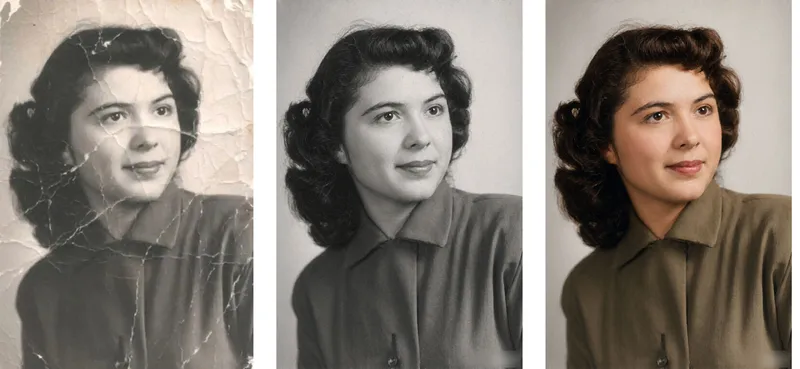 Image
Photo Rescue Lab
Old Photo Restorer: upload an old photograph of people, buildings, plants or animals; repair the damage (scratches, creases, mold spots, stains, fading, missing pieces) and colorize it in a period-appropriate way, strictly preserving the original composition, number of subjects, expressions and aspect ratio. Trigger when the user says 'restore this old photo', 'colorize old photo', 'fix this damaged photo', 'can you repair a torn photo', 'colorize my grandparents' photo', 'remove scratches from photo', 'make old photo clearer', 'restore family portrait', 'photo cleanup', 'upscale and restore'. Core rules: restoration is subtraction not addition — remove damage only, never add content; the closer it looks to 'nothing was done', the better; the face is the only acceptance criterion; colorization is an educated guess, not fact; output aspect ratio must match the original exactly. Default output aspect ratio = the uploaded photo's ratio. Preferred model: Nano Banana 2.1 high-fidelity reference mode. Midjourney disabled. Heavily damaged photos use a two-step flow: restore in black and white first, then colorize.
 Image
Fix Blurry Faces & Enhance Portraits
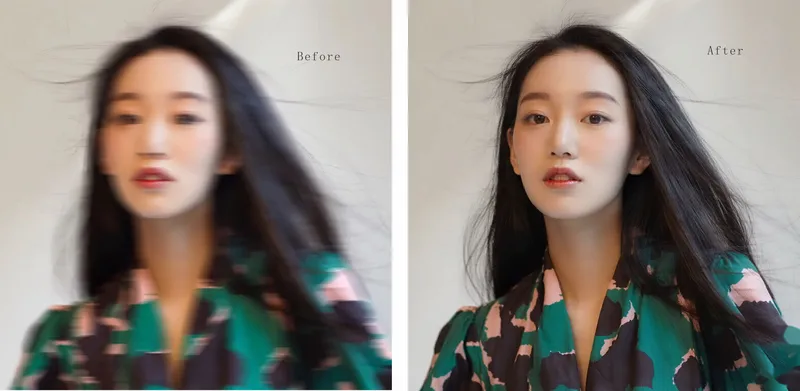
AI Photo Restoration Pro — Fix Blurry Faces & Restore Old Photos Restore blurry portraits, low-resolution snapshots, faded family photos, and compressed images with AI. Improve clarity while preserving identity, natural skin texture, facial features, and the original photographic style. What Can It Do? Fix Blurry Faces: Enhance recoverable facial details. Enhance Portraits & Selfies:Improve sharpness and tonal balance naturally. Restore Old Photos:Improve faded, noisy, scanned, and compressed images. Enhance Event Photos: Improve wedding, party, travel, and everyday snapshots. Improve Video Screenshots: Reduce compression artifacts and enhance visible details. Preserve Identity:Maintain facial features, expression, apparent age, clothing, and background. Flexible Output:Preserve the original aspect ratio or adapt images for social media and printing. Who Is It For? Families: Revive cherished memories and old portraits. Photographers:Add natural AI enhancement to editing workflows. Content Creators:Improve thumbnails, profile pictures, and social media visuals. Event Professionals:Enhance suitable wedding and event photographs. Restoration Freelancers: Support client photo restoration services. Designers & Marketers: Improve portrait assets for creative projects. Why Choose This Skill? Identity-first restoration without face replacement. Natural skin texture without excessive smoothing. Adaptive enhancement for different levels of blur. Original composition and background preserved by default. Conservative detail reconstruction for realistic results. Monetization Opportunities Offer photo restoration, portrait enhancement packages, family memory restoration, creator content services, digital tutorials, prompt collections, and freelance editing add-ons. Earnings depend on service quality, customer demand, and platform terms.
 Image
One-Click AI Background Remover
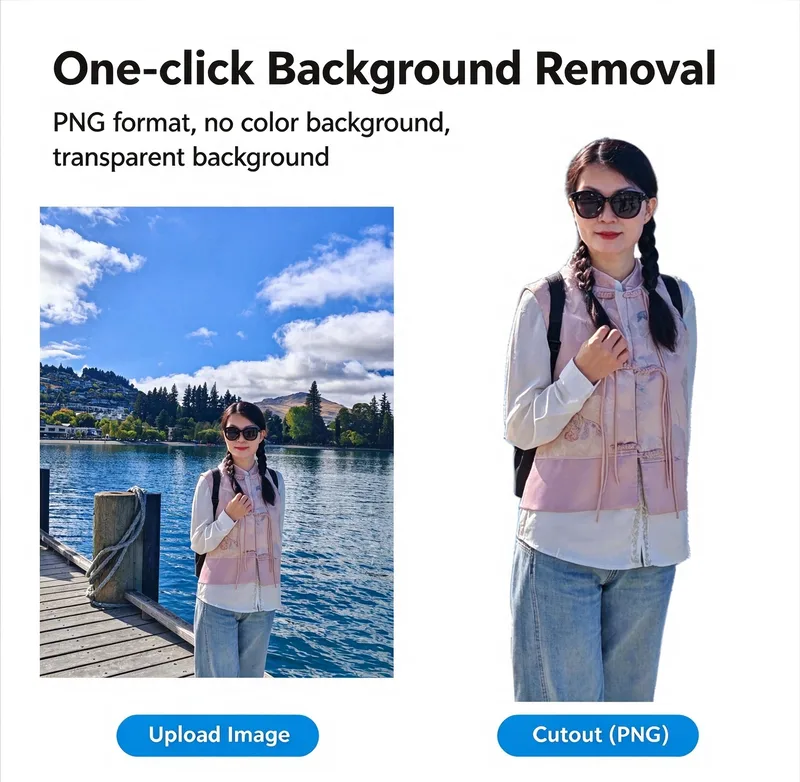
Upload an image and let AI help remove the background while preserving the original subject as faithfully as possible. From portraits and product photos to pets, illustrations, and complex edges, SnapCut AI is designed to make background removal simple and efficient. ✨ Why You'll Love It One-Click Background Removal: Turn busy backgrounds into clean cutouts with minimal effort. Preserve Original Details: Aim to retain the subject's original shape, colors, textures, clothing, logos, and fine details. Transparent PNG Output: Create PNG images with genuine transparency when supported by the available image-processing tools. Fine-Edge Attention: Handle challenging details such as hair, fur, feathers, leaves, and delicate edges. Keep the Original Composition: Preserve the original image dimensions, aspect ratio, and subject placement whenever possible. Made for Creators: Useful for e-commerce product photos, social media graphics, presentations, marketing assets, profile pictures, and creative projects. How It Works Upload your image. Let the background-removal workflow isolate the subject. Export a transparent PNG when supported. Use your cutout in designs, online stores, videos, and more. No complicated editing workflow. Just a cleaner image, ready for your next creative project. SnapCut AI — Remove the background, not the details.
Information
- Version
- v2
- Last updated
- Runtime credits
- Usage-based
- Models
- Auto
