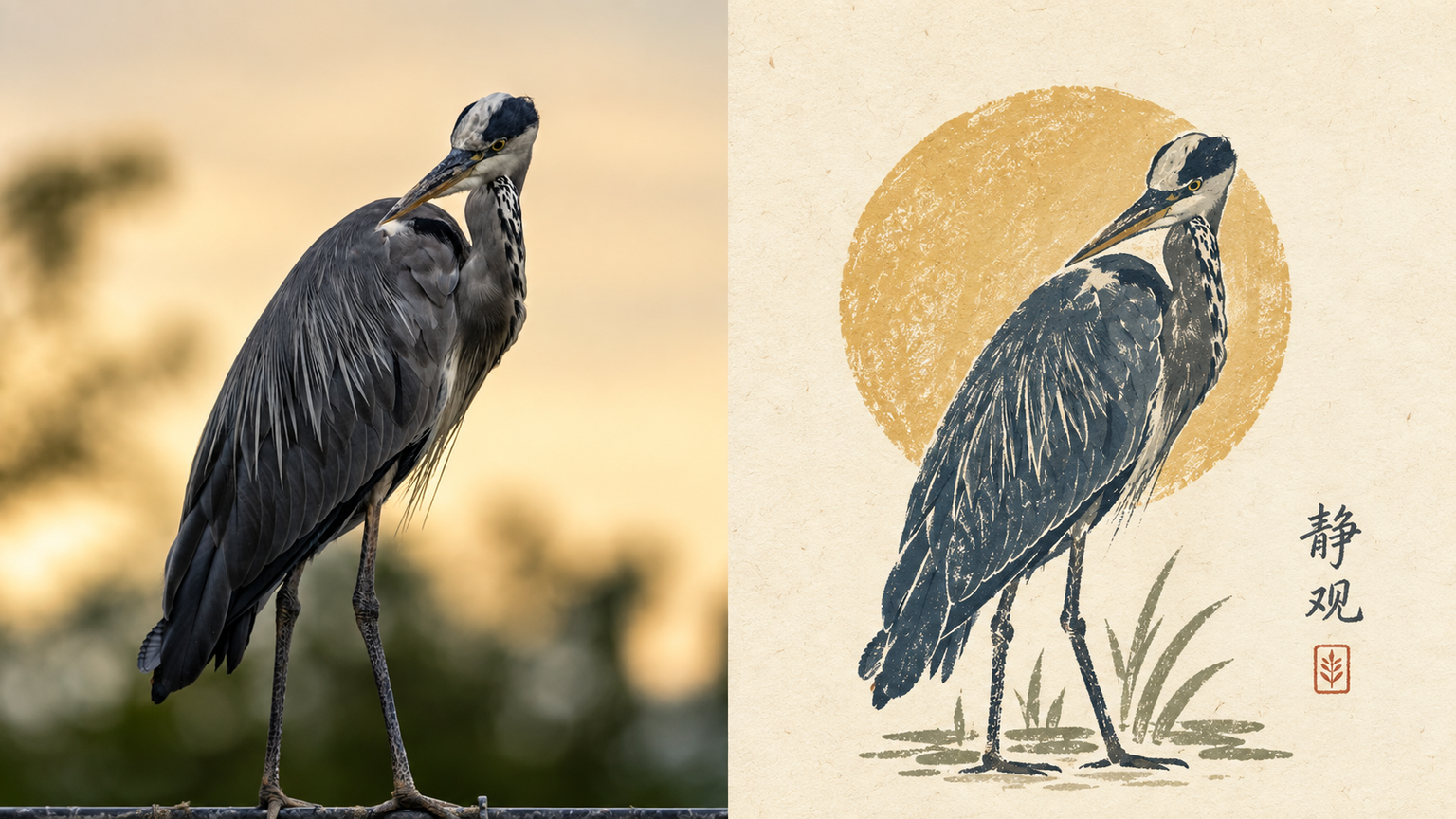
Naive Badge | xiaoxiaodongP275
By xiaoxiaodong
Naive Badge | xiaoxiaodongP275
By xiaoxiaodong
Showcase
Description
Ideal for turning an ordinary photo into a warm, personal handmade badge. The top half shows the original photo; the bottom half compresses the subject into a small visual symbol with a sense of memory, like a handmade badge, personal mark, or independent brand totem. Its form is slightly awkward, asymmetrical, and handmade. The subject stands alone like a small badge, seal, or icon, with generous blank space around it. Simplified rounded shapes, naturally varied hand-drawn outlines, limited color blocks, and a few decorative elements create a look of matte gouache, colored-pencil and crayon grain, dry-brush strokes, and paper texture. Colors are soft and low-stimulation, like pigment absorbed into paper. Avoid complete scenes, commercial logo design, standard icon systems, smooth vectors, and excessive cuteness.
Recommended by
Dancang
Why we love this skill
Turns photos into warm handmade badges with rounded, imperfect forms and matte, crayon-like texture—more like a personal paper-kept mark than a templated commercial icon.
Best for
Creators who want to turn everyday photos into personal marks, handmade badges, or distinctive visual symbols.
How to use this Skill
Provide your input
Upload a photo or image, then choose the subject to highlight.
Run the Skill
Refines the subject into a standalone handmade badge, keeps the original photo for comparison, and adds simplified shapes, hand-drawn outlines, and paper texture.
Review your result
Get a finished PNG: the top half shows the original photo, while the bottom half becomes a warm, personal, rough-hewn badge design.
Related Skills
View all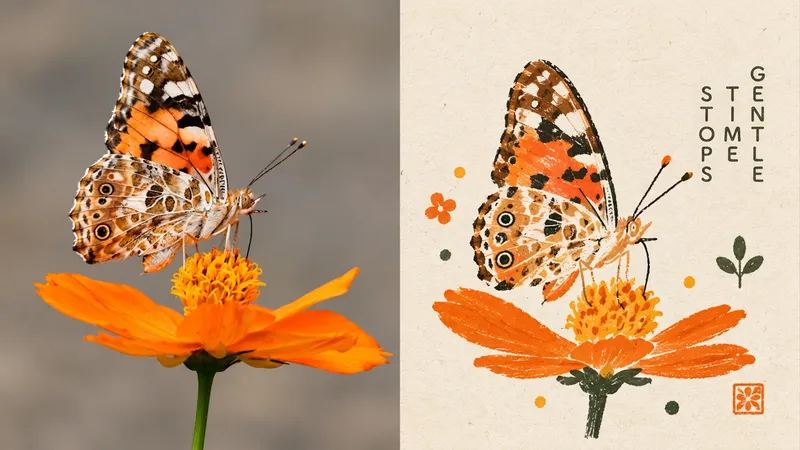 Image
Folk Art, New Chapter
Ideal for turning an ordinary photo into a cultural symbol somewhere between an old picture book and an independent brand. The upper half is the original image; the lower half reworks the subject with wobbly hand-drawn outlines, large areas of flat color, and simplified geometry. Proportions can be exaggerated while still clearly evoking the original. A tiny related symbol may be added, but it must not grow into a scene. Preserve the feel of gouache, crayon, and Riso misregistration. Use 2–5 colors drawn from the original image—warm, bright, and full of character, but not sugary or cartoonish. Keep the emblem small, leave plenty of negative space, and place text at a distance from the subject. Avoid full character illustrations, commercial logos, cartoon IP, 3D, and smooth vector graphics.
 Image
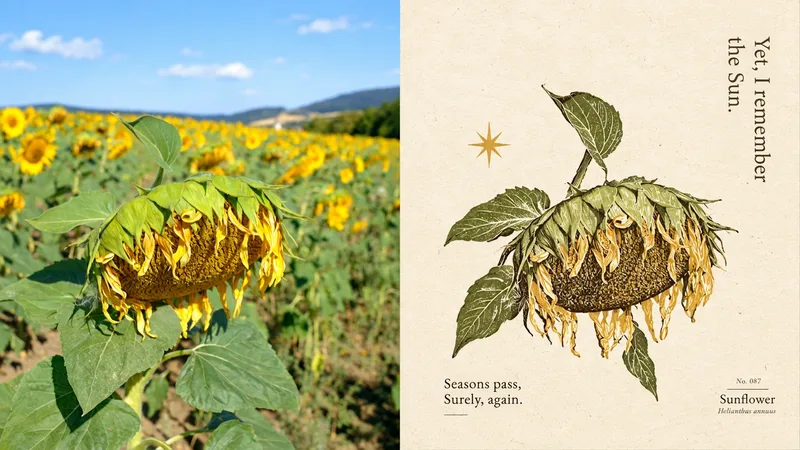
Chapter P321 | xiaoxiaodong
Ideal for turning an ordinary photo into an isolated mark quietly placed in blank space. The upper half shows the original photo; the lower half resembles a small illustration from an old herbal atlas, folk manual, or private seal: irregular hand-drawn ink lines, solid ink blocks, and organic forms work together to carry the subject’s visual essence. Starbursts, botanical patterns, or small abstract marks should serve the subject rather than form a background. The symbol stands alone in generous blank space, like a page from an old diary. Keep the palette warm and restrained: warm white paper, deep brown ink, soft gray-green, misty blue, and light brown. Avoid complete illustrations, polished vectors, commercial badges, and piled-on decoration.
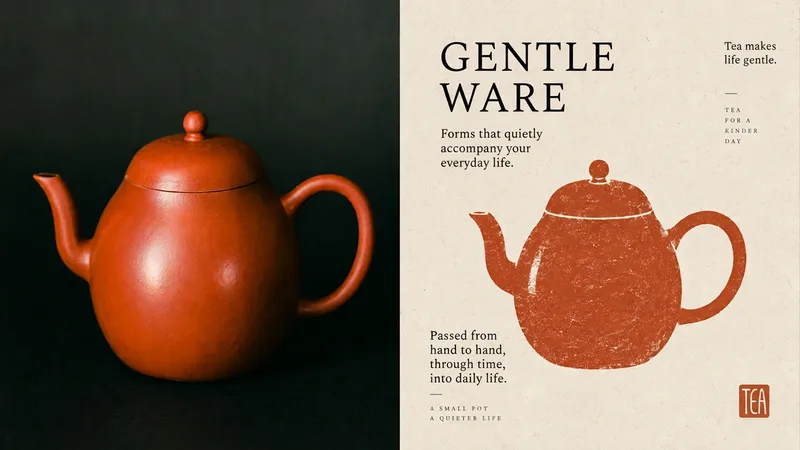
Round Totem | xiaoxiaodong
Perfect for turning an ordinary photo into a chapter marker for an art book. The top half features the original photo, while the bottom half presents a rounded, slightly clumsy, asymmetrical, and minimally detailed simplified outline with sparse color blocks, resembling a long-kept private stamp. It blends soft gouache, crayon grain, paper textures, and a subtle silkscreen feel. Featuring only a single symbol with generous negative space, it includes a single line of private notes. The color palette uses warm off-white, oatmeal, and gray-beige as a base, complemented by botanical green, lake blue, soft yellow, and coral red for the main subjects. Avoid multiple objects, complex scenes, precise geometry, commercial logos, and polished retouching.
Information
- Version
- v3
- Last updated
- Runtime credits
- Usage-based
- Models
- Auto
- Use cases
- Images & design
- What you get
- Image
- Visual styles
- Hand-drawnPaper art
