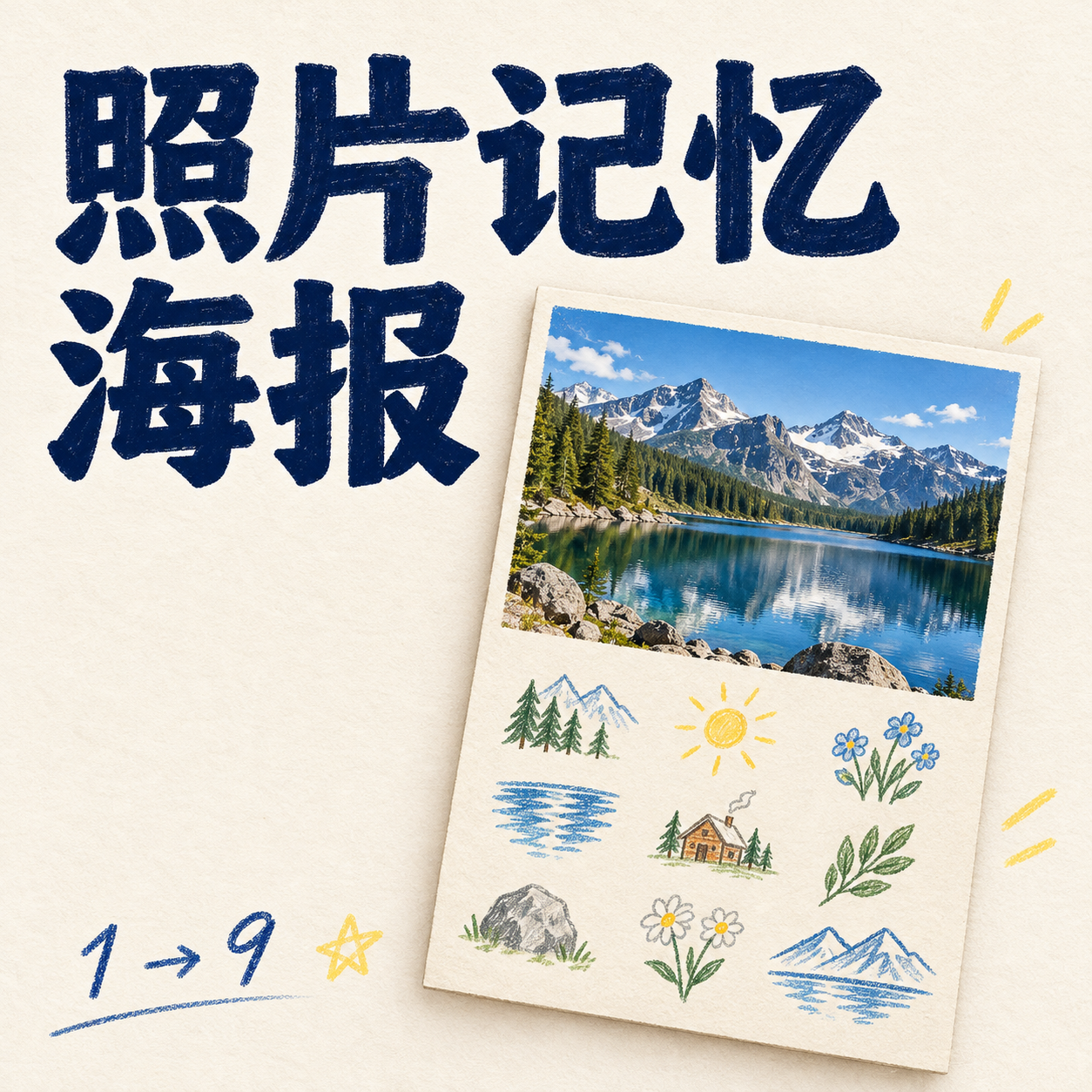
Photo Memory Poster
One photo, nine memories | Real photo × hand-drawn visual diary
Photo Memory Poster
One photo, nine memories | Real photo × hand-drawn visual diary
Showcase
Description
Some photos in your album deserve to be remembered with care. Upload an original photo of a trip, a coffee break, a pet, or an everyday moment to turn it into a textured memory poster with paper grain and drawn strokes: the top half preserves the real moment, while the bottom half illustrates the details worth remembering as nine small crayon-and-colored-pencil icons. Each photo is output separately in a 3:4 portrait layout, with no multi-photo collage. The top and bottom each take up half the page, with a loose nine-grid layout, short handwritten title, and small caption, creating the feel of a private visual diary. Colors adapt to the photo instead of using a fixed scenic template. Just upload a photo and optionally add a title. The Skill extracts memorable details, creates the image, and checks the subject, nine icons, and actual layout divisions. When an image tool with reference-image support is available, it can generate the image directly. Strict layout separation and fidelity to the original photo also depend on the editing and assembly capabilities of the runtime environment; if the requirements cannot be met, this will be explained. Suitable for travel keepsakes, pet collections, lifestyle journaling, and social sharing. The showcase images are demonstrations using locally created original AI scenes, not examples from real users; on YouMind, the Skill has been trialed with input guidance for missing photos, while complete image generation still awaits testing. Image-generation usage is subject to the current platform.
Why we love this skill
Turns one photo into nine traceable details, pairing a faithful top half with restrained hand-drawn emotion below.
Related Skills
View all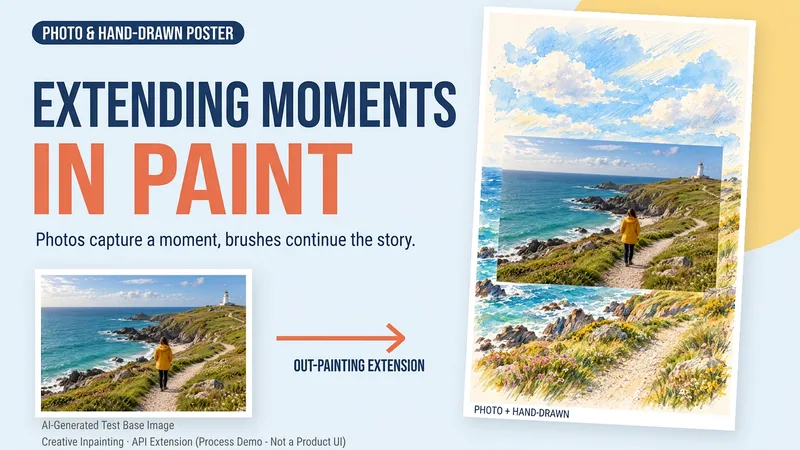 Image
Draw That Day | Photo Poster
Some photos deserve another page. Upload a travel, walking, or everyday photo to create a keepsake poster where the photo meets hand-drawn scenery. The photo preserves that moment, while watercolor and colored pencil continue the scene beyond its edges. You can get: ① A keepsake poster: 2:3 portrait format by default, with a warm paper texture and no text. ② A grounded extension: starting from the sky, coast, road, or room in your photo, hand-drawn elements echo the original setting. ③ A note about photo preservation: when compositing is supported, the photo layer can be retained; with generative editing only, details may change, and this will be explained. ④ An optional short caption: use a sentence, location, or date you provide to preserve a little of how you felt at the time. Suitable for travel memories, everyday keepsakes, and social sharing. One image by default; it does not automatically create a full storybook. The scene beyond the photo is an artistic creation, not a recreation of the actual surroundings. Generation and compositing depend on the platform's current image tools and usage limits. We do not promise that the original photo will remain completely unchanged using a generative model alone. If the tools are unavailable, this will be stated clearly and a complete prompt will be provided.
 Image
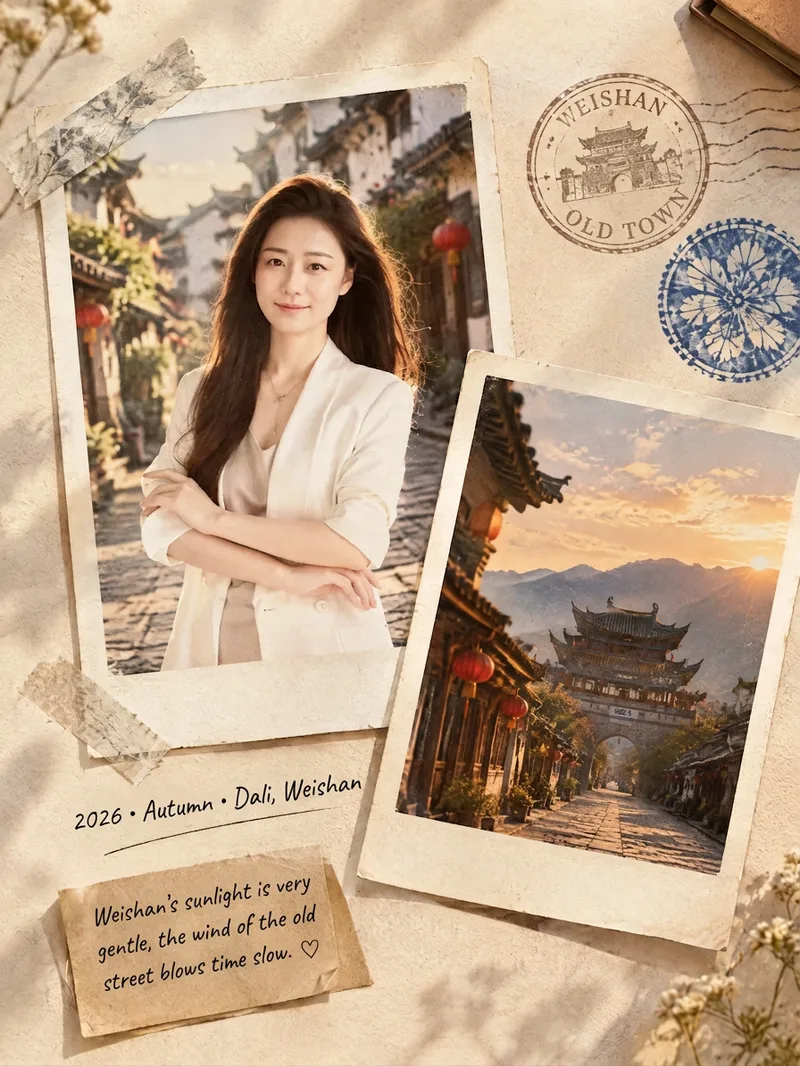
Film Journal Log
Turn everyday snapshots, restaurant visits, travel records, or personal reflections into nostalgic film journal posters with a story to tell, along with heartfelt copy for Xiaohongshu and Moments. Whether the subject is a portrait, landscape, food, or still life, the design matches a fitting film color palette and lifestyle atmosphere based on the main subject, location, season, and mood. When you provide text only, it can also imagine a corresponding travel or slow-living scene from your description. Each finished piece centers on a 3:4 Polaroid collage, combining the white border of matte photo paper, handwritten dates and locations, washi tape, vintage stamps, sticky notes, and delicate paper textures. The result captures natural light and shadow, authentic grain, and the layered feel of a real-life flat lay—perfect for moments such as a café afternoon, a street market at night, a camping stroll, or a seaside road trip. When you upload a portrait, it will preserve the person’s recognizable facial features, expression, hairstyle, and clothing as much as possible. When you upload a scene photo, it will retain distinctive details such as the architecture, tableware, and original colors. You’ll receive a polished film journal visual poster, a concise design note, and social media copy with a title, body text, and hashtags. Make travel memories, restaurant discoveries, and everyday moments easier to share—and more worth keeping.
 Image
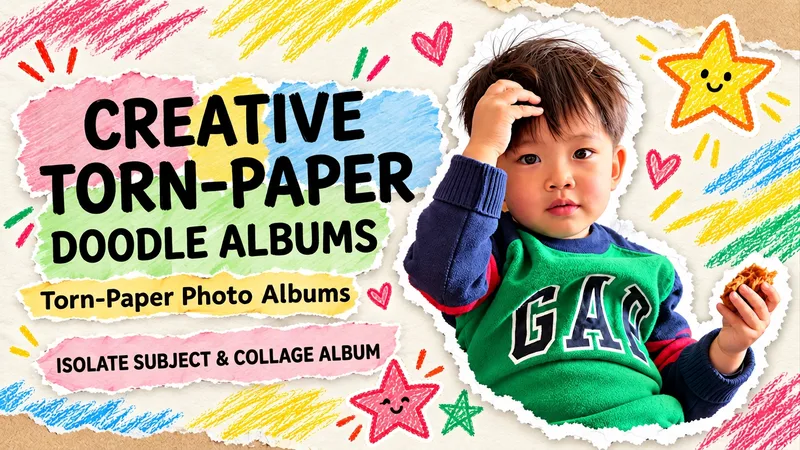
Torn Paper Dotted Photo Album
Upload a photo to turn people or pets into scrapbook stars, complete with torn paper edges, handwritten doodles, and vintage paper textures. Upload an original photo, and the subject (whether a person, pet, or main object) is automatically extracted with the original background removed. Group photos retain all individuals by default. Recognizable facial features, hairstyles, clothing, poses, and handheld items are kept, surrounded by natural white torn-paper furry edges, a cream-colored paper background, colored crayon stars, and handwritten short phrases. Generates a 3:4 vertical album image by default. Supports text-free versions, short Chinese phrases, fewer doodles, color adjustments, and landscape or portrait aspect ratios. Text-free means no added album text, though original clothing text is preserved. When parts of the body are obscured in the original photo, an appropriate half-body composition is used without inventing hidden limbs. Full-photo mode is available when explicitly requested. Great for everyday portraits, friend group photos, pet memories, and journal illustrations. Image editing may introduce subtle changes to faces or other details and does not guarantee 100% facial replication. The final image is checked against the original photo. This Skill is free to install. Image generation or editing quota consumption is subject to platform and model terms. Displayed examples show photo editing effects; complete image generation within YouMind has not been fully tested yet.
Information
- Version
- v6
- Last updated
- Runtime credits
- Usage-based
- Models
- Auto
