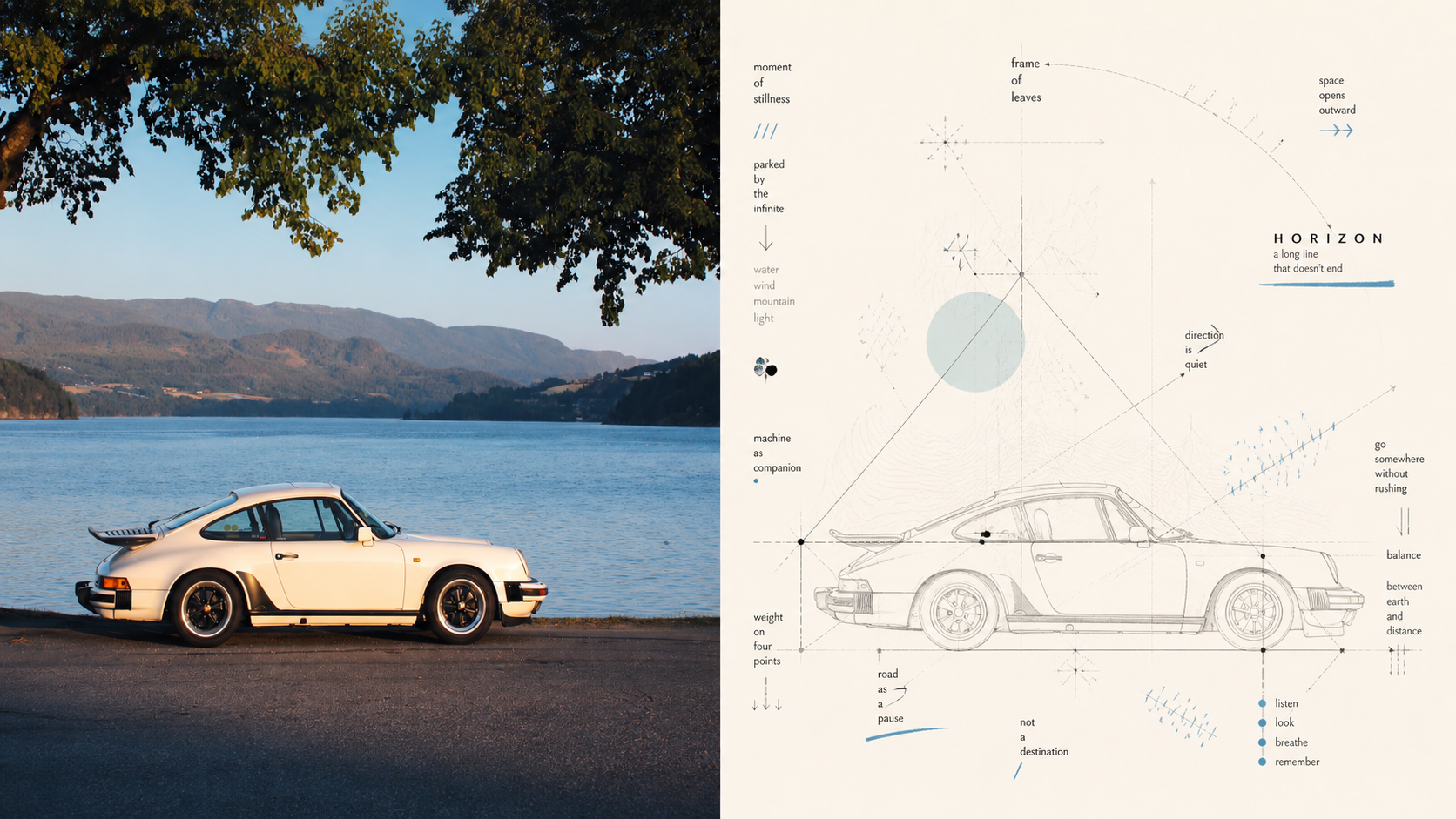
Xiaoxiaodong × Visual Concept Maps × P090
Created by Xiaoxiaodong
Xiaoxiaodong × Visual Concept Maps × P090
Created by Xiaoxiaodong
Showcase
Description
Panel 090 treats a photo as the center of a concept, breaking down movement, direction, space, emotion, relationships, and metaphor into text, nodes, paths, regions, arrows, and connections. Textual meaning, geometric relationships, and handmade mark-making come together to form an artistic map between painting, diagram, and visual notes. Ideal for Expressing the thinking behind a photo: Organize movement, direction, relationships, and emotion into a conceptual center and visual paths. Creating artistic diagrams rather than scientific charts: Use triangular structures, zigzag lines, intersecting axes, radiating lines, contour lines, and field paths. Balancing rational structure with a sense of physical presence: Layer a clear geometric framework with repeated short strokes, ticks, symbols, dots, and subtle handwritten shifts. Needing flexible delivery: Supports vertical, horizontal, design-only, multiple aspect ratios, and four-sided wallpapers, and can also process image directories in batches.
Recommended by
淡苍
Why we love this skill
Uses the original creative brief as the sole aesthetic authority, protecting its visual intent while supporting portrait, landscape, design-only, and multi-device wallpaper outputs, with careful checks for text, dimensions, batch inputs, and final quality.
Related Skills
View all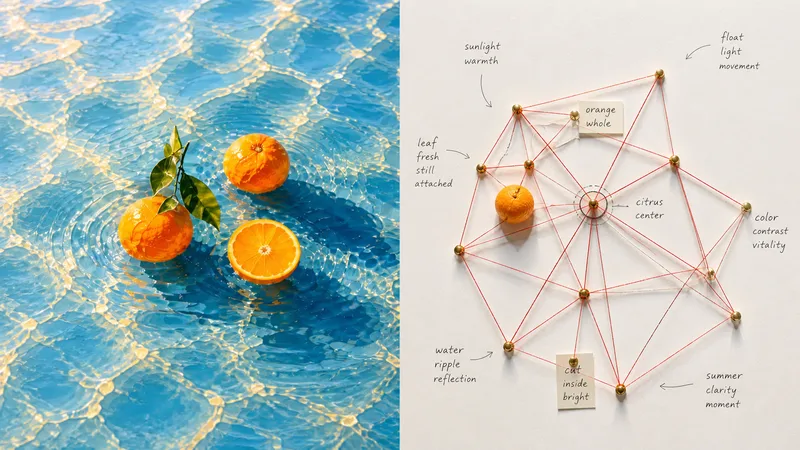 Image
Imagexiaoxiaodong x String Map P087
Turning a photo directly into a standard flowchart can lose the real spatial relationships between subjects; random red strings and wall-to-wall nodes can instead look like a cheap detective board or digital network UI. Panel 087 extracts subjects, contours, structure, poses, and narrative relationships from a photo, then breaks them down into a small number of meaningful thumbtack nodes and reconnects them with real string to create a tangible system map. Relationships are denser at the center and gradually spread out toward the edges. Vermilion or coral-red string forms emergent geometry on natural white cardboard, while preserving pin and stitch shadows, overlaps at crossings, handwritten labels, and authentic handmade imperfections. Best suited for these situations Want to understand relationships between subjects: Turn movement directions, spatial positions, structural shifts, and environmental clues into nodes and connections. Need a genuine installation feel: Use thumbtacks, cotton string, paper tags, pin and stitch shadows, variations in tension, and slight overlaps instead of a computer-drawn network diagram. Want a complex but orderly composition: Use a central node or relationship as the hub, keep the center dense and the edges sparse, and preserve ample negative space. Need flexible delivery: Supports top-to-bottom, left-to-right, design-only, multiple aspect ratios, and four-edge wallpapers, along with batch processing for image directories.
 Image
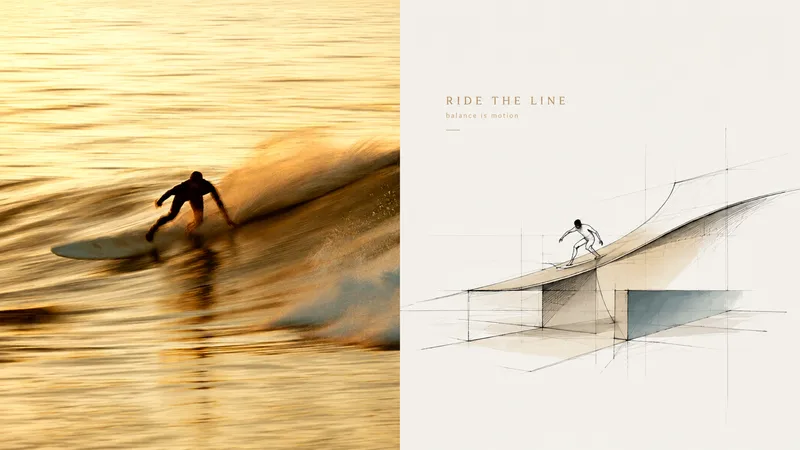
Imagexiaoxiaodong P120 Concepts
Want to turn a photo into a concept image with a sense of design exploration, without ending up with a fully rendered scene that traces every object? Panel 120 preserves the photo’s identity and spatial memory, distilling its key forms, outlines, and relationships into loose, freehand perspective linework. A few color blocks, geometric guide lines, and generous areas of blank space come together to form the work. Ideal for these situations Architectural, spatial, travel, or object photos need to become concept sketches with an editorial sensibility. The original composition is weak, the background is cluttered, or the subject is small, and you want to reorganize the visual focus through reduction, recomposition, and changes in scale. You want to preserve recognizability and spatial relationships while avoiding full-frame coloring or photorealistic renderings. The same style needs to be delivered in vertical, horizontal, design-only, wallpaper, and catalog batches. What it solves for you Remove backgrounds and secondary objects, leaving the core forms and visual memory points that represent the subject. Use relaxed, restrained, slightly repetitive perspective lines and a few construction lines to express design exploration. Make blank space part of the composition instead of filling the frame with decoration or color blocks. The comparison image contains exactly two equal sections; each source image is generated independently to avoid secondary stylization.
 Image
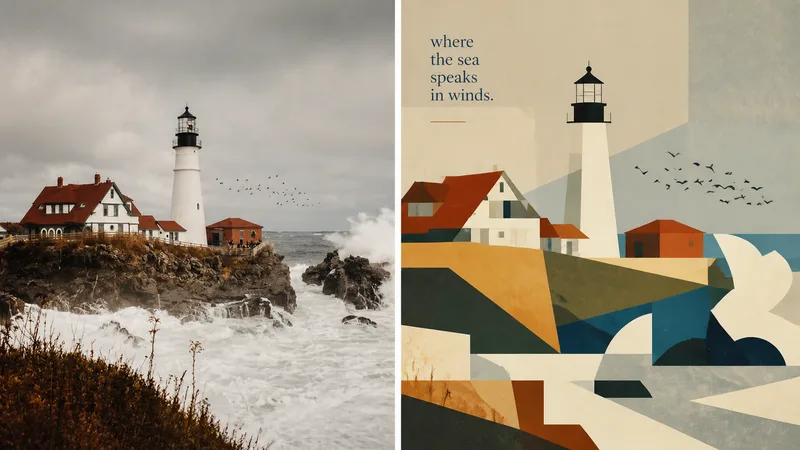
Imagexiaoxiaodong × P093 Collage
Panel 093 preserves the subject, contours, poses, and narrative relationships from a photo, then distills them into rectangles, trapezoids, triangles, circles, and a few freeform shapes. Instead of relying on realistic perspective and complex shadows, it creates depth through occlusion, changes in scale, layered color fields, and height relationships. Bright colors, subtly hand-drawn edges, and a matte gouache texture give the result both the flat feel of paper cutouts and the finish of an independent publication. Great for these situations Want to make a complex photo instantly readable: Merge repeated elements while preserving the most important identity cues with as few shapes as possible. Need colors that feel lively, not cheap: Start with the brightest and most memorable colors in the original image, then reorganize them into a limited, clear palette of cohesive color fields. Seeking a refined modernist simplicity: Use flat space, subtly irregular edges, and a matte gouache/acrylic finish to avoid a polished vector look and template feel. Need flexible delivery: Supports top-and-bottom, left-and-right, design-only, multiple aspect ratios, and four-platform wallpapers, as well as batch processing for image directories.
Information
- Version
- v3
- Last updated
- Runtime credits
- Usage-based
- Models
- Auto
