
IP Hand-Drawn Visual Consultant
Your content as a personalized hand-drawn visual
IP Hand-Drawn Visual Consultant
Your content as a personalized hand-drawn visual
Showcase
Description
It's not that you can't write content; you often get stuck at the last step: what kind of image should this idea, method, or story become to feel like you? The IP Hand-Drawn Visual Consultant breaks down your content expression into a suitable visual form, then gives you a practical visual + text solution. You will receive: - A judgment of whether the content suits an opinion diagram, method diagram, or story diagram; - A hand-drawn visual direction that matches your field and style; - A copy confirmation form to lock in text after review; - A hand-drawn visual base map without text, or a ready-to-use text-free image prompt; - A layout guide: where to place titles, steps, and key text, and how much space to leave. Why provide a text-free base map first? Chinese text needs to be accurate and editable. Instead of letting the image generation model randomly 'draw' text, we first design the image, characters, or scene with white space for text, and then you overlay the confirmed copy using your familiar tools. This is suitable for those who want to first verify if they need a personal visual expression: consultants, lecturers, coaches, knowledge content creators, or those just starting to build their personal brand. This skill currently can do: a single, single-platform content visual solution; one text-free preview base map or text-free prompt; copy confirmation and layout guide; extract hand-drawn IP anchors from photos if available; use professional props, scenes, or abstract symbols to build recognition without photos. Currently does not: generate multiple images or content card sets at once; adapt to multiple platforms simultaneously; save IP archives across tasks; directly generate publishable final images with accurate Chinese text; auto-publish to any platform. If after the experience you naturally need multi-image, multi-platform, long-term fixed character images or serialized columns, those are scenarios better addressed by the subsequent Pro and Max versions. This skill will first complete this single experience and will not proactively upsell.
Related Skills
View all
IP Sketch Content Director Pro
You’re not just trying to make one image—you want to turn this content into a set of assets you can actually publish. IP Sketch Content Director Pro handles “content production for the current task”: it consistently turns an idea, a method, or a story into 1–3 narratively connected hand-drawn content visuals, then rearranges them independently for each platform you select instead of simply cropping them. What you’ll get Complete content strategy card: identifies the content type, card-set structure, and multi-platform adaptation strategy for your confirmation before work begins; Copy lock: locks the main title, step or paragraph points, and key terms for each visual one by one. Once confirmed, they won’t be rewritten randomly; 1–3 text-free hand-drawn base images: generated according to the confirmed composition plan, without any text; Precise layout instructions: font size, line spacing, alignment, and margins for each area of every visual, so you can add the text yourself as specified; Local revision protocol: revise the layout without redrawing the base image; revise the composition without changing the copy—solve problems within the smallest possible scope. About the text layer Chinese text should be accurate, editable, and locally revisable. The standard deliverable is a text-free base image plus layout instructions, with text added using the tools you’re familiar with. When the host platform has verified, deterministic text-overlay capabilities, a precisely typeset final image may also be provided—but this is not a default feature and depends on the environment used for the task. Supports adaptation for up to 3 platforms: Xiaohongshu, WeChat Official Account, and WeChat Moments. Each platform is rearranged independently based on aspect ratio, text volume, and narrative pacing—not by cropping the same image. Best for Consultants, instructors, coaches, and operators who need to consistently turn one complete piece of content into publishable visual content, rather than casually producing a single image. Not currently supported Automatic, precise Chinese text-integrated final images (the standard deliverable is a text-free base image plus layout instructions) Automatic saving of IP profiles across tasks (DNA is valid within the current session or project; a summary can be carried forward for future use) Fixed content series systems or long-term character assets (these are better suited to Max) Unlimited usage

IP Visual Studio Max
One image isn’t the problem. The question is: a year from now, will all 100 of your images still look like the same IP? IP Visual Studio Max helps you build a visual system you can reuse over the long term: a complete IP visual profile, an individual visual master template for each of 3–5 content series, character assets when you have an established character or personal image, and series content planning. Three stages: build the foundation first, then create sample designs Max is not a tool that generates images immediately. It first establishes the fundamentals: **Stage 1: Build your visual profile** Collect your complete IP visual DNA across 10 fields, including tone words, color palette, typeface feel, visual identity or alternatives, and more. Define character assets when you have an established personal image or character. Once the profile is complete, you’ll receive a portable DNA summary that you can save yourself. This is your asset, not a platform memory. **Stage 2: Build your series system** Organize 3–5 content series and create an independent visual master template for each one, covering the primary colors, composition, text style, and information-density rules. Establish adaptation rules for different platforms. **Stage 3: Create sample designs** Create the first representative sample for each series through the complete process: copy lock-in → visual blueprint approval → text-free base image → layout instructions. Once a sample is approved, it becomes the standard for all future content in that series. **Text-layer delivery** The standard delivery is a text-free base image plus layout instructions. You add the text using the tools you’re familiar with. If the host platform is verified to support deterministic text overlays, a precisely typeset final design may also be provided—but this is not a default feature. **About DNA archiving** Each time you confirm your DNA or series system, you’ll receive a portable summary. Bring it with you next time to restore the visual rules you’ve already confirmed. This is not the platform’s automatic, permanent memory—it is a long-term visual asset that you own. **Who it’s for** - Creators who are already publishing but lack a consistent visual style and want to organize it systematically - Knowledge-based creators who want to establish fixed content series and update them over the long term - Creators who need to hand visual guidelines to collaborators, with their personal IP as the starting point - Creators who have used Pro and want to build a more complete asset system on top of it **Not included** - Automatically typeset Chinese designs with perfectly integrated text (standard delivery is a text-free base image + layout instructions) - The platform’s automatic, permanent cross-task DNA archiving (a portable summary is provided for you to keep) - Replacing content operations strategy and decision-making - Rapid batch image generation (each image must go through the confirmation process) - Unlimited usage - Bundled plans, discounts, or package deals
 Image
Science Illustration Series
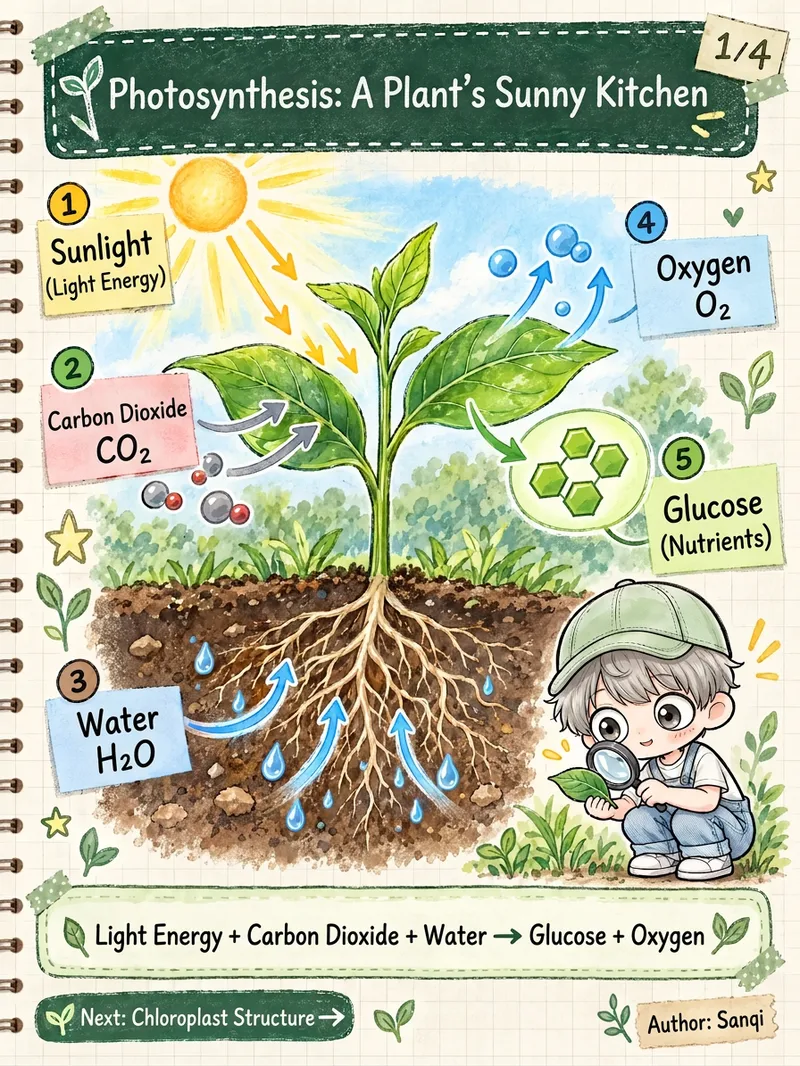
This skill takes a single topic and delivers a complete set of ready-to-publish science infographics rather than isolated single images. What it can do: - Automated series planning: Overview -> Structure -> Principle -> Connections and Summary. Each image covers one clear point, complete with page numbers, unified color palettes, and "Next" previews. - Fact-checking before drawing: Organizes a fact checklist first, verifying process order, arrow directions, and spatial orientation. Uncertain numbers are omitted or marked as "approximate" rather than guessed. - Multilingual localization: Supports Simplified Chinese, Traditional Chinese, Japanese, Korean, English, Spanish, French, German, Portuguese, and more. It rewrites content naturally for local audiences rather than direct translation, adapting terminology, punctuation, and grade-level labels. - Unified style: Cream-colored notebook paper, dark green chalkboard headers, washi tape, sticky notes, hand-drawn annotations, and realistic scientific illustrations. Pastel and dark chalkboard variants are also available. - IP-free by default: Keeps visuals clean. To add a mascot, simply upload a character image or text description to keep the character consistent across the entire set. - Aspect ratios: Default is 3:4, with support for 9:16, 4:5, 1:1, and 16:9. - Model matching: Defaults to top-tier image quality settings, switchable for strong consistency, pure Chinese output, or fast drafts. - Exportable prompts: Complete prompts for each image can be copied directly for use in other tools. Best for: - Science graphic creators on platforms like Instagram, TikTok, and Xiaohongshu - Teachers and educational institutions making slide decks, review cards, and knowledge posters - Global creators managing multilingual accounts - Content teams looking to batch-produce science series Suitable topics: - Human body and health (circulation, digestion, immunity, sleep), biology and nature, physics and chemistry, earth and universe, history and culture, tech and AI basics. Notes: - Health content is for educational purposes only and does not constitute medical advice, diagnosis, or dosage instructions; local-language disclaimers will appear on the graphics. - AI image generators may occasionally make errors with small text, so the skill checks images one by one with automatic retries. A final review before publishing is recommended. - Generates 3-4 images at a time; additional content can be created as a second series.
Information
- Version
- v5
- Last updated
- Runtime credits
- Usage-based
- Models
- Auto
