niulai-style-image
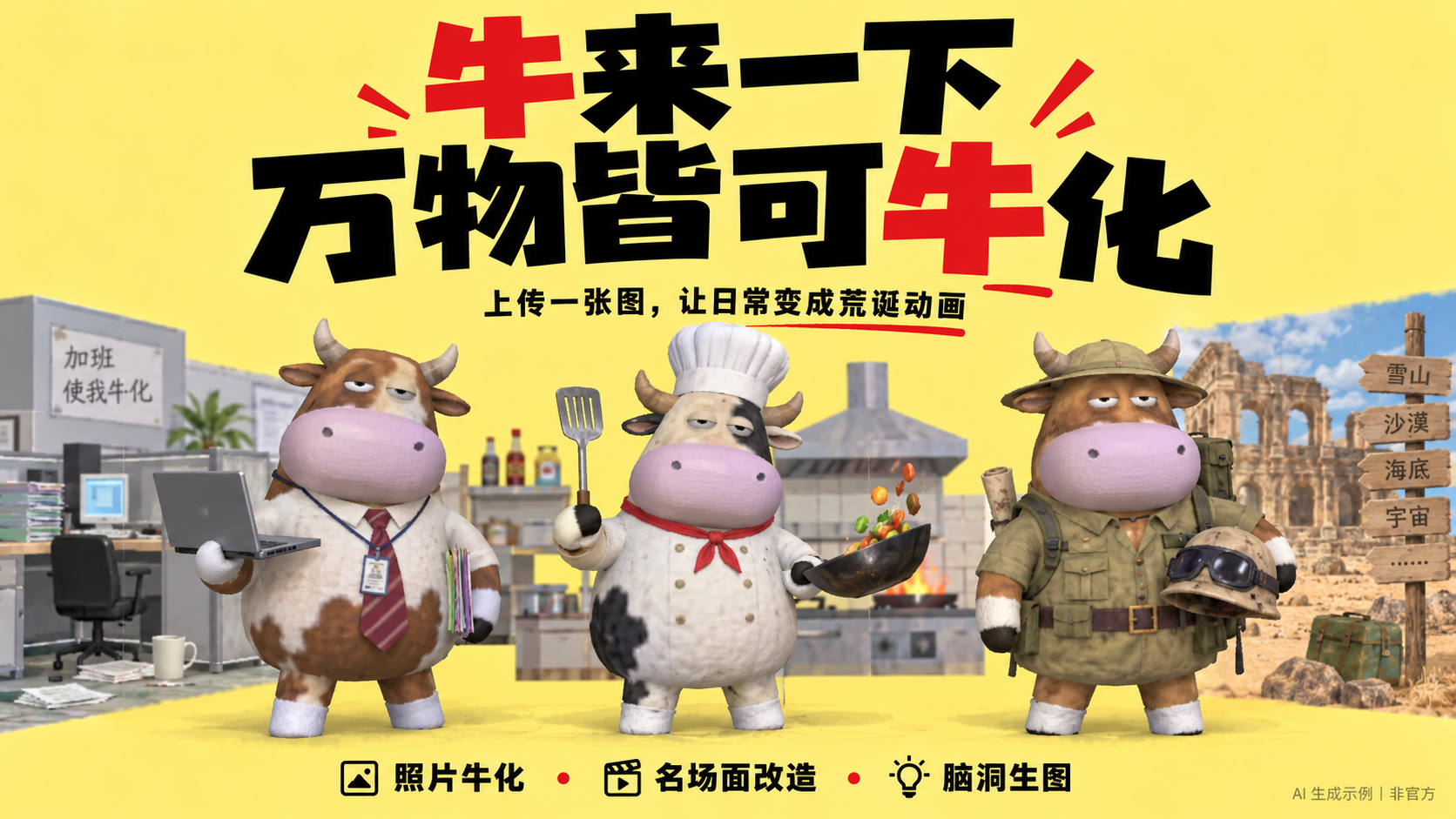
Turn photos or scenes into Niulai 3D animation.
niulai-style-image
Turn photos or scenes into Niulai 3D animation.
Showcase
Description
Upload a picture or describe a scene you want to see, and discover just how absurd it can get. What would your life look like if it were filmed as Niulai? Upload photos, film stills, or describe an imaginative scene to transform people into expressive upright ox characters with large heads, inflated-looking bodies, vacant little gazes, rough textures, and simple sets that grow on you. Preserve the original character count, positioning, poses, and key props so that group dinners, daily work life, and classic memorable scenes all turn into absurd animal animations. Don't want to turn into an ox? You can also keep the original species and only convert the art style. Transform photos, film stills, or new scene descriptions into the observed visual grammar of the 2026 animated film 《牛来》. Use when the user asks for Niulai style, Niulai feature film style, rough low-poly animal 3D, converting live-action footage into Niulai-style animation, or requests iterative comparison against 《牛来》 references. Default to the rough film-3D mode; use the separate ink-poster mode only when the user explicitly asks for the movie poster look.
Best for
Content creators and general users looking to transform photos, film scenes, or imaginative ideas into absurd animal 3D animation images.
How to use this Skill
Provide your input
Upload a photo, film still, or describe a new scene; you can also specify whether to keep the original subject or transform it into an upright ox character.
Run the Skill
Transforms the image into a rough, low-poly, absurd animal 3D animation style while preserving the person count, positioning, poses, clothing colors, and key props.
Review your result
Receive a completed stylized animated scene image.
Related Skills
View allNiu Lai-Style Illustrations
Generate a finished original single illustration or poster directly, with people, animals, objects, or fantastical subjects selected automatically based on your theme. For scenes with multiple subjects, use different anthropomorphic animal characters while maintaining an abstract, low-detail 3D style, coarse-grain textures, and an absurd, dreamlike atmosphere.
 Image
Deadpan Chibi Comparison
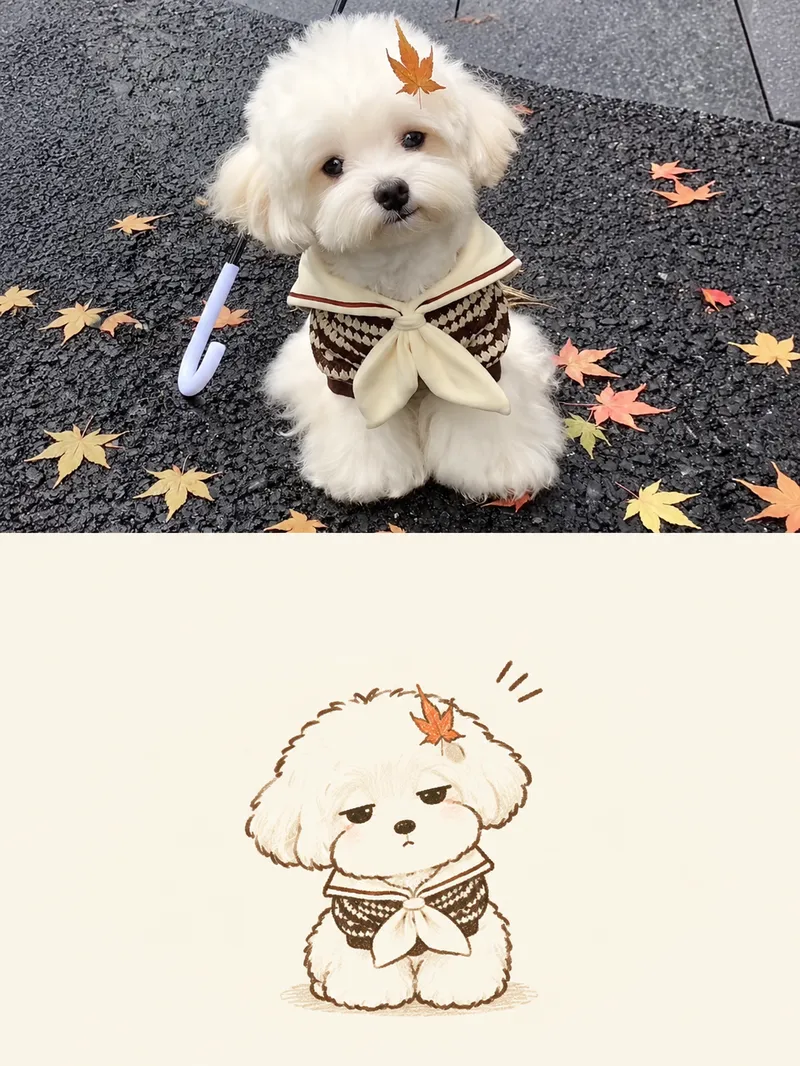
Upload a photo to automatically generate a top-and-bottom comparison poster featuring the original photo above and a hand-drawn chibi version below. The upper half keeps the original image, while the lower half transforms the subject into a 2-3 head-tall crayon and colored pencil style character with a deadpan expression, lazy posture, and key props from the original photo, complete with three little stress lines above its head. The background is a creamy tone tinted with the primary color and plenty of negative space, creating a small, quiet, warm, and slightly humorous look. Suitable for people, cats, dogs, capybaras, and everyday items. Generates one image per photo, and batch processing is also supported.
 Image
Photo to Clay Film Shot
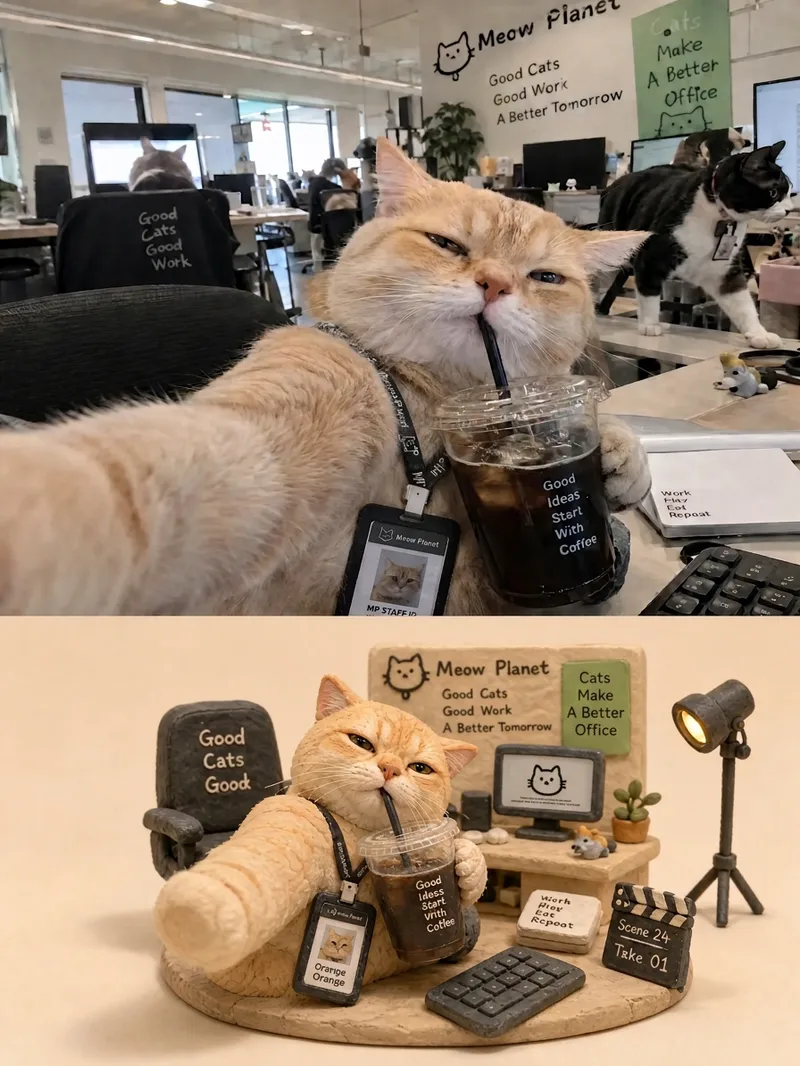
Transform one or more uploaded photos directly into top-bottom comparative clay stop-motion film scenes. Each photo produces an independent final image: the top half retains the people or animals, actions, key objects, framing, and main colors from the original photo; the bottom half recreates the storytelling relationship of that exact moment using rounded, handcrafted clay characters and a miniature film set, rather than simply applying a full-bleed clay filter. The bottom frame features a complete, scaled-down 3D set with a visible stage base, natural contact shadows, and plenty of negative space to keep the subject clear and the composition relaxed, extracting necessary environmental elements and colors from the original photo. Subtle kneading marks, handmade seams, matte textures, and soft studio lighting work together to create a warm, charming stop-motion animation feel. In suitable scenes, behind-the-scenes details such as a small clapperboard or studio light can also be added. The default output is a 3:4 vertical format with the top and bottom halves taking up roughly equal space and connecting directly. You can also specify other aspect ratios, compositions, clay styles, or behind-the-scenes prop preferences. Please provide clear photos; unrecognizable details in the original image will not be fabricated, and pixel-level replication is not guaranteed.
Information
- Version
- v3
- Last updated
- Runtime credits
- Usage-based
- Models
- Auto
- Use cases
- Images & designLifestyle & entertainment
- What you get
- Image
- Visual styles
- 3DCartoonSurrealist
