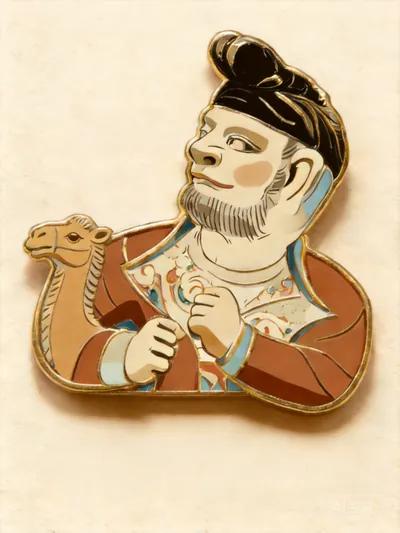
Creative Fridge Magnet Design
Creative Fridge Magnet Design
Showcase
Description
Transforms user-uploaded photos into museum-style fridge magnet effect images. It identifies the subject type through visual features such as "surface pattern vs. overall volume", eliminating misjudgment between similar objects (e.g., artifacts/crafts) across styles. It automatically matches one of three professional styles (enamel badge authentic version, enamel simplified version, 3D stereoscopic version) and generates high-quality design images with corresponding textures using image-to-image mode, supporting style confirmation and iterative adjustments.
Related Skills
View all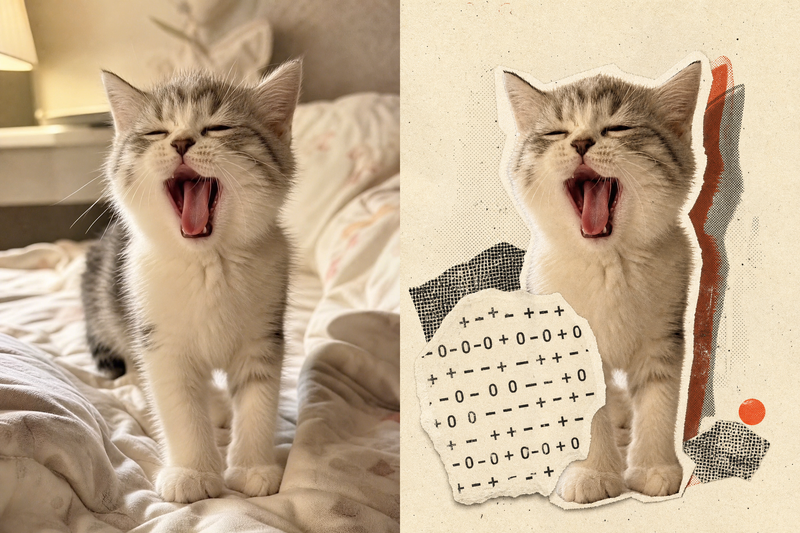 Image
ImageRetro Collage Art
This Skill transforms your uploaded photos into visually striking vintage archival artworks, with a particular focus on portraits, still lifes, and landscape photography. Using distinctive “garbled sticker” and “print glitch” styles, it creates a dynamic visual reinterpretation while carefully preserving the original subject’s outline, pose, and position. The system precisely identifies the main subject and uses warm-white, fibrous-paper garbled silhouettes, halftone dot backdrops, and offset same-shape patches to create the visual rhythm of a handmade collage. Visually, this Skill aims for an authentic archival feel, with fine paper grain, screen-printed ink marks, and photocopy noise. Subtle registration shifts and localized fading add the warm, oxidized feeling of an old archive, while retaining about half of the original colors and key visual cues. This approach keeps the subject recognizable while using the contrast of black, warm white, and accent colors from the original image to create a visual style that feels both avant-garde and nostalgic. It is ideal for creating distinctive art posters, personalized social media avatars, or design-forward visual assets.
 Image
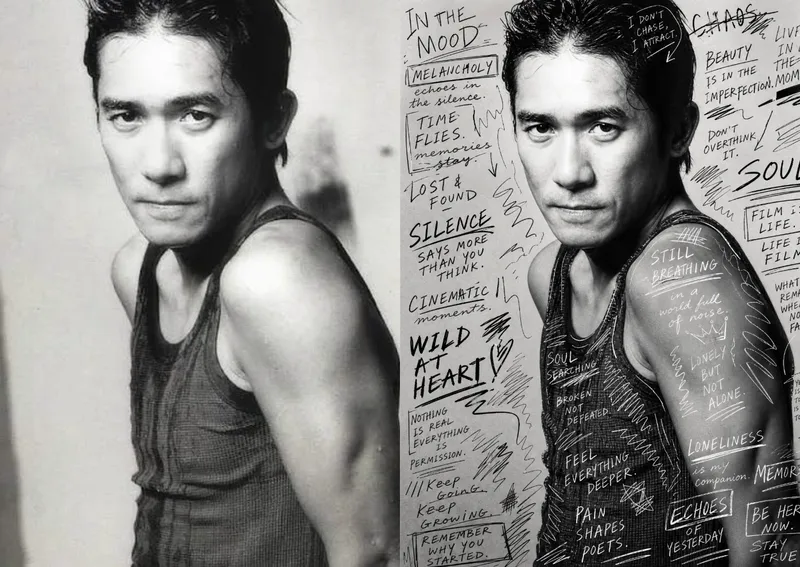
ImageHand-Drawn Photo Posters
Turn an ordinary photo into a vertical art poster with an authentic hand-drawn feel. Upload a photo and describe the lettering, doodles, or theme you want to add. You’ll get handwritten copy, free-flowing lines, and stylized icons drawn directly onto the original image, preserving the photo’s subject and atmosphere while adding a natural, spontaneous creative touch. Based on the photo’s composition, subject, and overall mood, it plans a suitable 3:4 portrait layout, balances the original image with areas of negative space, and designs hand-drawn elements and lettering styles to match each placement. The results emphasize authentic physical pen strokes: lines have natural curves and texture, avoiding printed fonts, computer-generated text effects, and a digital painting look. Handwritten content defaults to English but can be changed to Chinese as needed. Along with the finished image, you’ll receive a complete, reproducible image-generation prompt and a brief creative explanation—ideal for social media visuals, personal photo posters, travel keepsakes, and artistic photos with a handcrafted feel.
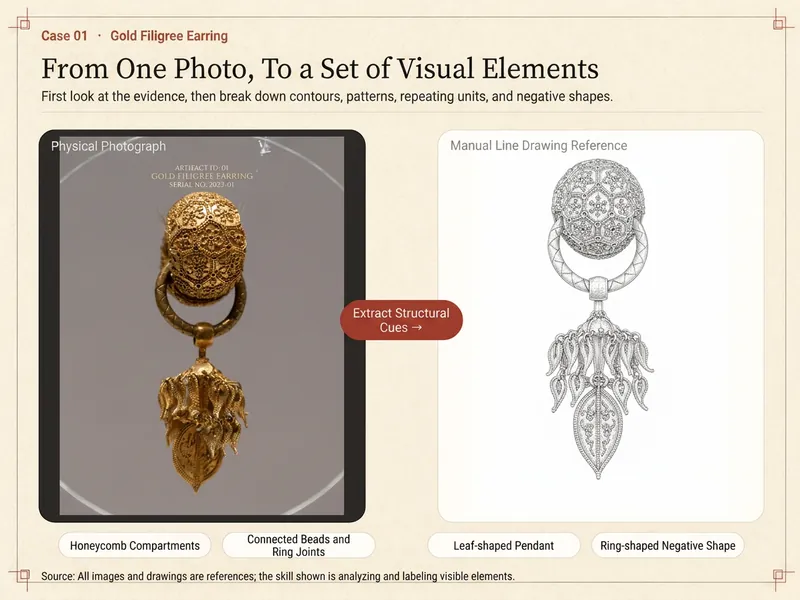
Artifact Element Extractor
First faithfully extract, then creatively translate. The Artifact Element Extractor is designed for cultural heritage enthusiasts, designers, educators, and content creators. It deconstructs a photo of an artifact (which you have the rights to use) into reusable components: outer contours, primary patterns, border decorations, repeating units, holes and negative shapes, and compositional framework. It can also extract color relationships from the photo, with appropriate limitations noted. By default, it uses a two-step creative workflow: Step 1 assesses photo evidence, lists extractable elements, generates an element decomposition board, and suggests three suitable application directions. After you choose one direction—such as packaging, posters, icons, bookmarks, stickers, or continuous patterns—Step 2 generates an application preview and design description, minimizing unnecessary output. Each output clearly distinguishes between 'direct extraction from the original,' 'simplification for usability,' 'modern creative translation,' and 'insufficient evidence / remain uncertain,' avoiding the mislabeling of modern designs as original patterns. For single oblique, low-resolution, reflective, obstructed, or damaged photos, only visible content is processed; the system does not infer backs, cross-sections, or complete vessel shapes. Inscriptions and symbols are always treated as graphics—no automatic translation, font application, or stroke completion. If you specifically request archaeological drawings, artifact line drawings, orthographic projections, cross-sections, measurements, or draft report figures, the skill switches to professional drawing mode, outputting evidence classification, drawing plans, review checklists, and a risk note. This skill does not provide authenticity identification, dating, valuation, or commercial licensing assessment. Please upload only your own or licensed photos; before commercial use, independently verify image copyright, museum requirements, and related licenses.
Information
- Version
- v6
- Last updated
- Runtime credits
- Usage-based
- Models
- Auto
