
General Text Recognition (PaddleOCR)
Convert images and PDFs to structured text
General Text Recognition (PaddleOCR)
Convert images and PDFs to structured text
Showcase
Description
A general-purpose OCR skill for converting images and PDFs into structured text, powered by PaddleOCR (the PP-OCRv5 general text recognition pipeline). It supports multiple languages, including Chinese, English, and Japanese, as well as mixed-language content, printed text, and handwriting. The skill automatically matches the language and OCR version, selects the appropriate inference device and model tier, and enables preprocessing modules such as document orientation classification and text image correction when needed. It outputs recognized text, text box coordinates, and confidence scores. Suitable for document digitization, receipt recognition, and extracting text from screenshots.
Related Skills
View all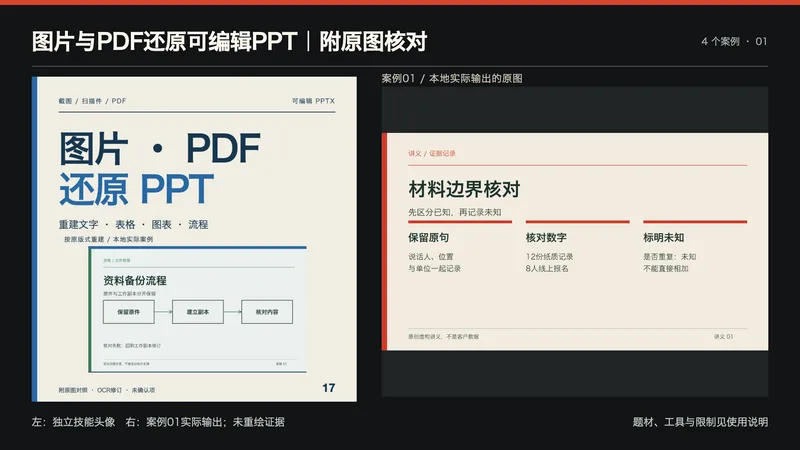 Slides
图片与PDF还原可编辑PPT|附原图核对
适合需要把已有讲义截图、流程页、数据图或扫描PDF变成可编辑演示的人。提供PNG/JPG/PDF、页面顺序和范围、必须保留的尺寸/字体/品牌、清晰原件及授权;此技能用于既有视觉页还原。 流程:保存源文件与页序,读取PDF文字层并实际OCR,逐页看图纠正行列顺序、漏字、小数点与数量单位;建立对象清单后按原比例和层次,用原生文本框、表格、图表、形状和连接线重建,再导出PPTX重新读取/渲染并比对。不会整页贴图再叠字冒充可编辑。 交付:可编辑PPTX、逐页预览、源页到PPT页映射、OCR复核/对象清单、原图对照、无法确认项与使用说明。照片和复杂纹理仍是图像资产,摆放可编辑不等于像素内容可编辑;遮挡文字不能恢复,不猜人名。清晰数据标签可重建原生图表;只有柱高/曲线时不虚构精确数据,需补充原始数据或说明只能保留图像。没有原备注时仅附重建说明,不假称恢复原讲稿。 工具:可用文字模型(建议GPT)及实际PPTX原生写入/渲染工具。包内Python源页助手需Pillow,PDF另外需pypdf、pypdfium2;可选Swift OCR需macOS Vision/Swift,其他系统需可用OCR并重新验证。助手不包含PPT编辑器。本地案例用Artifact Tool重建;目标平台缺少工具时应报告缺口,不能仅因导入Skill就保证运行。 四个本地真实执行案例为本次自拟合成输入:PNG讲义、原生PDF流程、JPEG小数数据图、两页扫描PDF,共5页。实际做OCR和逐页看图;修订跨列顺序、PDF兼容字形与标题漏字,保留12.5/8.0/5.5的显示精度、数量单位、两条向右连接及遮挡未知项。最终PPT全部为原生对象,案例没有照片或整页位图背景。四个编辑副本实际修改代表文字/形状/连接节点/表格/图表并重开核对;这些是合成自测,不是盲测、客户效果或OCR准确率证明。 四展示是最终PPTX重开渲染的代表页,完整5页与源图对照本地保存;头像为原创文字排版结合真实案例页,未冒称生图API。原生引擎的字距、图表内边距、表格边距和连接线画法可与原图有差异,不保证像素级一致;未在PowerPoint、Keynote或Google Slides应用内验证兼容性。 文字模型精确ID、YouMind模型绑定与平台运行尚未验证;未消耗YouMind积分测试。199积分不含模型、云端OCR或第三方工具费用。不承诺任意图片100%还原、恢复遮挡内容、任意系统无依赖或业务收益。 展示说明:首张为独立技能头像与案例01实际输出的并排排版,用于横向缩略展示;不是新增案例,也未让生图模型重绘证据。其余三张对应案例02—04。
9D Visual Deconstruction
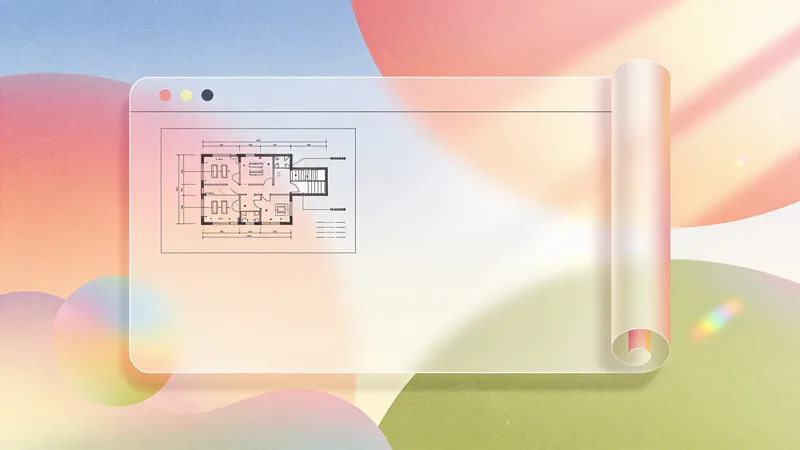
Break down one or more infographics, data visualizations, flowcharts, timelines, maps, knowledge graphs, and organizational charts into reusable visual and information structures. Understand precisely why an image is organized the way it is and reconstruct a similar communicative effect. The skill examines spatial composition, dimensionality and materials, color hierarchy, typography and layout, and module relationships, while also identifying chart encodings, reading paths, visual-symbol metaphors, and geographic or network relationships—so the analysis goes beyond simply describing what the style resembles. You will receive a parameterized visual deconstruction covering the canvas and compositional logic, visual hierarchy, text density, module topology, ways of expressing data and relationships, and the narrative flow within the image. For statistical charts, maps, and relationship networks, the output focuses on how data is mapped to visual variables such as color, position, size, connecting lines, and nodes. For complex subject-specific visuals, it further organizes the coordinated relationships among graphics, text, and metaphor systems. Based on this analysis, the skill generates detailed, clearly structured English image-generation prompts suitable for infographic recreation, visual research, design reference, brand content exploration, and concept development. Whether you provide an existing image or an idea for a theme and visual direction, you will receive prompts aimed at reproducing the underlying structure—not just a vague description of the style.
 Image
Multi-Platform Cover Design
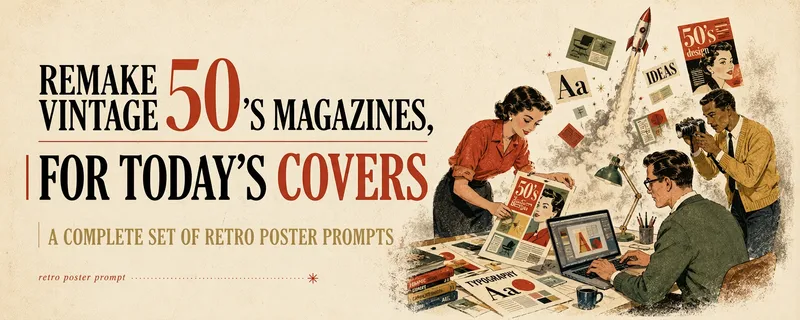
Turn articles, notes, topics, or long-form text into stylized covers ready for publishing and sharing, balancing title readability, content recognition, and memorable visual metaphors. Supports Xiaohongshu, WeChat Official Accounts, X, and custom aspect ratios. It works for single covers and can also create separate compositions for clearly specified multi-size requirements, avoiding simple cropping or stretching. The skill extracts the title, topic, visual subject, audience, emotion, and contextual background from your content. It then combines these insights with visual styles suited to covers or posters to generate a complete cover prompt ready for AI image generation. Title hierarchy, typography, color, materials, negative space, and the relationship between text and imagery are handled consistently around the selected style, making the result feel more like a designed editorial cover than a generic illustration or templated poster. If you have not provided a publishing platform or visual style, it first asks about the required dimensions and recommends three suitable styles based on your content. Once the details are clear, it continues with generation. You can choose to generate the cover directly or receive only a polished prompt, making it suitable for content creators, editors, and teams that need to adapt covers in batches for social platforms.
Information
- Version
- v4
- Last updated
- Runtime credits
- Usage-based
- Models
- Auto
