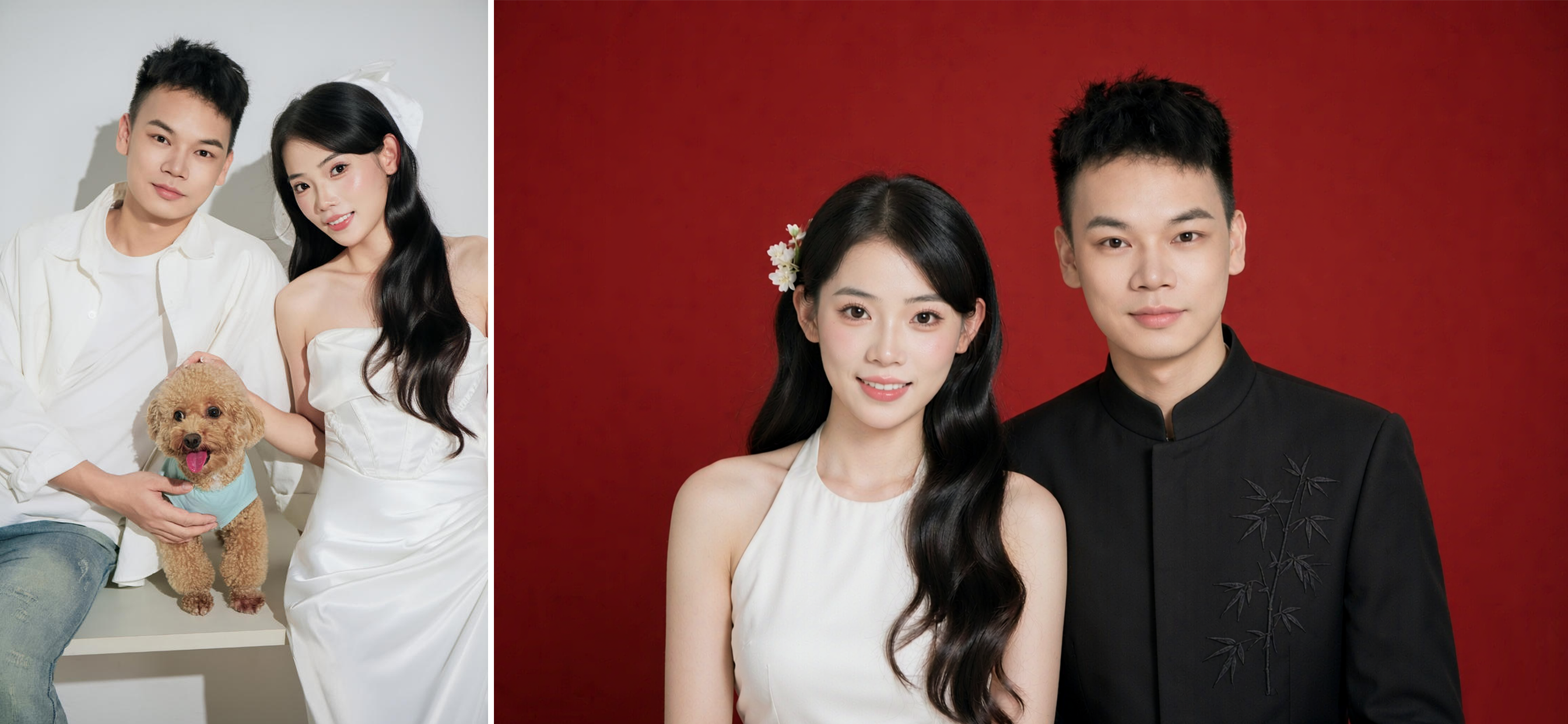
Marriage ID Photo Studio
Turn your photos into red-background marriage ID photos
Marriage ID Photo Studio
Turn your photos into red-background marriage ID photos
Showcase
Description
Marriage Registration Photo Designer: Users upload front-facing photos or selfies of both individuals to generate a marriage certificate-spec red-background couple's portrait. It includes six preset clothing and hairstyle options (such as halter white dress, plain white cheongsam, pink floral cheongsam, white puff-sleeve top, matching white shirts, and ivory cheongsam paired with men's mandarin collar, Zhongshan suit, or regular suit), and also supports uploading custom clothing or hairstyle reference images to generate multiple versions at once. The default size is 53×35mm horizontal (standard marriage certificate photo specification). Triggered when users mention "marriage certificate photo", "marriage registration photo", "license photo", "wedding photo", "red-background couple photo", "civil affairs office photo", or related terms. Core constraints: lock individual faces without excessive distortion or beautification, female on the left and male on the right with overlapping shoulders composition, Chinese red gradient background, and precise retouching provided for reference only subject to local civil affairs office requirements.
Recommended by
Dancang
Why we love this skill
Specially designed for marriage registration photos, accurately handling dual facial consistency, 53x35mm landscape specifications, and Chinese red background requirements. Supports six clothing and hairstyle presets with mix-and-match options, balancing official ID standards and personalized choices through face verification and compliance reminders.
Best for
Couples who need to create marriage registration photos or official wedding certificate portraits.
How to use this Skill
Provide your input
Upload two front-facing photos or a couple photo, and optionally provide clothing, hairstyle reference images, and layout preferences. Photos must be of yourselves or used with authorization.
Run the Skill
Generates a couple's red-background marriage registration photo based on the uploaded images, allowing you to choose or customize outfits and hairstyles while adjusting subject positioning and ID photo composition.
Review your result
Outputs a horizontal couple's ID photo with a red background, produced by default at the 53×35mm specification. Please check with your local civil affairs office for specific registration requirements.
Related Skills
View all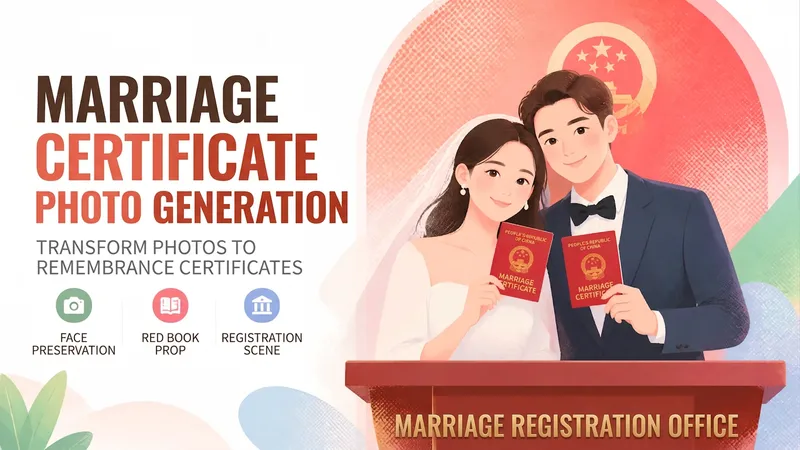
Marriage Registration Photo
Generate marriage registration and wedding photoshoot style couple portraits, featuring a red registry hall background, white veil, holding red marriage certificates, wooden podiums, and other scenes. Use this when users upload couple photos to generate registration commemorative photos, civil affairs bureau style registration photos, or marriage certificate commemorative images, or mention terms like registration photo, registry office, or red booklet. The image-to-image mode preserves facial features.
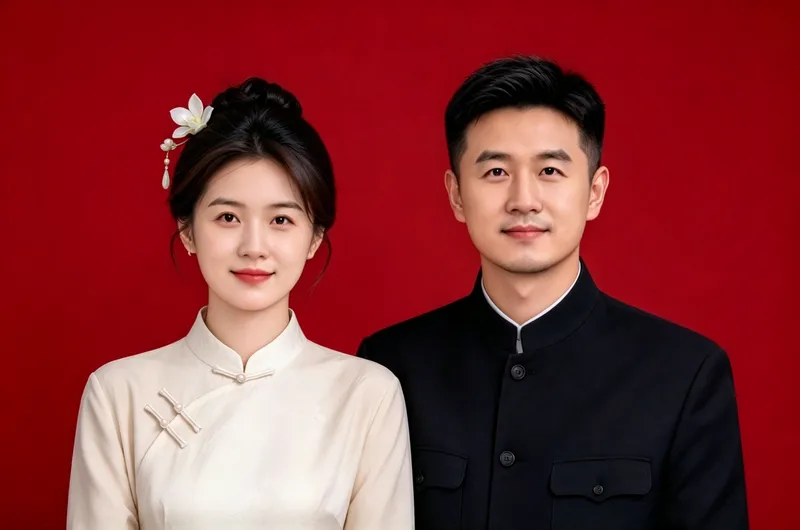
DIY AI Marriage ID Photos
Upload clear reference photos of both individuals to generate a red-background marriage registration photo that meets official standards. It supports two outfit templates: white shirts and Neo-Chinese qipao/Zhongshan suits. You can also customize the clothing style while keeping your natural facial features intact, outputting a 3:2 2-inch ID photo ratio.
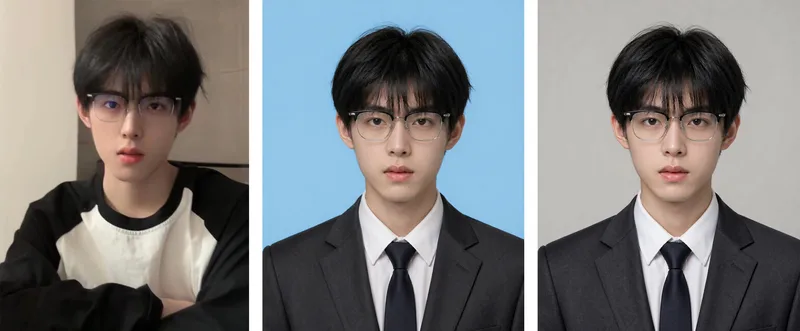 Image
ID Photo Studio
ID Photo Studio: Upload a casual photo to create a formal ID photo with any background color—white, blue, red, dark red, or gray. It automatically changes casual clothing to a dark suit and white shirt, uses standard ID photo positioning and composition, and keeps your face exactly as it appears in the original photo. Trigger it when users say things like “ID photo,” “make an ID photo,” “white-background ID photo,” “blue-background 2-inch photo,” “resume photo,” “passport photo,” “turn this into an ID photo,” “change the background color,” or “1-inch/2-inch photo.” Core rules: removing blemishes is allowed, but changing facial features is not (for official verification); choose the background color before the clothing (to avoid color clashes); place the eyes on the upper-third line, keep both shoulders level, leave space above the head, and use a clean background without shadows. Default format is vertical 3:4, with customization available. Use Nano Banana 2.1 by default for the strongest identity preservation; do not use Midjourney. Supports generating multiple colors, including white, blue, and red, in one run.
Information
- Version
- v2
- Last updated
- Runtime credits
- Usage-based
- Models
- Auto
- Use cases
- Images & design
- What you get
- Image
- Visual styles
- Photorealistic
