
Kitty Workout
Make any subject the star of a workout video
Kitty Workout
Make any subject the star of a workout video
Showcase
kitten workout.mp4
kitten workout.mp4
Description
Turn a single subject photo into a playful “Kitty Workout” video without needing to provide a video or write a prompt. Upload a clear image of a pet, person, plush toy, cartoon character, or other subject, and the original orange cat in the fitness template is replaced with it while preserving the subject’s recognizable appearance and proportions. The finished vertical video keeps the gym setting, mirror wall, dumbbell racks, bench, water bottle, towel, supporting workout partner, camera movement, timing, lighting, and overall action of the original. Your subject wears the red athletic headband and interacts with the black dumbbell in a way that suits its body or visual style, while the upbeat English coaching dialogue and gym ambience remain part of the scene. For non-cat subjects, vocal details can be adapted to fit the new character. You can also add simple creative preferences, such as making the result more realistic or cute, changing the headband color, or removing audio. The photo is checked first to ensure one clear, sufficiently visible subject is available; if it is unsuitable or contains multiple subjects, you’ll be asked to provide a better image before anything is generated.
Best for
People who want to turn a single subject photo into a playful, customized workout video without supplying footage or writing a prompt.
How to use this Skill
Provide your input
Upload one clear photo containing a single main subject, such as a pet, person, plush toy, cartoon character, or object. You may also add preferences like a cuter or more realistic look, a different headband color, or no audio.
Run the Skill
The skill checks the photo, then replaces the workout template’s orange cat with your subject while adapting the movements to its form. It preserves the gym setting, action, camera motion, timing, and coaching ambience.
Review your result
Receive a vertical workout video starring your subject, with the original scene and supporting elements retained. Audio can remain included or be removed according to your preference.
Related Skills
View allPet Swap: Catfish Edition
Upload a photo of any animal and get a video that keeps the catfish template's scene, camera moves, actions and pacing, with the original cat replaced by your animal.
 Image
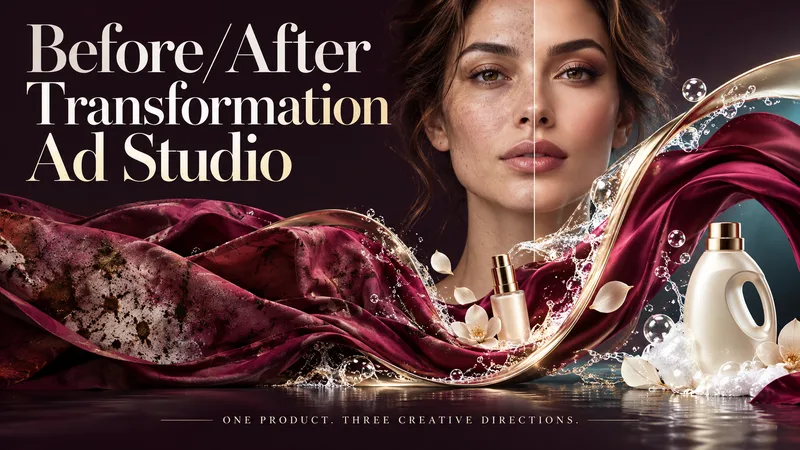
Before/After Transformation Ad Studio
Make the transformation the hero. Turn a single product photo into bold before-and-after advertising visuals with expressive art direction, striking compositions, and a transformation that takes center stage. From cosmetics and personal care to cleaning and fitness, this skill explores your product’s uses and develops creative ways to visualize its relevant benefits. YOUR PRODUCT. YOUR CREATIVE DIRECTION. Start with a photo. The skill researches the product, then helps you choose the scene, materials, visual elements, format, and text style. Prefer a surprise? Let AI take the creative lead. THREE CONCEPTS. THREE DISTINCT VISUAL IDEAS. Explore three tailored concepts with complete image-generation prompts. Think flowing fabric reveals, sculptural environments, dramatic close-ups, glass transitions, or an unexpected world built around your product. Each concept offers a different visual story. BEFORE & AFTER, FRONT AND CENTER. Large, clearly readable transformation scenes lead the composition. Product placement, atmosphere, and typography work together to make the change stand out—even on a phone screen. YOU APPROVE. THEN IT CREATES. Review the prompts, request adjustments, and select one concept or all three. Image generation begins only after your approval, using the capabilities available in your workspace. BUILT AROUND YOUR PREFERENCES. Choose square, portrait, landscape, or custom dimensions. Add a bold headline, keep the copy minimal, or let the visuals speak. The workflow adapts to your language, while production prompts are written in English by default. Upload your product. Shape the scene. Bring the transformation into focus.
 Image
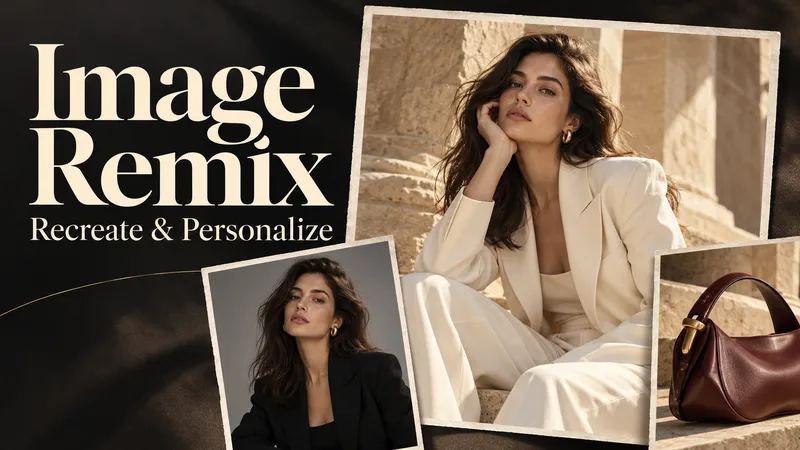
Image Remix: Recreate & Personalize
Create personalized visuals from striking reference images—for advertising, fashion concepts, editorial portraits, product scenes, and visual exploration. Image Remix analyzes what makes your reference work, then helps you adapt it to your subject, style, or product. Keep the composition and atmosphere you love while changing selected details through five guided choices. YOUR FIVE CREATIVE CONTROLS • Character / Subject — Preserve the source appearance, describe changes, or supply a reference. • Wardrobe — Keep the outfit, describe a new look, or use a clothing reference. • Environment — Preserve the setting or move the scene somewhere new. • Skin Realism — Choose smooth but realistic skin, natural texture, subtle freckles, or your own description. • Jewelry — Preserve, redesign, replace, remove, or provide a reference. HOW IT WORKS Upload a source image and make your selections. Add person, wardrobe, or product references where needed. The skill gathers any essential missing details, prepares a complete English generation prompt, explains the intended result in your language, and generates one image. CONTROL THE CHANGES. KEEP THE VISUAL IMPACT. Pose, framing, perspective, and atmosphere stay consistent unless you choose to change them. Lighting, shadows, reflections, and materials adapt to help the new elements feel naturally integrated. References have separate roles: a clothing reference guides the outfit, while a product reference guides the product’s design. This helps prevent unrelated faces, backgrounds, or accessories from carrying over. WHAT YOU RECEIVE • One personalized generated image. • A complete, reusable English image prompt. • A clear explanation in your language. Add optional instructions for lighting, framing, aspect ratio, or text. Refine the result through targeted revisions while keeping your accepted choices. Reference-guided recreation; pixel-perfect duplication is not guaranteed.
Information
- Version
- v5
- Last updated
- Runtime credits
- Usage-based
- Models
- Auto
- Use cases
- Images & designVideo & audioLifestyle & entertainment
- What you get
- Video
- Visual styles
- Playful
