Industrial Packaging Generator
Industrial Packaging Generator
Showcase
Description
Industrializes the packaging of personal resumes and skills. Based on the user's name, profession, education, and core skills, it breaks them down into modular elements like barcodes, shipping labels, skill stickers, and ID card windows, then reassembles them in a vacuum plastic seal structure to create an identity device image with a strong tangible feel. Use cases: Personal brand visual packaging, social media image enhancement, creator IP setting images, design portfolio cover pages.
Recommended by
nene@YouMind
Why we love this skill
Using industrial-packaging aesthetics, this skill turns personal info into a striking art piece by converting your data into waybills and security labels sealed in a vacuum-style evidence bag, giving a sense of physicality and order. Ideal for digital business cards.
Related Skills
View all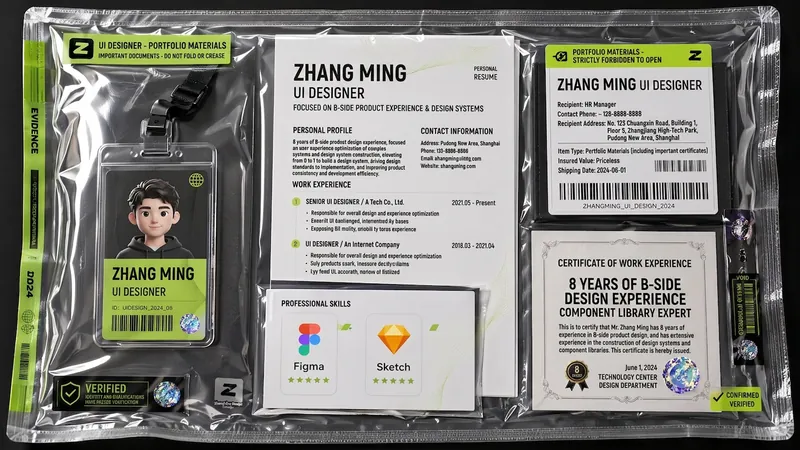 Image
Industrial Encaps Img Gen v2.0
Encapsulate personal information into vacuum-sealed art installation images 2.0. Supports 4 scenarios (resume encapsulation, Xiaohongshu cover, LinkedIn avatar, business card), 4 styles (classic archive, cyberpunk, minimalism, retro poster), custom accent color. Can batch generate 3 variants or series output of 5 kits. Just provide name, occupation, key highlights, skill icons to one-click generate industrial-style personal brand images with a tactile feel.
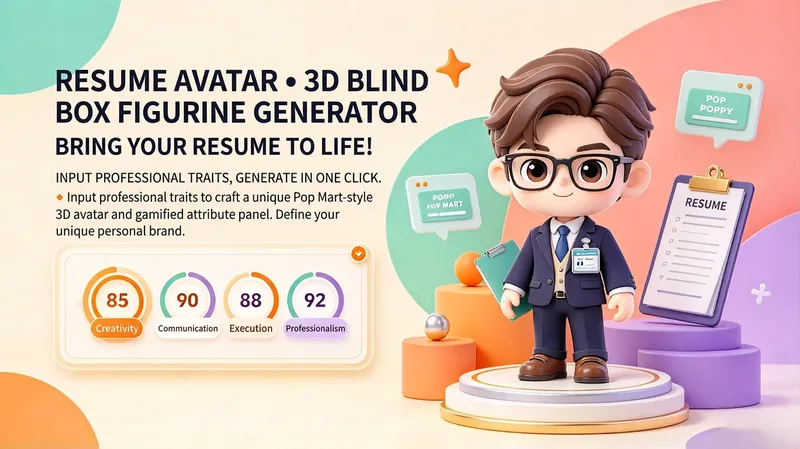
Resume Avatar: 3D Blind Box
This is an icebreaker tool for visualizing your personal IP. Traditional resumes often look alike. This Skill extracts your professional traits, core skills, and personality tags, then uses 3D-rendered image generation to create a highly collectible “career blind box figure,” complete with a gamified “figure stats panel.” It’s especially suited for designers, tech professionals, and social media creators to use on portfolio homepages, LinkedIn profile pictures, or as part of a self-introduction in interviews.
 Image
Portrait Background & Layout
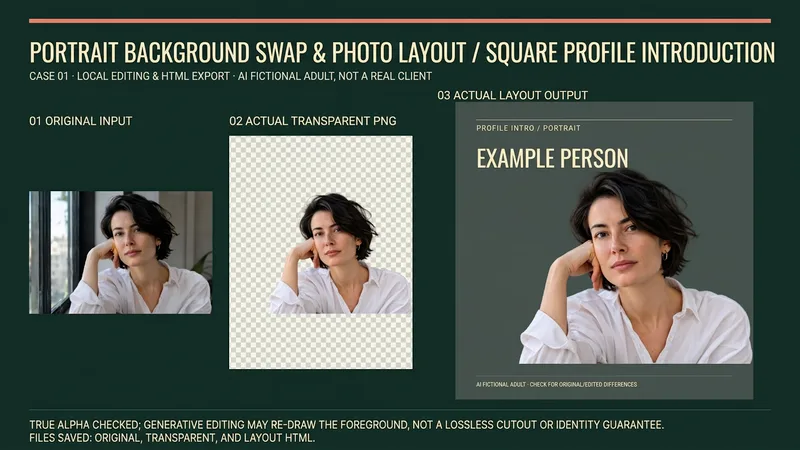
Suitable for creators who need to produce personal introductions, team character cards, resume avatar layouts, or speaker name tags. Provide authorized portraits, intended use, background color, dimensions, and required text; missing names, titles, or organizations will not be fabricated. Process: Review the original image and keep the original, actually invoke background removal or image editing tools to obtain a transparent PNG, check alpha, face, hair, clothing, and hands, then layout text on a solid color background, and reopen the output for verification. Generative editing may redraw the foreground and is not a lossless cutout or identity preservation guarantee; manual item-by-item verification is required for important figures. Delivery: Actual transparent PNG, solid color/portrait layout image of agreed dimensions, generated layout HTML, and usage and verification instructions. Files and browser tools are required to deliver and save files/PNGs; when these tools are unavailable, explicitly state that it is incomplete, rather than providing just prompts and calling it an image. Usage: Upload a portrait and brief, confirm the background replacement scope; check the original image, transparent result, light and dark background edges, and then confirm the portrait card. Instructions include the complete source code of the local layout assistant, which requires actual file tools to save; execution requires Python3 and Pillow, only validates transparent PNG and embeds original bytes into a single-file HTML, does not execute background removal, and does not export PNGs on its own. PNG export requires a real browser screenshot tool. Four local practical execution examples: Using four locally original AI-fictionalized adult character images, calling ImageGen for background removal to obtain RGBA PNGs, actually checking alpha and white/black/green background edges, running the final layout assistant and exporting via browser. Includes square personal introductions, horizontal team cards, vertical resume layouts, and square speaker name tags; not real clients, employees, job seekers, or speakers. The four displays are 16:9 side-by-side images of corresponding original images, actual transparent outputs, and actual layouts; checkerboard patterns are only backgrounds to display real transparency. Original images and step-by-step files are retained locally. GPT is recommended for text organization; the local actual image tool is ImageGen, and the tool does not return a verifiable model ID, so Image2 is not claimed. Independent avatars are also ImageGen original conceptual visuals, not cases. YouMind image editing, Python, Pillow, browser, and file download capabilities must be confirmed according to the actual environment; no YouMind credits testing is added, and it cannot be guaranteed that all dependencies are ready immediately after installation. The 199 credits are the skill installation price, excluding model, API, third-party tool, or material fees. Official credential verification is not performed, and facial features remaining completely unchanged, precise identity, flawless edges, print color accuracy, recruitment results, or commercial effects are not guaranteed.
Information
- Version
- v1
- Last updated
- Runtime credits
- Usage-based
- Models
- Auto
