Jimeng Healing Portrait Prompt
Jimeng Healing Portrait Prompt
Showcase
Description
Describe the image you want in one sentence, and it will automatically generate professional prompts that can be directly pasted into Jimeng. ✦ Who is it for For you who want to create healing-style character portraits with Jimeng but don't know how to write prompts. ✦ How to use Simply tell the Skill your idea, for example: · "A Japanese girl under cherry blossoms, a bit melancholic" · "Grandma reading by the window, afternoon sunlight, warm and healing" · "Randomly generate a healing-style male avatar for me" The more detailed your description, the more accurate the output. If your description is incomplete, the Skill will actively ask for missing information and provide reference options, helping you lock in the exact image you want step by step. ✦ Output Structured Jimeng prompts covering 7 dimensions: subject, style, scene, lighting, color, composition, and atmosphere. Just copy and paste into the Jimeng text-to-image input box.
Related Skills
View all
Create Healing Comic Notes
Automatically generate healing-style Xiaohongshu content for social media operators. Enter a topic to generate a 3:4 comic image with speech bubbles and matching copy. ## Step 1: Topic Analysis and Style Positioning Analyze the user's input topic, extract core keywords and emotional tone, determine the scene type (daily life/nature/pets/food/solo time, etc.), set the visual temperature (warm: warm yellow-orange tones vs fresh: blue-green-white tones) and emotional depth (light healing/deep resonance). **Prohibited**: Do not analyze commercial or sales-oriented content; avoid horror, thriller, negative, or overly sentimental tones. ## Step 2: Image Concept and Generation Use the imageGenerate tool to create a 3:4 ratio healing comic image. The prompt must include: healing comic style, soft colors, simple composition, appropriate white space, and comic speech bubbles (2-10 short warm words inside the bubble). Set quality to high. **Key Requirements**: The image must be a 3:4 comic style with soft colors and comic speech bubbles. ## Step 3: Copywriting Write Xiaohongshu copy including: a title (must include emoji, 15-20 characters), body text (automatically determined by topic emotional depth: 50 characters or less for light topics, 100-200 characters for story-driven topics), and 5 relevant topic hashtags (format #Hashtag). **Copy Requirements**: First-person perspective, warm and gentle, avoid commercial or preachy tone, may include a soft call-to-action at the end. **Output Format**: [Title] [Body] #[Hashtag1] #[Hashtag2] #[Hashtag3] #[Hashtag4] #[Hashtag5] ## Step 4: Final Output Combine the generated image and copy into a complete Xiaohongshu content proposal. --- **Tool Configuration**: imageGenerate (generates 3:4 healing comic images) **Usage Tips**: 1. The more specific the topic, the more precise the output 2. You can add style preferences like "I want a warm style" 3. Use the same topic multiple times to get different perspectives **Testing Suggestions**: - Standard scenario: Enter "Healing moments of the weekend" → generate warm/fresh comic + healing copy + 5 hashtags - Edge case: Enter a negative topic → automatically turn it into a positive healing direction
Idea to Infographic
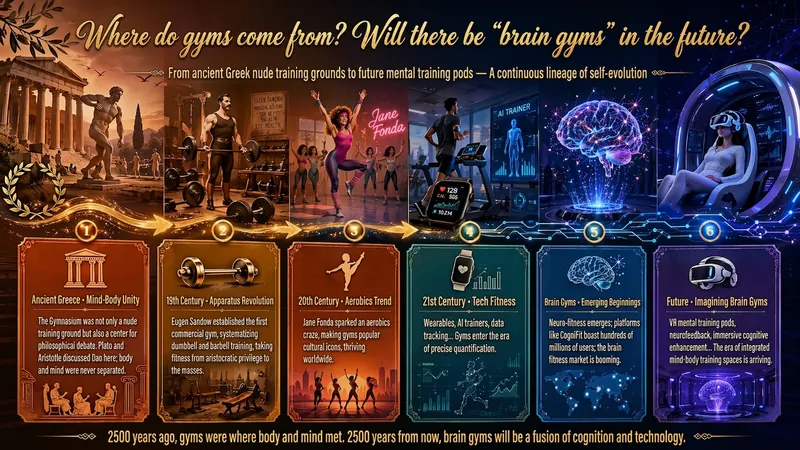
A single image, a single sentence is all it takes. Have you ever had this experience—you have a great idea and want to turn it into an infographic like the ones big accounts post, but: - Open an AI image tool, rewrite prompts over and over, and the result either has terrible layout or completely mismatched style. - Tried several prompt templates, each requiring three or four adjustments, and half an hour later you're still not done. - Want styles like financial literacy, Chinese classic, science, tech... each time you have to research colors and layouts from scratch. Now you don't have to. 「Idea to Infographic」automates all of this: You say "make an emotion management infographic," and it decides whether to use a warm Chinese style or a healing scientific style, searches and organizes core knowledge points, breaks them into 6-8 module cards, assembles the optimal prompt, and quality-checks—if it fails, it automatically redoes; if it passes, it hands it right to you. Four killer capabilities, all built-in: 🧠 **Style Engine** — Not a rigid four-choice. If your topic matches financial literacy, it automatically goes with deep blue gold; if it matches Chinese classics, it uses rice paper and ink; if it matches technology, it uses cyan neon. For topics outside these four? It automatically synthesizes a new style. Coffee encyclopedia → food warm tones; exercise and fitness → vibrant orange gray. No style it can't handle. 🔍 **Content Brain** — You give a word, it searches the web to fill out content; you give a paragraph, it extracts the core; you give nothing but a topic, it organizes everything clearly. All three input methods are supported—the simpler, the more effortless. 📐 **Layout Adviser** — Progressive ladders, side-by-side comparisons, causal chains, overarching-subcategory radiation... Five logical patterns automatically matched. Not just stuffing text into an image, but actually designing an infographic. ✅ **Self-Inspection** — After generating, it automatically checks layout, text density, image-to-text ratio, and style match. If there's an issue, it adjusts and regenerates, up to two times. You don't need to know how to write prompts; you just need to know how to speak. **Who is this Skill for?** - Social media creators who need to produce images daily but don't want to learn design. - Knowledge commerce creators who want to visualize course content but lack a designer. - Corporate trainers who need professional infographics but lack budget for outsourcing. 🔍 - Anyone who wants to turn an idea into a great image. In a word: You have the idea, it has the image. All the hassle in between, it handles for you.
 Image
ImageAsian Portrait Prompt Director
This skill is designed for users who need to create high-quality portrait prompts for AI image-generation platforms, especially creators and designers pursuing Asian aesthetics and mature, natural-looking female subjects. It transforms your creative concepts into specific, actionable prompts while helping ensure visual quality and platform compatibility. Core features include generating prompts based on your descriptions for major AI image models and platforms such as Midjourney, SDXL, Flux, GPT Image, 豆包, 即梦, and ComfyUI. It can intelligently identify and rewrite high-risk wording so prompts follow platform safety guidelines and avoid infantilized, vulgar, or overly body-focused expressions. You can also use quick commands to switch between image styles, including realistic selfies, commercial fashion editorials, high-end cosplay, cyberpunk, and classical Chinese aesthetics. The skill also supports prompt repair based on feedback when generation fails. Whether you want to create a fashion magazine cover, a cinematic portrait, or a 3D CG character design, this tool provides precise language descriptions and parameter suggestions. Final prompts are optimized for the selected platform—for example, natural, fluent English long-form prompts for Midjourney, clear positive and negative keyword groups for SDXL/Flux, or detailed modular parameter slots for ComfyUI—to help you efficiently generate AI portraits that match your expectations.
Information
- Version
- v1
- Last updated
- Runtime credits
- Usage-based
- Models
- Claude Opus 4.6
