GitHub Trending Daily
GitHub Trending Daily
Showcase
Description
Scrape the GitHub Trending daily page, conduct background research on each project, and generate a uniformly formatted Markdown document of daily popular projects with recommendations.
Why we love this skill
This skill daily updates GitHub trending projects. Not only does it scrape data, but it also provides unique recommendations through in-depth research, helping you accurately grasp technology trends.
Related Skills
View all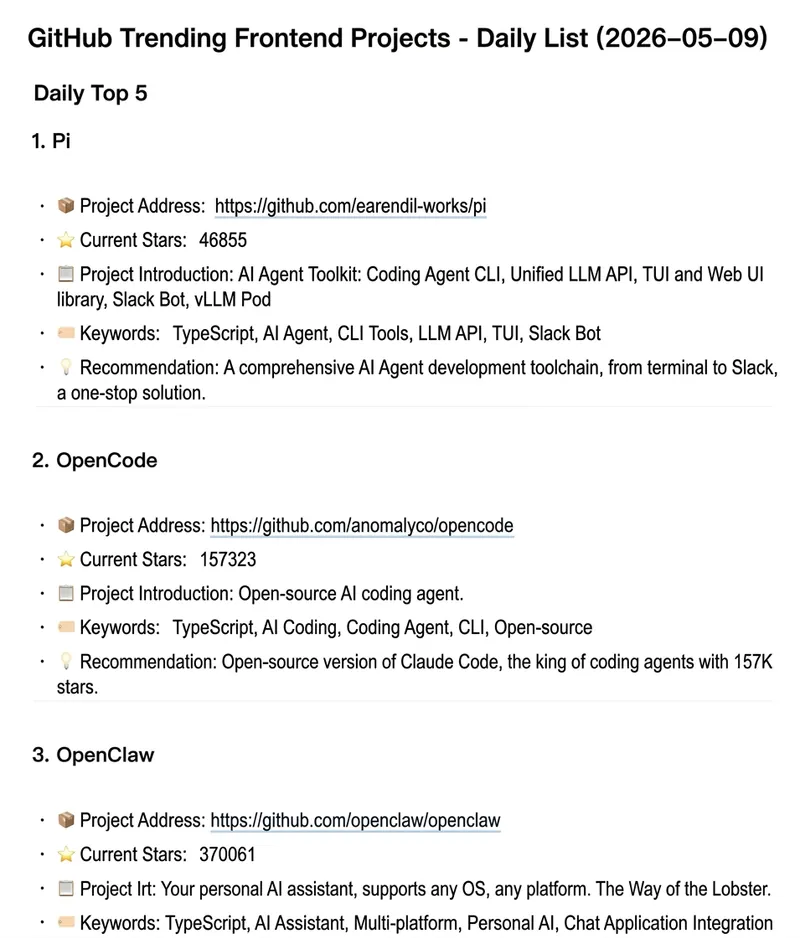 Research
GitHub Frontend Trending Daily
Automatically fetches GitHub trending and rising star projects every day, with in-depth analysis and smart recommendations. One-click generation of beautiful documents helps you quickly stay on top of the latest tech trends.
 Research
GitHub Trend Hunter
Enter keywords to automatically search for the most relevant open-source projects on GitHub. It quantitatively evaluates projects across six dimensions: popularity, activity, community health, code quality, documentation completeness, and growth momentum, and generates a visual HTML analysis report. Supports two modes: in-depth theme analysis (top N project ranking + comparison matrix + scenario recommendation) and daily trend digest (today's highlights + hot ranking + rising stars). Built-in GitHub API data collection scripts automatically retrieve core metrics such as Stars, Forks, Commits, and Contributors.
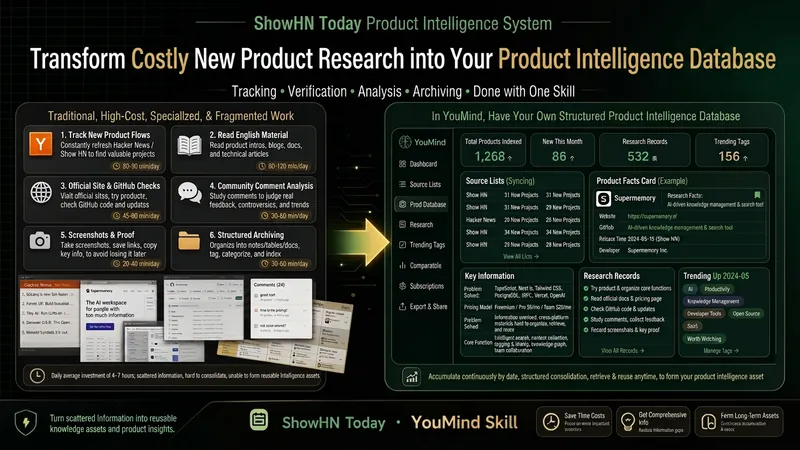
ShowHN Today Product Insights
Hacker News's Show HN is a key gateway for independent developers worldwide to launch new products. Continuously filtering English information, verifying official websites and repositories, sorting community opinions, capturing real screenshots, and structured archiving is costly. This skill helps you build your own global product intelligence system: daily collection of trending projects, preservation of original rankings and research evidence, production of in-depth single-project analysis and a Top 20 daily report, and continuous accumulation of intermediate materials into the current Board's knowledge base. No need to manually create directories on first run: the skill automatically creates and completes the folders 01-Raw through 06-Published in the current Board's root directory. After writing and quality checks pass, a ReadyPackage for the 'ShowHN WeChat Official Account Draft Publishing' skill will be generated in 05-Ready. Make sure both skills run in the same Board. You get more than just an article—you get a real product database that can be searched, compared, and reanalyzed. By adding your own industry judgment, product perspective, and technical preferences, you can create your own original content.
Information
- Version
- v3
- Last updated
- Runtime credits
- Usage-based
- Models
- Auto
