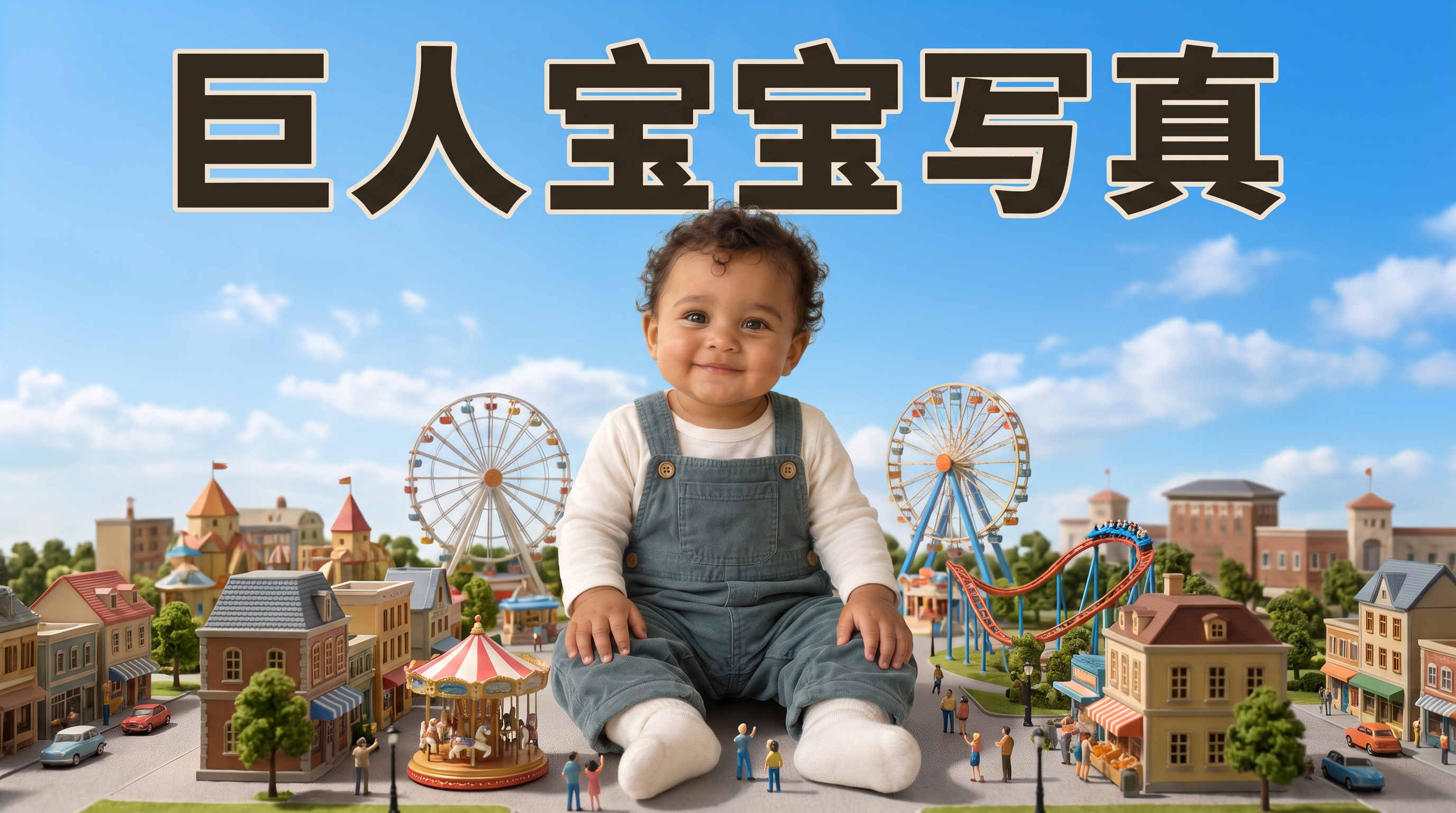
Giant Baby Portraits
Turn your baby into a giant in a miniature world
Giant Baby Portraits
Turn your baby into a giant in a miniature world
Showcase
Description
Turn an everyday baby photo into a whimsical portrait of them stepping into a miniature world. Upload a clear photo of your baby and describe a theme to create matching clothing, a natural pose, and a complete miniature world. Houses, vehicles, pedestrians, and amusement rides highlight the baby's giant size towering over the neighborhood, while skin, fabric, lighting, and contact shadows retain a realistic look. You can dress the baby in a yellow elf onesie crawling through a miniature town; have them explore while holding onto a tiny castle in a red hat and blue overalls; or seat them in the center of a residential neighborhood wearing a red top and yellow shorts. Clear themes such as Mario, Pikachu, Minecraft, and Crayon Shin-chan are supported, as are original scenes you describe yourself. You can specify the clothing, pose, setting, aspect ratio, and number of images. By default, one near-3:4 portrait image is generated. You can also request the original clothing, a landscape image, or a series. After generation, the result is checked against the photo for key features, hand and foot structure, weight-bearing points, giant scale, and lighting integration, with corrections made for clearly identified issues. The current environment must support photo-reference image generation. Similarity, poses, and the presentation of specific themes depend on the input photo and the actual model capabilities. Usage is subject to the platform's current rules. The showcase images are generated examples featuring fictional AI babies.
Why we love this skill
Transforms a real baby photo into a whimsical miniature world with recognizable features, believable scale, natural poses, unified lighting, and themed clothing.
Best for
Parents and content creators who want to turn everyday baby photos into fantasy-themed portraits or keepsake images.
How to use this Skill
Provide your input
Upload a clear, recognizable photo of the baby and describe the desired theme, clothing, pose, aspect ratio, or number of images.
Run the Skill
The system preserves the baby's main facial features from the photo, places them in a theme-matched miniature world, and creates a giant baby portrait.
Review your result
Receive a realistic giant baby scene with a miniature setting, scale references, themed clothing, and a natural pose.
Related Skills
View all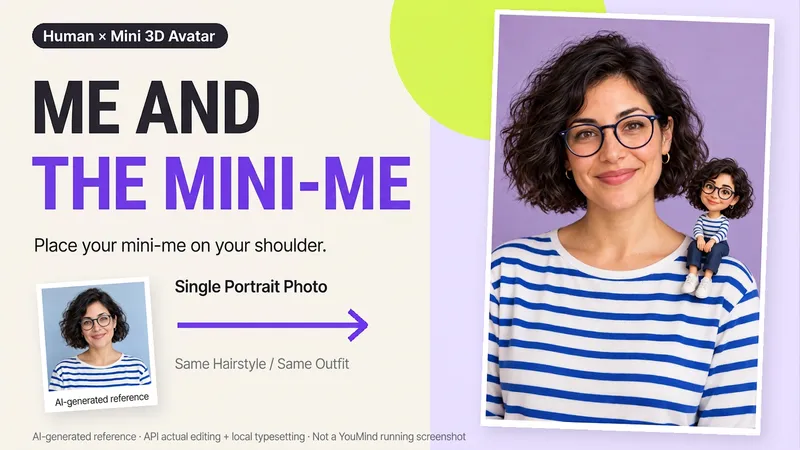 Image
Me and My Mini Me
What would it look like to have a tiny version of yourself sitting on your shoulder? Upload a clear photo of one person to create a creative portrait featuring the real person alongside a mini 3D double. One keeps the look of a photograph, while the other becomes a detailed little designer toy, with matching hair, glasses, and outfit so the two forms feel connected. What you can get: ① Shoulder companion: By default, the double sits on your shoulder, with you and your mini self looking at the camera together. ② Matching features: Focuses on visible details from the reference, including hairstyle, glasses, accessories, clothing colors, and patterns. ③ Clean final image: Defaults to a 2:3 vertical format, a soft studio background, and no text—one image to start. ④ Further adjustments: Ask to change the background or adjust the double’s size or pose, with priority given to continuing the version you already approved. Great for personal profiles, birthday keepsakes, and social sharing. The double is an artistic miniature version of the same person, not a real parent-and-child photo. You can also create fictional characters from text. The final image depends on the image tools and usage available on the current platform. Generative editing may change details of the person; exact preservation of the original photo, 100% likeness, and flawless hand structure are not guaranteed. If the tool is unavailable, this will be stated clearly and a complete prompt will be provided.
 Image
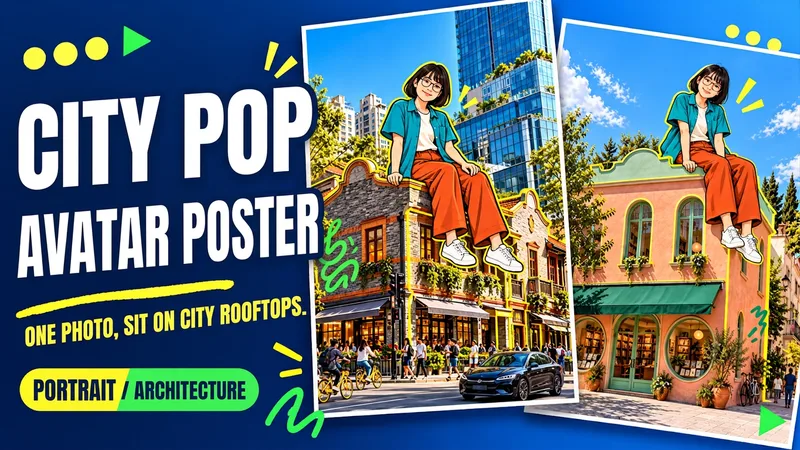
Urban Pop Double
Upload a photo of yourself and provide a city, landmark, or building image to create a personalized Urban Pop poster. In a realistic street scene, a giant cartoon double that preserves cues from your hairstyle, glasses, and outfit sits on a rooftop. Bright yellow architectural outlines, bold city lettering, and colorful graffiti give travel and everyday photos a trendier visual expression. Choose from three starting options: a person photo plus a city name; a person photo plus a landmark name; or a person photo plus a building image. Without a city name, you can also create an untitled poster centered on the building you provide. The default format is 3:4 portrait, with options to change the aspect ratio, title, props, and pose. After generation, check the person’s features, the building’s appearance, the sitting support, and the text, then revise any issues. Requires an image generation or editing environment that supports reference images. The person is reinterpreted as a cartoon, and the pose is reconstructed, so photo-level identity consistency is not guaranteed. Display materials feature original AI-generated fictional people and buildings; city examples are AI-generated photography-style street scenes. Availability and usage costs depend on the actual platform.
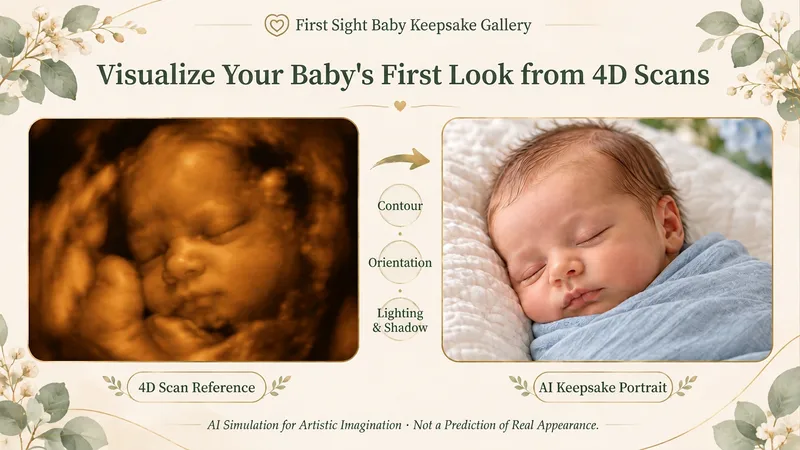
Baby Commemorative Portrait
Capture the excitement of meeting your little one with a gentle, custom portrait. Upload a real baby photo or a 4D ultrasound facial image with names, hospital info, and ID numbers removed to create a custom baby commemorative portrait. Supports Chinese, English, or mixed-language requirements, as well as your own prompts. Generate images directly or request Chinese, English, or bilingual prompts. Response language, prompt language, and image text can be specified independently; images feature no text by default. Three original settings: • Moonlight Clouds: Dusty blue, star embroidery, and milky white swaddle. • Forest Textiles: Sage green, linen, and fern embroidery. • Cream Studio: Warm off-white, fine-weave swaddle, and soft window light. Custom colors, backgrounds, aspect ratios, and quantities are also supported. If unspecified, it defaults to Cream Studio, one 2:3 vertical text-free image, with multiple reference images processed individually. Try saying: "Use this baby photo for a Cream Studio commemorative portrait, 2:3 vertical, no text." "Make it Moonlight Clouds style, and give me only English prompts." When an image generation tool is available, the Skill organizes visible outlines and orientation, generates the image, and checks the face, swaddle, lighting, and extra limbs; when unavailable, it clearly states so and provides complete production prompts.
Information
- Version
- v6
- Last updated
- Runtime credits
- Usage-based
- Models
- Auto
- Use cases
- Images & designLifestyle & entertainment
- What you get
- Image
- Visual styles
- PhotorealisticSurrealist
