
Vibe Knowledge AI Video Creator
Generate trending Vibe short videos instantly
Vibe Knowledge AI Video Creator
Generate trending Vibe short videos instantly
Showcase
Description
Transform a popular science topic into an evidence-backed, cinematic knowledge short video plan, complete with finished video generation when conditions allow. It revolves around a single counter-intuitive story, filtering figures, events, experiments, data, or industry details while verifying years, figures, sources, and cross-evidence. It organizes fact cards, core statements, publishing titles, and explicit content boundaries so every key conclusion is traceable, preventing unverified claims from entering the subtitles. On the creative front, the skill establishes uniform visual parameters, rhythm grids, and audio schemes for the topic, then breaks it down into 6 segments of 2-second executable storyboards featuring three-tier depth-of-field movement, subtitles, transitions, and necessary sound effect placements. By default, it adopts a dark warm gold, off-white subtitle, film grain, golden dust, and soft glow visual direction, while retaining the option for no background music, no narration, and no sound effects. You can also specify duration, aspect ratio, color palette, audio, logo, or sources. Before generation, it outlines the deliverable path and budget, choosing between AI video generation, programmatic rendering, or a complete production plan only based on the environment. Before rendering, it reviews text legibility, composition, exposure, style consistency, and factual accuracy through a keyframe overview, undergoing at least two rounds of review and revision. Ultimately, it provides the finished video, keyframe overview, horizontal cover, vertical cover in a user-specified aspect ratio, and source or project documents for further editing and re-generation.
Best for
Content creators and educators who need to turn science topics into evidence-based, visually engaging, and publish-ready short video plans.
How to use this Skill
Provide your input
Enter a popular science topic, optionally specifying discipline, story, source, duration, aspect ratio, color palette, audio, or logo requirements.
Run the Skill
The tool checks facts related to the topic, establishes a single narrative storyline, creates titles, visual parameters, storyboards, and keyframes, and generates the final video or production plan based on the environment.
Review your result
Receive a ready-to-publish knowledge short video or a complete project document including fact cards, storyboards, keyframes, covers, and editable source materials.
Related Skills
View all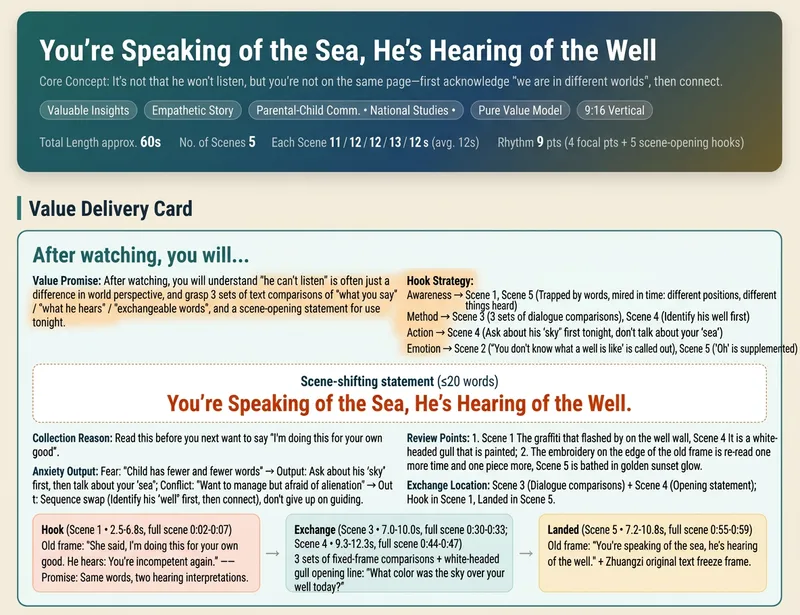 Video
Short Video Creator
Turn a vague short video idea into a complete content plan ready for generation, editing, and publishing. Whether it is drama shorts, philosophical fables, cute pets, knowledge explainers, food reviews, travel scenery, product showcases, or emotional mood videos, simply describe the theme, characters, or effects in natural language to get genre-appropriate creative directions, story structures, visual styles, and audience value designs. The skill builds value cards around "what viewers take away," balancing save-worthy points, replay value, emotional resonance, and original recognition to avoid generic templates and homogeneous content, while preparing vertical short video assets for Seedance 2.0, Doubao, or Jimeng. Finally, it provides storyboard scripts, Chinese video generation prompts, and protagonist reference image prompts to help you generate scenes segment by segment and assemble them with background music and captions in editing software. It also generates titles, descriptions, tags, and publishing copy for Douyin, Xiaohongshu, and Video Channel, covering necessary disclosures for AI generation, fictional performances, and commercial content. Supporting creative directions like pure content, brand sponsorships, and in-app product tags, it emphasizes native platform alignment and compliant expression without external traffic redirection or exaggerated clickbait endings. All three deliverables are single-file HTMLs that can be opened and copied directly in the browser, suitable for completing short video production and publishing preparation all the way from creative planning.
AI Short-Drama Workflow v5
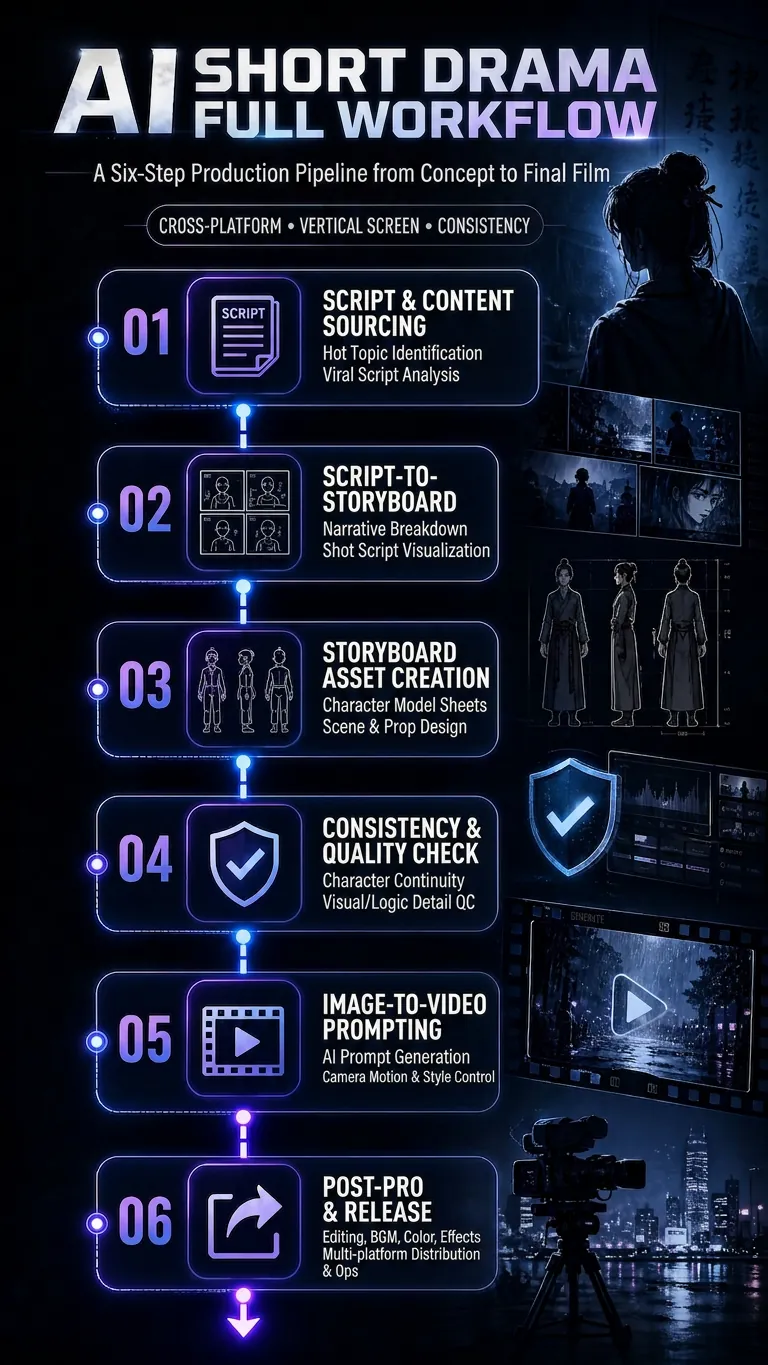
Turn a concept, novel, or script into an executable AI video production plan, covering three formats: AI short drama, AI comic drama, and AI live-action drama. The Skill includes a complete six-step production pipeline: find scripts and hit copy → adapt the script into a shot list (including shot language and dialogue-duration adjustments) → design shot assets (character turnarounds, scene concept art with physical lighting, and material details) → consistency checks and pre-generation quality control (asset binding, cross-shot consistency, and P0/P1 blocking gates) → image-to-video prompts (Vidu/Jimeng/Doubao standard templates + Jimeng Seedance first/last-frame template) → final-cut production and publishing quality control. By default, the workflow uses no subtitles or background music, retaining only dialogue and necessary sound effects. Supports locked visual styles including realistic cinematic, 2D Chinese animation, and 3DCG Chinese animation. Designed for scaled production on vertical platforms such as Douyin, Kuaishou, WeChat Channels, and Xiaohongshu.
 Video
Single-Image Video Generator
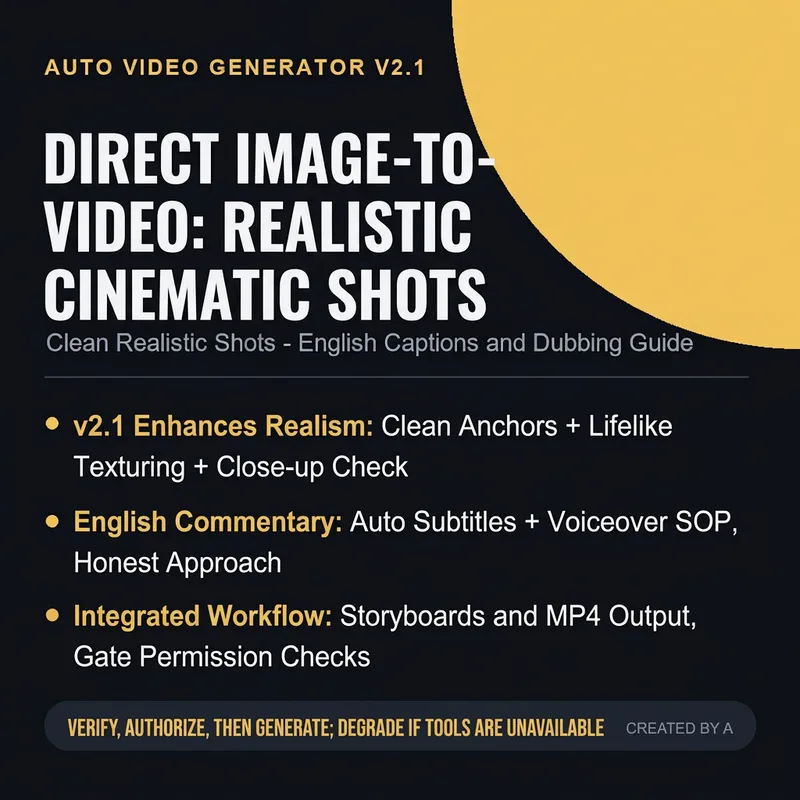
This Skill actively calls available image and video generation tools right inside the chat, delivering actual storyboard image files and stitched video files rather than just a sheet of prompt text. Starting from v2.0.0, models can also introduce products in English—not just moving their lips on screen, but actually building English voiceovers into the final output. ## Summary **Instead of giving you prompts to run yourself, it detects tools in the chat, gets your confirmation, directly creates storyboard images and a stitched MP4 file, and provides English subtitles plus step-by-step instructions for adding English vocals at the publishing stage.** ## Detailed Description When you upload an image, this Skill performs three tasks in the chat first: detects truly available image, video, and stitching tools in the current session; checks material ownership, trademark text, character compliance, authorization, content safety, advertising terms, AI labeling, and tool boundaries item by item; and clearly states how many times it plans to call tools and the resulting credit consumption, waiting for your explicit agreement before generating. Generation offers two paths. **Path A**: Generates six storyboard first-frame images, checks the subject, text, characters, and lighting frame by frame, turns each frame into a short clip, and finally stitches them into an MP4—preventing text drift and character shifting during the image stage. **Path B**: For single subjects, single actions, and no-text quick tests, use the input image plus a prompt to generate a video directly, falling back to Path A if it fails, avoiding repeated point consumption on a single path. Multiple neutral, fictional, or adult character descriptions can be applied to the same image. A sample video set is generated first for your confirmation before batch processing. Each batch ends with a report of actual tool calls and real file paths for easy consumption verification. **How English Narration Works (Tested and Honestly Explained)**: First, it locks in a verifiable product fact anchor (parameters, certifications, and prices that cannot be found are marked as "to be verified" without fabrication), then writes graded English scripts according to character tones—one for casual sharing, one for calm explanation, and one for professional review. Each sentence is 6 to 12 words and can be spoken within the corresponding shot duration. It creates an audio-video alignment table pinning down "which shot, what to say, where to place subtitles," checking English ad compliance sentence by sentence (zero tolerance for absolute terms, and parameters/certifications must have sources). **An Honest Platform Fact**: Video modes on platforms like YOUMIND only generate visuals, and audio tracks are usually background music, **without automatically generating English vocals**. Therefore, English narration is delivered in two layers: ① English subtitles are always generated and placed in the visual negative space as "visible English," independent of any voice tools; ② If no voice tool is detected in the current environment (common in YOUMIND), it provides you with the English script, alignment table, and step-by-step instructions for the publishing layer (paste English sentences into Jianying / CapCut's "Text to Speech," select an English voice, and trim/overlay according to the alignment table). **The final output video only contains subtitles, not English vocals, which you must add at the publishing layer**—it does not call background music English narration nor fake voiceovers. If the environment happens to have a voice tool, it directly generates and overlays the English audio track into the final video. **v2.1 Fixing "Grime" and "AI Look" (Fixed based on test feedback)**: Four layers of prompts add product clean anchors (clean, pristine, no smudges) and live-action texture anchors (natural skin texture, fabric weaves, handheld feel, natural light). The negative layer excludes stains, grime, wax skin, over-smoothing, plastic feel, and cartoon rendering. Close-up product shots are enlarged and checked shot by shot for cleanliness and realism. If dirty or too fake, anchors are added and re-adjusted, avoiding the delivery of dirty items or wax-like appearances as final work. **If the input image itself is dirty, please switch to a clean and clear product image first**—prompts cannot save a dirty image. **When no generation tools are available in the current environment, the Skill directly states "unable to automatically generate video" and provides a complete prompt package and storyboard table as a fallback delivery**. Regardless of the scenario, it never fakes generation, fakes voiceovers, or fabricates file paths. **It consumes credits**: Every image or video generation call incurs platform credit or subscription quota consumption, subject to the platform's current display. This Skill does not promise specific figures or claim zero cost. Generation results are probabilistic and do not guarantee one-shot success, viral hits, earnings, or platform approval. AI-generated content labeling is handled according to the target platform's current official requirements, with unclear rules marked as "to be verified." Available models and account status depend on your creation interface's real-time display. The Skill first detects tool support, and if unsupported, clearly states so and offers alternatives without faking the use of specified models. ## Three Selling Points 1. **Truly Produces Files**: Delivers storyboard images, video clips, and stitched MP4s, not just a sheet of prompt text. 2. **Reliable English Narration**: Fact anchors -> Graded English scripts -> Audio-video alignment -> Ad compliance -> Mandatory English subtitles + Publishing-layer English voiceover SOP. Honestly explains that the video itself does not speak English and vocals must be added later, avoiding treating background music as narration. 3. **Cures Grime and AI Look (v2.1)**: Clean anchors + Live-action texture anchors + Shot-by-shot enlarged QA ensure close-ups are clean and avoid plastic wax looks. It detects tools, passes 9 gates, reports consumption, and confirms before acting, gracefully falling back if tools are missing.
Information
- Version
- v6
- Last updated
- Runtime credits
- Usage-based
- Models
- Auto
- Use cases
- Images & designVideo & audioLearning & education
- What you get
- DocumentImageVideo
- Visual styles
- Cinematic
