Business Presentation Designer
Create professional decks for training and talks
Business Presentation Designer
Create professional decks for training and talks
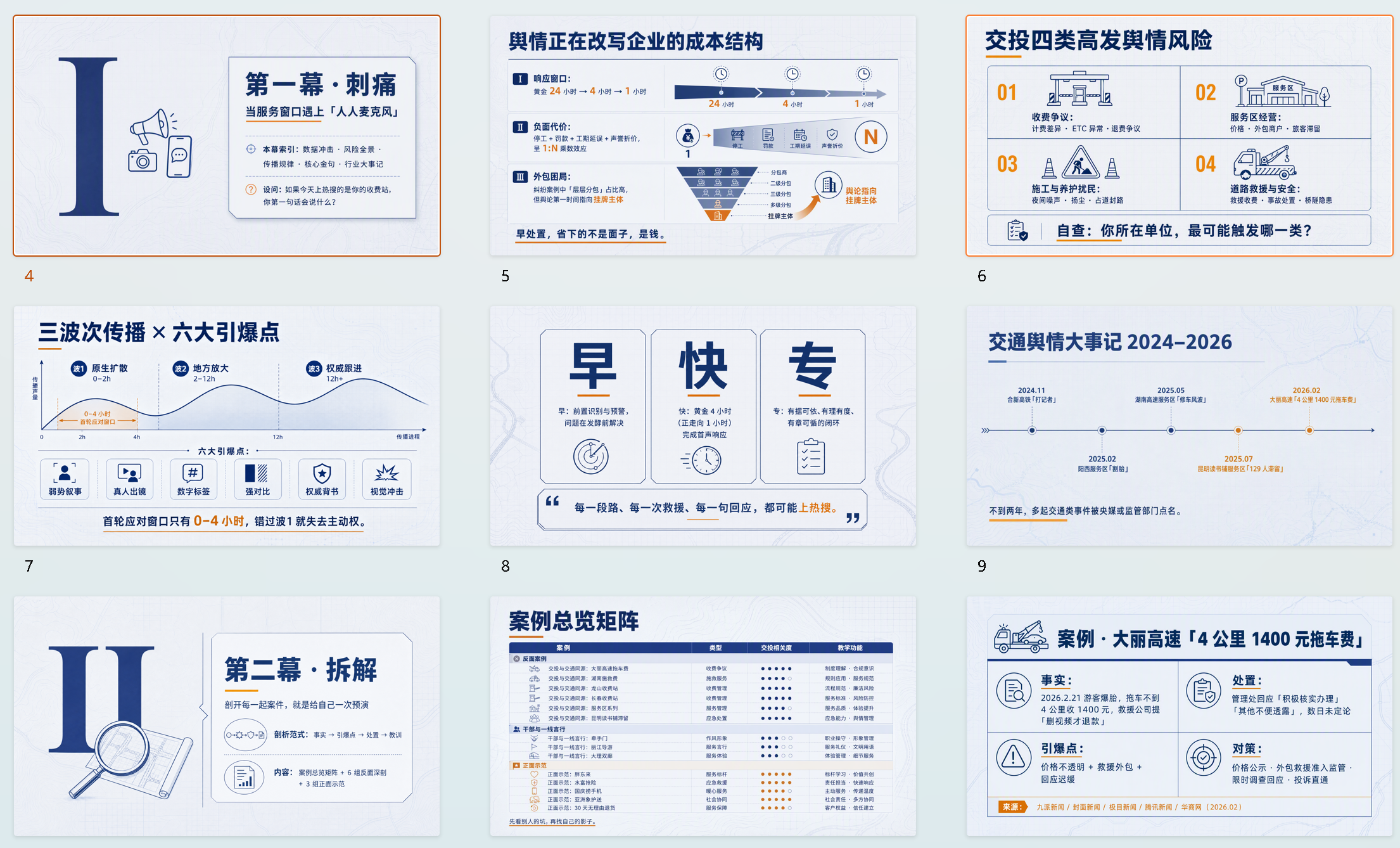
Showcase
Description
A professional presentation and business update designer for any industry or company, covering training sessions, business updates, proposal presentations, and industry talks. It automatically researches and verifies real-world materials with source attribution, develops structured narratives, adapts visuals to the brand, and produces text such as outlines, presentation content, and word-for-word scripts, along with a matching PPT deck.
Recommended by
Dancang
Why we love this skill
Covers the full workflow from clarifying requirements and verifying sources to narrative structure, scripts, and branded slides—with clear evidence standards and approval checkpoints for professional, trustworthy, ready-to-use materials.
Best for
For teams and professionals creating training, business updates, proposals, or industry presentations.
How to use this Skill
Provide your input
Provide the company or industry name and presentation topic, plus any desired presentation type, audience, duration, slide count, and reference materials.
Run the Skill
Organize the content structure based on your needs and materials, verify available public sources and cite them, then design consistent brand visuals and page layouts.
Review your result
Receive a presentation outline, accompanying training or presentation script, and a PPT deck with a consistent visual style.
Related Skills
View all
Elite Tech Slide Designer
Make every slide a breathtaking moment for the audience! Are you still suffering through presentations like these? 😴 Your carefully prepared content ruined by a template-heavy PPT? 😩 Judges or clients think "another ordinary presentation" at first glance, losing interest instantly? 😵 You want to convey authority, cutting-edge, and trustworthiness, but it looks like a "township enterprise brochure"? 😞 Others' PPTs look like an Apple launch, yours like a 1998 Office default template? The problem isn't your content—it's your visual authority! ✨ Now, equip the Elite Tech Slide Designer skill 👉 Turn any content (speech, report, whitepaper, policy briefing) into: An elegant film-like chapter structure that gives the audience breathing rhythm 💎 With this skill, you'll gain: 🔥 A design master assistant that builds your authority—no more struggling with colors, fonts, or alignment 🔥 A cover that makes judges/clients "hold their breath" at first sight—winning their expectations in 3 seconds 🔥 Never flashy or cheap 🔥 A "premium template library" that peers secretly copy—isometric 3D + glassmorphism + gold fine lines, max visual impact 🔥 Get asked "Can you send me that PPT?" after your speech—your presentation will be remembered because of the slides 🎯 Who is it for? 🎙 Seasoned speakers / TED-style presenters—keynotes, industry conferences, product launches 💼 Senior consultants / investment managers—investor roadshows, board meetings, client proposals 🎓 University professors / academic authorities—academic lectures, research reports, policy briefings 📊 Corporate strategy leads / CMOs—annual strategy meetings, brand launches, media communications 🏆 Any professional participating in national competitions/reviews—teaching competitions, innovation contests, project defenses ⚡️ Install Elite Tech Slide Designer now Turn your next presentation into a visual ritual that makes the audience "hold their breath and rush to save." "Not just conveying information, but creating a sanctuary." This skill is your scepter of visual authority. 👑 👇 Click to install and become the speaker that makes your peers say, "That's the one who made the audience hold their breath!"
 Slides
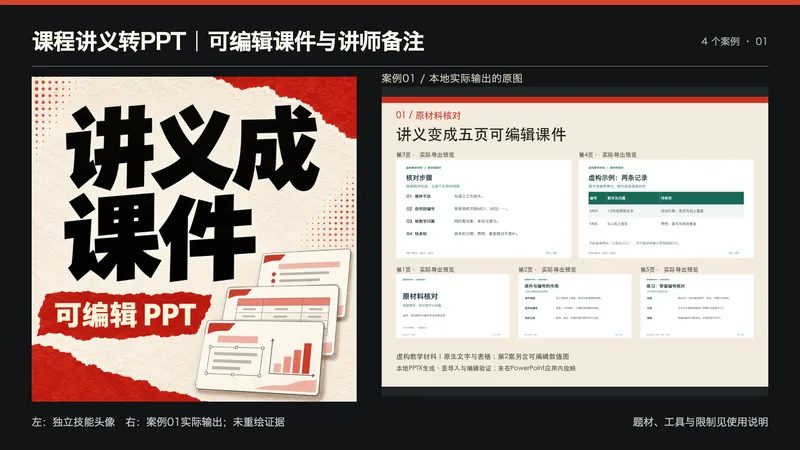
课程讲义转PPT|可编辑课件与讲师备注
适合有课程讲义、培训笔记,需要整理授课演示的讲师与创作者。 提供:讲义、学员基础、学习目标、时长、总页数和视觉参考;没有数值时不会编造统计图,新增练习注明教学设计。 处理:材料编号与事实核对、教学页序、每页内容和讲师备注、原生对象排版、PPTX导出和检查。文字保留为文本框,表格为原生单元,数值图使用可编辑图表;插画只作辅助,不用整页截图冒充课件。 交付:真正可编辑PPTX、讲师备注与使用说明;环境支持时附全页预览。没有PPTX导出能力会明确未完成,不以纯大纲或图片代替。 使用:发送讲义并说明要讲给谁、总页数与时长;核对材料映射与练习,再下载PPTX在授课软件中确认字体、备注和放映。 依赖:文字模型(推荐GPT)和支持原生对象及PPTX导出的工具;本地四案例用Codex的Artifact Tool运行环境制作,并验证文字/表格可单独编辑,第二案例还验证图表数据与嵌入工作簿。该本地运行库不会随技能包分发;YouMind需要其自身可用的可编辑幻灯片导出能力,未追加平台运行测试或验证模型持久绑定。不保证任意环境直接具备该工具。 四张展示图来自四份本地真实PPTX的全页渲染,每份5页、虚构教学材料;未在PowerPoint应用内放映,跨应用和接收方字体兼容需要再确认。不承诺学习效果或收益,199积分售价不含Office订阅、平台模型费或其他服务。 展示说明:首张为独立技能头像与案例01实际输出的并排排版,用于横向缩略展示;不是新增案例,也未让生图模型重绘证据。其余三张对应案例02—04。
 Slides
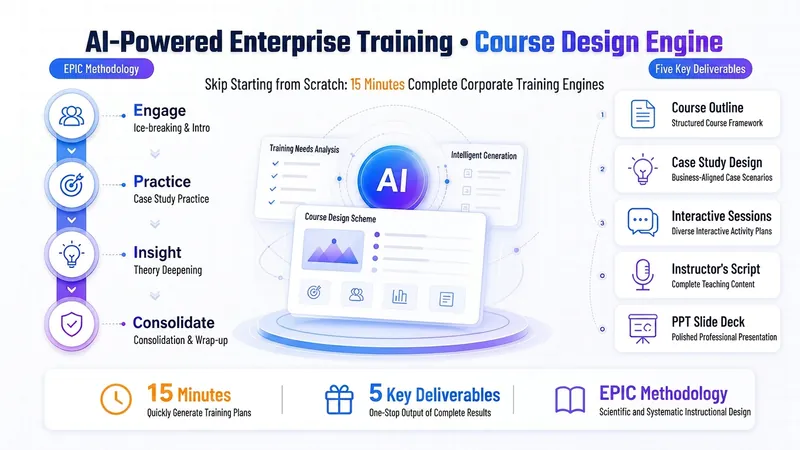
AI Training Design Engine
Design a complete "AI-powered" corporate training course in 15 minutes—fully delivered and ready to use. 🎯 Questionnaire-style needs collection—check to start, zero learning curve 📋 Auto-generates EPIC-structured course outline: pain-point activation → practice first → theory embedded → sense of achievement wrap-up 🛠 Supplies AI hands-on cases for each module—includes complete prompt templates that learners can copy and use directly 📝 One-click output of page-by-page speaker script + Slides—ready to present immediately 💎 Save 1–2 days of prep time (trainer hourly rate 200–500 RMB, value 1,600–8,000 RMB) ✨ Based on 10 years of corporate internal training experience, serving middle-manager training scenarios at state-owned enterprises. The original EPIC teaching method specifically addresses the pain points of 'learners don't like listening, won't get hands-on.' Iterated over a dozen versions, optimized through feedback from multiple users. 🔍 Trigger scenarios: Designing corporate training courses / Creating AI training plans / Lesson preparation / Writing training outlines / Corporate internal trainer lesson prep
Information
- Version
- v2
- Last updated
- Runtime credits
- Usage-based
- Models
- Auto
- Use cases
- Presentations & reportingLearning & educationBusiness & strategy
- What you get
- DocumentSlidesScript
- Visual styles
- Corporate
