
Educational Diagram Creator
like the ones in textbooks and exam papers in Science
Educational Diagram Creator
like the ones in textbooks and exam papers in Science
Showcase
Description
Effortlessly generate professional, textbook-quality scientific diagrams for your secondary school teaching materials. This skill creates clear and accurate illustrations suitable for exam papers, worksheets, teaching slides, or study guides, ensuring every visual aid meets educational standards. Whether you need a biology experiment setup, a physics circuit diagram, human body structure, or chemistry apparatus, this tool delivers. It intelligently incorporates standard scientific symbols and offers flexible labeling options: choose "question paper" mode for lettered labels students can fill in, or "marking scheme" mode for fully labeled diagrams perfect for answer keys or explanations. Simply describe the diagram you need, including components and specific requirements, and receive a crisp, A4-printable image with a clean white background and clear black lines. Focus on teaching, and let this skill handle the precise visual creation for all your science curriculum needs.
Why we love this skill
This skill is a teacher's dream, generating textbook-quality scientific diagrams for various subjects and purposes. Its precision in adapting labels for question papers or marking schemes makes it uniquely versatile for educators.
Related Skills
View all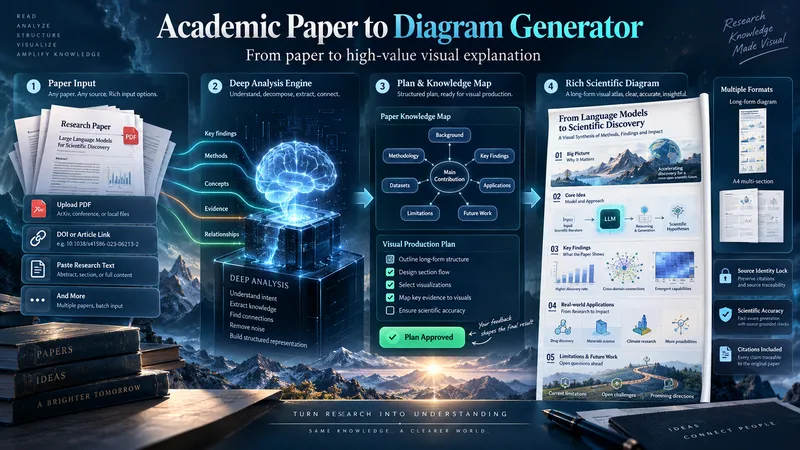 Image
ImageAcademic Paper to Diagram Generator
Transform academic papers into detailed, scientifically faithful visual diagrams. The skill deeply analyzes the paper, identifies its most valuable concepts, mechanisms, methods, findings, and relationships, then builds a visual plan with you before generation. Instead of forcing every paper into a small infographic, it can create long vertical diagrams, wide technical maps, multi-section visual explainers, or A4-ready 2–3 part layouts when needed. The visual style is adapted to the subject, with room for AI-driven creativity, scientific illustration, data integration, annotations, and topic-specific visual storytelling. You can start with a PDF, URL, DOI, pasted text, or a request to find a suitable paper. The diagram language is user-approved, the source identity is locked for accuracy, and the final image is generated only after you review the visual plan and production prompt.
 Image
ImageDevice Anatomy Poster Architect
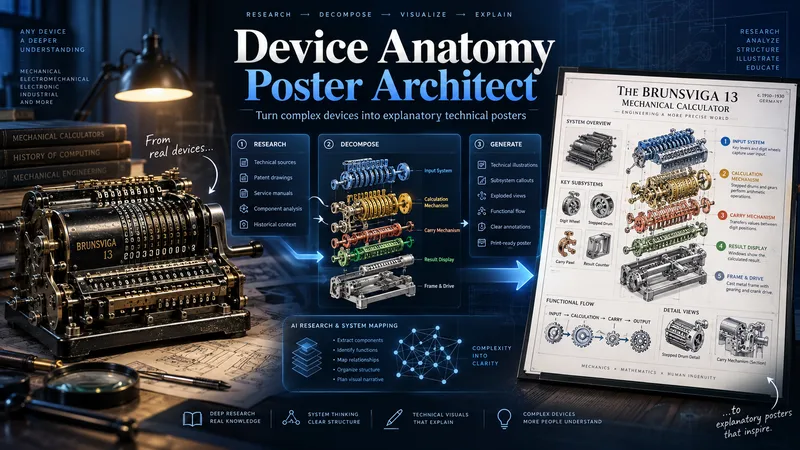
Turn complex machines, tools, and devices into clear, educational technical posters. Provide a device name, model, reference image, cutaway, or technical photo. The Skill first researches the device’s real structure and working principle, then identifies its critical components, functional subsystems, operating sequence, and relevant power, fluid, signal, or material flows. Instead of producing a generic labeled cutaway, it reconstructs the device for teaching: separating dense mechanisms, exposing hidden relationships, organizing subsystems, and adding focused detail views where needed. You receive three genuinely different visual directions: Clean Hierarchical — structured, precise, highly readable engineering infographic. AI Artistic Creative — dramatic, spatial, mechanism-driven technical visualization. Hybrid Technical — premium 3D realism combined with modular engineering-diagram clarity. Each direction comes with its own fully independent, detailed English production prompt. The prompts share the same verified technical foundation but use different compositions, viewpoints, decomposition strategies, and visual storytelling. The workflow and visible poster text follow your language by default. Image-generation prompts are written in English for stronger production reliability. Nothing is generated automatically: review the three directions, choose one or request revisions, then proceed to final poster generation and technical quality validation.
 Image
ImageTechnical Document to Poster
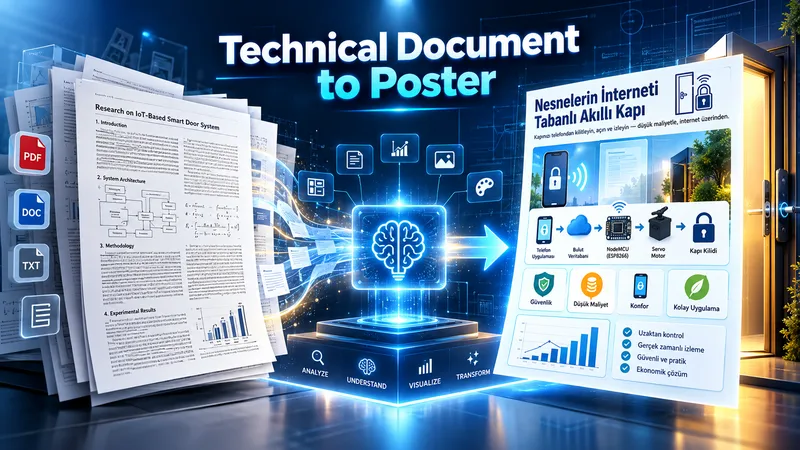
Transform technical documents into accurate, visually structured posters. Upload an academic paper, engineering document, technical report, manual, SOP, or other technical source. The skill analyzes the source, identifies the core message, prioritizes essential information, selects the best poster strategy, and determines the most suitable canvas based on the content. Before generation, it creates a poster plan for your approval. After approval, it produces three complete, standalone image-generation prompts: Strict Hierarchical, Creative Aesthetic, and Hybrid. Each prompt contains all required text, labels, technical relationships, diagram instructions, and source details, so it can be copied and used independently. You can choose a prompt yourself or let the AI select the most suitable one. Final image generation only happens after prompt approval. The workflow is designed to preserve technical meaning, avoid unsupported claims, reduce clutter, and turn complex information into clear visual communication.
Information
- Version
- v2
- Last updated
- Runtime credits
- Usage-based
- Models
- Auto
