PDF NEXUS 2026
Turn one document into many structured outputs
PDF NEXUS 2026
Turn one document into many structured outputs
Showcase
Description
PDF NEXUS 2026 is a universal document intelligence and transformation engine. Upload any document — PDF, Word/office files, scanned images, or plain text — and get accurate, well-structured, practically usable deliverables: presentations, spreadsheets and structured datasets, executive summaries and professional reports, study materials, structured knowledge, and digital/web content. It detects the document type and language, recommends the most valuable transformations for that document, preserves figures, units, dates, and source fidelity, and never invents content, page numbers, or download links.
Best for
People who need to turn documents into clear, structured deliverables for communication, analysis, study, or digital use.
How to use this Skill
Provide your input
Upload a PDF, office document, scanned image, plain-text file, or pasted content, then state the deliverable you want and any preferences such as audience, detail, or format.
Run the Skill
The skill analyzes the document’s structure and content, then reorganizes the information for the requested purpose while preserving source meaning, figures, dates, units, and terminology.
Review your result
Receive a clearly structured presentation, report, summary, study resource, dataset, or digital content package based on the supplied document.
Related Skills
View all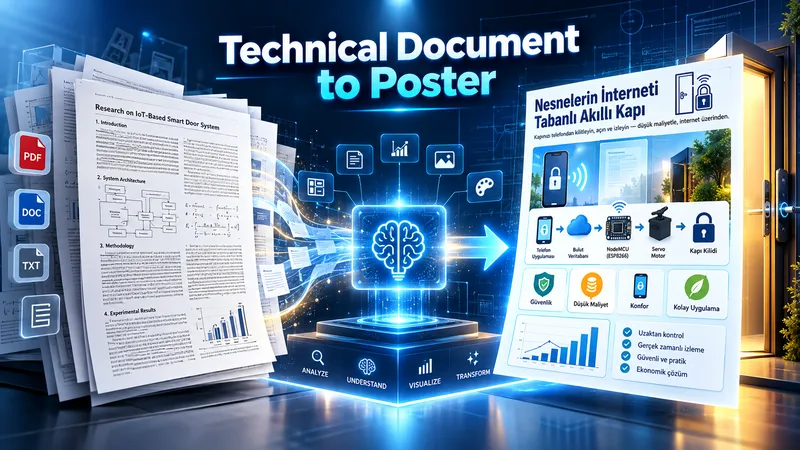 Image
Technical Document to Poster
Transform technical documents into accurate, visually structured posters. Upload an academic paper, engineering document, technical report, manual, SOP, or other technical source. The skill analyzes the source, identifies the core message, prioritizes essential information, selects the best poster strategy, and determines the most suitable canvas based on the content. Before generation, it creates a poster plan for your approval. After approval, it produces three complete, standalone image-generation prompts: Strict Hierarchical, Creative Aesthetic, and Hybrid. Each prompt contains all required text, labels, technical relationships, diagram instructions, and source details, so it can be copied and used independently. You can choose a prompt yourself or let the AI select the most suitable one. Final image generation only happens after prompt approval. The workflow is designed to preserve technical meaning, avoid unsupported claims, reduce clutter, and turn complex information into clear visual communication.

Document2Slides Pro
Transform PDF, DOCX, XLSX, PPTX, CSV, Markdown, TXT, and scanned documents into genuinely editable PowerPoint (`.pptx`) presentations across five independently composed aspect ratios (`16:9`, `4:3`, `9:16`, `1:1`, `4:5`), complete with native editable charts, native tables, editable shape-and-connector diagrams, embedded speaker notes, a `.pdf` presentation export, a synchronized `.docx` presentation script, a source-to-slide traceability map, and a visual QA report using YouMind's native capabilities.
Information
- Version
- v2
- Last updated
- Runtime credits
- Usage-based
- Models
- Auto
- Use cases
- Writing & contentPresentations & reportingResearch & analysis
- What you get
- ReportSlidesData
