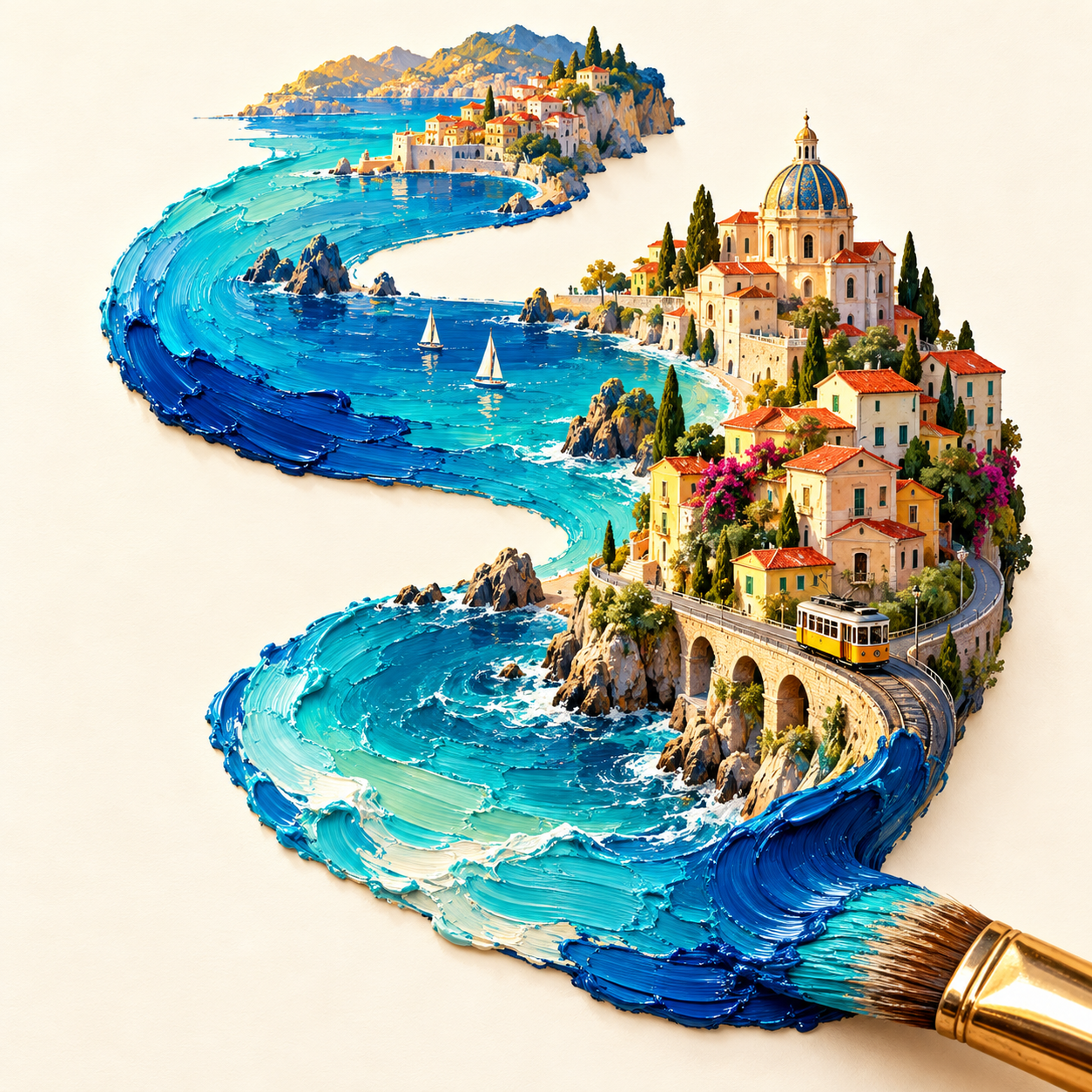
One-Stroke City Oil Poster
Turn city landmarks into one-stroke oil art
One-Stroke City Oil Poster
Turn city landmarks into one-stroke oil art
Showcase
Description
Capture the essence of a destination in a thick, textured stroke of oil paint. Input a city name to weave historical architecture, contemporary streetscapes, tiny figures, and local waterways along a single flowing line. The thick oil pigments, tactile miniature buildings, and generous white space combine with a bold city title and an exclusive short poem to create a collectible travel art poster. Design autumn streets in Kyoto, blue-and-white breezes in Lisbon, copper-and-gold nights in Istanbul, or your own hometown. Landmarks, colors, seasons, title languages, and aspect ratios are all customizable, with support for text-free versions and series. By default, we first confirm landmarks and layout before generating the image to inspect buildings, brushstrokes, text, and brushes. To skip a step, say "choose and generate directly." Defaults to a 9:16 vertical format, flat oil brush, and white fibrous paper background.
Why we love this skill
Condenses city history, contemporary life, and natural terrain into a continuous oil stroke, creating a city poster with miniature model and low-relief textures.
Best for
Ideal for turning travel destinations, city memories, or local landscapes into collectible art posters.
How to use this Skill
Provide your input
Provide a city name, optionally including landmarks, season, color scheme, aspect ratio, count, title language, and text requirements. You can also specify "generate directly with your choices" or "prompts only".
Run the Skill
Confirm or select landmarks, connecting elements, and layout based on city characteristics, then generate and check the buildings, brushstrokes, brushes, text, and aspect ratio in the poster.
Review your result
Receive a static city oil paint travel poster; can include a city title and short poetic subtitle, or be produced as a text-free version or a series.
Related Skills
View all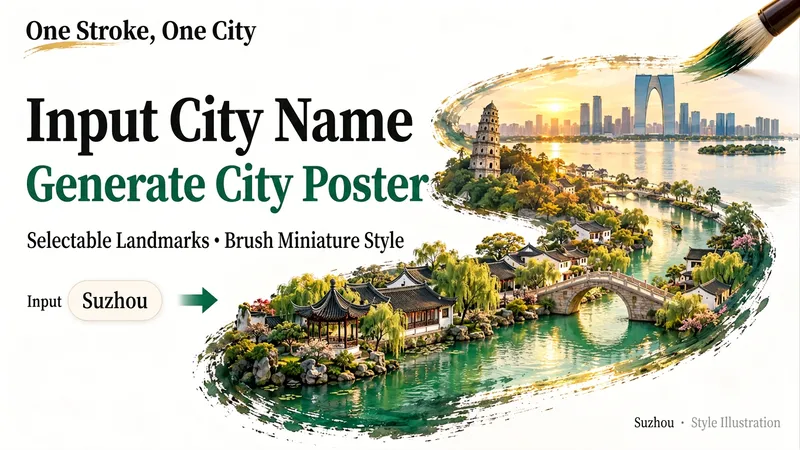 Image
Miniature City Reliefs
Fit an entire city into a single brushstroke. Enter a city name, and let its landmarks, gardens, waterways, or modern architecture unfold along the brush tip to form a detailed miniature relief artwork on a white background with generous negative space. It’s ideal for city-themed posters and travel keepsakes, or for exploring a familiar city from a new perspective. Before generating the image, I’ll organize the landmarks and visual concept for you. After you confirm which scenery to keep, generation will begin. You can specify landmarks, a classical or modern style, landscape or portrait orientation, and preferences such as no text or no visible hand. To skip a step, say “choose everything and generate directly.” If you’re only brainstorming for now, you can choose to organize the prompt without generating an image.
 Image
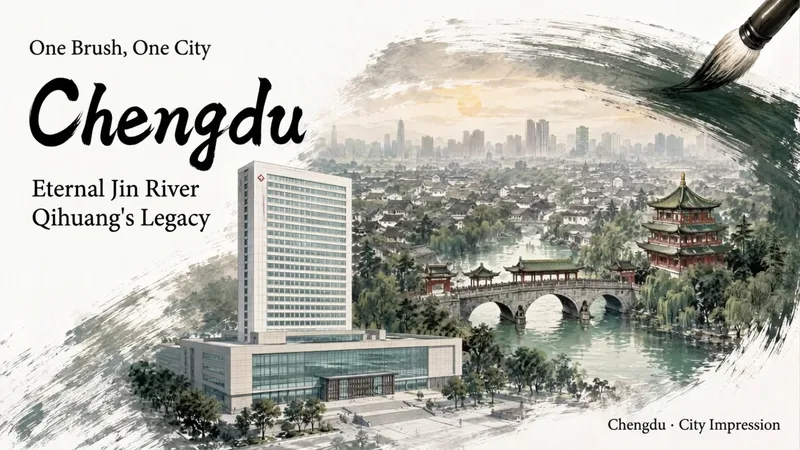
Ink City Poster Generator
Enter a city name to create a miniature city poster with a strong sense of place and polished design, suitable for conference backdrops, city promotions, and event visuals. Traditional Chinese painting brushwork wraps realistic city scenes, organizing landmark buildings, waterways, neighborhoods, and skylines into three layers of depth: foreground landmarks, midground city, and distant outlines. Clear negative space is reserved for titles and brand copy, allowing the city image and text information to blend naturally. Create posters for conferences or city-related events. You can specify landmarks, a main title, subtitle, brand copy, and details such as the meeting name, date, time, and location. Choose a brush effect—ink brush, pen, pencil, or charcoal—and pair it with ink black, stone green, ochre, cobalt blue, cinnabar red, smoke gray, or a custom color. You can also adjust the presentation from expressive to balanced to realistic. Landscape, portrait, and square formats are supported. Meeting fields display only the information actually provided, with no placeholder content added. During generation, the city’s buildings are first checked for their names, locations, forms, and sources. The composition is then planned and the poster is generated. Delivery also includes an architectural reference table and itemized review results, with a focus on landmark attribution, building forms, spatial relationships, Chinese text, brushwork texture, layout spacing, and parameter consistency—helping you create a city visual more suitable for formal presentation.
 Image
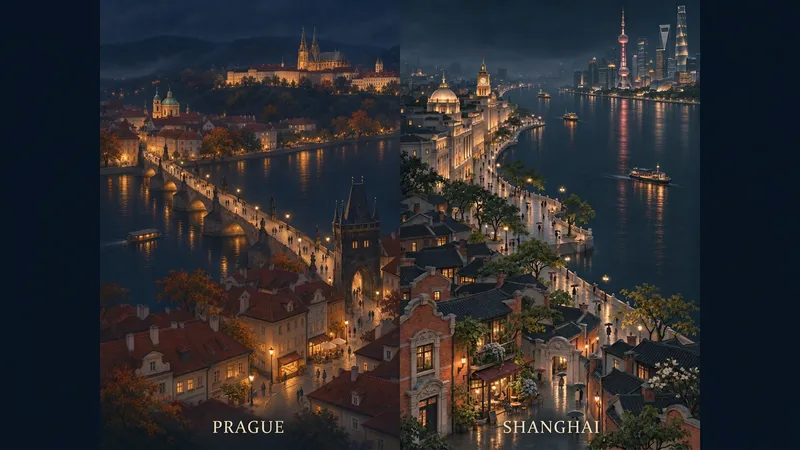
City Aerial Night Poster
Transform a city's landmarks, streets, and lights into a vertical cityscape woven with deep blue night tones and warm golden lights. Enter a city name to start, or upload a city photo and specify the landmarks and scene relationships you want to preserve. The artwork features a quiet cinematic feel and a delicate miniature city atmosphere, arranging buildings, roads, pedestrians, and night lighting according to each city, with understated bilingual city name subtitles at the bottom. It generates a default 2:3 vertical piece, perfect for city imagery, travel mementos, and series visual creations. Photo inputs undergo AI reconstruction, preserving key landmarks and spatial relationships as much as possible. Generated results are not equivalent to an exact record of a real city. If strict city name accuracy is required, use authentic fonts for post-processing layout and verification.
Information
- Version
- v5
- Last updated
- Runtime credits
- Usage-based
- Models
- Auto
- Use cases
- Images & designLifestyle & entertainment
- What you get
- ImagePrompt
- Visual styles
- 3DOil paintingPaper art
