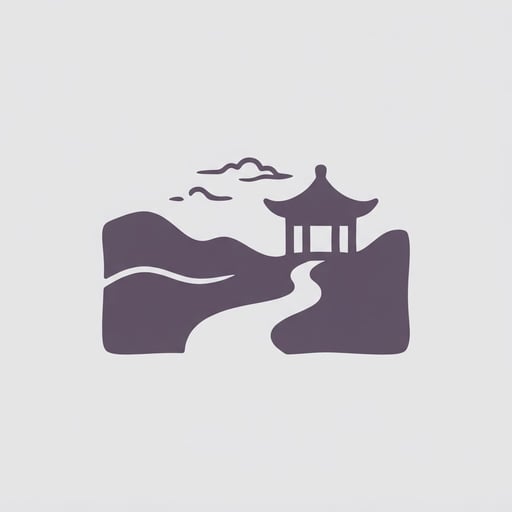
Chinese Dreamcore Filter
Create Chinese dreamcore edits from photos
Chinese Dreamcore Filter
Create Chinese dreamcore edits from photos
Showcase
Description
Turn any photo into a Chinese dreamcore-style image while preserving the original subject and composition. The skill automatically analyzes the photo and matches it with a fitting dreamcore atmosphere, adding muted, sepia-toned colors, hazy light, and a surreal sense of emptiness. Era-inspired elements can be added as needed to produce a polished final image.
Recommended by
Shuting@YouMind
Why we love this skill
Featured for matching the original scene and era with a fitting Chinese dreamcore atmosphere—not just applying a retro filter—while preserving the subject, composition, and hazy lighting.
Related Skills
View all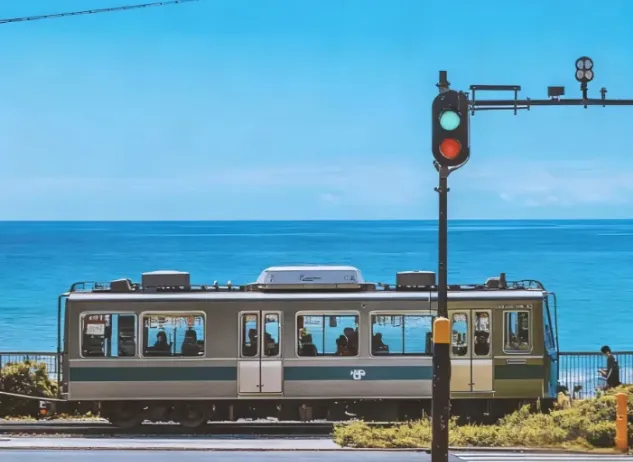 Image
ImageJapanese Watercolor from Photos
Turn landscape and streetscape photos into Japanese gallery-style, hand-painted watercolor art illustrations, complete with generous paper space and refined handwritten typography. ✨ Key highlights Gallery-quality negative space: The subject is kept small and centered, surrounded by generous warm-white cotton paper texture for a modern stationery and art-print feel. Authentic hand-painted watercolor texture: Naturally creates washed, blended effects, translucent layers of color, and loose hand-painted edges—without harsh outlines or a digital look. Intelligent scene refinement: Preserves key landmarks, architectural outlines, and distinctive light and shadow from the original image while naturally simplifying busy backgrounds and unnecessary objects. Poetic handwritten typography: Automatically adds a poetic short line and year at the bottom in dark gray or navy handwritten lettering, creating a calm, restrained everyday atmosphere. 📸 Ideal uses Reimagining travel memories: Turn streets, small shops, mountains, and seascapes from your travels into vintage postcards. Personal creative designs: Create phone wallpapers, stationery posters, physical postcards, and decorative art prints. Social media visuals: Provide restrained, sophisticated, and stylistically consistent artistic covers for platforms such as Xiaohongshu and WeChat Moments. 🚀 How to use Upload any landscape, architecture, or streetscape photo with a clear composition to automatically generate a matching minimalist watercolor art print.
 Image
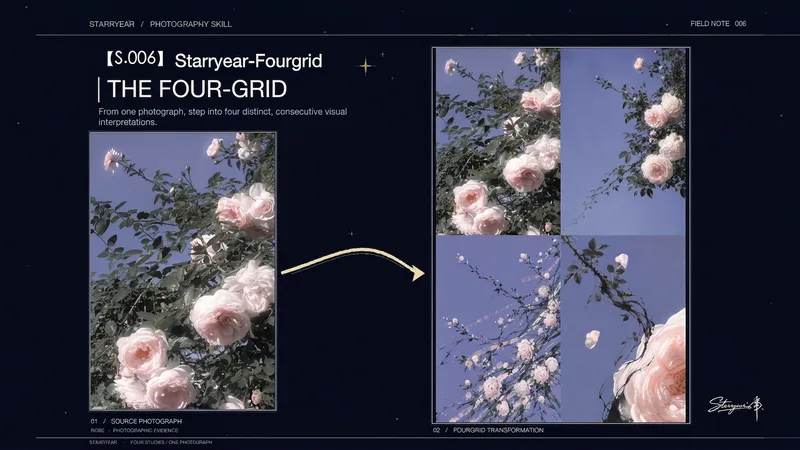
ImageS.006 · Starryear Four-Grid
Turn a single photo into a vertical 2:3 ink four-panel artwork. The original image remains as the top-left panel, while three distinct visual expressions extend from the photo's own colors, compositional relationships, motion paths, and spatial rhythms. The final work is not a standard collage or four filters, but a continuous transformation from photographic evidence to poetic memory, dot-and-line rhythm, and surreal space. The second panel distills the photo's atmosphere in a semi-abstract, moist, and subtly veiled style. The third transforms observable directions, intersections, repetitions, and variations in density into restrained dot-and-line structures, moving beyond the outlines of specific objects. The fourth preserves the original image's spatial grammar and layering, replacing real objects with photo-derived folds, interfaces, passages, or other non-representational forms to create a surreal world whose source remains recognizable. Colors and visual features are extracted anew from each uploaded photo, avoiding fixed themes, palettes, or compositions. Use it to create ink four-panel artworks, one-photo-into-four transformations, source-image abstractions, and editorial-style visual posters. The result is a complete, unified vertical artwork with no text or borders.
 Image
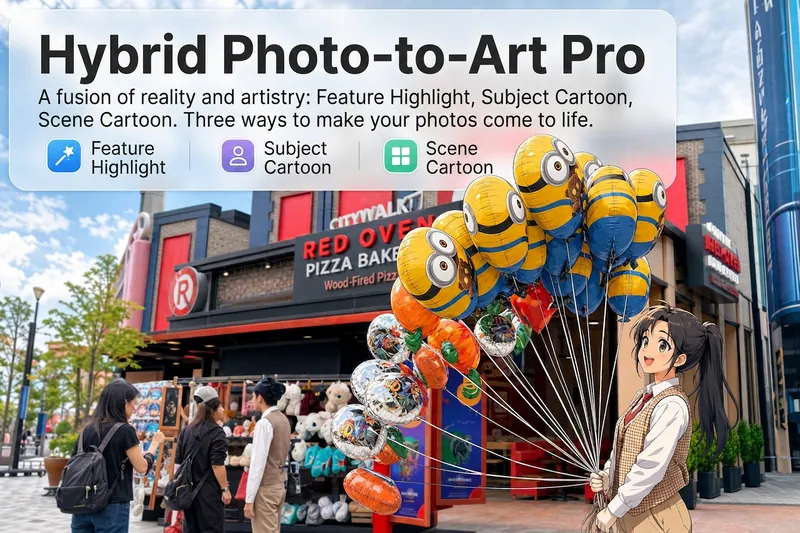
ImageReality Blend Artist Pro
Upload a photo, and AI first reads it like a visual analyst across five dimensions: what the subject is, how it is composed, its color palette, where the visual focus lies, and what emotion it conveys. It then tells you where a hand-drawn treatment would have the most impact and how to make it look best. Four real-and-drawn blend modes, four ways to play: 🔹 Local Accents — Keep the overall image realistic while AI selects 2–3 local areas to replace with a hand-drawn style. Patterns on a sign, the coffee cup in someone’s hand, or a few flowers peeking out from a flower bed—just enough to give the photo a sense of life. Choose from 4 hand-drawn styles: pencil sketch / watercolor wash / sticker doodle / clay relief. 🔹 Subject Anime — Turn a person, animal, or object into an anime-style subject while keeping the background’s realistic photographic texture. Choose from 5 anime styles: action manga / American superhero comics / Ghibli-style / Korean webtoon / Chinese ink wash. It feels like an anime character has stepped into the real world. 🔹 Environment Anime — Reverse the approach: keep the subject realistic while transforming the surrounding environment into an anime style. The contrast of being in a real world surrounded by a 2D universe is instantly amplified. 🔹 Selective Color Light Trails — Convert the image to black-and-white grayscale while keeping selected objects in their original, highly saturated colors. Clean white detail outlines surround the colored objects, extending into flowing, curling, psychedelic agate-like color trails that naturally follow the scene’s direction. Retro collage × surreal art turns a single photo into a movie poster in an instant. Each mode × 2 blending methods: Gradient Feathering (a natural transition between real and illustrated, like ink spreading through paper) / Hand-Drawn Border (a white outline, like a sticker placed on the image). No blind image generation—you're in control at every step. AI analyzes first → recommends an approach → you confirm → then it generates, helping avoid wasted results. For portrait photos, faces and facial features are automatically avoided and are not replaced with hand-drawn elements. The number of local areas is limited to 2–3, with professional constraints on their position and size—the result is a finishing touch, not a collage. 4 modes · 16 styles · 2 blending methods = 32 real-and-drawn combinations. The same photo can take on completely different moods.
Information
- Version
- v3
- Last updated
- Runtime credits
- Usage-based
- Models
- Auto
