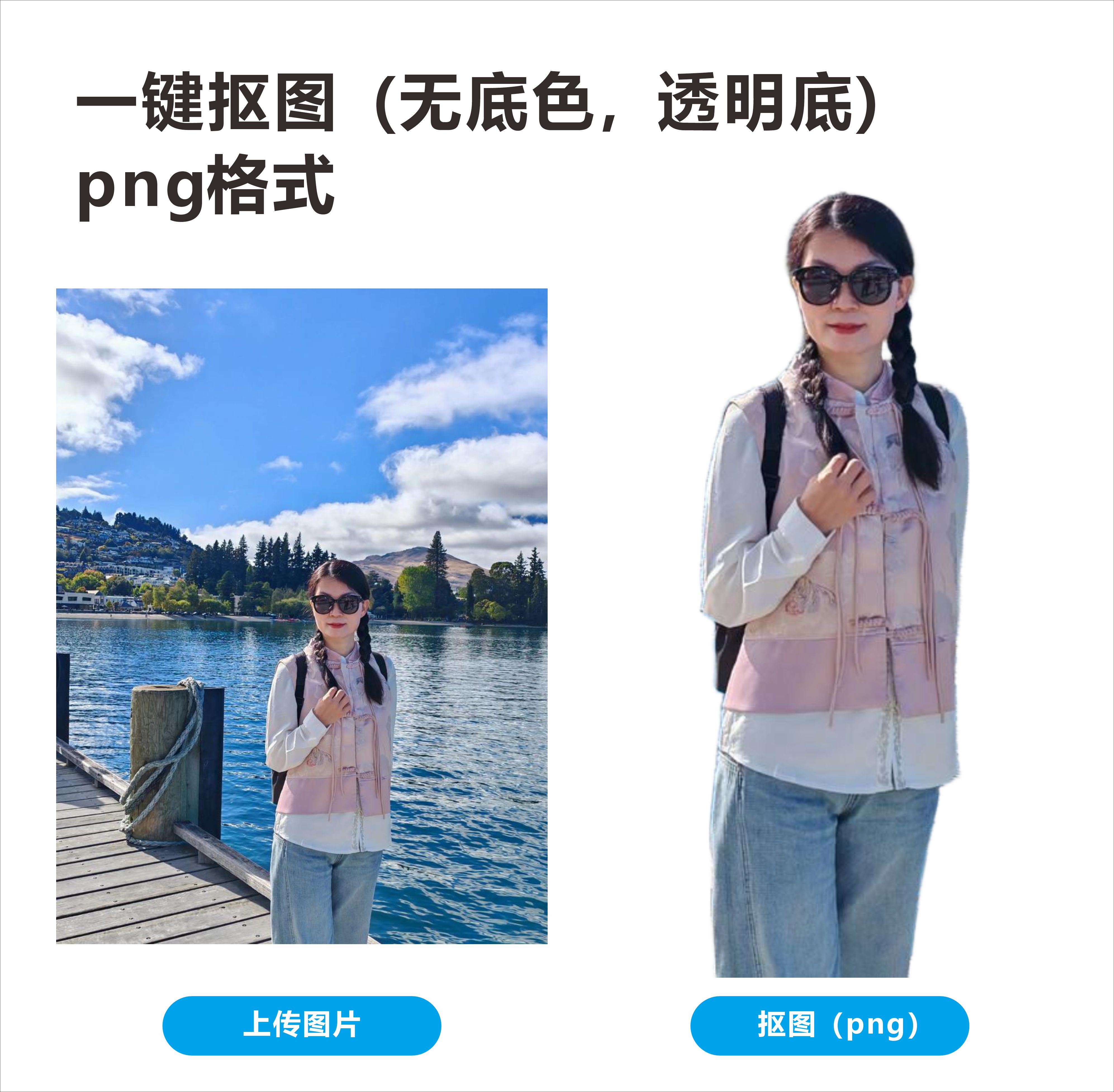
AI Background Remover
Instant cutout, pure transparent PNG output!
AI Background Remover
Instant cutout, pure transparent PNG output!
Showcase
Description
Simply upload an image to automatically identify the subject, precisely remove the background, and output a truly transparent PNG image. It is suitable for various scenarios such as people, products, food, animals, buildings, plants, and logos. Committed to removing only the background without altering the subject, it preserves the original colors, textures, contours, and details as much as possible, with fine processing for hair, fur, and complex edges. No need to write complex prompts, making image cutout simple and efficient.
Recommended by
Dancang
Why we love this skill
Effectively removes only the background without altering the subject, directly outputting a transparent PNG with a valid alpha channel. Preserves complex edges such as hair, fur, hollows, and translucent materials while checking for residue, misdeletions, and file formats before delivery, making it ideal for scenes where ready-to-use results are required.
Best for
Best for users who need to quickly create transparent background images for people, products, food, animals, buildings, plants, or logos.
How to use this Skill
Provide your input
Upload an image that needs background removal.
Run the Skill
The system automatically identifies and preserves the foreground subject, removes the background, refines complex edges, and maintains the original appearance of the subject as much as possible.
Review your result
Outputs a PNG image with a true transparent channel, preserving the original dimensions, subject details, and transparent areas.
Related Skills
View all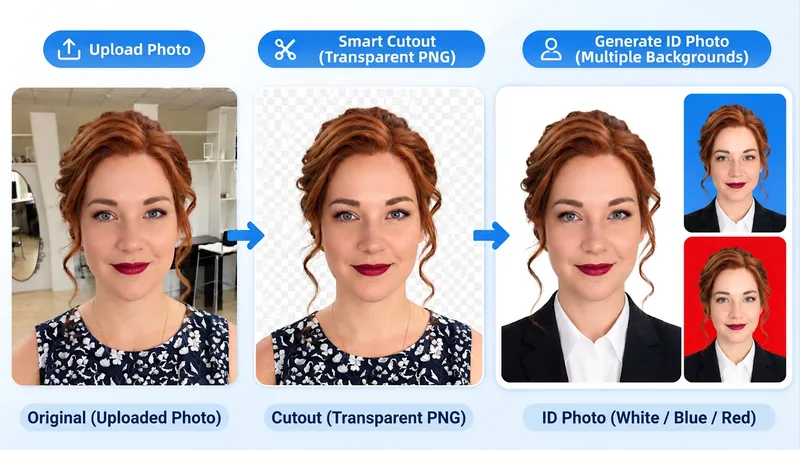
Background Removal & ID Photos
An all-in-one image processing tool combining AI smart background removal and professional ID photo creation. Simply upload a photo to automatically recognize the subject and precisely remove the background. Supports multiple scenarios including people, products, food, animals, architecture, plants, and logos. Features advanced edge-processing technology with optimized hair, fur, and complex outlines, preserving original colors, textures, lighting, and realistic details as much as possible. Outputs high-definition PNG images with a true transparent Alpha channel. Also supports creating professional ID photos. Users can freely choose white, blue, or red backgrounds and clothing styles. Automatically optimizes subject composition, head space, and shoulder positioning. Supports generating a complete set of white, blue, and red background ID photos at once. No complex prompts required. No professional photo-editing experience needed. Just upload a photo to get started.
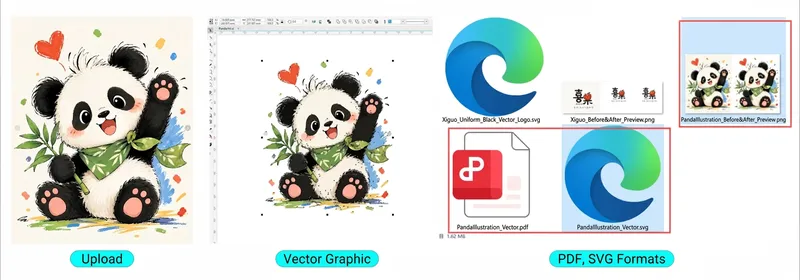
Image to Vector Converter
This is an AI-powered image vectorization tool designed specifically for graphic designers, advertising producers, print technicians, sign makers, and pattern designers. Simply upload an image, and the AI will automatically recognize patterns, extract outlines, rebuild Bézier curves, optimize nodes, clean up stray points, restore colors, and transform regular JPG or PNG images into truly editable vector graphics. It supports corporate logos, trademarks, cartoon illustrations, artistic fonts, decorative patterns, apparel prints, advertising signage, black-and-white line art, and more. Core features: AI smart recognition and vector redrawing High-definition outline restoration and path optimization Color pattern layering and color extraction Black-and-white line art and monochrome vectorization Laser engraving and plotter path optimization SVG, PDF, and EPS vector file export CorelDRAW X4 (CDR) compatible workflow No need to master complex vector drawing techniques—just upload an image to get started. Turn raster images into professional vector graphics that you can truly edit, modify, separate into colors, and use for professional design and production!
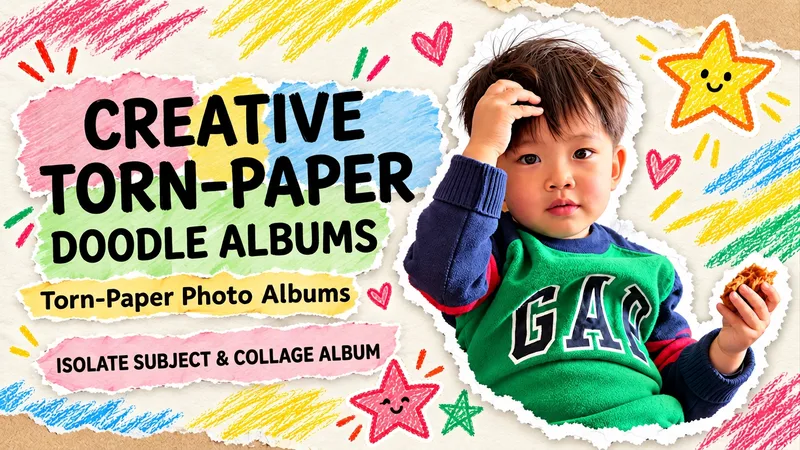 Image
Torn Paper Dotted Photo Album
Upload a photo to turn people or pets into scrapbook stars, complete with torn paper edges, handwritten doodles, and vintage paper textures. Upload an original photo, and the subject (whether a person, pet, or main object) is automatically extracted with the original background removed. Group photos retain all individuals by default. Recognizable facial features, hairstyles, clothing, poses, and handheld items are kept, surrounded by natural white torn-paper furry edges, a cream-colored paper background, colored crayon stars, and handwritten short phrases. Generates a 3:4 vertical album image by default. Supports text-free versions, short Chinese phrases, fewer doodles, color adjustments, and landscape or portrait aspect ratios. Text-free means no added album text, though original clothing text is preserved. When parts of the body are obscured in the original photo, an appropriate half-body composition is used without inventing hidden limbs. Full-photo mode is available when explicitly requested. Great for everyday portraits, friend group photos, pet memories, and journal illustrations. Image editing may introduce subtle changes to faces or other details and does not guarantee 100% facial replication. The final image is checked against the original photo. This Skill is free to install. Image generation or editing quota consumption is subject to platform and model terms. Displayed examples show photo editing effects; complete image generation within YouMind has not been fully tested yet.
Information
- Version
- v2
- Last updated
- Runtime credits
- Usage-based
- Models
- Auto
- Use cases
- Images & design
- What you get
- Image
