Pixel Mood | xiaoxiaodong P249
By xiaoxiaodong
Pixel Mood | xiaoxiaodong P249
By xiaoxiaodong
Showcase
Description
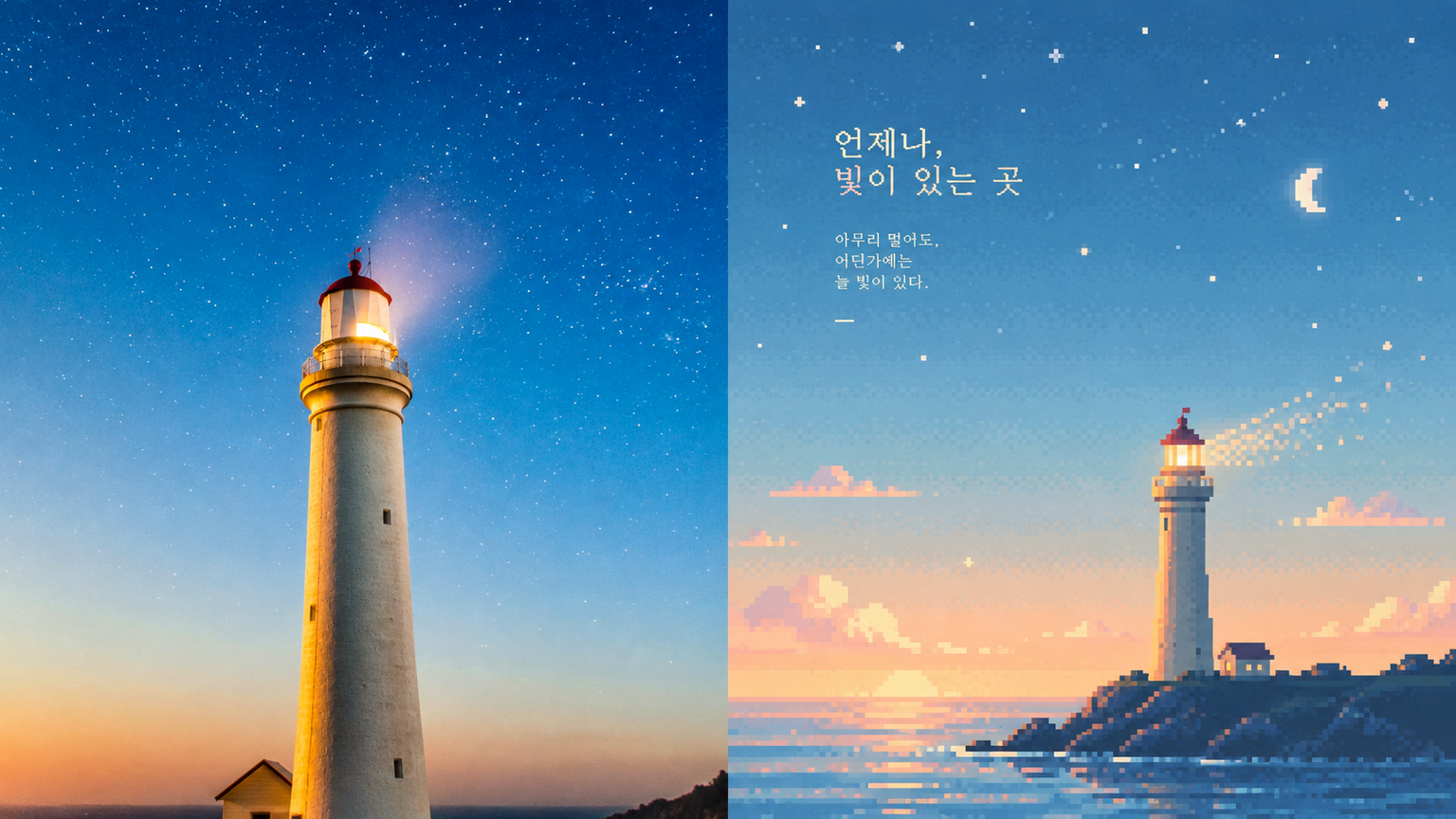
Ideal for compressing ordinary scenes into a quiet moment from a retro game world. The upper half is the original photo; the lower half reduces information while preserving its essence and silhouette. The subject may be off-center, farther away, or cropped. The sky, mist, water, or empty space carries the emotion. Colors are drawn from the most vibrant tones in the original photo and shifted to misty blue, pale cyan, mint green, creamy yellow, warm beige, and soft pink. The result is clear and warm—not gray, muddy, or highly saturated. Avoid ordinary pixel filters and overly filled-in scenes.
Recommended by
淡苍
Why we love this skill
Recasts photos as quiet, complete retro pixel art: small subjects placed in expansive skies, mist, or water, with soft low-saturation colors, sparse dithering, and subtle grain. It rejects ordinary mosaic filters for truly composition-aware pixel worlds.
Best for
For anyone who wants to turn everyday photos into quiet, warm retro pixel scenes with plenty of negative space.
How to use this Skill
Provide your input
Provide a photo or image as the source material for creating an atmospheric pixel scene.
Run the Skill
Turn an ordinary scene into a quiet retro pixel world by reducing detail and emphasizing silhouettes, negative space, and a soft mood.
Review your result
Get a pixel-style image in soft tones such as misty blue, pale cyan, mint green, and other gentle colors.
Related Skills
View all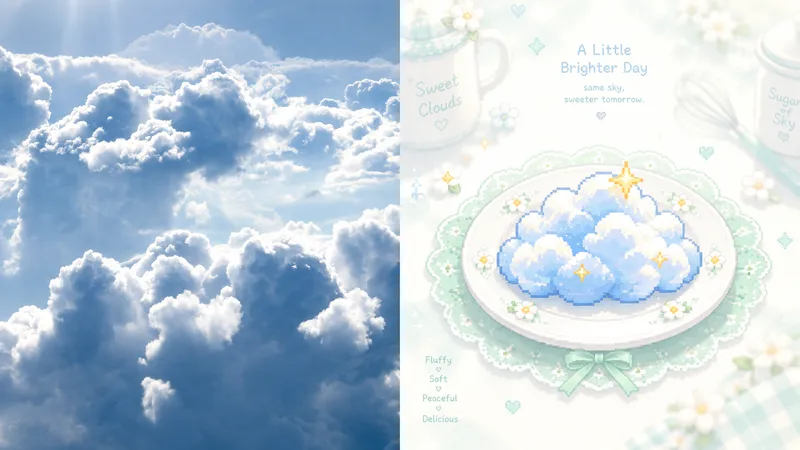 Image
ImageGPT2 x Mint Pixel Cuisine
Ideal for turning photos into light, sweet, quiet pixel art cards: culinary nostalgia, independent stationery, and exhibition vignettes. The upper half preserves the recognizable original image; the lower half reduces the subject to a single central pixel symbol on a pale ceramic plate. A soft white halo, mint-green lace, and tiny floral dots surround it. Cookware in the distance should nearly fade into white. Only the center has clear blocky pixel edges; everything else is mist, bloom, and an almost overexposed pale background. Use mint green, ivory, and cream as the base, with bright orange, coral, golden yellow, or pink appearing only as accents at the center. Avoid dark backgrounds, strong outlines, complex details, and gray, dirty-looking filters.
 Image
Imagexiaoxiaodong P154 | Pixel Zine
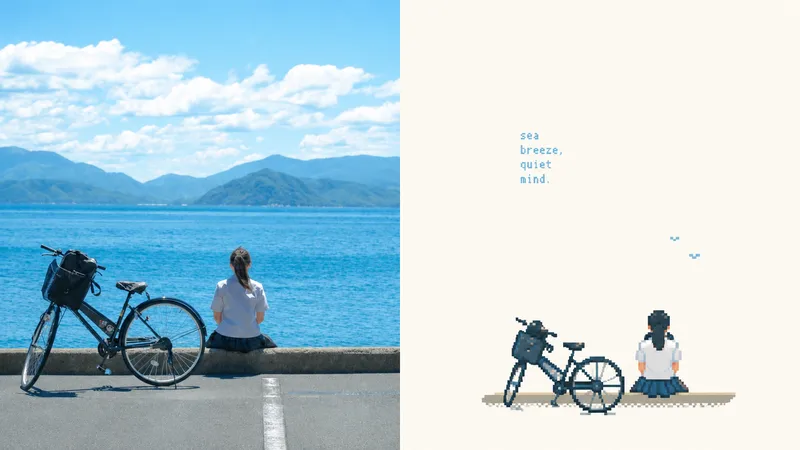
Suitable for organizing personal photography, independent publishing, exhibition practice, and lifestyle visual projects. Even when the original image has an ordinary composition, a cluttered background, or a small subject, you can reestablish its visual focus through reduction, recomposition, cropping, and changes in scale instead of simply applying a filter. The lower half extracts only the most recognizable subjects, outlines, structures, poses, and narrative relationships from the photo, then reconstructs them as low-resolution pixel art illustrations in a retro 16-bit game art style. Do not fully copy the photo or redraw every object. Instead, remove most unrelated background elements and details, preserving only the structures, directions, and visual memory cues that best represent the original subject. Use deliberate pixel clusters, hard-edged color blocks, and geometric contours to create a new summary, so the connection between the result and the photo above is immediately recognizable.
 Image
Imagexiaoxiaodong x Sketch Wash P079
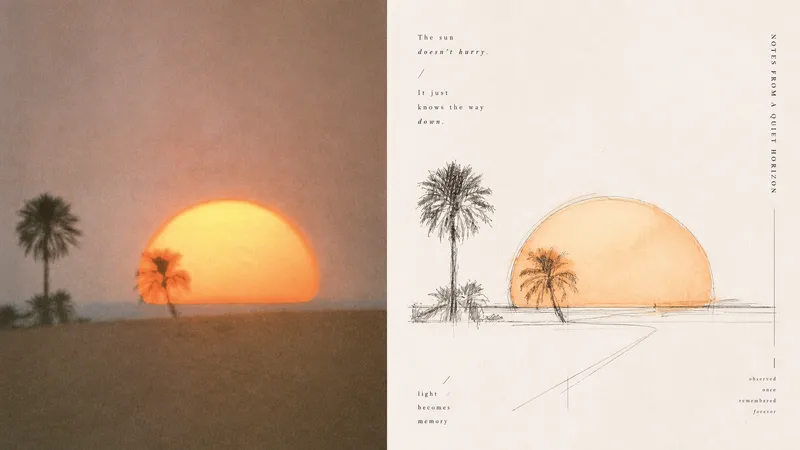
Ordinary photo outline filters mechanically copy edges; full watercolor treatments tend to fill the background, making the subject, space, and editorial rhythm feel heavy. Panel 079 keeps only the structures, spaces, gestures, and relationships in the scene most worth remembering: long straight perspective lines, angular lines, and geometric axes build a rational framework; free organic curves, searching lines, and broken lines retain a tactile feel; a small amount of transparent watercolor extracts recognizable colors from the original. Broad areas of natural paper white create air and pauses. Text follows structural lines and whitespace to join the composition, resulting in something like an art-directed architectural travel sketchbook or an independent visual publication. Best suited for these situations - **Architecture, travel, and on-site observation:** Use the strongest straight lines, turns, facets, and proportional relationships to build the space. - **You want to preserve the vitality of an “in-progress drawing”:** Embrace exploratory repeated lines, broken lines, slight misalignment, and unfinished edges. - **You want color drawn from the photo without overfilling the image:** Use a small amount of transparent wash only where needed, layering ink lines, color, and paper white. - **You need flexible delivery:** Supports portrait, landscape, design-only, multiple aspect ratios, and four-edge wallpaper formats, and can batch-process image directories.
Information
- Version
- v2
- Last updated
- Runtime credits
- Usage-based
- Models
- Auto
- Use cases
- Images & design
- What you get
- Image
- Visual styles
- Pixel art
