
Live Wallpaper Generator
Create loopable desktop live wallpaper videos with stories or ambient effects
Live Wallpaper Generator
Create loopable desktop live wallpaper videos with stories or ambient effects
Showcase
Description
This skill generates 16:9 widescreen loopable live wallpaper videos tailored for desktop computers. It can create story-driven live wallpapers featuring a short narrative, such as a character making a mess and sneezing inside the wallpaper, as well as purely atmospheric, particle, lighting, or sceneric character-free dynamic desktop backgrounds. It strictly ensures a fixed camera angle, a single continuous shot, and starting and ending visual states close enough for seamless looping while avoiding camera drift, image distortion, clipping, or malformed limbs. Users can freely input the theme, character, scene, visual effects, and duration. If no custom input is provided, it defaults to a reference case: a short video where a girl in the wallpaper sneezes, knocks off desktop icons, and guiltily picks them back up.
Recommended by
Dancang
Why we love this skill
Turn your desktop into a mini-theater of playful mishaps: create micro-plots with coherent expressions, physical interactions, and plot twists, or produce refined ambient motion graphics. Fixed camera angles, seamless looping, and stable control over desktop elements make the final videos truly ideal for continuous playback.
Best for
Ideal for users looking to create desktop live backgrounds, humorous story wallpapers, or atmospheric scene wallpapers.
How to use this Skill
Provide your input
Enter the theme, character, scene, visual effects, and duration for your desktop live wallpaper, or leave it blank to use the default humorous story example.
Run the Skill
Generates a fixed-camera, loop-ready 16:9 widescreen live wallpaper video based on your requirements, keeping the start and end states consistent for seamless playback.
Review your result
Receive a loopable live wallpaper video compatible with desktop video wallpaper tools.
Related Skills
View all Video
Desktop Theater
Transform a simple object, toy, character, or daily creative idea into an engaging short video complete with a story, camera angles, visuals, and audio. This Skill uses a professional short film director workflow to guide you through conceptualization, story design, character setup, storyboard planning, key visuals, video generation, editing optimization, and final review, producing the short video you envision. It is suitable for tabletop stop-motion, toy stories, miniature scenes, anthropomorphic objects, heartwarming shorts, creative ads, and social media short videos. It supports calling available video generation tools in YouMind to create shot by shot and integrate them into a final piece. The ultimate goal is to output a playable, downloadable MP4 video along with a cover image, subtitles, and publishing copy. Note: Stories, storyboards, and video prompts are not the final video. Completion is only marked after the video is actually generated and verified as playable. Target Audience: Video creators, AI creators, toy story creators, short video operators.
 Video
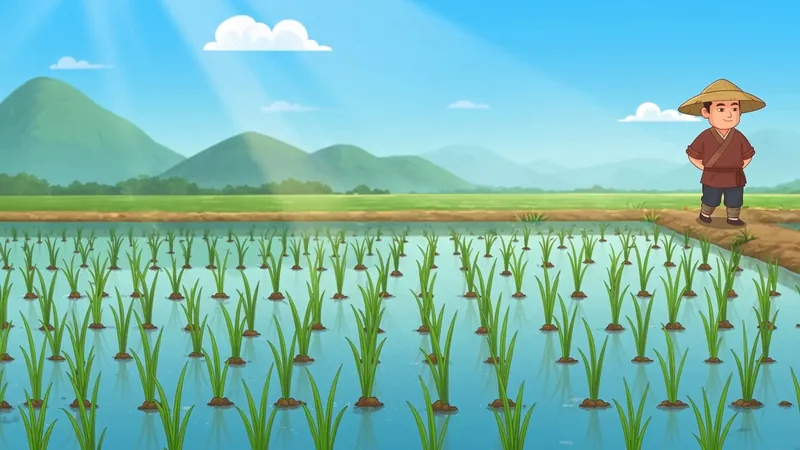
Idiom & Fable Video Maker
Quickly turn an idiom, historical anecdote, or fable into a continuous narrative storyboard script ready for video generation. Whether it’s “Waiting by a Tree Stump for a Rabbit,” “Plugging One’s Ears While Stealing a Bell,” “Sima Guang Smashes the Vat,” or an idiom you enter yourself, the Skill reconstructs the story’s setting, character relationships, key actions, and moral, then organizes them into a clear, tightly paced short-video plot. Two versions are provided by default: 15 seconds and 30 seconds. The 15-second version is ideal for quickly presenting the core plot, while the 30-second version adds environmental setup, character reactions, and climactic actions for a more complete and dramatic story. Each shot clearly specifies the emotion, framing, camera movement, and any necessary narration. Characters are given consistent visual traits to help maintain continuity across shots and work with common video generation models. All narration is written in a voiceover format—off-screen narration or spoken character dialogue—so the video model actually speaks the lines instead of rendering them as on-screen text. The default style is cartoon animation, but you can also request ink wash, paper cut, shadow puppetry, realistic, or other visual styles, or ask for only one duration. The final script is written entirely in Chinese and includes the scene atmosphere, character designs, shot descriptions, and continuity requirements. It is suitable for idiom animations, fable stories, Chinese-style short films, and traditional culture videos for children or general audiences.
 Video
Romance Green Tea Slap Video
This skill mirrors the hit creation logic of top boundary-awareness accounts, focusing on independent heroines, maintaining emotional boundaries, and delivering satisfying takedowns of overstepping green tea characters, double-standard scumbags, and entangled exes in AI short videos. It follows a proven viral formula: realistic pain points, boundary-crossing crisis, holding the line, and a clear-headed conclusion. Without needing a professional screenwriter or filming crew, simply input your story theme or conflict plot to receive a complete, ready-to-copy production package: IP character settings and three-view prompts, a full short-video script, hook intro, rising conflict, impactful closing quote, first-frame cover prompt, 6-grid storyboard prompts, image-to-video prompts, and a directly generated full video. Designed for 15-to-120-second TikTok and Kuaishou emotional short dramas, it features a Pixar 3D semi-realistic cartoon style with strong emotional resonance, satisfying counter-attacks, and high completion rates. It supports monetization through ad revenue sharing, short-drama distribution, and commercial placement, letting beginners produce videos effortlessly.
Information
- Version
- v3
- Last updated
- Runtime credits
- Usage-based
- Models
- Auto
- Use cases
- Images & designVideo & audio
- What you get
- Video
- Visual styles
- Photorealistic
