AI Video Ad Scenario Architect
3 Ad Concepts to a Ready-to-Use Script PDF
AI Video Ad Scenario Architect
3 Ad Concepts to a Ready-to-Use Script PDF
Showcase
Description
Upload a product image or provide a product/model name. AI Video Ad Scenario Architect researches the product, identifies verified features, and turns them into creative advertising opportunities. The Skill first builds the Product Creative DNA, then uses the Creative Diversity Engine to generate 3 genuinely different ad directions. You can choose one, combine ideas, or introduce your own concept. If you want more control, Collaborative Mode lets you refine the selected direction together with the AI. For identifiable products already on the market, the Skill researches the web, prioritizes official sources, resolves conflicting information, and prevents unsupported technical claims from entering the script. When you upload a product image, Product Identity Lock preserves key visual details such as color, silhouette, logo placement, and distinctive product features for later production stages. After your chosen direction is approved, it is developed into a complete video ad scenario with scene timing, dialogue, visual direction, product visibility, sound design, payoff, and an optional CTA. The final deliverable is a structured PDF. It is not just a readable script: it also includes Verified Sources, Product Identity Lock, Production Context, and a Universal AI Continuation Prompt. You can give the PDF to another capable AI assistant and continue with image generation, image-to-image, image-to-video, voice, sound, and editing planning. You can also pass the same PDF into an optional AI Video Ad Production Workflow for a more advanced production pipeline.
Best for
Advertisers, marketers, and creative teams developing evidence-aware video ad concepts and production-ready scripts, with Turkish-language communication.
How to use this Skill
Provide your input
Provide a product image or product/model name, plus any useful campaign details such as audience, platform, duration, objective, tone, or key feature.
Run the Skill
The Skill researches identifiable products when possible, separates supported claims from uncertainty, develops three distinct ad concepts, and refines your selected direction.
Review your result
Receive a structured video ad scenario PDF with scenes, dialogue, visual and sound direction, product identity guidance, sources, and a continuation prompt for production planning.
Related Skills
View all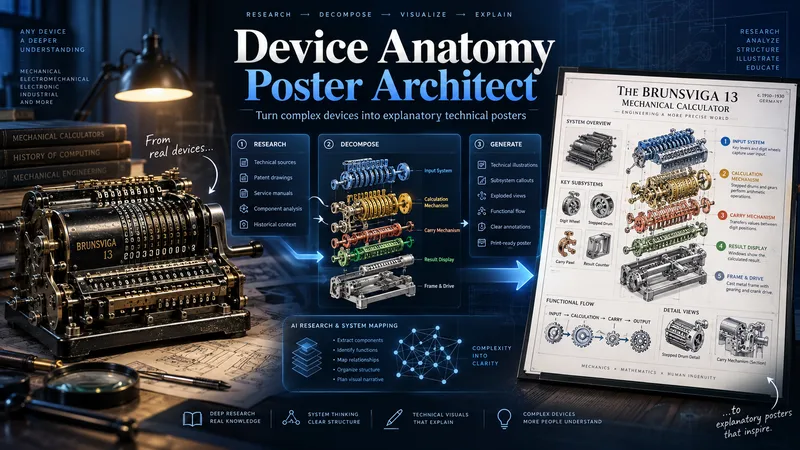 Image
ImageDevice Anatomy Poster Architect
Turn complex machines, tools, and devices into clear, educational technical posters. Provide a device name, model, reference image, cutaway, or technical photo. The Skill first researches the device’s real structure and working principle, then identifies its critical components, functional subsystems, operating sequence, and relevant power, fluid, signal, or material flows. Instead of producing a generic labeled cutaway, it reconstructs the device for teaching: separating dense mechanisms, exposing hidden relationships, organizing subsystems, and adding focused detail views where needed. You receive three genuinely different visual directions: Clean Hierarchical — structured, precise, highly readable engineering infographic. AI Artistic Creative — dramatic, spatial, mechanism-driven technical visualization. Hybrid Technical — premium 3D realism combined with modular engineering-diagram clarity. Each direction comes with its own fully independent, detailed English production prompt. The prompts share the same verified technical foundation but use different compositions, viewpoints, decomposition strategies, and visual storytelling. The workflow and visible poster text follow your language by default. Image-generation prompts are written in English for stronger production reliability. Nothing is generated automatically: review the three directions, choose one or request revisions, then proceed to final poster generation and technical quality validation.
 Image
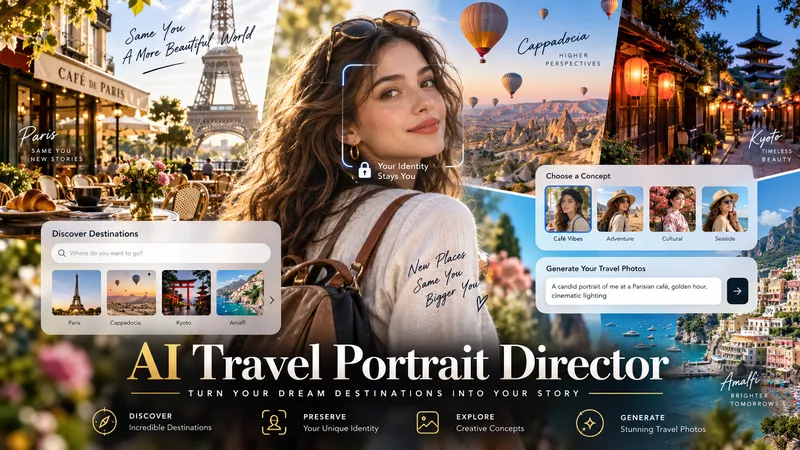
ImageAI Travel Portrait Director
Turn a single character reference into a complete AI travel-photo workflow. AI Travel Portrait Director acts as a virtual travel photographer, destination researcher, and scene director. It preserves the character’s recognizable identity while helping you create believable, destination-specific travel portraits that feel like real photography—not a person pasted onto a tourist background. The skill can: - Analyze a reference image and set identity/style controls - Research current destinations, seasonal hotspots, and photogenic locations - Adapt instantly when you already know the exact destination - Create 10 distinct photo concepts with varied poses, actions, lighting, camera angles, and outfits - Build detailed production-ready image-to-image prompts in English - Preserve facial identity across styling and location changes - Check realism, perspective, lighting, anatomy, scale, and environmental consistency - Generate selected images when supported and explicitly approved You stay in control at each important step: choose the destination, select the concepts you like, review the prompts, and decide whether to generate images. Ideal for personal travel portraits, AI influencers, virtual models, social media creators, and character-based visual projects.
 Image
ImageProductFilmPromptGen
This tool is designed to help users create cinematic-quality ad films for their products. Based on the product information you provide, it intelligently generates a complete set of high-end cinematic AI film prompts — including storyboard poster image prompts and video generation prompts — making it ideal for brand marketers and creative professionals who want to move audiences through atmosphere and emotion rather than product specs. By deeply analyzing product characteristics and brand tone, the tool determines the rhythm direction, visual system (color palette, lead character), and designs a 12-shot sequence with a complete emotional arc. It operates on the philosophy of "low information density, high emotional density" — keeping the focus on light, atmosphere, and texture rather than direct product showcasing. Users simply provide basic information such as product type and brand name. The tool then auto-completes or generates any missing brand taglines, and selects the most fitting descriptors from a rich keyword library to build prompts that are both specific and artistically compelling. The final output includes a detailed product analysis alongside two standalone, ready-to-use prompts for AI image and video generation tools — making it easy to produce captivating brand content.
Information
- Version
- v7
- Last updated
- Runtime credits
- Usage-based
- Models
- Auto
- Use cases
- Writing & contentVideo & audioMarketing & growth
- What you get
- DocumentScriptPrompt
