
AFP-PPT Smart Engine Max
Doc, web, link→Slides & web PPT, hi-fi images
AFP-PPT Smart Engine Max
Doc, web, link→Slides & web PPT, hi-fi images
Showcase
Description
Converts any document, webpage, or topic into a McKinsey-style professional PPT—dual output of Slides and web PPT with an auto-guided six-phase gated process. Supports three interaction modes: Quick, Smart, and Full. Includes 20 Iron Laws quality checks, a creativeBrief-driven web version (claude-4-6-sonnet + 01E-6 detailed design instructions = optimal combination), high-fidelity image extraction, table fidelity chain, six scenario templates, model smart routing, and visual fingerprint anchors.
Related Skills
View all
Doc to PPT · Multi-Style
Convert Word documents into professional PPTs with one click. Freely switch between three styles: White Background Business (enterprise data visualization), Minimalist White (clean and efficient presentations), and Green Fresh (notebook infographic style). Automatically recognizes document structure, intelligently extracts titles/data/charts, with full-screen professional design. Suitable for business reports, project proposals, data analysis, and more.
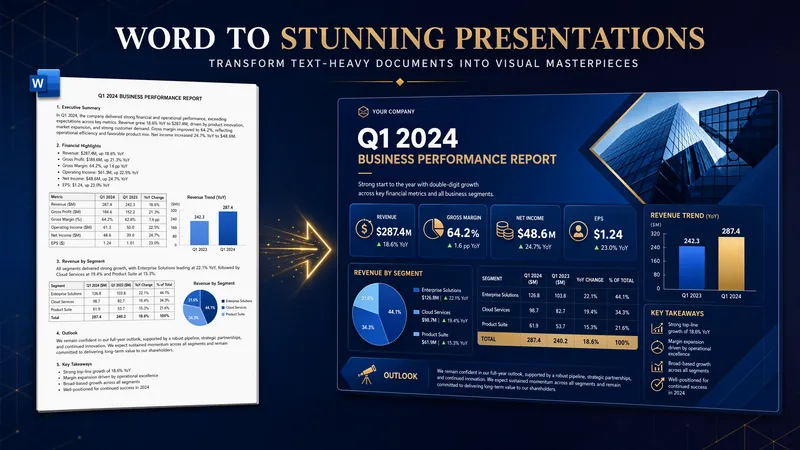
Convert Word Documents to PPT
Faithfully converts Word documents into client-ready, reading-oriented PPTs. Using semantic density segmentation, it intelligently paginates while strictly preserving the original content and order (zero alteration). Users can freely combine 16 visual styles with 6 generation models, and select image/text assets with true embedding of original images. Title provenance locks onto original titles, and a three-tier content fidelity audit (full entity coverage, full argument retention, paragraph fidelity ≥95%) works with a four-dimensional self-check (Tao, Method, Technique, Tool) and a page-by-page intelligent audit loop to ensure the final deliverable is well-illustrated, consistent in style, and leaves out no content.
 Slides
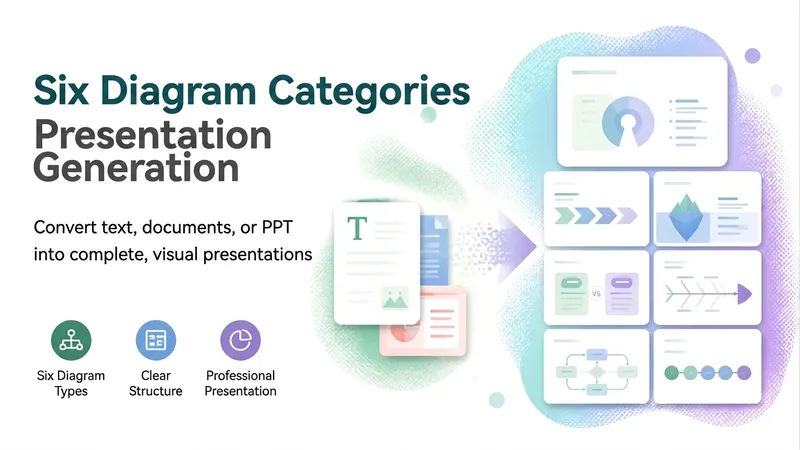
Diagram Presentation Generator
Transform text, documents, or existing Slides files into a ready-to-deliver presentation that retains original facts, data, and core conclusions while reorganizing slide structures based on content and context. Choose from key diagrams, arrow diagrams, iceberg diagrams, comparison diagrams, fishbone diagrams, or flowcharts to present your main content through clear visual relationships for key elements, directions, symptoms and underlying factors, current states versus goals, categorized issues, or action stages. During generation, the Skill adjusts colors, fonts, and visual styles based on your theme, audience, industry, and brand requirements, ensuring consistent covers, tables of contents, content pages, and endings without rigid template repetition, while keeping text, units, timelines, and logic accurate and clear. It will not fabricate numbers, causal relationships, sequences, or conclusions lacking source support, and will clearly point out missing information if a file cannot be read or key details are insufficient. You will receive a complete Slides file or accessible link rather than just a text outline, along with explanations of the chosen diagram type, important material gaps, and actual editability. It is ideal for project reporting, proposal explanations, business summaries, workflow planning, and information visualization.
Information
- Version
- v3
- Last updated
- Runtime credits
- Usage-based
- Models
- Auto
