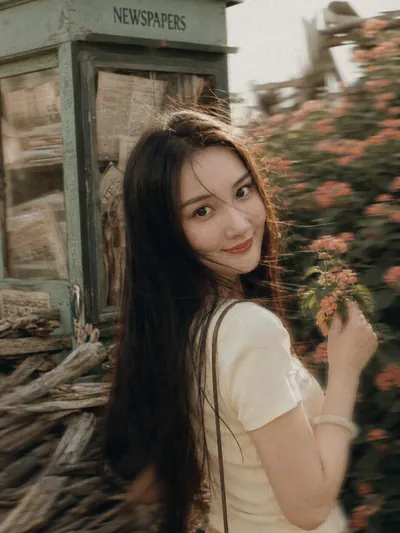
Vintage Film Photography
Turn portraits into cinematic film scenes
Vintage Film Photography
Turn portraits into cinematic film scenes
Showcase
Description
Transform your photos into highly narrative vintage film stills, with a particular focus on the nostalgic colors and texture characteristic of Fujifilm film. By blending cinematic grain, realistic light and shadow depth, and soft color grading, it gives your portraits a distinctive atmosphere where modern and classic styles intertwine.
Recommended by
Shuting@YouMind
Why we love this skill
Transforms portraits into narrative Fujifilm-inspired imagery, blending grain, backlight, motion trails, and ghostly afterimages into dreamy, cinematic scenes with a warm vintage feel.
Best for
Creators who want to turn portraits into nostalgic, cinematic visual pieces with a strong sense of story.
How to use this Skill
Provide your input
Upload a photo that includes a person.
Run the Skill
Apply a vintage film photography effect with nostalgic colors, cinematic lighting, and a grainy texture.
Review your result
Generate a portrait with a narrative vintage film atmosphere.
Related Skills
View all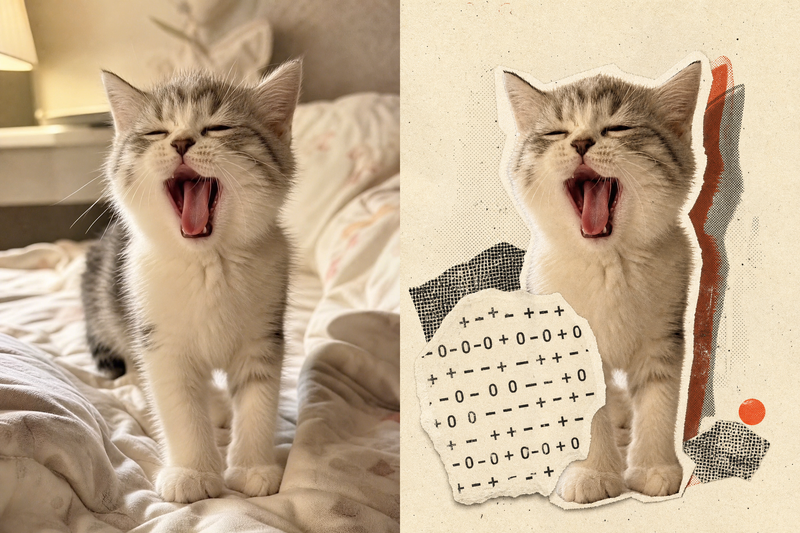 Image
ImageRetro Collage Art
This Skill transforms your uploaded photos into visually striking vintage archival artworks, with a particular focus on portraits, still lifes, and landscape photography. Using distinctive “garbled sticker” and “print glitch” styles, it creates a dynamic visual reinterpretation while carefully preserving the original subject’s outline, pose, and position. The system precisely identifies the main subject and uses warm-white, fibrous-paper garbled silhouettes, halftone dot backdrops, and offset same-shape patches to create the visual rhythm of a handmade collage. Visually, this Skill aims for an authentic archival feel, with fine paper grain, screen-printed ink marks, and photocopy noise. Subtle registration shifts and localized fading add the warm, oxidized feeling of an old archive, while retaining about half of the original colors and key visual cues. This approach keeps the subject recognizable while using the contrast of black, warm white, and accent colors from the original image to create a visual style that feels both avant-garde and nostalgic. It is ideal for creating distinctive art posters, personalized social media avatars, or design-forward visual assets.
 Image
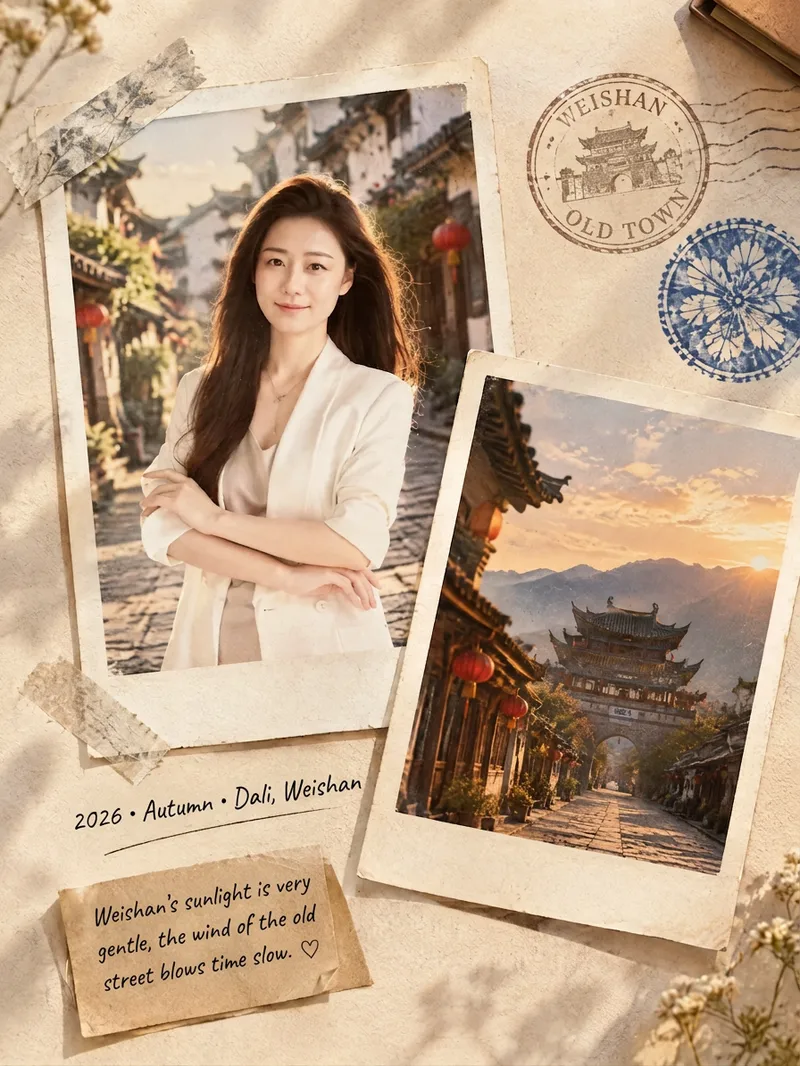
ImageFilm Journal Log
Turn everyday snapshots, restaurant visits, travel records, or personal reflections into nostalgic film journal posters with a story to tell, along with heartfelt copy for Xiaohongshu and Moments. Whether the subject is a portrait, landscape, food, or still life, the design matches a fitting film color palette and lifestyle atmosphere based on the main subject, location, season, and mood. When you provide text only, it can also imagine a corresponding travel or slow-living scene from your description. Each finished piece centers on a 3:4 Polaroid collage, combining the white border of matte photo paper, handwritten dates and locations, washi tape, vintage stamps, sticky notes, and delicate paper textures. The result captures natural light and shadow, authentic grain, and the layered feel of a real-life flat lay—perfect for moments such as a café afternoon, a street market at night, a camping stroll, or a seaside road trip. When you upload a portrait, it will preserve the person’s recognizable facial features, expression, hairstyle, and clothing as much as possible. When you upload a scene photo, it will retain distinctive details such as the architecture, tableware, and original colors. You’ll receive a polished film journal visual poster, a concise design note, and social media copy with a title, body text, and hashtags. Make travel memories, restaurant discoveries, and everyday moments easier to share—and more worth keeping.
 Image
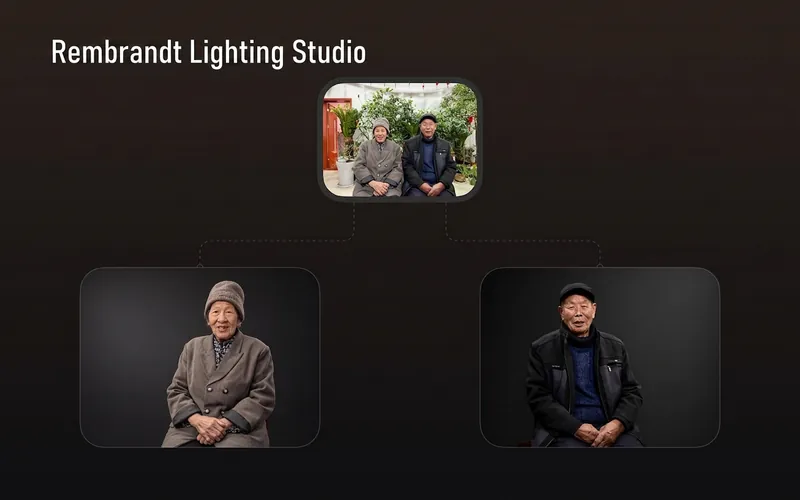
ImageRembrandt Studio Portrait
Transform ordinary photos of people or pets into Rembrandt-lit portraits with realistic studio lighting, strong chiaroscuro shaping, and a cinematic look. The skill automatically selects lighting suited to the original photo, based on a person’s frontal, profile, or three-quarter view, or on a pet’s facial and fur structure. It will not distort the nose shadow or facial features just to create a “Rembrandt triangle of light.” By default, people retain their identity, age, expression, skin tone, clothing, and accessories. Pets retain their breed, coat color, markings, ears, eyes, and body structure. Small adjustments to the camera angle, shoulder line, head direction, and composition are allowed to make an ordinary photo feel like a genuine new studio session, while avoiding a stiff, cutout, or memorial-portrait look. The original photo’s aspect ratio and orientation are preserved by default; a 1:1 headshot is not required. The skill also supports 1:1 headshots, 4:5 social portraits, 3:4 classic portraits, 2:3 print formats, 3:2 photographic landscapes, 4:3 general landscape images, and 16:9 cinematic covers. When the aspect ratio must change, it prioritizes cropping irrelevant background. If hair, ears, chin, hands, paws, or tail might be cut off, it extends the clean studio background instead. The background uses a clean, smooth, noise-free gradient from deep charcoal gray to inky black, aligned with the direction of the key light. Film grain, sensor noise, mottling, paper texture, smoke, glow, banding, and AI-generated compositing textures are explicitly prohibited. Suitable for: people portraits, pet portraits, profile photos, social media covers, editorial portraits, family photo upgrades, and cinematic studio transformations.
Information
- Version
- v4
- Last updated
- Runtime credits
- Usage-based
- Models
- GPT Image 2
- Use cases
- Images & design
- What you get
- Image
- Visual styles
- CinematicRetroPhotorealistic
