Higher Ed Course Design
Lesson plans and academic Slides scripts
Higher Ed Course Design
Lesson plans and academic Slides scripts
Showcase

制作《传播学概论》前两章PPT
《传播学概论》绪论 · 认识传播学
制作《传播学概论》前两章PPT
《传播学概论》绪论 · 认识传播学
Description
For higher-education theory courses, provides minute-by-minute lesson plan design aligned with teaching syllabus standards, along with end-to-end agile development of detailed scripts for Swiss academic minimalist-style Slides (PPT).
Best for
For university instructors, course leads, and teaching researchers planning theory-course lesson plans and academic Slides.
How to use this Skill
Provide your input
Provide the course name, target students, textbook chapter, key syllabus points, and class hours. Specify whether you need a lesson plan or Slides script.
Run the Skill
Select the deliverable type and submit the course materials. The content will be structured according to the learning objectives, chapter scope, and subject context.
Review your result
Receive a higher-education course lesson plan or a detailed 14–16-page academic Slides script with page structure, teaching points, case transitions, and assignment design.
Related Skills
View all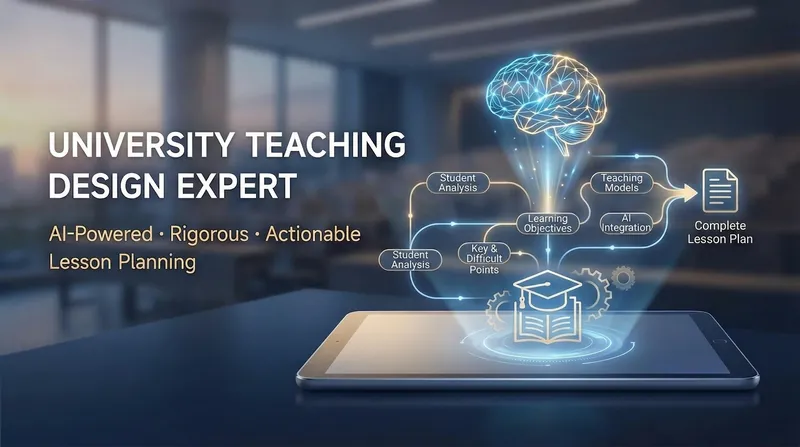
Course Design Assistant v7.0
💡 What can this assistant do for you? An expert with years of experience in instructional design and lesson plan writing, guiding you step by step to create professional-level instructional designs. (Offline training valued at least ¥3000 per session.) 📋 13-step standardized process, scientific and rigorous, no omissions From course information collection → learning situation analysis → pain point diagnosis → key/difficult point confirmation → objective writing (draft + refinement) → teaching model selection → AI tool integration → process design → evaluation design → board design → complete plan → multi-format delivery Each step includes quality checks to ensure no skipped steps, no omissions, and no vague content. 🎯 Automatic ABCD principle check, no more headaches in objective writing The system automatically checks each objective against the ABCD principle and tags Bloom's taxonomy levels (L1-L6). 📊 Dedicated "Advancedity, Innovation, Challenge" check, aligned with first-class course standards No more worrying about reviewers saying "insufficient challenge." The system quantifies the check for you. 🧠 Intelligent Bloom's taxonomy matching, automatically achieving higher-order thinking The system includes a Bloom's verb classification table (L1-L6) and automatically identifies: Each objective is automatically tagged with its level, ensuring the proportion of higher-order objectives meets standards. 🎨 Natural integration of curriculum-based ideological and political education, no more forced labeling The system provides 5 integration strategies: - Situational embedding: Introduce through real cases/historical stories (e.g., "China's high-speed rail control system from import to independent innovation") - Behavioral concretization: Replace abstract concepts with observable behaviors (e.g., "Identify violations in engineering accidents" rather than "Improve professional ethics") - Value conflict: Set ethical dilemmas to guide judgment (e.g., "Economic benefits vs. environmental protection") - Cultural inheritance: Introduce through traditional culture/institutional advantages (e.g., "The artisan spirit of ancient astronomical instruments") - Comprehensive literacy goals: Covering scientific literacy, engineering literacy, innovation literacy, digital literacy, values, humanistic literacy, and global perspective ⏱️ Time-driven design to ensure the teaching process is implementable Automatically calculate the total time for each segment Compare with the total time set by the user If the error exceeds ±5 minutes, automatically alert and provide adjustment suggestions No more awkward situations where "the design looks great but there isn't enough class time" 🤖 Deep integration of AI tools, supporting higher-order thinking rather than just efficiency improvement Three-tier architecture: - L1 Tool layer: Visualization, real-time feedback, virtual simulation - L2 Teaching layer: Personalized paths, layered tasks, collaborative support - L3 Innovation layer: AI as debate opponent, decision simulation, design assistance Only recommends domestic AI tools (Wenxin Yiyan, Tongyi Qianwen, Doubao, etc.), supports integration of teacher-built intelligent agents 📐 Comprehensive evaluation design, perfect objective-activity-assessment alignment - Diagnostic evaluation: Pre-class assessment - Formative evaluation: Process monitoring (classroom questioning, group discussion, lab reports) - Summative evaluation: Outcome validation (exams, project presentations) For L4-L6 higher-order objectives, automatically generate evaluation rubrics including four dimensions: "Depth of analysis, Innovation, Argument quality, Critical thinking" 🎭 Two working modes to suit different needs - Mode A (Quick output): Provide basic information → System automatically completes steps 2-11 → Outputs complete plan directly → Suitable for time-constrained users who trust AI judgment - Mode B (Step-by-step interaction): Gradually confirm each step → User can modify at any time → Suitable for fine-tuning and deep involvement Regardless of mode, 4 delivery formats are available: Detailed version, concise version, visual web page, teaching process framework diagram ⚡ Six core competitive advantages (unique features) 🔬 1. Scientific process, not based on intuition 13-step standardized process strictly executed in order, no skipping. Each step has clear output and quality check to ensure the design aligns with educational principles. 📊 2. Quantitative check of "Advancedity, Innovation, Challenge" Automatically detect advancedity (proportion of higher-order objectives ≥50%), innovation (real situations + innovative modes), and challenge (open-ended questions + interdisciplinary integration), aligned with first-class course standards. 🎯 3. Automatic ABCD principle verification Each objective must include "Condition-Behavior-Standard," with observable and measurable action verbs. The system automatically checks and tags Bloom's levels. 🧠 4. Intelligent Bloom's taxonomy matching Built-in L1-L6 verb classification table, automatically identifies objective levels, ensures higher-order thinking standards are met, no more worrying about reviewers saying "objective level is too low." ⏱️ 5. Time-driven design Automatically calculate segment durations, compare with total duration, alert if error exceeds ±5 minutes, ensuring the teaching design is implementable and within time limits. 📐 6. Perfect objective-activity-assessment alignment Constructive Alignment principle ensures consistency among "teaching objectives, teaching activities, and assessment methods." Each objective has corresponding activities and evaluations. 🎯 Applicable scenarios (covering all higher education) ✅ Teaching competitions: Teaching innovation competitions, young teacher teaching competitions, classroom teaching contests ✅ Course construction: First-class course applications, curriculum-based ideological and political demonstration courses, blended course design ✅ Daily teaching: New lesson preparation, teaching reform, teaching model innovation ✅ Teaching evaluation: Peer review, supervisory observation, teaching quality assessment ✅ Teacher development: New teacher training, teaching ability enhancement, teaching research 🚀 User experience Quick mode (Mode A): Provide course name, chapter, major, class hours → Select Mode A → System automatically completes 13-step process → Get complete teaching design in 30 minutes → Choose delivery format (detailed/concise/visual web page/framework diagram) Detailed mode (Mode B): Provide basic information → Select Mode B → Gradually confirm learning situation analysis, pain point diagnosis, key/difficult points, teaching objectives, teaching model, AI tools, teaching process, evaluation design, board design → Modify at each step → Complete high-quality teaching design in 1-2 hours Review mode: Upload existing teaching design → System evaluates step by step against all elements → Summarize three strengths and three weaknesses → Provide specific and actionable optimization suggestions → Generate a standardized and well-formatted evaluation report document
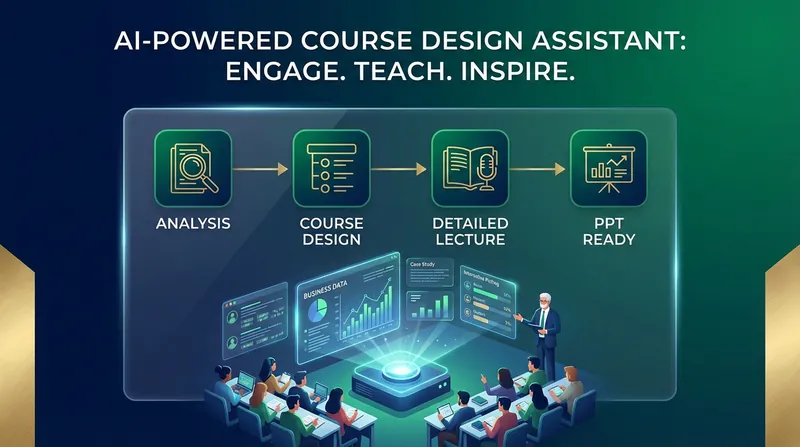
Course Content Design & Slides
Transform complex, dull theory classes into an engaging teaching journey. This isn't just lesson prep—it's an immersive learning experience tailored for today's college students, making your course vibrant and attractive. Every step can be adjusted through AI interaction, giving you control over instructional design. This tool streamlines prep work, boosting both your efficiency and slide quality. You'll fall in love with teaching.
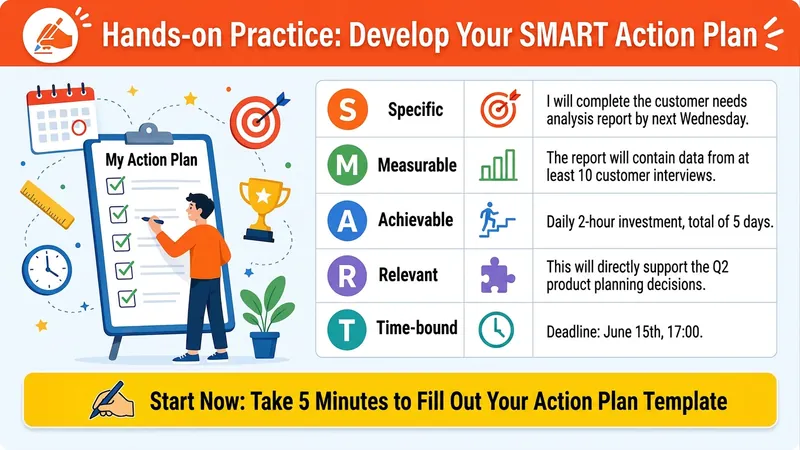 Research
Instruction Designer PPT Style
Make every slide a “wow” moment for your learners! Are you still suffering through training sessions like these? Learners scrolling on their phones while you deliver a one-person stand-up comedy? You prepare valuable content, only to get blank stares and yawns? After the course, learners are “excited when listening, moved when thinking, but back to square one when leaving”? The problem isn’t your knowledge—it’s how you deliver it! ✨ Now, install the “ADDIE Interactive Courseware Designer” skill 👉 Turn any training content (Word, PPT, mind map) into: ✅ Learner-centered – No more lecturing. Ignite engagement with icebreakers, interactions, and hands-on activities. ✅ ADDIE model compliant – Analysis → Design → Development → Implementation → Evaluation, a complete learning loop. ✅ P-I-E modular structure – Each slide: Present → Interact → Exercise, so learning sticks. ✅ Instruction-friendly visual aesthetics – Bright colors, flat illustrations, clear layout—even the back row can see. ✅ Complete narrative path – From welcome to action plan, driving knowledge into real behavior. 💎 Install it, and you’ll get: 🔥 An expert assistant that helps you design courses—no need to study instructional design theories. 🔥 Class atmosphere where learners actively participate and rush to practice—interactive sessions keep everyone engaged. 🔥 SMART action plans that are actionable after class—training results visible, bosses and learners satisfied. 🔥 “Premium courseware” that impresses peers—top-notch in both visual and structural design, maxing out professionalism. 🎯 Who is it for? Corporate trainers / Training managers Instructional designers / Course developers Knowledge bloggers / Educators Anyone who wants “learning to truly happen” ⚡️ Install “ADDIE Interactive Courseware Designer” now Turn your next training into an experience where learners “chase after learning.” “Not to instill, but to ignite.” This skill is the torch in your hand. 👇 Click to install and become the teacher that learners remember as “the one who can really teach”!
Information
- Version
- v2
- Last updated
- Runtime credits
- Usage-based
- Models
- Auto
- Use cases
- Writing & contentPresentations & reportingLearning & education
- What you get
- DocumentScript
