
Meeting Recording Distiller
Turn transcripts into reusable assets
Meeting Recording Distiller
Turn transcripts into reusable assets
Showcase
Description
Turn the transcript of a meeting, class, interview, or podcast into a knowledge asset designed for long-term reuse: first map the meeting structure, then capture six types of material cards, review each card through three value checks, and compile everything into an asset book with a summary, decision log, action list, disagreements and risks, reuse index, and relationship map. It also includes a de-identification check before external sharing. Suitable for internal retrospectives, project handoffs, and training documentation.
Best for
Team members, training coordinators, or content editors who need to preserve meeting outcomes, action items, and project experience.
How to use this Skill
Provide your input
Provide a recording or transcript of a meeting, class, interview, or podcast, and explain the context, audience, and information you most want to preserve.
Run the Skill
Organize the content by topic, extract reusable information, and check its usefulness, reusability, and reliability.
Review your result
Create a knowledge asset book with a summary, decision log, action list, disagreements and risks, reuse index, and relationship map. Flag sensitive information before external sharing.
Related Skills
View all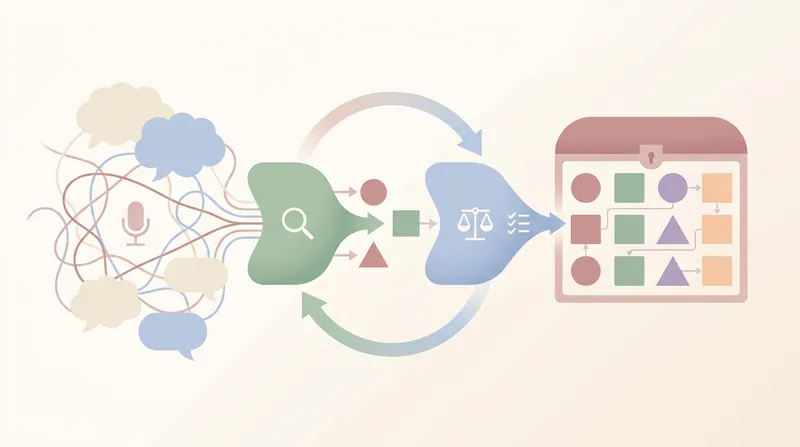 Research
Meeting Asset Extractor
Turn transcripts from meetings, courses, and interviews—including Feishu Minutes smart notes and raw verbatim transcripts—into 8-section structured information asset notes. Using a dual-core engine (Extractor for extraction + Evaluator for validation), a three-step value decision tree, and a SafeLoop calibration cycle, it produces reusable knowledge assets with a Mermaid asset relationship diagram.
Content Reconstruction Expert
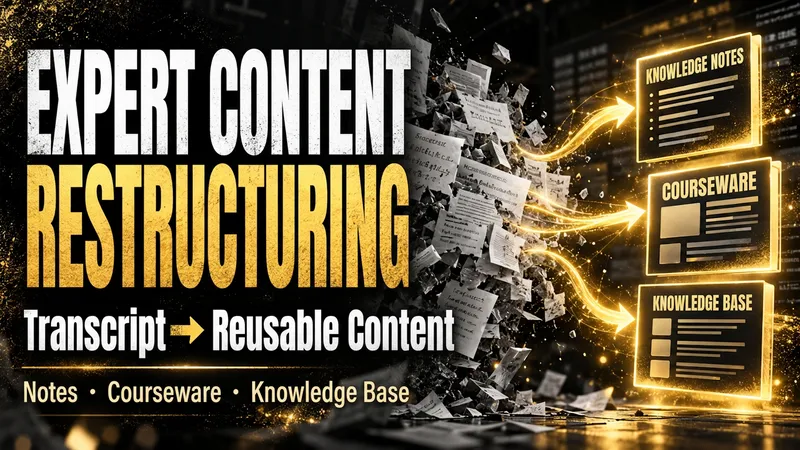
After an expert course, training session, interview, or meeting, what remains is often a long, messy transcript that is difficult to use again. The Expert Content Reconstructor fully restructures existing text into genuinely usable content deliverables. It does not produce a summary that keeps only the conclusions; it preserves definitions, explanations, examples, conditions, figures, limitations, steps, and conclusions, then reorganizes them into a clear knowledge hierarchy. You can use it to: - Turn transcripts of expert courses into reusable knowledge notes; - Turn training materials or speeches into course outlines, course content, and PPT page copy; - Turn interviews, articles, or meeting notes into structured articles, knowledge base entries, or team documents; - Organize multiple materials into searchable, traceable knowledge packages. You only need to provide the existing text and explain who will read it, how deeply it should be organized, and what output format you prefer. You will receive: - Complete knowledge notes, articles, course outlines, course content, or PPT page copy; - Clear heading levels, paragraphs, lists, and necessary terminology explanations; - Teaching notes that students can study directly, without retaining paraphrasing such as “the speaker says” or “the course will cover”; - Structured content that can be delivered directly to clients, teams, or a knowledge base; - Source logs, content ledgers, glossaries, quality reports, and retrieval chunks as needed; - No compression of useful content simply for brevity, and no added viewpoints, examples, or conclusions that are not present in the source material. Suitable for organizing existing written materials; Does not handle audio recognition or generate transcripts from audio.

Meeting Minutes Expert
Organize meeting recordings, speech transcripts, or rough notes into structured meeting minutes with one click: automatically extract key decisions, action items (responsible person + deadline), pending issues, and risks. Supports converting spoken language to written language, relative date conversion, and sensitive phrase warnings. First produces a detailed master version, then generates on demand: a concise version for WeChat/email, a task tracking table version, follow-up message templates grouped by responsible person, or a PPT presentation version.
Information
- Version
- v3
- Last updated
- Runtime credits
- Usage-based
- Models
- Auto
- Use cases
- Writing & contentResearch & analysisBusiness & strategy
- What you get
- ReportDocumentDiagram
