
Teacher Meme Script Generator
Quick teacher tool for student meme scenarios
Teacher Meme Script Generator
Quick teacher tool for student meme scenarios
Showcase
Description
Students using memes in class no longer require an immediate angry response. When a student suddenly says 'So what?', 'Just take it', or 'Can't do it', a teacher's angry outburst can cause laughter and confrontation; ignoring it can lead to classroom rules being broken. Student memes can sometimes lighten the mood, but may also be a way to avoid criticism, refuse tasks, disrupt the class, or even hurt peers. This Skill is designed for primary and secondary school homeroom teachers, subject teachers, moral education teachers, guidance counselors, and school administrators. Simply select the student's grade level, meme scenario, type of internet meme, number of students involved, frequency, and consequences, and the system will automatically generate: - Nature of the incident and risk level; - 10–30 second in-class immediate response scripts; - Outline for after-class individual conversation; - Alternative appropriate expression suggestions; - Home-school communication text; - Class language education activities; - Indication of peer harm or bullying risk. This Skill is developed from teaching experience, student communication observations, and real family education scenarios. It is not about simply 'controlling students,' but helping teachers quickly assess, maintain classroom order, guide after class, and identify peer harm risks when necessary.
Related Skills
View all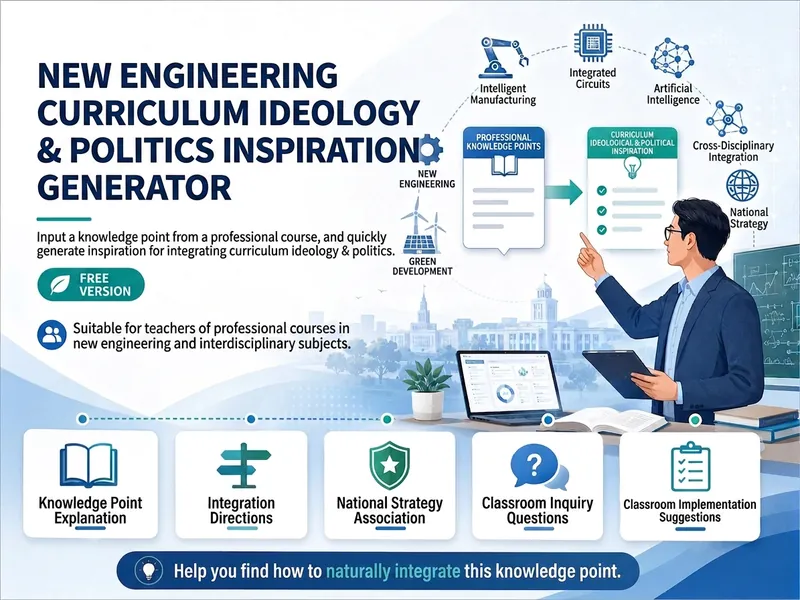
Course Ideological Inspiration
Many teachers of new engineering courses know the importance of ideological and political education in courses, but they don't know how to integrate it into their specific knowledge points, how to avoid forced elevation, or where to start in class. This Skill is designed for teachers of new engineering and interdisciplinary courses such as intelligent manufacturing, smart materials, mechanical engineering, automation, computer science, artificial intelligence, electrical control, and materials science. It helps you start from a specific knowledge point and quickly gain inspiration for ideological integration. Simply enter the course name, chapter/knowledge point, and target audience, and I will generate: - A brief explanation of the knowledge point; - 2-3 natural integration directions; - Related national strategies or real-world context; - 3 thought-provoking classroom questions; - A short suggestion for classroom use. This free version is suitable for teachers to quickly assess whether a knowledge point has room for ideological integration. If you need a complete plan including case materials, question chains, 1-minute/3-minute teaching scripts, student activities, lesson plan/PPT embedding suggestions, and three-dimensional evaluation methods, you can use the paid version: 'New Engineering Course Ideological Integration Plan Generator'. This Skill is suitable for: - Teachers of new engineering courses trying ideological integration for the first time; - University teachers revising lesson plans, PPTs, or instructional designs; - Teachers who want to quickly find an entry point for ideological integration but do not yet need a complete plan; - Teachers of courses in intelligent manufacturing, smart materials, mechanical engineering, automation, computer science, artificial intelligence, materials, etc.
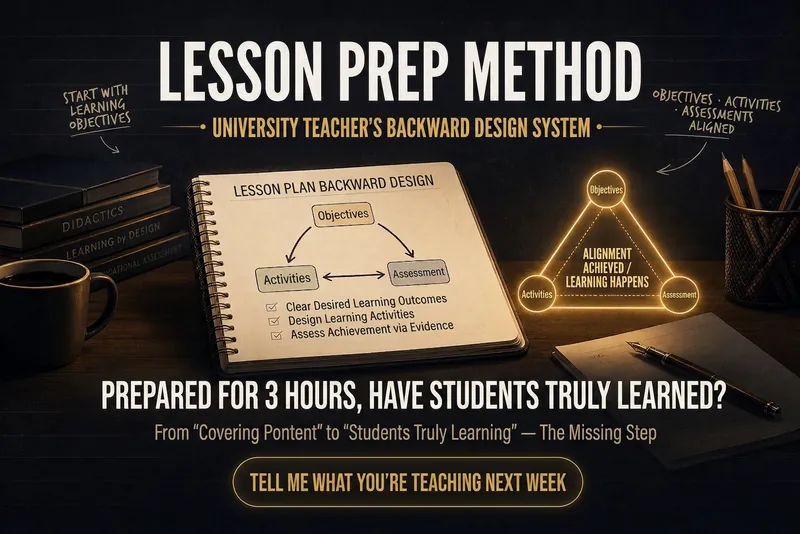
Backward Design for Lessons
‼️ Have you ever had this feeling?— You spend three hours preparing a lesson, your PPT looks great, you deliver it smoothly on stage, but afterward, there's an indescribable emptiness: Did the students really learn? It's not that you didn't try hard enough. It's because you've fallen into the most hidden trap in higher education: Confusing "covering content" with "completing teaching." Why does more preparation sometimes lead to worse results? Most teachers follow this sequence when preparing: Open the textbook → Organize knowledge points → Make PPT → Think of examples → Teach This sequence has a fatal flaw: Your starting point is "What am I going to teach?" rather than "What can students do after class?" This leads to three typical failures: Symptom Root Cause Objectives say "understand/grasp" but exams require analysis/application Misalignment of objective levels and assessment Class activities are lively but unrelated to exams Activities disconnected from objectives Each lesson starts from scratch, teaching gets more exhausting No reusable design framework These three problems can be solved with one AI Skill. What is "Backward Design for Lessons"? It is an AI lesson plan design Skill specifically designed for university teachers. Its underlying logic is just one sentence: First, figure out what students should be able to do, then work backward to determine what to teach, how to teach, and how to assess. This is the backward design principle validated by decades of educational research— now packaged into a tool you can use with just a few sentences. How easy is it to use? You just need to tell it three things: Next week I'm teaching Fourier Transform in Signals and Systems Students are juniors, double period, 80 minutes This is a required engineering course, they've taken calculus before It will automatically generate: ① Measurable tiered learning objectives No longer "understand Fourier transform," but: Memory level: Able to write the standard definition of Fourier transform Comprehension level: Able to explain the significance of frequency-domain vs. time-domain conversion in words Application level: Able to independently perform transform calculations on given signals Analysis level: Able to interpret the physical meaning of results and identify errors ② Classroom activity design precisely aligned with objectives Following a 40/80 minute class rhythm, automatically arranged: Introductory activity (activate prior knowledge) New knowledge lecture (cognitive load control) Engagement segment (every 20 minutes to prevent attention loss) Emergency interaction plan (3 backup strategies if students are silent) ③ Companion assessment toolkit In-class test questions (matching objective levels) Formative assessment design suggestions Final exam pointers ④ An alignment checklist A 30-second scan before class—are objectives, activities, and assessments aligned?

Phone Argument Cooldown Script
This is a free parent-child communication skill designed for parents to use immediately after a conflict with their child about phone use. When a child can't stop watching short videos, won't stop playing games, checks their phone frequently while doing homework, or emotions escalate after a parental reminder, this Skill can help parents quickly generate a cool-down script they can say right away, along with a 30-minute cool-down process through a few structured choices. This Skill focuses on solving the problem of 'what to say first after an argument.' It does not perform complex analysis or replace a complete parenting plan. Its goal is to stop the conflict first, preventing parents from continuing to blame, threaten, snatch the phone, or repeatedly lecture, and to create conditions for genuine negotiation of rules later. If you have suggestions, questions, or real feedback while using it, please send to: 4934475@qq.com. If phone issues are recurring and a one-time cool-down script is not enough, you can also use the more systematic and complete paid version—"Phone Conflict Parent-Child Negotiation System." This system can further generate complete parent-child communication scripts, a two-way family phone agreement, and a 7-day execution review plan.
Information
- Version
- v3
- Last updated
- Runtime credits
- Usage-based
- Models
- Auto
