
Smart Resume Designer
Smart Resume Designer
Showcase
Description
Transforms resume text into professional HTML web pages and exports as PNG images. Supports multiple visual styles, intelligently optimizes content based on job descriptions, and is adapted for A4 printing.
Why we love this skill
This tool transforms your resume content into beautiful HTML pages, intelligently optimizes for target positions, and offers multiple visual styles to make your resume stand out.
Related Skills
View all Write
WriteResume Master (Bilingual)
A one-stop high-end workplace document generator covering resumes, cover letters, business plans, weekly/monthly reports, LinkedIn profiles, and more, supporting both Chinese and English. Resume generation offers 3 beautiful design styles (Premium dual-column, Minimalist single-column, Creative layout), outputs A4-sized HTML pages that can be printed as PDF. Built-in JD smart matching engine: paste a job description to automatically analyze keywords and job essence, tailoring one resume per position. Supports uploading existing resumes for 6-dimension diagnostic optimization, intelligently rewrites weak expressions, adds quantitative data. Supports uploading photos to generate professional resumes with real headshots. Built-in STAR method, ATS optimization rules, 200+ strong verbs in Chinese and English, industry-specific templates, and error self-check checklist ensure every document meets professional standards. Suitable for job hunting, career changes, campus recruitment, autumn recruitment, fundraising pitches, daily reports, and all workplace document scenarios.
Resume & Photo Polish
Turn scattered text, PDFs, Word files, image resumes, web content, PPTs, or mixed materials into an authentic, clear, professional resume for job applications. The skill first identifies the material types, then extracts and organizes personal information, education, work and internship experience, projects, skills, certifications, honors, and more. When key information is missing, it asks focused questions as needed; anything that cannot be confirmed is clearly marked “To be added.” No facts are altered or fabricated. For an included ID photo, it first evaluates the background, lighting, composition, pose, clarity, and imperfections, then offers options such as light retouching, a standard ID photo, or advanced retouching. It processes the photo after you confirm the background color and dimensions. Retouching preserves your identifying features and aims for a natural, credible result—no face swapping or exaggerated beautification. If you do not have a photo, you can skip the photo step. You will receive a Markdown content version and a web resume optimized for mobile, easy to print, or export as a PDF. The resume can also be tailored to the target role by adjusting information priorities, language, length, and phrasing, while considering both ATS parsing and visual presentation. Delivery also explains the completed wording improvements, all information still to be added, and the photo-processing status, helping you quickly review the content and continue making adjustments.
Resume Optimization & Visual
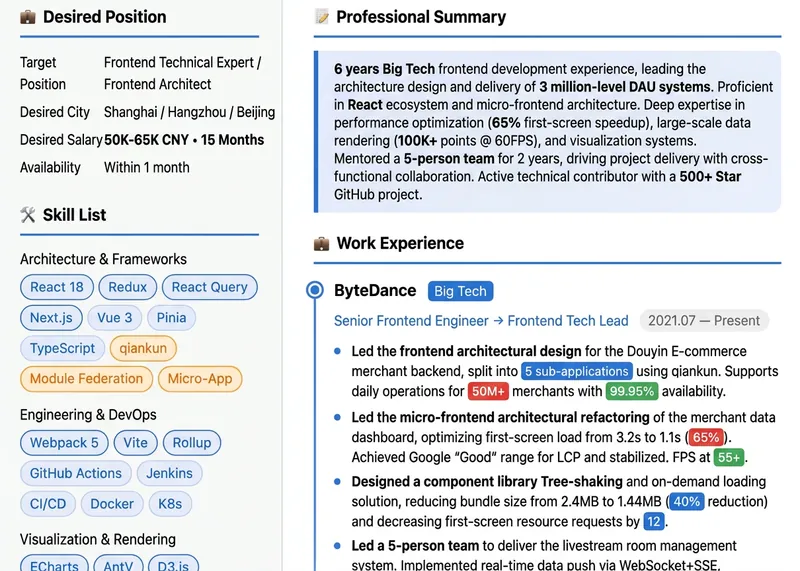
Users input their full resume and target job description, and receive in one go a resume diagnostic report, content optimization (with before/after comparison), multiple customized resume versions, layout beautification suggestions, and a job search toolkit. Finally, it generates a beautifully formatted visual resume webpage (previewable, downloadable, printable, and shareable), addressing issues like resume mismatch, lackluster appearance, and ATS filtering. It automatically identifies user categories such as fresh graduates, experienced hires, career changers, and executives, and adapts its strategy accordingly.
Information
- Version
- v3
- Last updated
- Runtime credits
- Usage-based
- Models
- Auto
