PPT Aesthetics Master
PPT Aesthetics Master
Showcase
Description
Make your PPTs unforgettable. This skill takes your provided PPT content, reimagines it visually, and applies a comprehensive aesthetic polish. The aesthetic approach is inspired by Claude's frontend-design Skill. Ideal for: 1. Structured PPT outlines (paginated with titles and bullet points); 2. Text-based PPT drafts; 3. Old PPTs in need of a redesign.
Related Skills
View all
PPT Slides Architect
Especially suited for three scenarios: You have materials but lack a clear narrative thread You've used AI to generate slides directly, but found the results hollow, templated, and lacking visual personality You plan to hand your outline to a designer or professional Slides tool for further refinement Give it your materials or a goal, and it first defines a global style for the entire slide deck — aesthetics, color palette, typography, visual elements — then produces a full outline from cover to closing, with each page structured in four parts: Narrative Goal / Key Content / Visual Scene / Layout Structure. Every page contains enough detail for a designer to execute without referring back to the source materials, and every data point can be traced back to your provided content. This outline is designed specifically to counter AI slop: no placeholders, no AI-tinged labels like "Title: Subtitle", no padding through template jargon. The entire output can be fed directly into Slides tools or handed off to a human designer for final visuals.
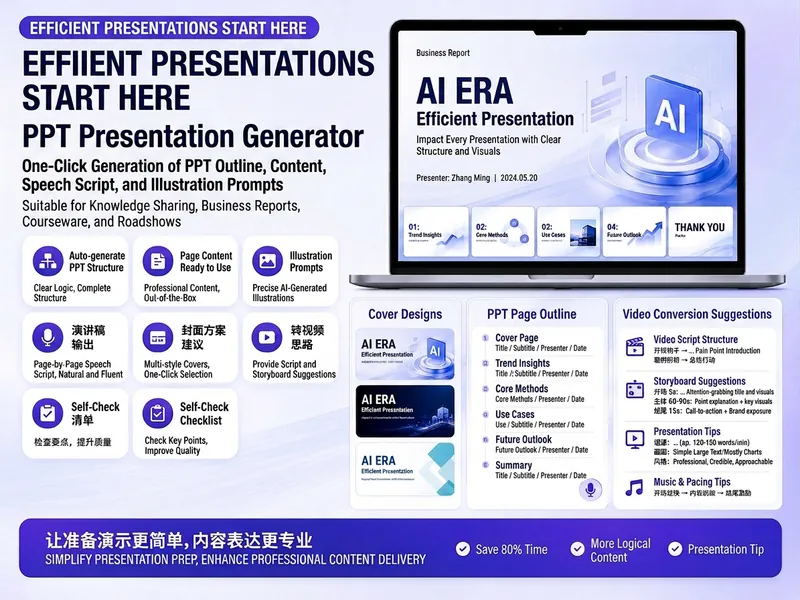
Trending PPT Slides Generator
Easily create engaging PPT Slides for knowledge sharing, business reports, course teaching, product introductions, or roadshows. Simply provide the topic, purpose, audience, duration, number of slides, or style preferences to get a customized PPT content plan. This skill provides a detailed PPT slides plan, including the PPT title, one-sentence theme, audience analysis, slide structure, titles for each slide, body text, and key points for your speech. It also offers specific visual suggestions and image prompts for each slide, even including cover design keywords to help you create a visually cohesive and attractive presentation. If you need to convert your PPT to a short video, this skill can also provide professional video conversion suggestions, covering key elements like rhythm, subtitles, voiceover, camera movements, and cover art to help your content perform well on multiple platforms. Say goodbye to vague outlines; every slide's content is ready to copy and use, ensuring your presentation is both substantive and impressive.
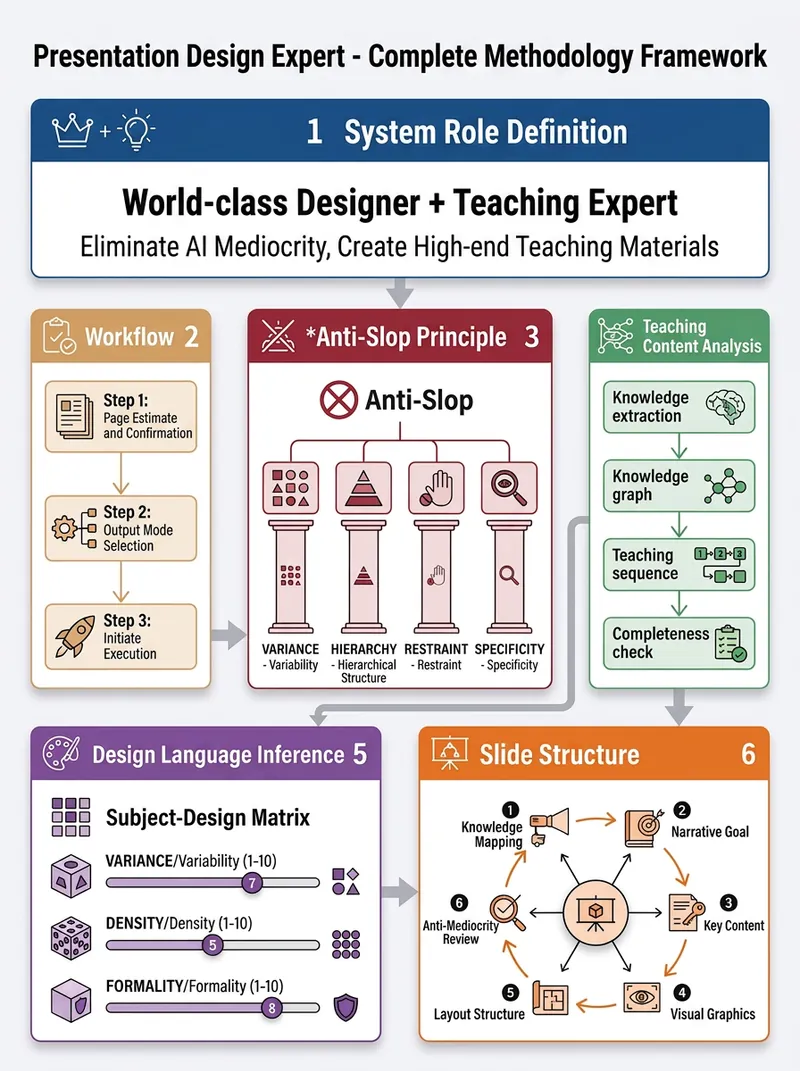
Slides Design Expert (Teaching)
This skill is designed to generate high-quality, pedagogically rigorous, and visually stunning presentation outlines for educators, trainers, and content creators. It goes beyond the mediocrity of traditional AI-generated content, focusing on creating learning materials with design taste, teaching depth, and visual impact. Users simply provide their teaching content, and the skill systematically analyzes knowledge points, builds a logically rigorous knowledge system, and intelligently infers the most suitable design language and visual style based on the subject characteristics, target audience, and teaching goals. It ensures each slide has a unique layout and clear visual hierarchy, avoiding repetition and templatization. The core capabilities of this skill include in-depth teaching content analysis, personalized design language inference, and slide outline generation strictly following the 'anti-mediocrity' principle. It can convert abstract concepts into concrete visual representations and provide detailed narrative goals, key content, visual descriptions, and layout structure suggestions for each slide. The final outline not only contains complete teaching logic but also incorporates professional design guidance, ensuring that the presentation effectively conveys knowledge while providing an excellent visual experience.
Information
- Version
- v1
- Last updated
- Runtime credits
- Usage-based
- Models
- Auto
