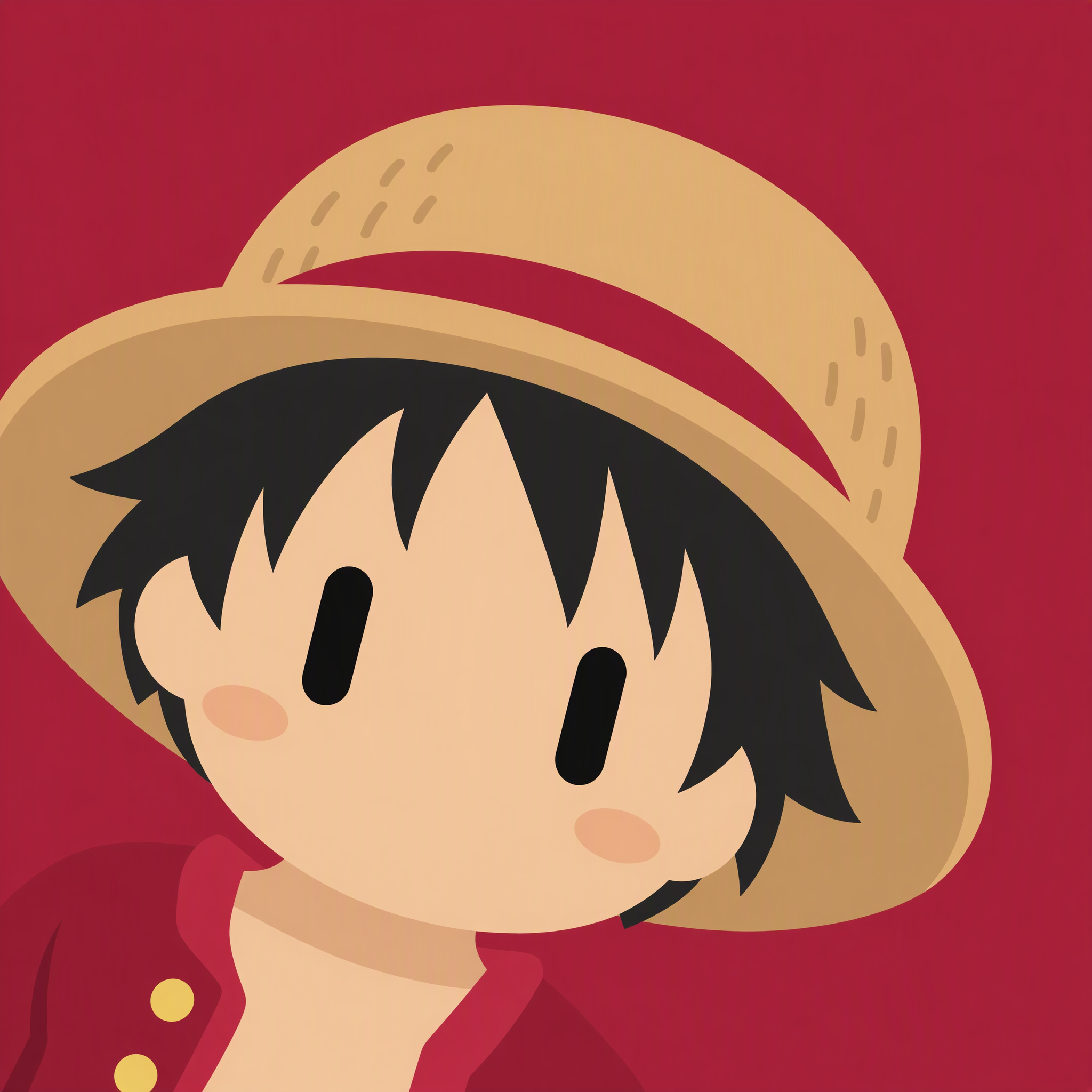
Viral Realistic Anime Avatar
Turn photos into minimalist robot avatars
Viral Realistic Anime Avatar
Turn photos into minimalist robot avatars
Showcase
Description
Turn a person or character image into a consistent minimalist 2D robot avatar, suitable for people, anime characters, dolls, mecha, and other subjects. The avatar extracts the original image’s basic skin or surface color, hair color, and hairstyle silhouette, while preserving a few of the most recognizable core features, such as ears, glasses, hats, beards, or mechanical parts. It will not add elements that are absent from the original image or copy character features from the style reference image. The final output is a 1:1 square avatar icon with large, smooth color blocks forming a rounded face and simplified hairstyle, paired with two solid-black vertical capsule eyes, low-saturation oval blush, and a consistent angled composition. The character appears enlarged from the lower-left corner, with the chin close to the bottom edge. The upper-right area retains solid-color background space, with the background color selected from one of the character’s representative colors and kept in clear contrast with the subject. The artwork does not include a mouth, nose, pupils, highlights, complex clothing details, text, logos, watermarks, or background patterns. Even when scaled down, the core silhouette and robot-avatar characteristics remain easy to recognize. If no person or character image is provided, upload one before starting the conversion.
Best for
For users who want to turn photos of people, anime characters, dolls, or mecha into consistent avatar icons.
How to use this Skill
Provide your input
Upload a person or character image; you may optionally provide a style reference image.
Run the Skill
Transform the subject into a consistent minimalist 2D robot avatar, extracting representative colors and key outline features while simplifying details.
Review your result
Generate a 1:1 square avatar with a rounded face, black vertical capsule eyes, a solid-color background, and clearly recognizable subject features.
Related Skills
View all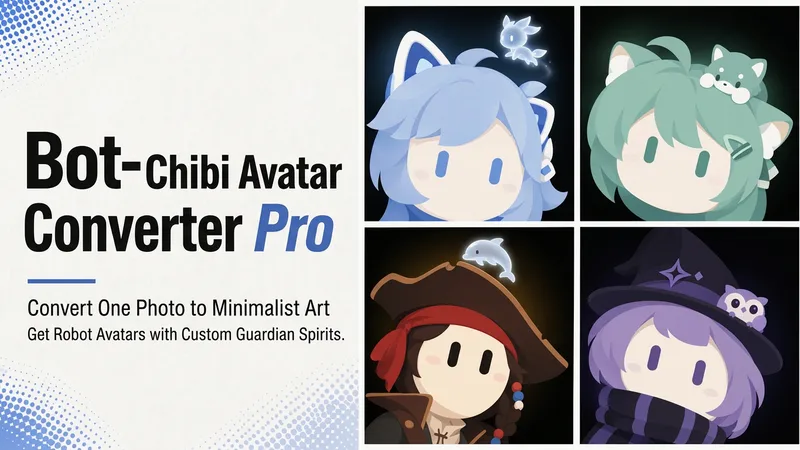 Image
Bot Q-Style Avatar Pro
Upload a photo, a character image, or simply describe it in one sentence, and turn it into a minimalist 2D “robot avatar” with a consistent style—no mouth or nose, large vertical oval eyes, a charcoal-black background, and soft theme-colored backlighting. You can also add a dedicated guardian that stays by its side. [What it can do] - Handles four input types: real-person photos, character or original IP art, pet photos, and text-only descriptions can all be transformed. - One style, a cohesive set: all avatars share the same minimalist robot visual language, creating a highly recognizable avatar wall without making everyone look alike. - Natural, realistic skin tones: skin color is captured from the original image for a clean, natural result—not a stark white mask. For real-person photos, the person’s actual skin tone is used. - Optional exclusive “Guardian” overlay: if the character has a signature pet, one is added automatically. You can also request one yourself and choose between a “glowing spirit” or a “physical cute companion.” - Switchable backgrounds: the main avatar uses a charcoal-black background with theme-colored backlighting. For displays or covers, you can also switch to a full theme-pattern background. - Delivered as a set: in addition to the main avatar, you can add guardian stickers, dual-form comparison versions, and sticker packs. [What you’ll receive] One 1:1 minimalist robot avatar, with guardian stickers, dual-form comparison versions, and sticker packs available as add-ons for a complete set. [Who it’s for] - Individuals who want a highly recognizable avatar that doesn’t look like everyone else; - Social media creators and managers who need a consistent avatar wall or visual identity; - Bloggers and brands that want to humanize and develop their original IP, pets, or brand mascots into a series. [Note] This Skill is a general-purpose style engine. You provide the source materials in the conversation; it does not include or replicate any specific artwork or trademarked character. Make sure you have the rights to use any photos or images you provide. The finished work is AI-generated content.
 Image
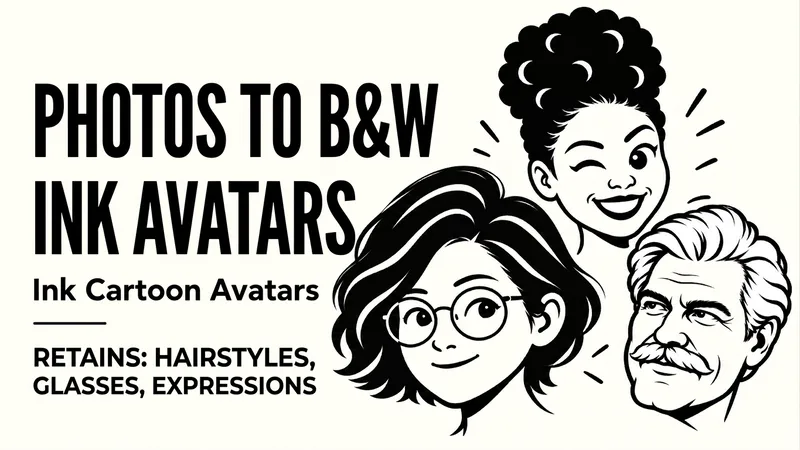
B&W Cartoon Avatar
Upload a portrait to preserve defining features like hairstyle, glasses, and facial hair while generating a clean, recognizable black-and-white bold-line avatar. Upload a character photo to convert identifying features such as hairstyle, face shape, glasses, and facial hair into bold black outlines, black-and-white blocks, and expressive facial features. By default, it preserves the original orientation and natural expression, producing a text-free, 1:1 head avatar with a solid background. If you want a different mood, you can also say "playful wink," "calm and steady," or "make a set of expressions." For the same person, you can use the same hairstyle, frame, and face shape to create natural, playful, and steady looks respectively. It supports changing the background, aspect ratio, quantity, and creating truly transparent backgrounds when supported by the tool. Great for social media avatars, personal branding, community member icons, and digital sticker visuals. After generation, it checks against the original photo for hairstyle, glasses, facial hair, stray lines, and avatar cropping margins, making targeted corrections when clear issues arise. Examples: "Make a black-and-white avatar from this photo, keeping the round glasses and short curly hair, with a closed-mouth smile." "Keep the white hair and mustache, make a calm expression, no glasses."
 Image
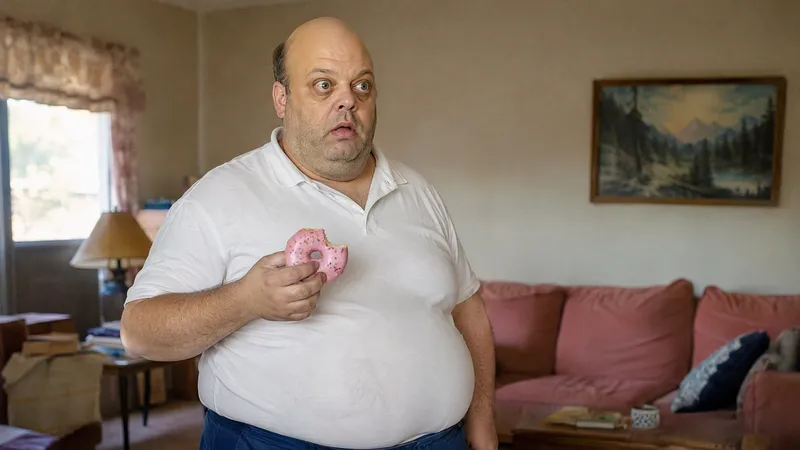
Anime Character to Real Life
Bring your favorite anime characters to life as if they actually exist in the real world! This is an AI image generation skill designed specifically for anime, manga, and cartoon characters. Upload a character image to transform 2D characters into realistic portraits featuring real skin, natural hair, authentic clothing textures, and cinematic photography quality. Core Features: • High-Fidelity Character Recognition: Analyzes signature hairstyles, facial features, face shapes, eyes, clothing, and accessories to preserve character recognition. • Realistic Human Texture: Renders natural skin textures, subtle blemishes, realistic lighting and shadows, and photographic depth of field. • True to Original Design: Preserves classic color schemes, clothing silhouettes, and key features. • Cinematic Snapshot Style: Creates natural-looking photos as if captured in real life. • Multi-Aspect Ratio Support: Set ratios such as 3:4, 9:16, 1:1, and 16:9 as needed. • Multi-Model Support: Adjusts prompts and generation strategies based on currently available YouMind image generation models. Use Cases: Anime character live-action transformation, cartoon character realism, AI creative avatars, character concept design, short video visual assets, and social media content creation. How to Use: Upload an image or enter a character name, describe the features and visual style you want to retain, and get started.
Information
- Version
- v5
- Last updated
- Runtime credits
- Usage-based
- Models
- Auto
- Use cases
- Images & design
- What you get
- Image
- Visual styles
- MinimalistFlat
