Tasty Weather Pro
Tasty Weather Pro
Showcase
Description
Turn your food photos into a warm and fun 'table weather forecast'! AI automatically identifies the food, drinks, and dining atmosphere in the image, converting the taste, temperature, and mood of each dish into weather language. Supports 4 visual styles × 4 broadcast personalities × 3 output sizes. Every meal becomes a unique 'tasty weather' report. One photo, one exclusive weather report, making your social feed stand out.
Recommended by
Nico@YouMind
Why we love this skill
It can transform food photos into creative weather forecasts, offering multiple styles and broadcast personalities to choose from, making your dining table instantly fun and shareable.
Related Skills
View all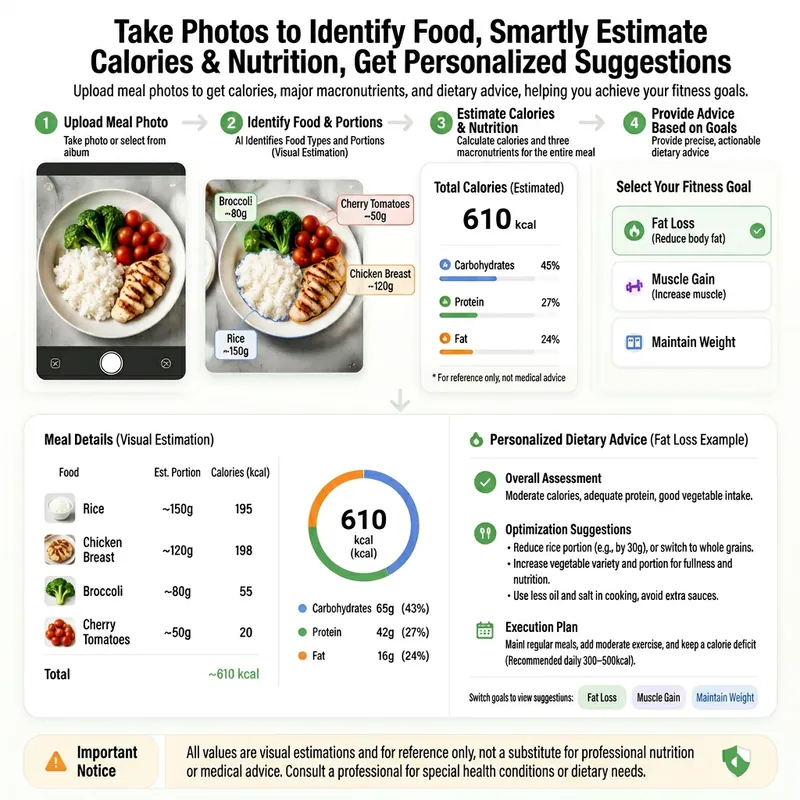 Research
Meal Photo Nutrition 2.0
From a single meal photo, this skill provides professional nutritional analysis and diet optimization recommendations. Designed for fitness enthusiasts and health-conscious individuals, it identifies food composition, cooking methods, and potential hidden calories from visual information, and estimates protein, carbohydrate, fat, and dietary fiber intake based on your personalized goals such as fat loss, muscle gain, or weight maintenance. In addition to a detailed text report, you'll receive an elegant, clean image-based nutrition summary card. Key nutrient ratios, calorie distribution, and improvement suggestions are condensed into a beautiful infographic, making it easy to save or share your meal records on your phone. Whether you're seeking science-backed refueling advice before or after training, or exploring healthier ingredient swaps in daily life, this skill delivers concrete, actionable dietary guidance. To make the analysis more tailored to your situation, you can provide additional details such as your specific fitness goals, ingredient weights, or dietary restrictions. While offering suggestions, the skill maintains a cautious and professional approach, helping you enjoy your meals while gaining clearer insight into their nutritional value.
 Image
ImageSmart Recipe Generator
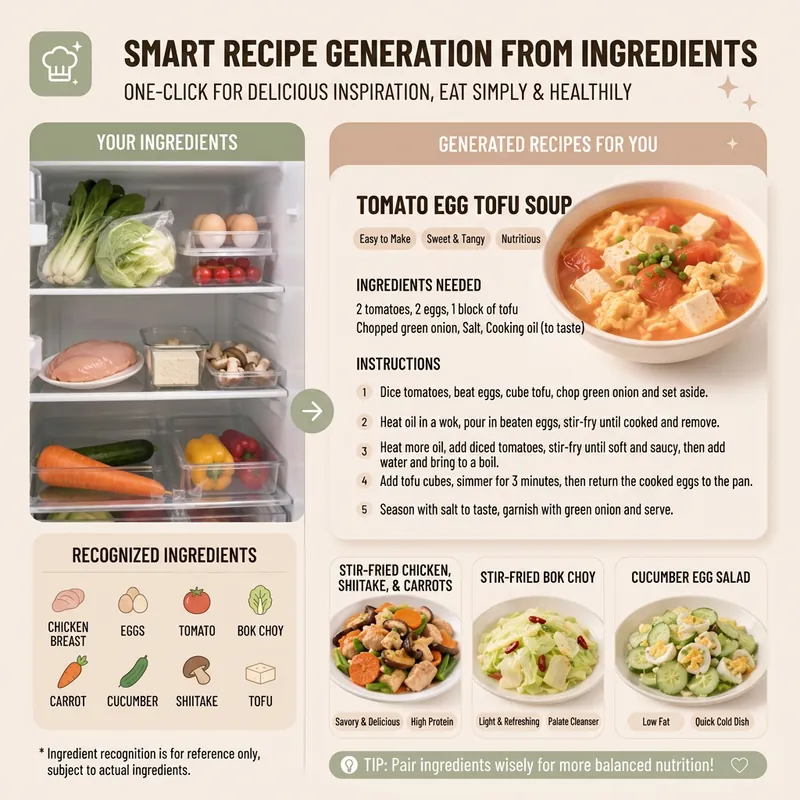
Still worrying about what to cook every day? The "Smart Recipe Generator" assistant is your dedicated home cooking advisor! Whether you want to clean out your fridge, make the most of the ingredients you have, or need fresh cooking inspiration, it can provide thoughtful service. Just tell it what's in your fridge, or directly upload a photo of your ingredients. It will intelligently identify them and recommend 2–3 delicious and practical home-style dishes based on your ingredient list. You'll see the difficulty, estimated cooking time, and recommended reason for each dish, plus a clear indicator of which dishes can be made with the ingredients you already have and which require a few extra items. Even if you have no idea what ingredients to use, it can still recommend seasonal dishes and provide a shopping list. Once you pick a dish, it immediately provides detailed cooking steps, including ingredient quantities, prepping requirements, step-by-step instructions, and practical tips, so you can get started easily. Even better, you can ask it to generate a beautiful 9:16 vertical recipe card at any time. With a light, fresh design, the card condenses the whole recipe onto a single image, so you can see everything at a glance while cooking and easily view it on your phone. Say goodbye to complicated cookbooks and enjoy the convenience and fun of smart cooking!
 Image
ImageReality Blend Artist Pro
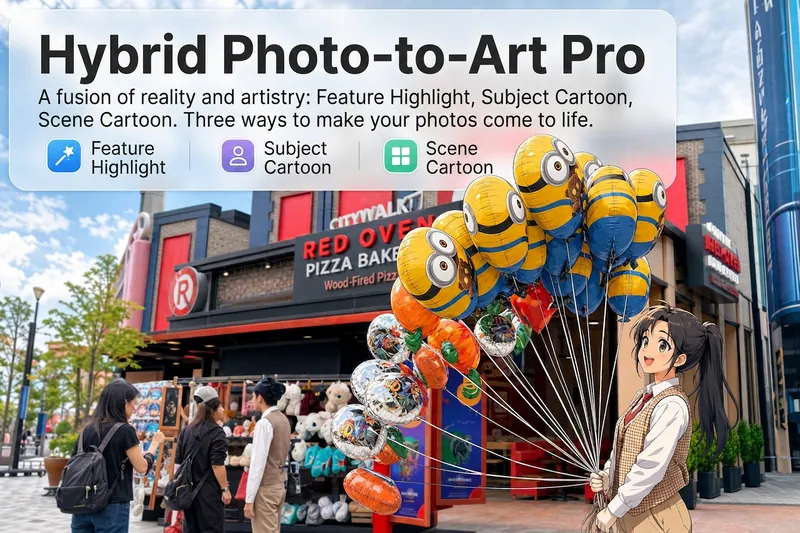
Upload a photo, and AI first reads it like a visual analyst across five dimensions: what the subject is, how it is composed, its color palette, where the visual focus lies, and what emotion it conveys. It then tells you where a hand-drawn treatment would have the most impact and how to make it look best. Four real-and-drawn blend modes, four ways to play: 🔹 Local Accents — Keep the overall image realistic while AI selects 2–3 local areas to replace with a hand-drawn style. Patterns on a sign, the coffee cup in someone’s hand, or a few flowers peeking out from a flower bed—just enough to give the photo a sense of life. Choose from 4 hand-drawn styles: pencil sketch / watercolor wash / sticker doodle / clay relief. 🔹 Subject Anime — Turn a person, animal, or object into an anime-style subject while keeping the background’s realistic photographic texture. Choose from 5 anime styles: action manga / American superhero comics / Ghibli-style / Korean webtoon / Chinese ink wash. It feels like an anime character has stepped into the real world. 🔹 Environment Anime — Reverse the approach: keep the subject realistic while transforming the surrounding environment into an anime style. The contrast of being in a real world surrounded by a 2D universe is instantly amplified. 🔹 Selective Color Light Trails — Convert the image to black-and-white grayscale while keeping selected objects in their original, highly saturated colors. Clean white detail outlines surround the colored objects, extending into flowing, curling, psychedelic agate-like color trails that naturally follow the scene’s direction. Retro collage × surreal art turns a single photo into a movie poster in an instant. Each mode × 2 blending methods: Gradient Feathering (a natural transition between real and illustrated, like ink spreading through paper) / Hand-Drawn Border (a white outline, like a sticker placed on the image). No blind image generation—you're in control at every step. AI analyzes first → recommends an approach → you confirm → then it generates, helping avoid wasted results. For portrait photos, faces and facial features are automatically avoided and are not replaced with hand-drawn elements. The number of local areas is limited to 2–3, with professional constraints on their position and size—the result is a finishing touch, not a collage. 4 modes · 16 styles · 2 blending methods = 32 real-and-drawn combinations. The same photo can take on completely different moods.
Information
- Version
- v2
- Last updated
- Runtime credits
- Usage-based
- Models
- Auto
