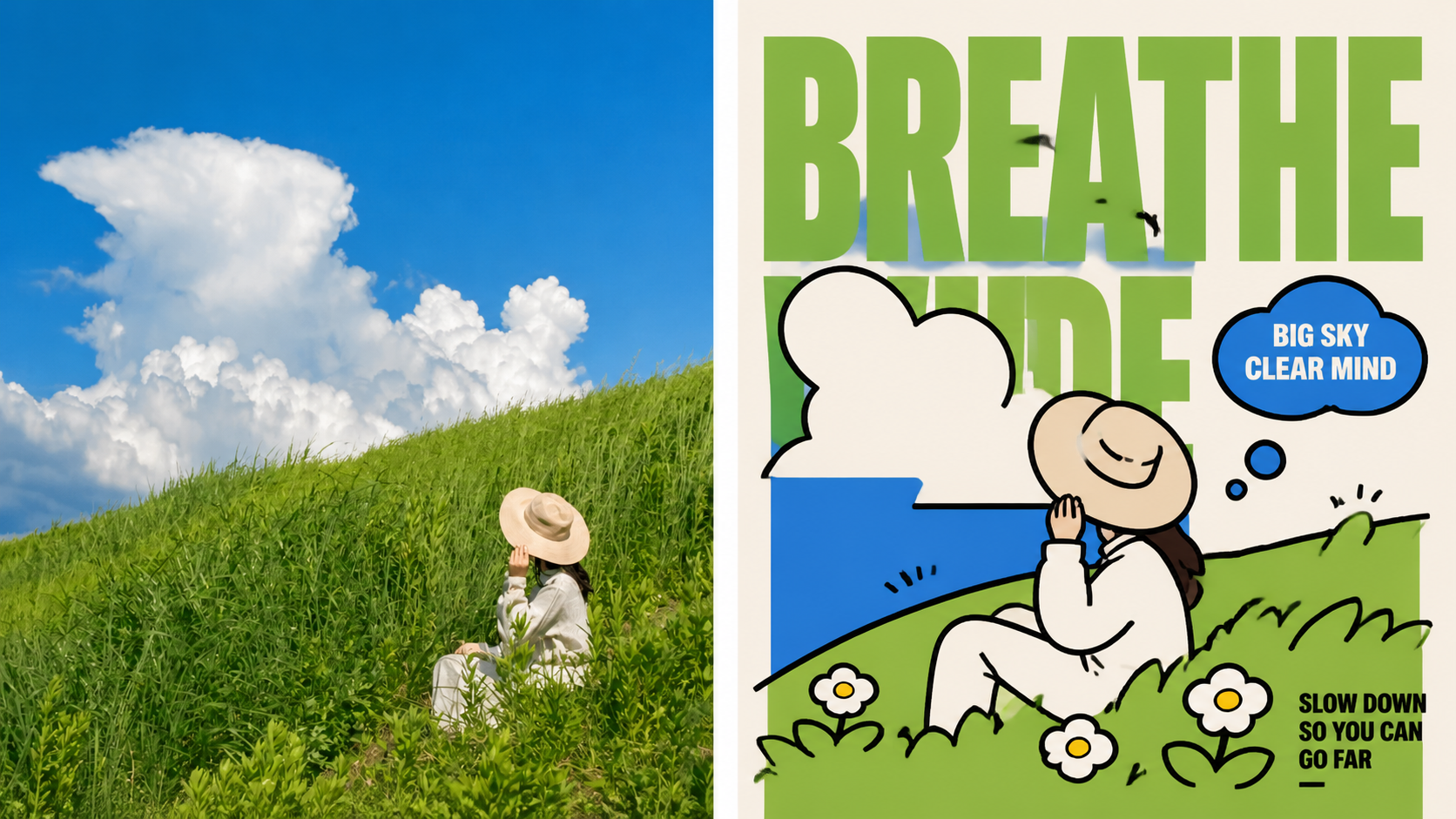
xiaoxiaodong × Vector P099
Created by xiaoxiaodong
xiaoxiaodong × Vector P099
Created by xiaoxiaodong
Showcase
Description
Panel 099 distills 3–5 of the most consistent features and uses rounded geometry, exaggerated proportions, and clear shape language to transform people, animals, buildings, plants, or objects into brand characters that remain recognizable when scaled down. Best for these situations Need a memorable character: Use bold black outlines, rounded geometry, and exaggerated proportions to reinforce identity and movement. Need the character and layout to work together: Create clear foreground, middle-ground, and background layers with oversized background text, the character, whitespace, and optional speech bubbles. Need branding rather than a direct copy of the original image: Extract and refine 2–4 colors from the source image to keep the result vivid, modern, and reusable. Need flexible delivery: Supports top-and-bottom, side-by-side, design-only, multiple aspect ratios, and four-device wallpapers, and can process image directories in batches.
Recommended by
Shuting@YouMind
Why we love this skill
Anchored to the original creative brief, it preserves the flat vector style and content boundaries across multiple output formats.
Best for
For anyone who needs highly recognizable brand characters and visual assets in multiple sizes.
How to use this Skill
Provide your input
Upload a photo or image, or provide an image directory. Optionally include the finished layout, canvas ratio, text language, or exact copy.
Run the Skill
Choose top-and-bottom, side-by-side, design-only, or wallpaper output. The system turns the subject into a flat character with rounded geometry and exaggerated proportions, then generates it at the selected size.
Review your result
Receive a PNG design. Depending on your selection, it may include an original-and-design comparison, a design-only image, or wallpapers for multiple devices.
Related Skills
View all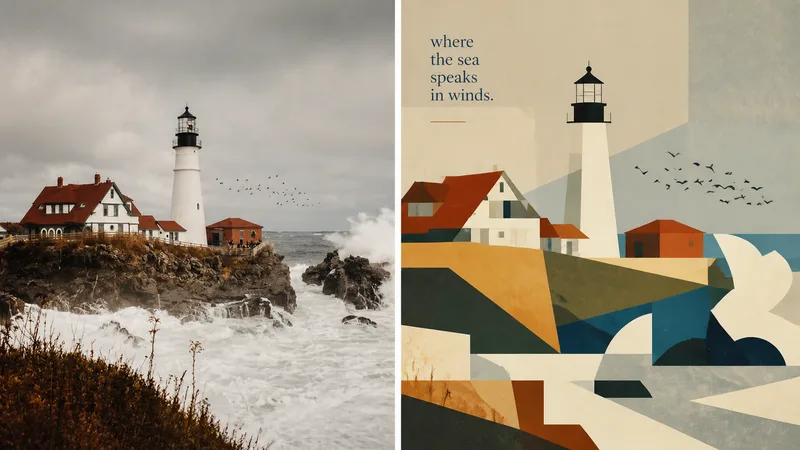 Image
Imagexiaoxiaodong × P093 Collage
Panel 093 preserves the subject, contours, poses, and narrative relationships from a photo, then distills them into rectangles, trapezoids, triangles, circles, and a few freeform shapes. Instead of relying on realistic perspective and complex shadows, it creates depth through occlusion, changes in scale, layered color fields, and height relationships. Bright colors, subtly hand-drawn edges, and a matte gouache texture give the result both the flat feel of paper cutouts and the finish of an independent publication. Great for these situations Want to make a complex photo instantly readable: Merge repeated elements while preserving the most important identity cues with as few shapes as possible. Need colors that feel lively, not cheap: Start with the brightest and most memorable colors in the original image, then reorganize them into a limited, clear palette of cohesive color fields. Seeking a refined modernist simplicity: Use flat space, subtly irregular edges, and a matte gouache/acrylic finish to avoid a polished vector look and template feel. Need flexible delivery: Supports top-and-bottom, left-and-right, design-only, multiple aspect ratios, and four-platform wallpapers, as well as batch processing for image directories.
 Image
Imagexiaoxiaodong x Line P081
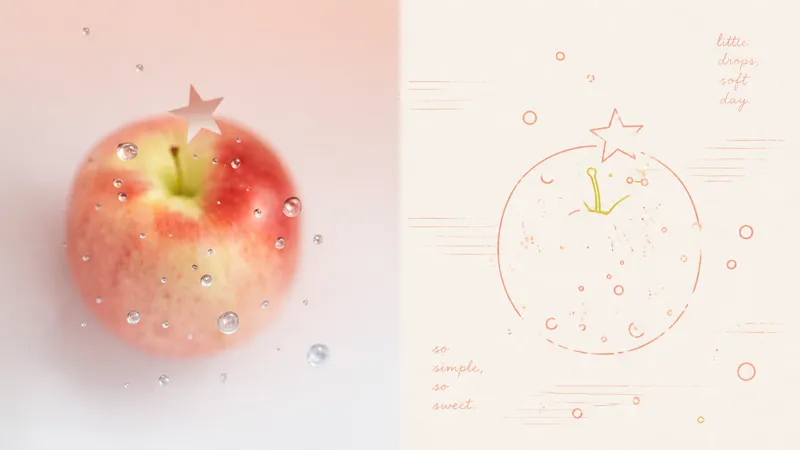
Panel 081 uses a near-uniform-width monoline system to compress subjects, contours, poses, and relationships into a small set of memorable symbols. Open contours, broken edges, subtle jitter, and misalignment remove the mechanical vector feel; 2–4 colored lines extracted from the original image encode information directly, establishing foreground and background through line density, brightness, and spot-color hierarchy. Grain, registration shifts, and uneven inking create the authentic warmth of a commemorative print. Good for these situations Want to turn photos into a personal keepsake album: Use a few colored monolines to preserve the details in people, places, objects, and relationships that are truly worth remembering. Dislike the cartoon look of black outlines: Let 2–4 spot-color lines derived from the original image handle contours, structure, and information hierarchy directly. Need negative space and editorial order: Use open contours, layered line density, and asymmetric layouts to bring air, distance, and emotion into the image. Need flexible delivery: Supports top-and-bottom, side-by-side, design-only, multi-ratio, and four-edge wallpapers, and can also process image directories in batches.
 Image
Imagexiaoxiaodong Watercolor P082
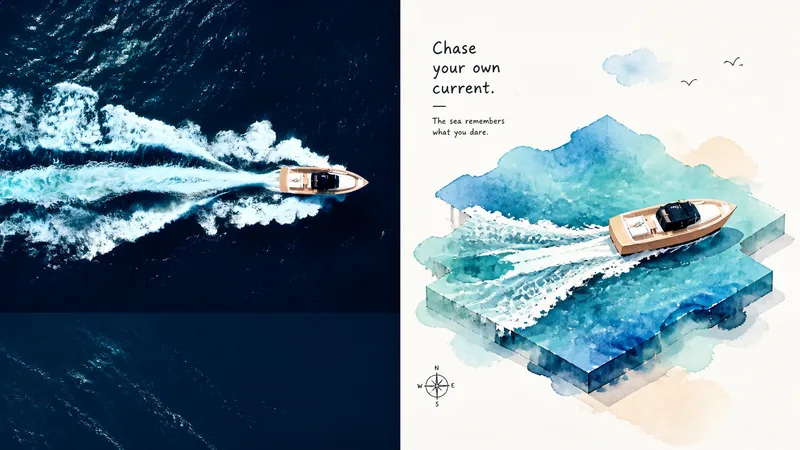
Panel 082 compresses the original image into large, irregular watercolor color fields, then lets the sole central subject “stand up” from the color space through naïve + wonky childlike hand-drawn outlines and an isometric/2.5D structure. Layered planes, foreground and background occlusion, and subtle height differences create a sense of space. Vibrant watercolor extracts the vitality of the original image, while generous warm-white negative space preserves airiness and a playful spirit. Great for these situations Want the subject to leap out of a watercolor color field: Use irregular watercolor shapes to carry the atmosphere and terrain, then support the sole central subject with an isometric/2.5D structure. Need a playful feel without losing spatial logic: Preserve the handmade imperfections of naïve + wonky styling while keeping isometric directions, layering, and occlusion clear. Complex photos need active simplification: Remove irrelevant surroundings and keep only identity-defining features, visual metaphors, and the most lively colors from the original image. Need flexible delivery: Supports top-to-bottom, left-to-right, pure design, multiple ratios, and four-sided wallpapers, and can also process image directories in batches.
Information
- Version
- v5
- Last updated
- Runtime credits
- Usage-based
- Models
- Auto
- Use cases
- Images & designMarketing & growth
- What you get
- Image
- Visual styles
- Flat
