
Dev New Brutalism Editorial
New Brutalism Slides, open-source mag feel
Dev New Brutalism Editorial
New Brutalism Slides, open-source mag feel
Showcase
Description
Turn your topic content, articles, knowledge points, project retrospectives, course copy, or tool introductions into a set of horizontal Slides with a 'Developer New Brutalism Editorial Style.' The overall style blends New Brutalism design, indie magazine layout, and developer terminal aesthetics: beige background, thick black borders, hard shadows, high-contrast color blocks, oversized titles, monospaced fonts, and web/terminal/card modular layouts, creating a strong sense of technical content expression. This skill first refines the content structure, then determines a core point for each page, automatically generating titles, explanatory sentences, knowledge point modules, conclusions, and appropriate visual components. It is especially suitable for AI tool introductions, Agent practice, open-source project breakdowns, course content organization, methodology summaries, product feature explanations, and technical retrospectives. The final output is a set of 16:9 horizontal Slides with a unified visual appearance, clear readability, ample white space, and distinct style, presenting an advanced expression effect that feels 'like an open-source project author sharing technical knowledge, yet like an indie design magazine telling a story.'
Recommended by
nene@YouMind
Why we love this skill
Combines Neo-Brutalism with developer terminal aesthetics to transform mundane content into hard-edged slides with an indie magazine vibe.
Related Skills
View all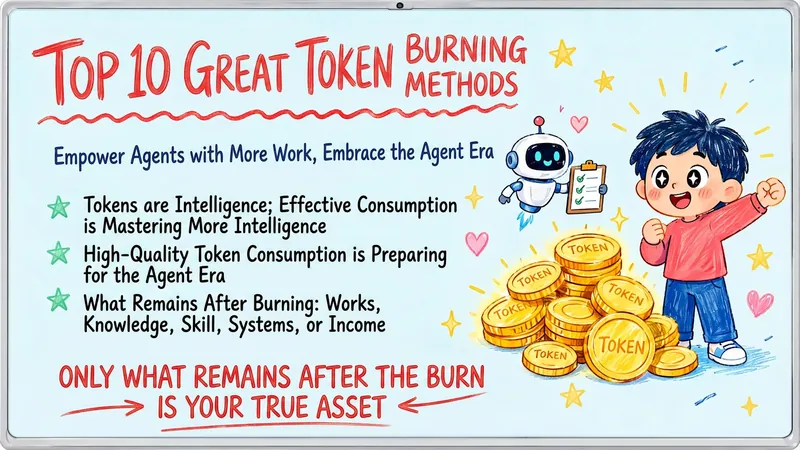 Slides
Hand-Drawn Whiteboard Slides
Transform your topic content, articles, knowledge points, or course copy into a set of creative and warm hand-drawn whiteboard style Slides. Whether you need to present key ideas, teaching content, or share personal insights, we can refine them and present them in a fresh, lively visual form. This skill excels at simplifying complex information. Each Slide revolves around a core topic, accompanied by vivid hand-drawn illustrations and clear, concise key points. We simulate the feel of a teacher writing on a digital whiteboard in class, using a light blue screen background, red and blue handwritten titles, and hand-drawn elements like stars and hearts to make learning and sharing more fun and engaging. Whether it's quote interpretation, method steps, science popularization, parent-child education, inspirational growth, or AI technology topics, this skill automatically matches the most suitable visual expression. The final Slides will be in 16:9 landscape format, with natural handwriting-style fonts, soft colors, and a unified overall style, making your content both professional and approachable, like warm and interesting knowledge cards.
 Slides
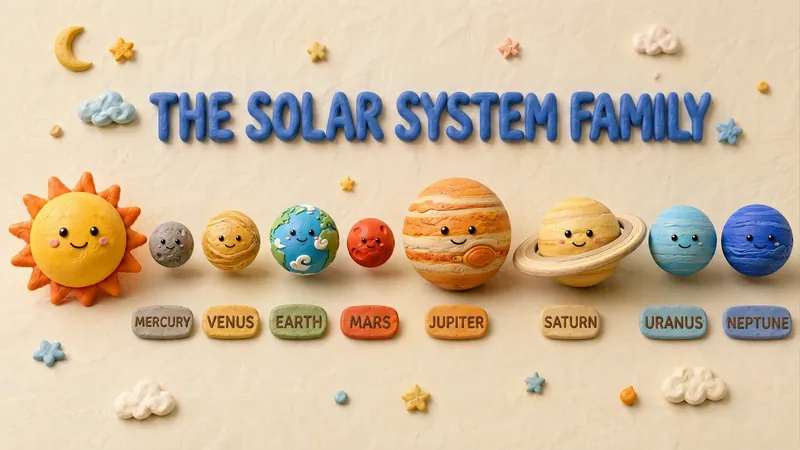
Claymation Style Slides
This Skill turns your creative scripts into highly artistic claymation-style Slides. It's more than just simple presentation creation - through 3D modeling-grade visual rendering, it shapes every idea into clay models that feel handcrafted and warm. Whether for science popularization, educational courseware, or creative presentations, it gives your content a playful, warm, and highly approachable visual style. You can choose your input method flexibly: just provide a topic and let the AI plan the content, or enter an outline or a full speech script, and the Skill will carefully plan everything. Before generating, it first creates a page-by-page outline that includes page layout, visual element descriptions, and the main color palette. You can review or adjust the narrative logic of each page to ensure the final output meets your expectations. Once you confirm the plan, the system generates high-quality 16:9 3D clay-style images page by page. These images have a realistic plasticine texture with delicate handcrafted details and soft studio lighting. All images are automatically assembled into a complete presentation, with each page featuring rounded 3D titles and clear visual labels, delivering a cinematic presentation experience.
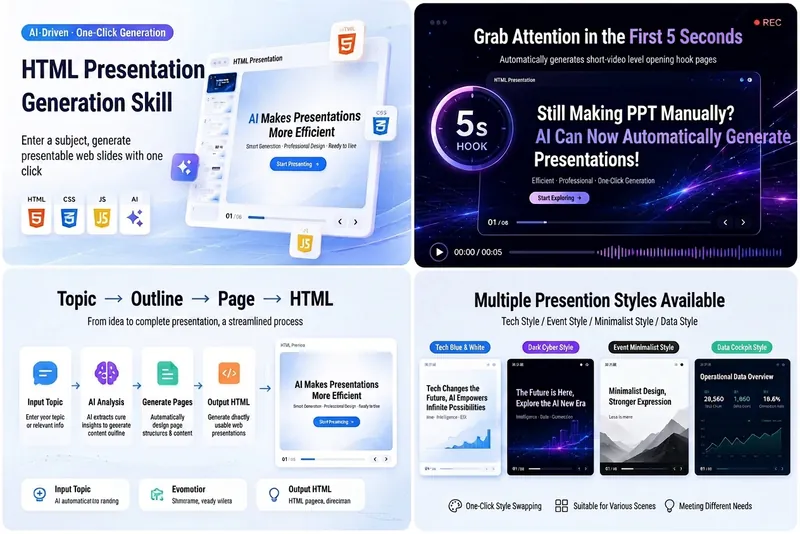
HTML Slides Generator
Easily turn your ideas, materials, or scripts into professional-grade HTML slides, designed for screen recording and pitch presentations. Whether you need AI tech sharing for platforms like Douyin, WeChat Video Channel, Xiaohongshu, or Bilibili, or product pitches, course demos, or business reports, this tool helps you quickly generate a visually refined, well-structured web slideshow. It automatically builds a complete slide structure, including an eye-catching opening hook in the first 5 seconds, titles and body text for each page, along with visual design suggestions. You'll get a standalone `index.html` file containing HTML, CSS, and JavaScript, supporting keyboard navigation, button navigation, progress bar, page numbers, and animations—perfectly optimized for 16:9 landscape screen recording. From AI tech blue-white to dark cyberpunk, to Apple keynote or Notion minimal style, you can choose or customize the visual theme to match your topic. Each slide is carefully designed to keep the content focused and easy to understand, with a reserved safe area in the lower right corner for video commentary, making your presentation more expressive and professional.
Information
- Version
- v4
- Last updated
- Runtime credits
- Usage-based
- Models
- GPT Image 2
